
To search a query plan for a table, use Find Node in SSMS or query the plan XML. A plan with forty operators hides a table well. The same table can also appear twice, and the second visit is the one people miss.

One Query With a Table That Appears Twice
The demo creates a database named PlanSearchDemo with four small tables: customers, products, orders and order lines. The query counts the order lines of Austin customers. It counts only orders that also hold a line with quantity 5. That second condition reads the order lines table again, inside a subquery.
IF DB_ID(N'PlanSearchDemo') IS NULL CREATE DATABASE PlanSearchDemo;
GO
USE PlanSearchDemo;
GO
DROP TABLE IF EXISTS dbo.OrderLines, dbo.Orders, dbo.Customers, dbo.Products;
CREATE TABLE dbo.Customers (CustomerID int NOT NULL CONSTRAINT PK_Customers PRIMARY KEY, City nvarchar(40) NOT NULL);
CREATE TABLE dbo.Products (ProductID int NOT NULL CONSTRAINT PK_Products PRIMARY KEY, ProductName nvarchar(60) NOT NULL);
CREATE TABLE dbo.Orders (OrderID int NOT NULL CONSTRAINT PK_Orders PRIMARY KEY, CustomerID int NOT NULL, OrderDate date NOT NULL);
CREATE TABLE dbo.OrderLines (OrderLineID int NOT NULL CONSTRAINT PK_OrderLines PRIMARY KEY, OrderID int NOT NULL, ProductID int NOT NULL, Quantity int NOT NULL);
WITH Nums AS (SELECT TOP (20000) ROW_NUMBER() OVER (ORDER BY (SELECT NULL)) AS n FROM sys.all_objects AS a CROSS JOIN sys.all_objects AS b)
SELECT n INTO #Nums FROM Nums;
INSERT dbo.Customers SELECT n, CASE WHEN n % 2 = 0 THEN N'Austin' ELSE N'Denver' END FROM #Nums WHERE n <= 500;
INSERT dbo.Products SELECT n, N'Tea ' + CAST(n AS nvarchar(10)) FROM #Nums WHERE n <= 200;
INSERT dbo.Orders SELECT n, 1 + n % 500, '2026-01-15' FROM #Nums WHERE n <= 5000;
INSERT dbo.OrderLines SELECT n, 1 + (n * 37) % 5000, 1 + n % 200, 1 + n % 5 FROM #Nums;
DROP TABLE #Nums;
Run the query below with the actual execution plan switched on. The comment in it only tags the statement, so that the later scripts can find it again.
SELECT COUNT(*) AS Lines /* PlanSearchDemoTag */
FROM dbo.Orders AS o
JOIN dbo.OrderLines AS ol ON ol.OrderID = o.OrderID
JOIN dbo.Customers AS c ON c.CustomerID = o.CustomerID
JOIN dbo.Products AS p ON p.ProductID = ol.ProductID
WHERE c.City = N'Austin'
  AND EXISTS (SELECT 1 FROM dbo.OrderLines AS big WHERE big.OrderID = o.OrderID AND big.Quantity = 5);
Find Node in SSMS
Open the plan and right-click an empty part of it. Choose Find Node. In the dialog, pick Table as the property and keep the comparison on contains. Type a part of the table name, for example orderlines. The steps are the same in recent SSMS versions.

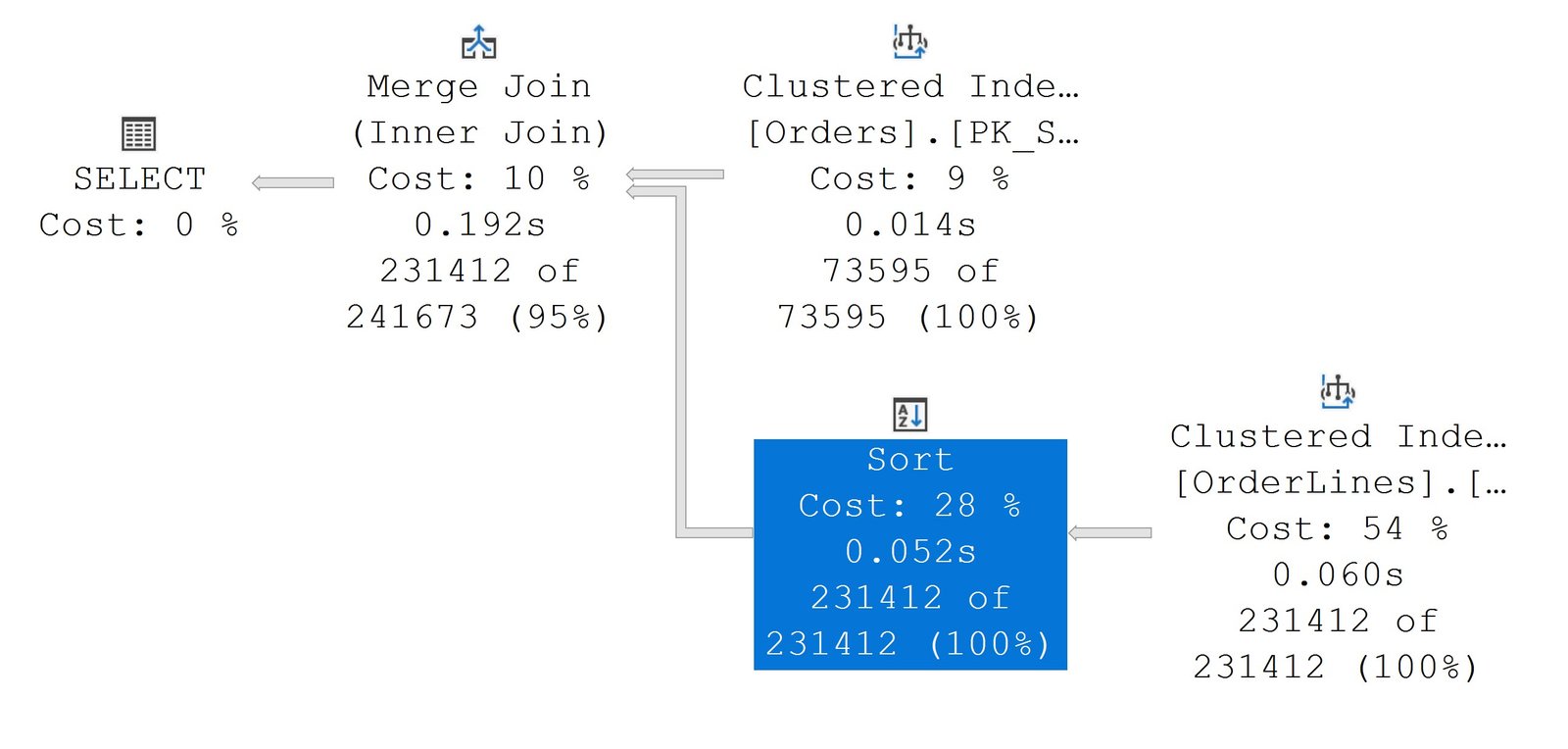
The arrows next to the box move through the matches one by one. SSMS highlights the operator that holds each match, which saves a long scroll on a big plan. Check every match, because the same table can have several.
Search a Query Plan With T-SQL
The plan is also an XML document, so you can search a query plan with XQuery. Every operator is a RelOp element. The table it reads sits in an Object element below it. The procedure below finds the cached plan of a tagged statement. It takes every Object and lists the operator, the table and the index. The plan XML has a namespace, and the query must declare it. Without the declaration, the same search finds no operators at all.
CREATE OR ALTER PROCEDURE dbo.PlanTables @Tag nvarchar(100)
AS
BEGIN
    DECLARE @plan varbinary(64) = (
        SELECT TOP (1) qs.plan_handle
        FROM sys.dm_exec_query_stats AS qs
        CROSS APPLY sys.dm_exec_sql_text(qs.sql_handle) AS st
        WHERE st.text LIKE N'%' + @Tag + N'%' AND st.text NOT LIKE N'%PlanTables%'
        ORDER BY qs.last_execution_time DESC);
    WITH XMLNAMESPACES (DEFAULT 'http://schemas.microsoft.com/sqlserver/2004/07/showplan')
    SELECT r.n.value('@NodeId', 'int') AS NodeId,
           r.n.value('@PhysicalOp', 'nvarchar(60)') AS Operator,
           o.n.value('@Table', 'nvarchar(128)') AS TableName,
           o.n.value('@Index', 'nvarchar(128)') AS IndexUsed
    FROM sys.dm_exec_query_plan(@plan) AS qp
    CROSS APPLY qp.query_plan.nodes('//RelOp') AS r(n)
    CROSS APPLY r.n.nodes('./*/Object') AS o(n)
    ORDER BY TableName, NodeId;
END;
Now call it with the tag from the demo query.
EXEC dbo.PlanTables @Tag = N'PlanSearchDemoTag';
| NodeId | Operator | TableName | IndexUsed |
|---|---|---|---|
| 7 | Clustered Index Scan | [Customers] | [PK_Customers] |
| 9 | Clustered Index Scan | [OrderLines] | [PK_OrderLines] |
| 10 | Clustered Index Scan | [OrderLines] | [PK_OrderLines] |
| 8 | Clustered Index Scan | [Orders] | [PK_Orders] |
| 3 | Clustered Index Scan | [Products] | [PK_Products] |
The order lines table appears twice, as nodes 9 and 10. One is the join and the other is the EXISTS subquery. Find Node shows the same two matches. The NodeId values depend on the plan SQL Server builds for your data, so yours can differ.
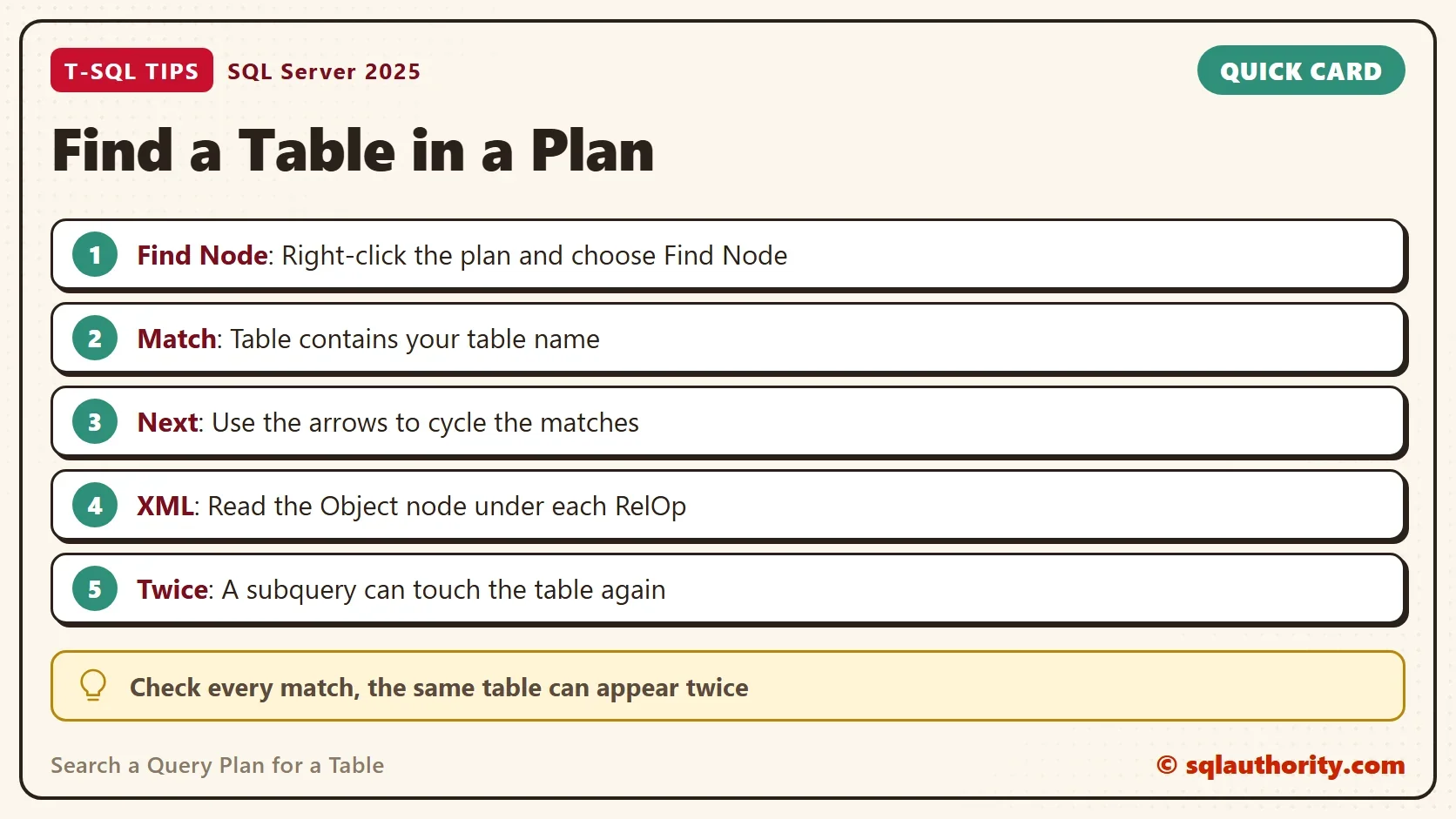
To count the visits per table, group the same rows. A count above one deserves a second look.
CREATE TABLE #Nodes (NodeId int, Operator nvarchar(60), TableName nvarchar(128), IndexUsed nvarchar(128));
INSERT #Nodes EXEC dbo.PlanTables @Tag = N'PlanSearchDemoTag';
SELECT TableName, COUNT(*) AS Accesses FROM #Nodes GROUP BY TableName ORDER BY TableName;
DROP TABLE #Nodes;
| TableName | Accesses |
|---|---|
| [Customers] | 1 |
| [OrderLines] | 2 |
| [Orders] | 1 |
| [Products] | 1 |
See What a Change Does to the Plan
The IndexUsed column tells you which structure each visit reads. Both visits to the order lines table scan the clustered primary key, which holds every column. A narrower index can serve both visits. The next script creates one, runs the tagged query again, and lists the plan.
CREATE INDEX IX_OrderLines_OrderID ON dbo.OrderLines (OrderID) INCLUDE (ProductID, Quantity);
GO
SELECT COUNT(*) AS Lines /* PlanSearchDemoTag */
FROM dbo.Orders AS o
JOIN dbo.OrderLines AS ol ON ol.OrderID = o.OrderID
JOIN dbo.Customers AS c ON c.CustomerID = o.CustomerID
JOIN dbo.Products AS p ON p.ProductID = ol.ProductID
WHERE c.City = N'Austin'
  AND EXISTS (SELECT 1 FROM dbo.OrderLines AS big WHERE big.OrderID = o.OrderID AND big.Quantity = 5);
GO
EXEC dbo.PlanTables @Tag = N'PlanSearchDemoTag';
| NodeId | Operator | TableName | IndexUsed |
|---|---|---|---|
| 7 | Clustered Index Scan | [Customers] | [PK_Customers] |
| 10 | Index Scan | [OrderLines] | [IX_OrderLines_OrderID] |
| 11 | Index Scan | [OrderLines] | [IX_OrderLines_OrderID] |
| 9 | Clustered Index Scan | [Orders] | [PK_Orders] |
| 3 | Clustered Index Scan | [Products] | [PK_Products] |
Both visits now read the new index, and they are scans of a narrower structure, not seeks. The search shows that at a glance, and some node numbers shifted. Compare the plans before and after any index change, so you know what the change did.
When the Plan Is Not in the Cache
The procedure reads the cache, so it finds only plans that are still there. Save the plan with Save Execution Plan As, whether it is estimated or actual. The file has the .sqlplan extension and holds the same XML. Any text editor can search it for Table="[OrderLines]". A restart or a memory squeeze removes cached plans, so the file is the safe copy.
For plans on one table, read Table Usage in the Plan Cache: Count Queries That Touch a Table. To get plans in the first place, read Actual Execution Plan in SQL Server: Graphical, Text and XML.
Is a Query Overkill for This?
You could argue that Find Node is enough, and for one plan on your screen it is. The query earns its place when a plan has hundreds of nodes. It also helps when you check many plans. A script can use it to flag any plan that reads a table twice. I use Find Node for a look and the query for a habit.
What to Remember
To search a query plan for a table, right-click the plan and use Find Node. Or read the Object elements of the plan XML. Check every match, because a subquery can touch the same table again. A cached plan disappears after a restart, so save the plan file when the answer matters.
When you finish, run the cleanup script. It removes the demo database.
USE master;
GO
ALTER DATABASE PlanSearchDemo SET SINGLE_USER WITH ROLLBACK IMMEDIATE;
DROP DATABASE PlanSearchDemo;
A table in a plan is not a single stop, it is a trail you follow to the end.
Published by Pinal Dave on SQLAuthority. More of my work at pinaldave.com.
Discover more from SQL Authority with Pinal Dave
Subscribe to get the latest posts sent to your email.



1 Comment. Leave new
pls create video