A spinlock in SQL Server is a brief lock on an internal structure. A thread that waits for it keeps spinning on the CPU instead of sleeping. It is the lightest way SQL Server has to keep two threads from changing the same memory at once.

Three Ways to Wait
Picture a garden gate that fits one person. A lock is a sign on the gate that says someone is working inside. Anyone who wants in waits until the work ends. A latch is a bench by the gate: a visitor sits down and is called when the gate is free. A spinlock is pacing in front of the gate and checking every second. No bench, no call, only a short wait.
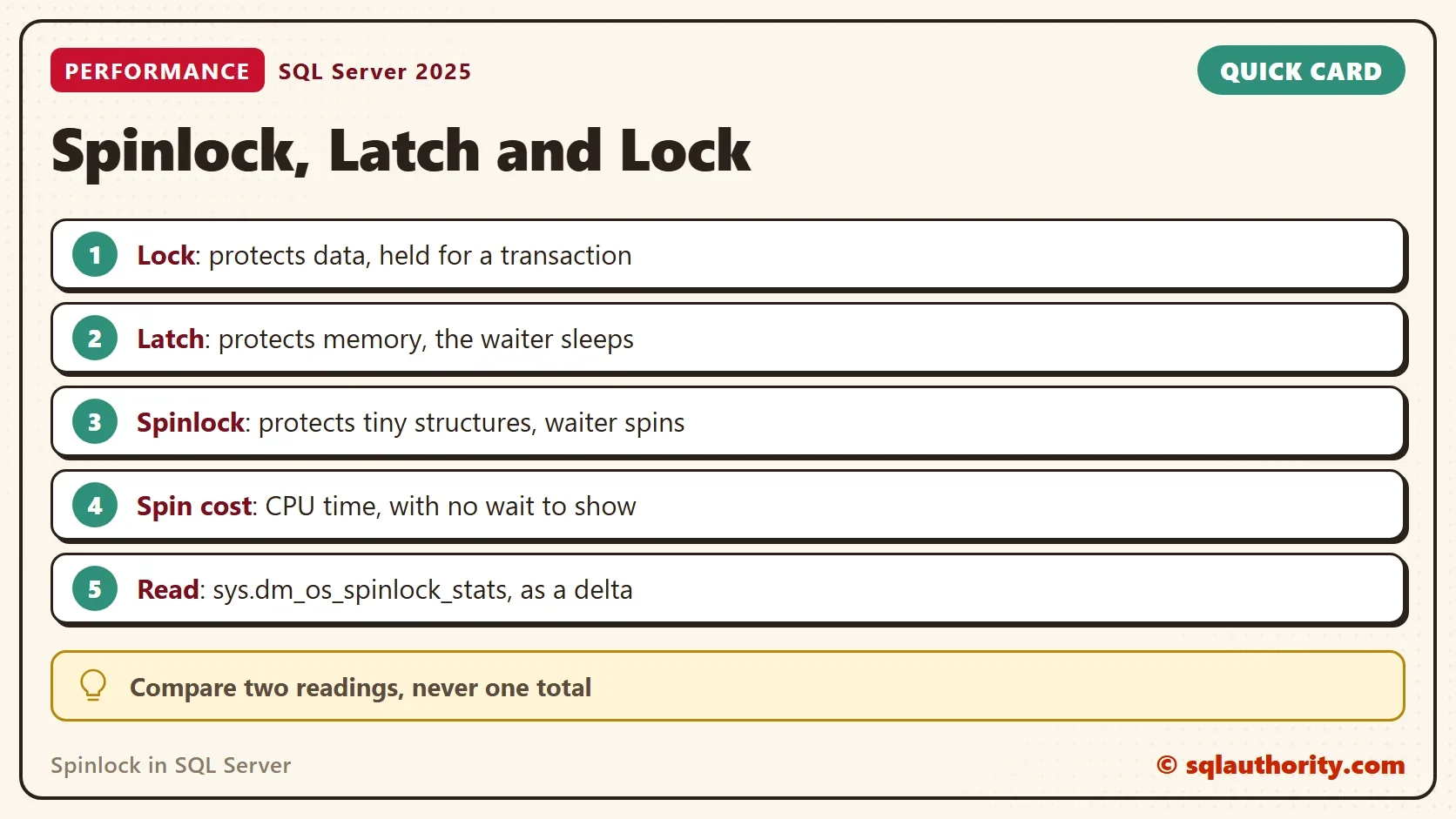
SQL Server uses all three. The rule is simple. A lock protects your data for the length of a transaction. A latch protects a structure in memory, such as a data page, and a waiting thread is suspended. A spinlock protects a structure that is held for a few CPU instructions. A waiting thread stays on the CPU and tries again.
Why a Thread Spins
Sleeping has a price, and a spinlock in SQL Server exists to avoid it. A suspended thread gives up the CPU and waits in a queue. It needs a context switch to start again. For a hold that lasts a few instructions, that price is larger than the wait. The thread loops a set number of times and checks the spinlock on each pass.
If the spinlock is still taken after enough passes, the thread backs off. It yields the CPU and sleeps for a short time before it tries again. The trade-off is plain. Spinning is cheap when the hold is short. When many threads collide, every spinning thread burns CPU and does no work.
Read the Spinlock Counters
The view sys.dm_os_spinlock_stats has one row for each spinlock type. The counters are cumulative since the instance started. collisions counts attempts that found the spinlock taken. spins counts the loops. backoffs counts the times a thread gave up spinning and yielded.
SELECT TOP (5) name, collisions, spins,
       CAST(spins * 1.0 / NULLIF(collisions, 0) AS decimal(12,1)) AS SpinsPerCollision, backoffs
FROM sys.dm_os_spinlock_stats
ORDER BY spins DESC;| name | collisions | spins | SpinsPerCollision | backoffs |
|---|---|---|---|---|
| XDESMGR | 307894 | 18787192 | 61.0 | 53861 |
| SOS_SUSPEND_QUEUE | 4136542 | 12876166 | 3.1 | 3561 |
| LOGFLUSHQ | 279564 | 10618878 | 38.0 | 9161 |
| SOS_CACHESTORE | 90221 | 8638272 | 95.7 | 26920 |
| LOCK_HASH | 123872 | 8090965 | 65.3 | 24565 |
This is one reading from a test server, and your names and numbers will differ. The ratio is the useful part. SOS_SUSPEND_QUEUE collides millions of times, yet each collision costs about 3 spins. XDESMGR has fewer collisions and spends 61 spins on each. A high total alone does not tell you which spinlock hurts.
Measure a Window, Not a Total
A server that has run for months carries huge totals. They say little about the last ten minutes. Take one reading, wait, take another, and subtract. The script below does it for ten seconds. Run it while the slow workload is running.
SET NOCOUNT ON;
DROP TABLE IF EXISTS #Before;
SELECT name, collisions, spins, backoffs INTO #Before FROM sys.dm_os_spinlock_stats;
WAITFOR DELAY '00:00:10';
SELECT TOP (5) a.name, a.collisions - b.collisions AS NewCollisions,
       a.spins - b.spins AS NewSpins, a.backoffs - b.backoffs AS NewBackoffs
FROM sys.dm_os_spinlock_stats AS a
JOIN #Before AS b ON b.name = a.name
ORDER BY NewSpins DESC, a.name;
DROP TABLE #Before;| name | NewCollisions | NewSpins | NewBackoffs |
|---|---|---|---|
| RESQUEUE | 12 | 13 | 0 |
| SOS_SCHEDULER | 1 | 1 | 0 |
| ABORTED_XDES_HASH | 0 | 0 | 0 |
| ABORTED_XDES_ID_FOR_DBCC | 0 | 0 | 0 |
| ABORTED_XDES_SWEEP | 0 | 0 | 0 |
A test server when nothing else runs adds only a few dozen spins in ten seconds. The busiest spinlock in two windows had 13 and 98 new spins. A spinlock collides only when two threads want it at the same moment. A single-session loop of 50,000 calls and 200 parallel queries added at most a few hundred spins. Trouble looks different. One spinlock stands far above the rest in spins, and its backoffs climb with it.
What Trouble Looks Like
Spinning threads stay on the CPU, so they do not appear as waits. A spinlock problem shows up as high CPU with no wait type that explains it. The window script then names the spinlock. That name is a clue, not a setting you can change. Use it to find the statements that keep touching the same structure.
Extended Events can report back-offs as they happen. The next query lists the two events. Capture the first for a short time only, because a busy server produces a flood of rows.
SELECT name, description
FROM sys.dm_xe_objects
WHERE object_type = N'event' AND name LIKE N'spinlock%'
ORDER BY name;
| name | description |
|---|---|
| spinlock_backoff | Spinlock backoff |
| spinlock_backoff_warning | Occurs when spinlock backoff warning is sent to errorlog |
What to Remember
You could argue that spinlocks do not matter, because most servers never have a problem with them. That is true. Most servers never need this view, and a total in the millions is normal after a long uptime. The view matters on the one server where CPU is high and no wait explains it. Read it as a window, compare the spins per collision, and look at the backoffs.
Locks protect data, latches protect memory and a spinlock in SQL Server protects the tiniest structures. A waiting thread sleeps for the first two and spins for the last one.
A spinlock is not a wait, it is the CPU time a thread spends waiting for a turn.
Published by Pinal Dave on SQLAuthority. More of my work at pinaldave.com.
Discover more from SQL Authority with Pinal Dave
Subscribe to get the latest posts sent to your email.