Finding the day name from date values takes one function, but SQL Server offers three ways, and they differ. DATENAME is the fast one. FORMAT reads well and costs more. A formula based on a known Monday ignores the session language. The right one depends on the table and the reader.

Method 1: DATENAME
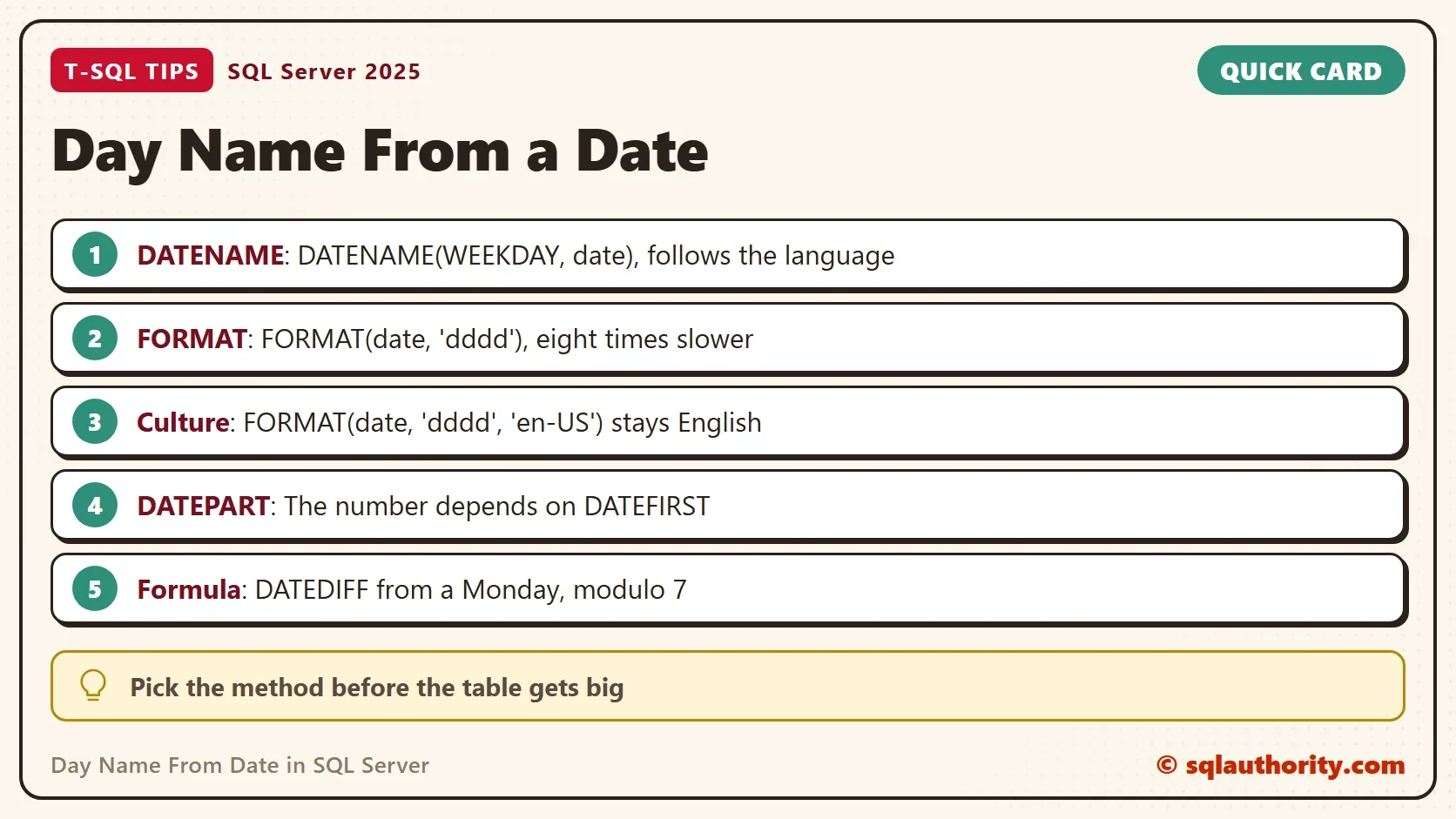
DATENAME returns a date part as text. To get the day name from date values, pass WEEKDAY as the part. The date below is a Monday.
DECLARE @DateVal date = '2020-07-27';
SELECT @DateVal AS TheDate,
       DATENAME(WEEKDAY, @DateVal) AS WeekdayName,
       DATENAME(DW, @DateVal) AS DwName,
DATENAME(W, @DateVal) AS WName;| TheDate | WeekdayName | DwName | WName |
|---|---|---|---|
| 2020-07-27 | Monday | Monday | Monday |
The abbreviations DW and W are spellings of WEEKDAY, and all three give the same text. A NULL date returns NULL. The function also accepts a text date or a datetime, and returns the same name for each.
Method 2: FORMAT
FORMAT takes a pattern. The pattern dddd means the full day name, and ddd means the short one.
DECLARE @DateVal date = '2020-07-27';
SELECT FORMAT(@DateVal, 'dddd') AS FullName, FORMAT(@DateVal, 'ddd') AS ShortName;
| FullName | ShortName |
|---|---|
| Monday | Mon |
FORMAT is the right choice when you want the short name or a custom pattern in one call. It has a price, which the speed test below measures.
The Language Changes the Name
Both methods follow the language of the session. The next script switches the session to German and asks for the same date. SQL Server prints a status message in German, which is expected. FORMAT takes an optional culture, and a culture overrides the session language.
DECLARE @DateVal date = '2020-07-27';
SET LANGUAGE German;
SELECT DATENAME(WEEKDAY, @DateVal) AS GermanName,
       FORMAT(@DateVal, 'dddd') AS FormatGerman,
       FORMAT(@DateVal, 'dddd', 'en-US') AS FormatUS,
       FORMAT(@DateVal, 'dddd', 'fr-FR') AS FormatFrench;
SET LANGUAGE us_english;| GermanName | FormatGerman | FormatUS | FormatFrench |
|---|---|---|---|
| Montag | Montag | Monday | lundi |
A report that must show English names on a German server needs the culture argument. A method that ignores language works too. The language setting lasts for the session only, and the script sets it to us_english again at the end.
Method 3: A Formula That Ignores Language
The function DATEPART returns a weekday number. The number depends on the setting DATEFIRST, which says which day starts the week. The default is 7, so Sunday is 1 and Monday is 2. Change it, and the same date gets another number.
DECLARE @DateVal date = '2020-07-27';
SELECT DATEPART(WEEKDAY, @DateVal) AS WithDefault;
SET DATEFIRST 1;
SELECT DATEPART(WEEKDAY, @DateVal) AS WithMondayFirst;
SET DATEFIRST 7;
| WithDefault | WithMondayFirst |
|---|---|
| 2 | 1 |
A name built from DATEPART therefore breaks when the setting changes. A safer anchor is a date whose weekday is known. The first of January 1900 was a Monday. Count the days since then, divide by seven, and the remainder names the day. Neither the language nor DATEFIRST takes part.
DECLARE @DateVal date = '2020-07-27';
SELECT CHOOSE((((DATEDIFF(DAY, '19000101', @DateVal) % 7) + 7) % 7) + 1,
              'Monday', 'Tuesday', 'Wednesday', 'Thursday', 'Friday', 'Saturday', 'Sunday') AS FixedAnchorName,
DATENAME(WEEKDAY, 0) AS DayZero;| FixedAnchorName | DayZero |
|---|---|
| Monday | Monday |
The second column confirms the anchor. SQL Server treats the integer 0 as 1900-01-01, and that day is a Monday. The remainder step, plus 7 and modulo 7 again, keeps dates before 1900 right. Without it the remainder of a negative count is negative, and CHOOSE returns NULL. The formula always returns English names. Replace the text with your own list for another language.
The Speed Gap
One date costs nothing with any method. A million dates show the difference. The demo database holds a table of one million visit dates. MAXDOP 1 keeps the timings comparable.
IF DB_ID(N'DayNameDemo') IS NULL CREATE DATABASE DayNameDemo;
GO
USE DayNameDemo;
GO
DROP TABLE IF EXISTS dbo.Visits;
CREATE TABLE dbo.Visits (VisitID int NOT NULL CONSTRAINT PK_Visits PRIMARY KEY, VisitDate date NOT NULL);
INSERT INTO dbo.Visits (VisitID, VisitDate)
SELECT n, DATEADD(DAY, n % 3650, '2020-01-01')
FROM (SELECT TOP (1000000) ROW_NUMBER() OVER (ORDER BY (SELECT NULL)) AS n
      FROM sys.all_objects AS a CROSS JOIN sys.all_objects AS b CROSS JOIN sys.all_objects AS c) AS x;
GO
SET STATISTICS TIME ON;
SELECT MAX(DATENAME(WEEKDAY, VisitDate)) AS LastName FROM dbo.Visits OPTION (MAXDOP 1);
SELECT MAX(FORMAT(VisitDate, 'dddd')) AS LastName FROM dbo.Visits OPTION (MAXDOP 1);
SELECT MAX(CHOOSE((((DATEDIFF(DAY, '19000101', VisitDate) % 7) + 7) % 7) + 1,
                  'Monday', 'Tuesday', 'Wednesday', 'Thursday', 'Friday', 'Saturday', 'Sunday')) AS LastName
FROM dbo.Visits OPTION (MAXDOP 1);
SET STATISTICS TIME OFF;| Method | CPU time, four runs | Elapsed time, four runs |
|---|---|---|
| DATENAME | 171 to 219 ms | 201 to 231 ms |
| FORMAT | 1609 to 1796 ms | 2253 to 2783 ms |
| CHOOSE formula | 437 to 750 ms | 477 to 844 ms |
DATENAME needed about a fifth of a second of CPU. The formula needed about half a second, and sometimes more. FORMAT needed almost two seconds, seven to nine times as much as DATENAME in these runs. The numbers move from run to run, and the order does not. FORMAT is the slow one, because each call goes through the .NET formatting code.
Count Rows by Day Name
The usual reason to extract a day name is to group by it. Group on the DATENAME expression, and sort by the weekday number to keep the days in order.
SELECT DATENAME(WEEKDAY, VisitDate) AS DayName, COUNT(*) AS Visits
FROM dbo.Visits
GROUP BY DATENAME(WEEKDAY, VisitDate)
ORDER BY MIN(DATEPART(WEEKDAY, VisitDate));
| DayName | Visits |
|---|---|
| Sunday | 142740 |
| Monday | 142740 |
| Tuesday | 142740 |
| Wednesday | 143013 |
| Thursday | 143014 |
| Friday | 143013 |
| Saturday | 142740 |
The days are almost even, because the dates run through ten years in order. The sort by weekday number puts Sunday first under the default DATEFIRST of 7.
Store the Day Name in the Table
If you read the day name from date columns again and again, store it. A persisted computed column calculates the name once, at write time, and it can carry an index. DATENAME can’t do that job, because its result depends on the session language. SQL Server refuses to persist it.
CREATE TABLE dbo.Appointments (AppointmentID int NOT NULL CONSTRAINT PK_Appointments PRIMARY KEY, AppointmentDate date NOT NULL);
INSERT INTO dbo.Appointments VALUES (1, '2020-07-27'), (2, '2020-07-28');
GO
ALTER TABLE dbo.Appointments ADD DayName AS DATENAME(WEEKDAY, AppointmentDate) PERSISTED;
Msg 4936, Level 16, State 1, Line 1
Computed column 'DayName' in table 'Appointments' cannot be persisted because the column is non-deterministic.
The formula from a known Monday works, with one change. A plain text date in the formula counts as non-deterministic too. Write it as a converted date with a style number.
ALTER TABLE dbo.Appointments ADD DayName AS
    CHOOSE((((DATEDIFF(DAY, CONVERT(date, '19000101', 112), AppointmentDate) % 7) + 7) % 7) + 1,
           'Monday', 'Tuesday', 'Wednesday', 'Thursday', 'Friday', 'Saturday', 'Sunday') PERSISTED;
GO
CREATE INDEX IX_Appointments_DayName ON dbo.Appointments (DayName);
SELECT AppointmentID, AppointmentDate, DayName FROM dbo.Appointments;| AppointmentID | AppointmentDate | DayName |
|---|---|---|
| 1 | 2020-07-27 | Monday |
| 2 | 2020-07-28 | Tuesday |
The column persists, and the index builds. The same formula with the plain text date failed with the same message. A stored name is fixed in English, which suits a column you filter on.
The Argument for FORMAT
You could argue that FORMAT is the clearest, since the pattern says what you want. For one value in a report header, it is. On a column of a big table, the clarity costs seconds. Use FORMAT for the last step on a few rows, and DATENAME or the formula inside the heavy query.
What to Remember
Use DATENAME when the session language is the language you want. Add a culture to FORMAT when you must pin the language. Use a formula from a known Monday when neither the language nor DATEFIRST can matter. To find the day name from date columns on a big table, leave FORMAT out. When you finish testing, drop the example database.
USE master;
GO
ALTER DATABASE DayNameDemo SET SINGLE_USER WITH ROLLBACK IMMEDIATE;
DROP DATABASE DayNameDemo;
A day name is not a label you ask for, it is a calculation you choose.
Published by Pinal Dave on SQLAuthority. More of my work at pinaldave.com.
Discover more from SQL Authority with Pinal Dave
Subscribe to get the latest posts sent to your email.