
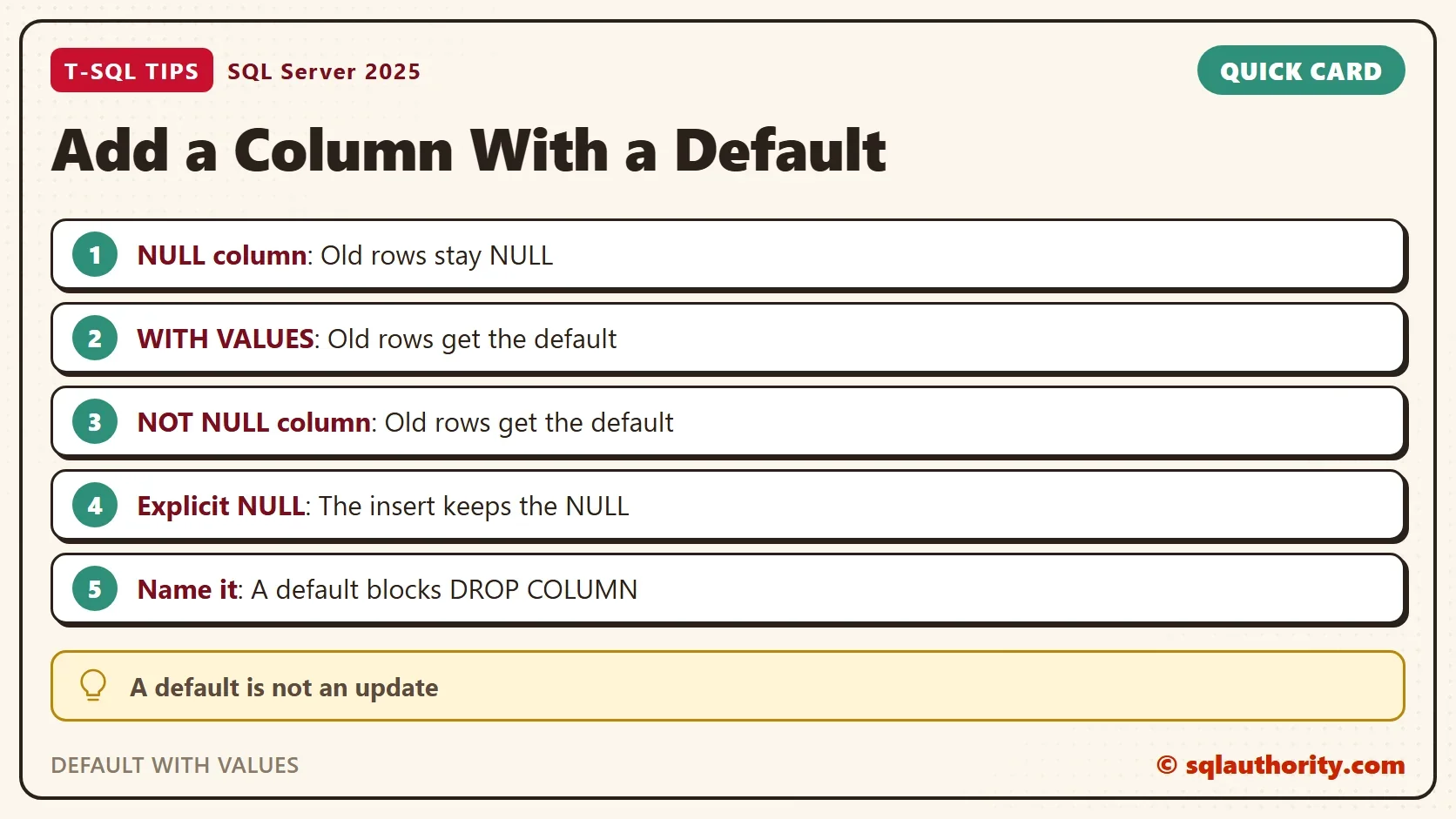
DEFAULT WITH VALUES fills the existing rows when you add a column with a default. Without it, a nullable column holds NULL in every row that already exists, and only new rows get the default. That surprises people, so it is worth a short test.

A Default Does Not Reach Old Rows
A default applies when an INSERT leaves the column out. It never rewrites rows that exist. The demo database is AddDefaultColumnDemo, with a small table of parcels. The script can run twice.
IF DB_ID(N'AddDefaultColumnDemo') IS NULL CREATE DATABASE AddDefaultColumnDemo;
GO
USE AddDefaultColumnDemo;
GO
DROP TABLE IF EXISTS dbo.Parcels;
CREATE TABLE dbo.Parcels (ParcelID int NOT NULL PRIMARY KEY, WeightKg decimal(6,2) NOT NULL);
INSERT INTO dbo.Parcels (ParcelID, WeightKg) VALUES (1, 2.50), (2, 7.25), (3, 0.80);
Add a nullable column with a default, then insert a new parcel without naming the column. The ALTER needs its own batch, because a later statement in the same batch can’t see the new column.
ALTER TABLE dbo.Parcels ADD Carrier varchar(10) NULL CONSTRAINT DF_Parcels_Carrier DEFAULT 'Ground';
GO
INSERT INTO dbo.Parcels (ParcelID, WeightKg) VALUES (4, 3.10);
SELECT ParcelID, WeightKg, Carrier FROM dbo.Parcels ORDER BY ParcelID;
| ParcelID | WeightKg | Carrier |
|---|---|---|
| 1 | 2.50 | NULL |
| 2 | 7.25 | NULL |
| 3 | 0.80 | NULL |
| 4 | 3.10 | Ground |
The three old rows hold NULL. Only the new row received the default. This is the behavior that surprises people.
DEFAULT WITH VALUES for a Nullable Column
Add the option WITH VALUES at the end of the column definition, and SQL Server fills the existing rows too. Use DEFAULT WITH VALUES when the new column allows NULL and you want every row to carry the default.
ALTER TABLE dbo.Parcels ADD Priority varchar(10) NULL CONSTRAINT DF_Parcels_Priority DEFAULT 'Standard' WITH VALUES;
GO
INSERT INTO dbo.Parcels (ParcelID, WeightKg) VALUES (5, 1.00);
SELECT ParcelID, WeightKg, Carrier, Priority FROM dbo.Parcels ORDER BY ParcelID;
| ParcelID | WeightKg | Carrier | Priority |
|---|---|---|---|
| 1 | 2.50 | NULL | Standard |
| 2 | 7.25 | NULL | Standard |
| 3 | 0.80 | NULL | Standard |
| 4 | 3.10 | Ground | Standard |
| 5 | 1.00 | Ground | Standard |
Every row now says Standard, old and new. The Carrier column in the same table still shows the difference, because it was added without the option.
A NOT NULL Column Needs No Option
A NOT NULL column can’t hold NULL, so SQL Server must give the old rows a value. It uses the default. The option WITH VALUES adds nothing here.
ALTER TABLE dbo.Parcels ADD Status varchar(10) NOT NULL CONSTRAINT DF_Parcels_Status DEFAULT 'Packed';
GO
SELECT ParcelID, Carrier, Priority, Status FROM dbo.Parcels ORDER BY ParcelID;
All five rows read Packed in the Status column. The three cases come down to one table.
| Column | Default added how | Existing rows receive |
|---|---|---|
| Allows NULL | DEFAULT | NULL |
| Allows NULL | DEFAULT WITH VALUES | The default |
| NOT NULL | DEFAULT | The default |
What a Default Never Does
A default is not a rule that the column must hold the value. It fires when an INSERT leaves the column out. An INSERT that names the column with NULL stores the NULL. An UPDATE that sets a column to NULL stores the NULL as well.
INSERT INTO dbo.Parcels (ParcelID, WeightKg, Carrier) VALUES (6, 4.40, NULL);
UPDATE dbo.Parcels SET Priority = NULL WHERE ParcelID = 1;
SELECT ParcelID, Carrier, Priority, Status FROM dbo.Parcels ORDER BY ParcelID;
| ParcelID | Carrier | Priority | Status |
|---|---|---|---|
| 1 | NULL | NULL | Packed |
| 2 | NULL | Standard | Packed |
| 3 | NULL | Standard | Packed |
| 4 | Ground | Standard | Packed |
| 5 | Ground | Standard | Packed |
| 6 | NULL | Standard | Packed |
Parcel 6 has a NULL carrier because the insert said so. Its priority is Standard because the insert left that column out. Parcel 1 lost its priority to an UPDATE. To block a NULL, make the column NOT NULL.
Name the Constraint
A default is an object of its own. If you don’t name it, SQL Server invents one. It looks like DF__Parcels__Carrier__ followed by eight hex digits that differ on every server. A name you chose is easy to find and to script. The name also matters when you drop the column, because the column can’t go while its default exists.
ALTER TABLE dbo.Parcels DROP COLUMN Status;
SQL Server refuses, and names the default that depends on the column.
Msg 5074, Level 16, State 1, Line 1
The object 'DF_Parcels_Status' is dependent on column 'Status'.
Msg 4922, Level 16, State 9, Line 1
ALTER TABLE DROP COLUMN Status failed because one or more objects access this column.
Drop the constraint first, then the column. The query that follows lists the defaults that remain on the table.
ALTER TABLE dbo.Parcels DROP CONSTRAINT DF_Parcels_Status;
ALTER TABLE dbo.Parcels DROP COLUMN Status;
GO
SELECT dc.name, c.name AS ColumnName, dc.definition
FROM sys.default_constraints AS dc
JOIN sys.columns AS c ON c.object_id = dc.parent_object_id AND c.column_id = dc.parent_column_id
WHERE dc.parent_object_id = OBJECT_ID(N'dbo.Parcels')
ORDER BY dc.name;
| name | ColumnName | definition |
|---|---|---|
| DF_Parcels_Carrier | Carrier | (‘Ground’) |
| DF_Parcels_Priority | Priority | (‘Standard’) |
The same view answers the question when someone asks which default a column has. The definition shows the value in parentheses.
Large Tables Take It in Milliseconds
It sounds as if adding a column to a big table must rewrite every row. On SQL Server 2012 and later, a constant default doesn’t. SQL Server keeps the value in the table’s metadata, and old rows read it from there. This demo builds a table of one million rows and adds a NOT NULL column with a constant default.
DROP TABLE IF EXISTS dbo.BigParcels;
CREATE TABLE dbo.BigParcels (ParcelID int NOT NULL PRIMARY KEY, Note char(50) NOT NULL DEFAULT 'x');
INSERT INTO dbo.BigParcels (ParcelID)
SELECT TOP (1000000) ROW_NUMBER() OVER (ORDER BY (SELECT NULL))
FROM sys.all_objects AS a CROSS JOIN sys.all_objects AS b CROSS JOIN sys.all_objects AS c;
GO
SELECT in_row_data_page_count AS DataPages FROM sys.dm_db_partition_stats
WHERE object_id = OBJECT_ID(N'dbo.BigParcels') AND index_id = 1;
GO
DECLARE @Start datetime2 = SYSDATETIME();
ALTER TABLE dbo.BigParcels ADD Status varchar(10) NOT NULL CONSTRAINT DF_BigParcels_Status DEFAULT 'Packed';
SELECT DATEDIFF(MILLISECOND, @Start, SYSDATETIME()) AS ConstantDefaultMs;
GO
SELECT in_row_data_page_count AS DataPages FROM sys.dm_db_partition_stats
WHERE object_id = OBJECT_ID(N'dbo.BigParcels') AND index_id = 1;
SELECT COUNT(*) AS PackedRows FROM dbo.BigParcels WHERE Status = 'Packed';
The table started with 7,813 data pages. The ALTER took 1 millisecond in this run, and the table still has 7,813 pages. All 1,000,000 rows read Packed anyway. Now compare a default that is different for every row.
DECLARE @Start datetime2 = SYSDATETIME();
ALTER TABLE dbo.BigParcels ADD Token uniqueidentifier NOT NULL CONSTRAINT DF_BigParcels_Token DEFAULT NEWID();
SELECT DATEDIFF(MILLISECOND, @Start, SYSDATETIME()) AS NewidDefaultMs;
GO
SELECT in_row_data_page_count AS DataPages FROM sys.dm_db_partition_stats
WHERE object_id = OBJECT_ID(N'dbo.BigParcels') AND index_id = 1;
NEWID() gives each row its own value, so SQL Server must write it into every row. The statement took 2,328 milliseconds in the final run and 3,631 in an earlier one. The page count grew to 15,625. Times differ from run to run, but the gap is the point. A constant default is cheap, and a default that changes per row costs a rewrite. ALTER TABLE also holds a schema lock while it runs. On a busy table, pick a quiet moment even for the cheap case.
The Argument for an UPDATE
You could argue that adding the column and filling it with a batched UPDATE gives you more control. For a value that differs by row, that is true, because a default is one value for all of them. For one constant, DEFAULT WITH VALUES in a single statement is shorter, faster and leaves nothing half done.
What to Remember
Use DEFAULT WITH VALUES for a nullable column whose old rows should carry the default. A NOT NULL column needs only the default. Name every default, because the name is how you drop it. When you finish testing, drop the example database.
USE master;
GO
ALTER DATABASE AddDefaultColumnDemo SET SINGLE_USER WITH ROLLBACK IMMEDIATE;
DROP DATABASE AddDefaultColumnDemo;
A default is not an update, it is a promise about the next row.
Published by Pinal Dave on SQLAuthority. More of my work at pinaldave.com.
Discover more from SQL Authority with Pinal Dave
Subscribe to get the latest posts sent to your email.




2 Comments. Leave new
OR use ‘NOT NULL’ while adding column.
ALTER TABLE myTable
ADD newCol VARCHAR(10) NOT NULL DEFAULT ‘DefValue’
GO
We can add new column for existing data with default values by using below query with out ‘With Values’
ALTER TABLE myTable
ADD NewColWithNotNull VARCHAR(10) NOT NULL DEFAULT ‘DefValue’