The Schema Changes History report says it has no data to show, so check that default trace enabled is on. A client from my Comprehensive Database Performance Health Check asked how to fix this error in SSMS.

The Error
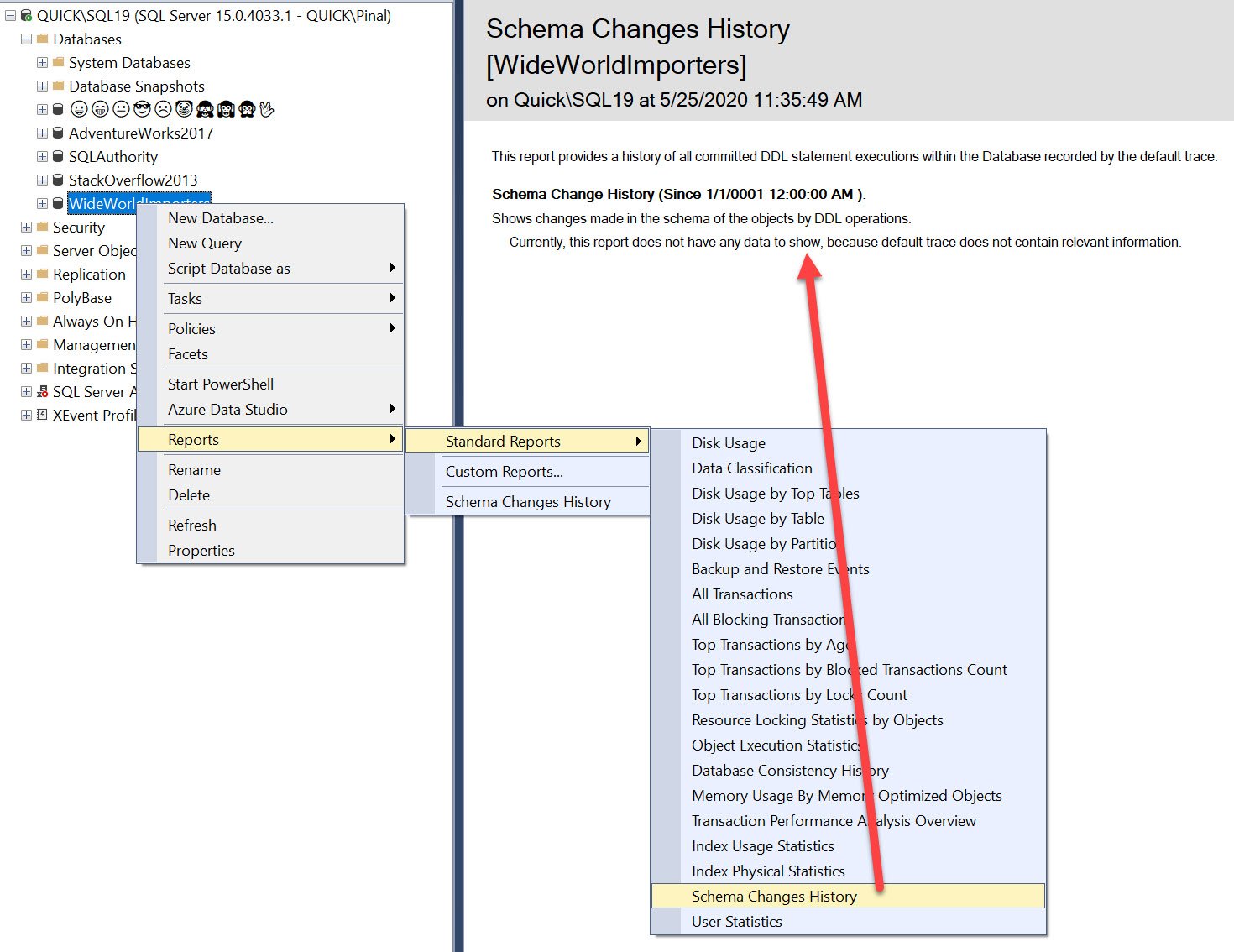
The report showed this message:
Currently, this report does not have any data to show, because default trace does not contain relevant information.This is the screenshot of the error. I opened the report from DatabaseName, then Reports, then Standard Reports, then Schema Changes History. To learn more about the report, read SSMS: Schema Change History Report.
Why It Happens
The report reads the default trace, and its own text says so. The message means the default trace holds no schema changes to report.
The Fix
The solution is simple, and I covered it in SSMS: Configuration Changes History. This script turns on the advanced options and sets default trace enabled to 1:
EXEC sp_configure 'Show Advanced Options', 1;
GO
RECONFIGURE;
GO
sp_configure 'default trace enabled', 1
GO
RECONFIGURE WITH override
GO
When you run it, SQL Server answers with these messages:
Configuration option 'show advanced options' changed from 0 to 1. Run the RECONFIGURE statement to install.
Configuration option 'default trace enabled' changed from 1 to 1. Run the RECONFIGURE statement to install.
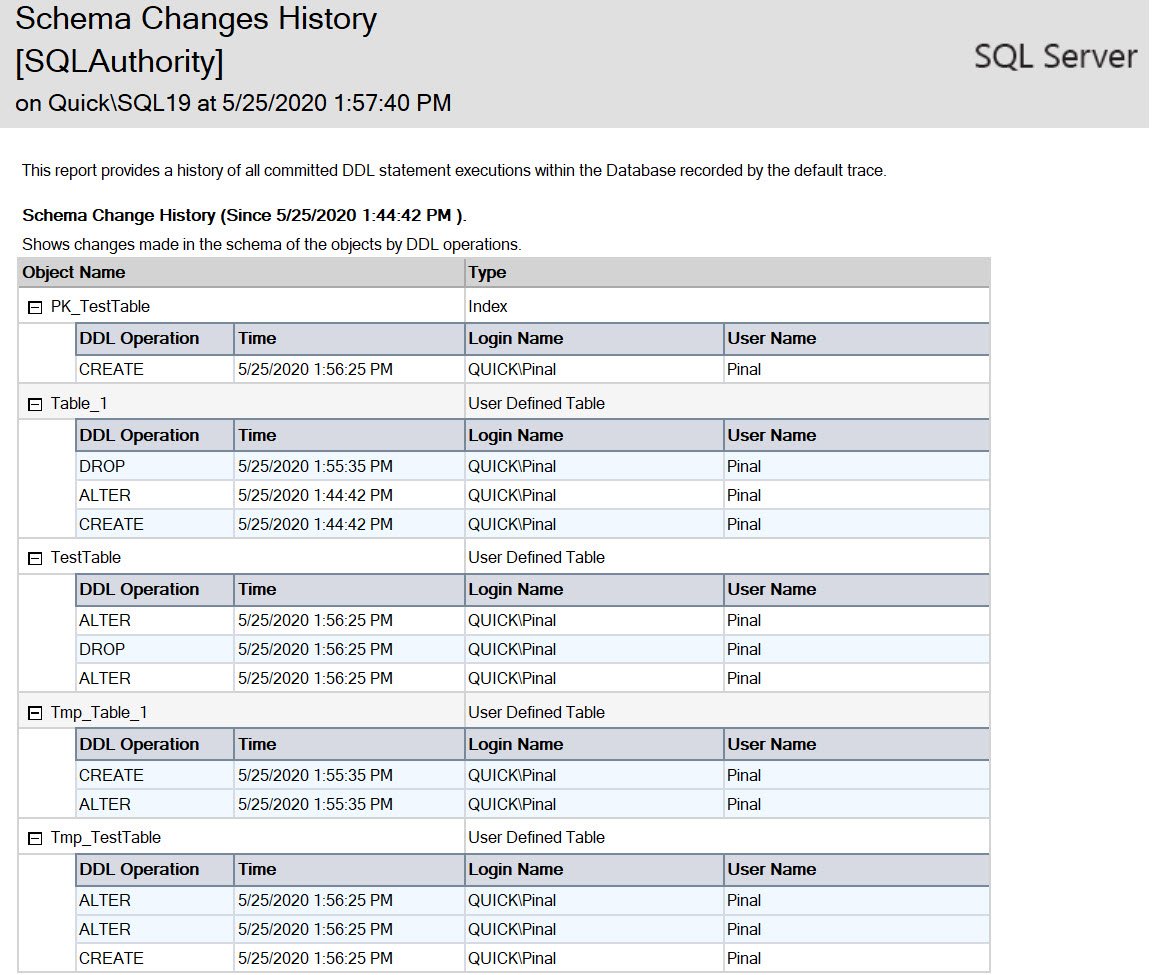
Look at the second line. It says the option changed from 1 to 1, so the default trace was already on in this case. Now make some changes to the schema, and run the report right after.
Confirm It Worked
The report now lists the changes you made, like this:
How to Prevent It
The report shows only what the default trace has recorded, so make a schema change when you test it. These posts cover the other SSMS reports.
- Schema Change Reports in SQL Server: SQL in Sixty Seconds #078.
- Standard Reports in SSMS: SQL in Sixty Seconds #016.
- Introduction to SQL Server Management Studio Reports.

An empty Schema Changes History is not a broken report, it is a trace with nothing in it to show.
Published by Pinal Dave on SQLAuthority. More of my work at pinaldave.com.
Discover more from SQL Authority with Pinal Dave
Subscribe to get the latest posts sent to your email.