
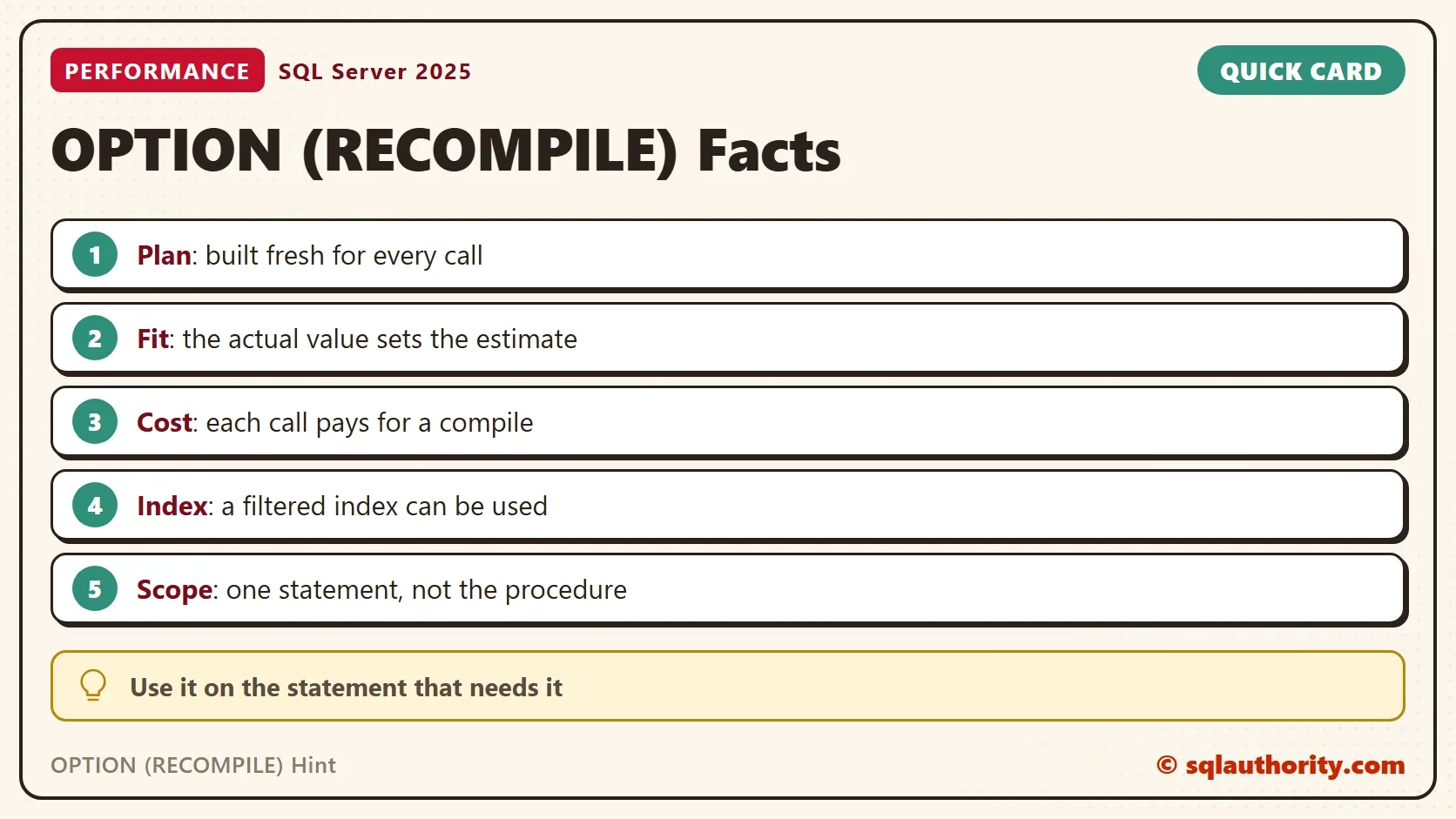
The OPTION (RECOMPILE) hint tells SQL Server to build a new plan every time a statement runs. It is the oldest cure for parameter sniffing. It is the one cure that always fits the value in front of it. It pays a compile for that.

What the Hint Does
Normally SQL Server compiles a procedure once and reuses the plan. The plan comes from the first caller’s values, so it can be wrong for the next caller. OPTION (RECOMPILE) skips the reuse. The statement compiles again on every execution. The optimizer sees the actual parameter values as if you had typed them. The estimate matches the value, and so does the plan.
The demo uses a skewed orders table. The script creates a database named RecompileHintDemo. Customer 1 owns 50,000 of the 100,000 rows. A thousand other customers own 50 each. A second table holds tickets, and 500 of them are open. Two procedures answer the same question, one plain and one with the hint. A logger procedure records the page reads of each call. Run the script on a test server.
IF DB_ID(N'RecompileHintDemo') IS NULL CREATE DATABASE RecompileHintDemo;
GO
USE RecompileHintDemo;
GO
ALTER DATABASE RecompileHintDemo SET COMPATIBILITY_LEVEL = 150;
DROP TABLE IF EXISTS dbo.Orders;
DROP TABLE IF EXISTS dbo.Tickets;
DROP TABLE IF EXISTS dbo.CallLog;
GO
CREATE TABLE dbo.Orders (OrderID int IDENTITY(1,1) NOT NULL PRIMARY KEY, CustomerID int NOT NULL, Amount decimal(10,2) NOT NULL, Notes nvarchar(100) NOT NULL);
INSERT INTO dbo.Orders (CustomerID, Amount, Notes)
SELECT CASE WHEN n % 2 = 0 THEN 1 ELSE 2 + n % 2000 END, n % 97 + 0.5, REPLICATE(N'x', 100)
FROM (SELECT TOP (100000) ROW_NUMBER() OVER (ORDER BY (SELECT NULL)) AS n
      FROM sys.all_columns AS a CROSS JOIN sys.all_columns AS b) AS t;
CREATE INDEX IX_Orders_CustomerID ON dbo.Orders (CustomerID);
CREATE TABLE dbo.Tickets (TicketID int IDENTITY(1,1) NOT NULL PRIMARY KEY, Status varchar(10) NOT NULL, Subject nvarchar(100) NOT NULL);
INSERT INTO dbo.Tickets (Status, Subject)
SELECT CASE WHEN n % 200 = 0 THEN 'Open' ELSE 'Closed' END, REPLICATE(N's', 100)
FROM (SELECT TOP (100000) ROW_NUMBER() OVER (ORDER BY (SELECT NULL)) AS n
      FROM sys.all_columns AS a CROSS JOIN sys.all_columns AS b) AS t;
CREATE INDEX IX_Tickets_Open ON dbo.Tickets (TicketID) INCLUDE (Subject) WHERE Status = 'Open';
CREATE TABLE dbo.CallLog (CallID int IDENTITY(1,1) PRIMARY KEY, CallText nvarchar(100), LogicalReads bigint);
GO
CREATE OR ALTER PROCEDURE dbo.OrdersPlain @CustomerID int
AS
SELECT COUNT(*) AS OrdersFound, SUM(Amount) AS Total FROM dbo.Orders WHERE CustomerID = @CustomerID;
GO
CREATE OR ALTER PROCEDURE dbo.OrdersRecompile @CustomerID int
AS
SELECT COUNT(*) AS OrdersFound, SUM(Amount) AS Total FROM dbo.Orders WHERE CustomerID = @CustomerID OPTION (RECOMPILE);
GO
CREATE OR ALTER PROCEDURE dbo.TicketsPlain @Status varchar(10)
AS
SELECT COUNT(*) AS Found, SUM(CAST(LEN(Subject) AS bigint)) AS Total FROM dbo.Tickets WHERE Status = @Status;
GO
CREATE OR ALTER PROCEDURE dbo.TicketsRecompile @Status varchar(10)
AS
SELECT COUNT(*) AS Found, SUM(CAST(LEN(Subject) AS bigint)) AS Total FROM dbo.Tickets WHERE Status = @Status OPTION (RECOMPILE);
GO
CREATE OR ALTER PROCEDURE dbo.CallAndLog @ProcName sysname, @Args nvarchar(60)
AS
BEGIN
    DECLARE @sql nvarchar(200) = N'EXEC dbo.' + QUOTENAME(@ProcName) + N' ' + @Args + N';';
    CREATE TABLE #Out (Found int, Total decimal(18,2));
    INSERT #Out EXEC (@sql);
    INSERT dbo.CallLog (CallText, LogicalReads)
    SELECT @ProcName + N' ' + @Args, last_logical_reads
    FROM sys.dm_exec_procedure_stats
    WHERE database_id = DB_ID() AND object_id = OBJECT_ID(N'dbo.' + QUOTENAME(@ProcName));
END;
A Fresh Plan for Every Value
The script clears all plans with sp_recompile, then calls both procedures for a rare customer and a popular one. It runs the pairs in both orders, because the plain procedure depends on who calls first.
TRUNCATE TABLE dbo.CallLog;
EXEC sp_recompile N'dbo.OrdersPlain';
EXEC dbo.CallAndLog N'OrdersPlain', N'@CustomerID = 3';
EXEC dbo.CallAndLog N'OrdersPlain', N'@CustomerID = 1';
EXEC dbo.CallAndLog N'OrdersRecompile', N'@CustomerID = 3';
EXEC dbo.CallAndLog N'OrdersRecompile', N'@CustomerID = 1';
EXEC sp_recompile N'dbo.OrdersPlain';
EXEC dbo.CallAndLog N'OrdersPlain', N'@CustomerID = 1';
EXEC dbo.CallAndLog N'OrdersPlain', N'@CustomerID = 3';
EXEC dbo.CallAndLog N'OrdersRecompile', N'@CustomerID = 1';
EXEC dbo.CallAndLog N'OrdersRecompile', N'@CustomerID = 3';
SELECT CallID, CallText, LogicalReads FROM dbo.CallLog ORDER BY CallID;
| CallID | CallText | LogicalReads |
|---|---|---|
| 1 | OrdersPlain @CustomerID = 3 | 194 |
| 2 | OrdersPlain @CustomerID = 1 | 159470 |
| 3 | OrdersRecompile @CustomerID = 3 | 194 |
| 4 | OrdersRecompile @CustomerID = 1 | 2876 |
| 5 | OrdersPlain @CustomerID = 1 | 2876 |
| 6 | OrdersPlain @CustomerID = 3 | 2876 |
| 7 | OrdersRecompile @CustomerID = 1 | 2876 |
| 8 | OrdersRecompile @CustomerID = 3 | 194 |
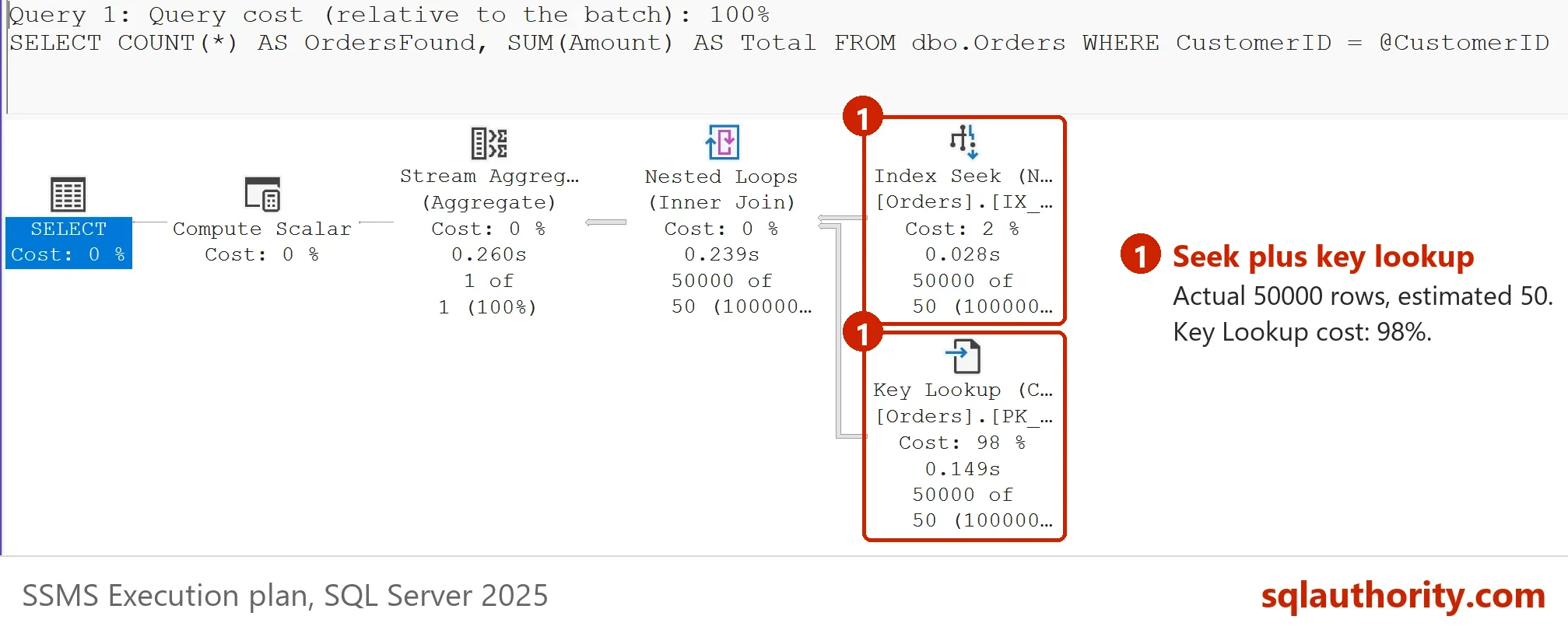
The plain procedure reads whatever its first caller’s plan dictates. After the rare customer it reads 159,000 pages for the popular one. After the popular customer it reads 2,876 pages for everybody. The recompiled procedure reads 194 pages for the rare customer and 2,876 for the popular one, in either order. Each call gets the plan that suits its own value. That is what the OPTION (RECOMPILE) hint buys. Your page reads can differ by a few pages.

What It Costs
A compile uses CPU. The next script measures it. It warms the plain procedure with the rare customer, so the cached plan suits the calls that follow. Then it calls each procedure 2,000 times for that customer and times the loop.
SET NOCOUNT ON;
EXEC sp_recompile N'dbo.OrdersPlain';
CREATE TABLE #Warm (Found int, Total decimal(18,2));
INSERT #Warm EXEC dbo.OrdersPlain @CustomerID = 3;
DECLARE @i int = 0, @t0 datetime2 = SYSDATETIME(), @plain int, @fresh int;
WHILE @i < 2000 BEGIN INSERT #Warm EXEC dbo.OrdersPlain @CustomerID = 3; SET @i += 1; END;
SET @plain = DATEDIFF(MILLISECOND, @t0, SYSDATETIME());
SELECT @i = 0, @t0 = SYSDATETIME();
WHILE @i < 2000 BEGIN INSERT #Warm EXEC dbo.OrdersRecompile @CustomerID = 3; SET @i += 1; END;
SET @fresh = DATEDIFF(MILLISECOND, @t0, SYSDATETIME());
SELECT @plain AS PlainMs, @fresh AS RecompileMs;
DROP TABLE #Warm;
SET NOCOUNT OFF;
| PlainMs | RecompileMs |
|---|---|
| 602 | 5906 |
Your milliseconds will differ. The gap is the point. Each recompiled call costs between two and three milliseconds more than a call that reuses a good plan. For a query that runs a few times an hour, that is nothing. For a query that runs thousands of times a minute, it adds up. Use the hint where the saved reads outweigh the compile.
A Filtered Index That Finally Gets Used
The hint also unlocks something a cached plan cannot do. A filtered index covers only the rows that match its condition, here Status = ‘Open’. A plan built for a parameter cannot use it, because the next call can ask for another status. With the hint, the compile sees the literal value and the index fits.
TRUNCATE TABLE dbo.CallLog;
EXEC dbo.CallAndLog N'TicketsPlain', N'@Status = ''Open''';
EXEC dbo.CallAndLog N'TicketsRecompile', N'@Status = ''Open''';
SELECT CallID, CallText, LogicalReads FROM dbo.CallLog ORDER BY CallID;
| CallID | CallText | LogicalReads |
|---|---|---|
| 1 | TicketsPlain @Status = ‘Open’ | 2876 |
| 2 | TicketsRecompile @Status = ‘Open’ | 22 |
The plain procedure scans the whole table. The recompiled one scans the small filtered index. The same answer costs 22 reads instead of 2,876.
Use It on One Statement
The hint belongs to a statement, not to a procedure. A procedure with ten queries does not need ten hints. Add it only to the statement that suffers from sniffing. The test procedure below has two statements, and only the second carries the hint. After three calls, the plan statistics show how each statement behaved.
CREATE OR ALTER PROCEDURE dbo.TwoStatements @CustomerID int
AS
DECLARE @t int, @c int;
SELECT @t = COUNT(*) FROM dbo.Orders WHERE CustomerID = @CustomerID;
SELECT @c = COUNT(*) FROM dbo.Orders WHERE Amount > 90 AND CustomerID = @CustomerID OPTION (RECOMPILE);
GO
EXEC sp_recompile N'dbo.TwoStatements';
EXEC dbo.TwoStatements @CustomerID = 3;
EXEC dbo.TwoStatements @CustomerID = 5;
EXEC dbo.TwoStatements @CustomerID = 7;
SELECT SUBSTRING(st.text, (qs.statement_start_offset / 2) + 1, 60) AS StatementStart, qs.execution_count, qs.plan_generation_num
FROM sys.dm_exec_query_stats AS qs
CROSS APPLY sys.dm_exec_sql_text(qs.sql_handle) AS st
WHERE st.objectid = OBJECT_ID(N'dbo.TwoStatements') AND st.dbid = DB_ID();
| StatementStart | execution_count | plan_generation_num |
|---|---|---|
| SELECT @t = COUNT(*) FROM dbo.Orders WHERE CustomerID = @Cus | 3 | 1 |
| SELECT @c = COUNT(*) FROM dbo.Orders WHERE Amount > 90 AND C | 1 | 4 |
The first statement ran three times on one plan, generation 1. The second compiled again on each call, so its generation reached 4. Its execution count shows 1, because each recompile starts a new entry. The hint left the other statement alone. Another way to isolate a statement is to move it into its own procedure. Each procedure keeps a plan of its own.
Is Recompiling Bad Advice?
You could argue that recompiling every call defeats the purpose of the plan cache. For a hot query it does. The hint is a tool for statements where a wrong plan costs more than a compile. Use it when the data is skewed. Use it when a filtered index must be reachable. Use it when a query runs rarely and matters a lot. I do not add it to every procedure. I add it where the numbers above show a gain.
What to Remember
The OPTION (RECOMPILE) hint gives each call a plan built for its own values. Keep the OPTION (RECOMPILE) hint for the statements that earn it. It costs a compile each time, between two and three milliseconds in the test above. It reaches filtered indexes that cached plans cannot use. Put it on the statement that needs it. The others keep their cached plans.
The other fixes are compared in Parameter Sniffing Fixes Compared: Which One to Use. When you finish, run the cleanup script.
USE master;
GO
ALTER DATABASE RecompileHintDemo SET SINGLE_USER WITH ROLLBACK IMMEDIATE;
DROP DATABASE RecompileHintDemo;
A fresh plan is not free, it is a price you pay for fitting every value.
Published by Pinal Dave on SQLAuthority. More of my work at pinaldave.com.
Discover more from SQL Authority with Pinal Dave
Subscribe to get the latest posts sent to your email.



5 Comments. Leave new
One situation where OPTION(RECOMPILE) is almost always beneficial is where a query would massively benefit from a filtered index, but SQL isn’t using it because parameters.
If I have 10 queries in a store procedure, do I have to add option recompile for each query or can I do mix and match?
Hey Pinal,
We hit exactly the same problem, and your blog series really helped me to understand, what’s going on.
Thanks for documenting this.
Thank you for this article. Very informative. However, I have a similar problem and wondering if you have any suggestions. A simple query from one table with one where clause runs faster in view than store procedure. Ideally, we learned by experience that SP is always perform better than view. But this is not the case in our 2019 sql server. Any advise to solve it or debug the cause?
Thank you very much.
Why not create a stored procedure for each of the 10 within the wrapper?