APPROX_COUNT_DISTINCT with GROUP BY returns an estimate for every group, saves memory, and can run slower. The exact count can still win. A tested demo shows when.

What the Function Gives You
APPROX_COUNT_DISTINCT counts the unique non-null values in a group. It trades a small error for lower cost. The documented error is up to 2 percent, with a probability of 97 percent. It needs SQL Server 2019 or later. Both methods skip NULL values, so a column with many NULLs counts only the known visitors. Check the NULL share before you compare two reports.
The memory side of the story is in APPROX_COUNT_DISTINCT in SQL Server: Saves Memory, Not Time. This post asks a different question: what happens per group, and when does the exact count win?
Build Two Tables
APPROX_COUNT_DISTINCT with GROUP BY behaves differently for big and small groups, so the demo needs both. The script creates a database named ApproxGroupDemo with two tables of 2,000,000 visits each. In the first, ten shops share the visits, so each shop has 200,000 rows. In the second, 100,000 shops share them, so each shop has 20 rows. The visitor ids are random. Run it on a test server.
IF DB_ID(N'ApproxGroupDemo') IS NULL CREATE DATABASE ApproxGroupDemo;
GO
USE ApproxGroupDemo;
GO
DROP TABLE IF EXISTS dbo.VisitsFew, dbo.VisitsMany;
CREATE TABLE dbo.VisitsFew (VisitID int NOT NULL, ShopID int NOT NULL, VisitorID int NOT NULL);
CREATE TABLE dbo.VisitsMany (VisitID int NOT NULL, ShopID int NOT NULL, VisitorID int NOT NULL);
INSERT INTO dbo.VisitsFew (VisitID, ShopID, VisitorID)
SELECT s.value, (s.value % 10) + 1, ABS(CHECKSUM(NEWID())) % 500000
FROM GENERATE_SERIES(1, 2000000) AS s;
INSERT INTO dbo.VisitsMany (VisitID, ShopID, VisitorID)
SELECT s.value, (s.value % 100000) + 1, ABS(CHECKSUM(NEWID())) % 500000
FROM GENERATE_SERIES(1, 2000000) AS s;
How Far Off Is the Estimate?
The query below counts visitors per shop both ways and compares them. It reports how many shops differ and how large the error is.
WITH Exact AS (
    SELECT ShopID, COUNT(DISTINCT VisitorID) AS ExactCount
    FROM dbo.VisitsFew GROUP BY ShopID
), Approx AS (
    SELECT ShopID, APPROX_COUNT_DISTINCT(VisitorID) AS ApproxCount
    FROM dbo.VisitsFew GROUP BY ShopID
)
SELECT COUNT(*) AS Shops,
       SUM(CASE WHEN a.ApproxCount <> e.ExactCount THEN 1 ELSE 0 END) AS ShopsOff,
       CONVERT(decimal(6,3), AVG(ABS(a.ApproxCount - e.ExactCount) * 100.0 / e.ExactCount)) AS AvgErrorPercent,
       CONVERT(decimal(6,3), MAX(ABS(a.ApproxCount - e.ExactCount) * 100.0 / e.ExactCount)) AS MaxErrorPercent
FROM Exact AS e
JOIN Approx AS a ON a.ShopID = e.ShopID;| Shops | ShopsOff | AvgErrorPercent | MaxErrorPercent |
|---|---|---|---|
| 10 | 10 | 1.159 | 1.958 |
10 of the 10 big shops were off, by 1.159 percent on average and 1.958 percent at worst. The data is random, so every run differs. A second run of the script gave a worst case of 4.057 percent. The documented 2 percent holds with 97 percent probability, not always.
WITH Exact AS (
    SELECT ShopID, COUNT(DISTINCT VisitorID) AS ExactCount
    FROM dbo.VisitsMany GROUP BY ShopID
), Approx AS (
    SELECT ShopID, APPROX_COUNT_DISTINCT(VisitorID) AS ApproxCount
    FROM dbo.VisitsMany GROUP BY ShopID
)
SELECT COUNT(*) AS Shops,
       SUM(CASE WHEN a.ApproxCount <> e.ExactCount THEN 1 ELSE 0 END) AS ShopsOff,
       CONVERT(decimal(6,3), AVG(ABS(a.ApproxCount - e.ExactCount) * 100.0 / e.ExactCount)) AS AvgErrorPercent,
       CONVERT(decimal(6,3), MAX(ABS(a.ApproxCount - e.ExactCount) * 100.0 / e.ExactCount)) AS MaxErrorPercent
FROM Exact AS e
JOIN Approx AS a ON a.ShopID = e.ShopID;| Shops | ShopsOff | AvgErrorPercent | MaxErrorPercent |
|---|---|---|---|
| 100,000 | 4,648 | 0.237 | 15.000 |
The small groups tell a different story. Of 100,000 shops, 4,648 were off. The average error is small, 0.237 percent. But the worst shop was off by 15.000 percent, and by 10 percent in a second run. A group of 20 can’t absorb an error of one visitor, because one visitor is 5 percent.
Time and Memory
The next script times both methods on both tables, three rounds each, and averages the results. It reads CPU and elapsed time from sys.dm_exec_requests around each statement. The first run after a load can be slower, so the average of three is steadier.
DROP TABLE IF EXISTS #variants, #sink, #runs;
CREATE TABLE #variants (Layout varchar(12), Method varchar(8), Cmd nvarchar(300));
CREATE TABLE #sink (ShopID int, Visitors bigint);
CREATE TABLE #runs (Layout varchar(12), Method varchar(8), CpuMs bigint, ElapsedMs bigint);
INSERT #variants (Layout, Method, Cmd)
VALUES ('Few shops', 'Exact', N'INSERT #sink SELECT ShopID, COUNT(DISTINCT VisitorID) FROM dbo.VisitsFew GROUP BY ShopID;'),
       ('Few shops', 'Approx', N'INSERT #sink SELECT ShopID, APPROX_COUNT_DISTINCT(VisitorID) FROM dbo.VisitsFew GROUP BY ShopID;'),
       ('Many shops', 'Exact', N'INSERT #sink SELECT ShopID, COUNT(DISTINCT VisitorID) FROM dbo.VisitsMany GROUP BY ShopID;'),
       ('Many shops', 'Approx', N'INSERT #sink SELECT ShopID, APPROX_COUNT_DISTINCT(VisitorID) FROM dbo.VisitsMany GROUP BY ShopID;');
DECLARE @round int = 1, @layout varchar(12), @method varchar(8), @cmd nvarchar(300);
DECLARE @c0 bigint, @c1 bigint, @e0 bigint, @e1 bigint;
DECLARE v CURSOR LOCAL FAST_FORWARD FOR SELECT Layout, Method, Cmd FROM #variants;
WHILE @round <= 3
BEGIN
    OPEN v;
    FETCH NEXT FROM v INTO @layout, @method, @cmd;
    WHILE @@FETCH_STATUS = 0
    BEGIN
        TRUNCATE TABLE #sink;
        SELECT @c0 = cpu_time, @e0 = total_elapsed_time FROM sys.dm_exec_requests WHERE session_id = @@SPID;
        EXEC (@cmd);
        SELECT @c1 = cpu_time, @e1 = total_elapsed_time FROM sys.dm_exec_requests WHERE session_id = @@SPID;
        INSERT #runs VALUES (@layout, @method, @c1 - @c0, @e1 - @e0);
        FETCH NEXT FROM v INTO @layout, @method, @cmd;
    END;
    CLOSE v;
    SET @round += 1;
END;
DEALLOCATE v;
SELECT Layout, Method, AVG(CpuMs) AS AvgCpuMs, AVG(ElapsedMs) AS AvgElapsedMs
FROM #runs
GROUP BY Layout, Method
ORDER BY Layout, Method DESC;| Layout | Method | AvgCpuMs | AvgElapsedMs | GrantKB | Aggregate |
|---|---|---|---|---|---|
| Few shops | Exact | 452 | 452 | 207,616 | Hash Match |
| Few shops | Approx | 471 | 471 | 3,112 | Hash Match |
| Many shops | Exact | 583 | 594 | 227,384 | Hash Match |
| Many shops | Approx | 757 | 880 | 22,248 | Hash Match |
The Aggregate and GrantKB columns come from the actual plan of each query. To read them yourself, run each INSERT with SET STATISTICS XML ON. Read GrantedMemory in Memory Grant Info, and read the aggregate operator.
Time is close for the ten big shops, 452 and 471 ms of CPU. For the 100,000 small shops the estimate was slower, 880 ms against 594 ms elapsed. Memory is not close. The exact count asked for 207,616 KB on the big shops and 227,384 KB on the small ones. The estimate asked for 3,112 KB and 22,248 KB.
An Index Changes the Answer
The exact count has one more option. An index on the group column and the counted column delivers the rows in order. Then SQL Server counts distinct values as they stream by, and it needs no sort and no hash table.
CREATE INDEX IX_VisitsFew ON dbo.VisitsFew (ShopID, VisitorID);
CREATE INDEX IX_VisitsMany ON dbo.VisitsMany (ShopID, VisitorID);
Run the timing script again. This table comes from the same script after the indexes exist.
| Layout | Method | AvgCpuMs | AvgElapsedMs | GrantKB | Aggregate |
|---|---|---|---|---|---|
| Few shops | Exact | 529 | 529 | 0 | Stream Aggregate |
| Few shops | Approx | 500 | 501 | 3,112 | Hash Match |
| Many shops | Exact | 687 | 687 | 0 | Stream Aggregate |
| Many shops | Approx | 782 | 850 | 22,392 | Hash Match |
Now the exact count asks for 0 KB. It uses a Stream Aggregate over an index scan. The estimate keeps its hash aggregate and its table scan, so the index does not help it. On the 100,000 small shops the exact count finished sooner in both tables. It took 594 against 880 ms, and 687 against 850 ms. A second server gave the opposite order with the index, 1,040 against 840 ms. Time is too close to choose by. Memory is the steady difference.
When Exact Wins
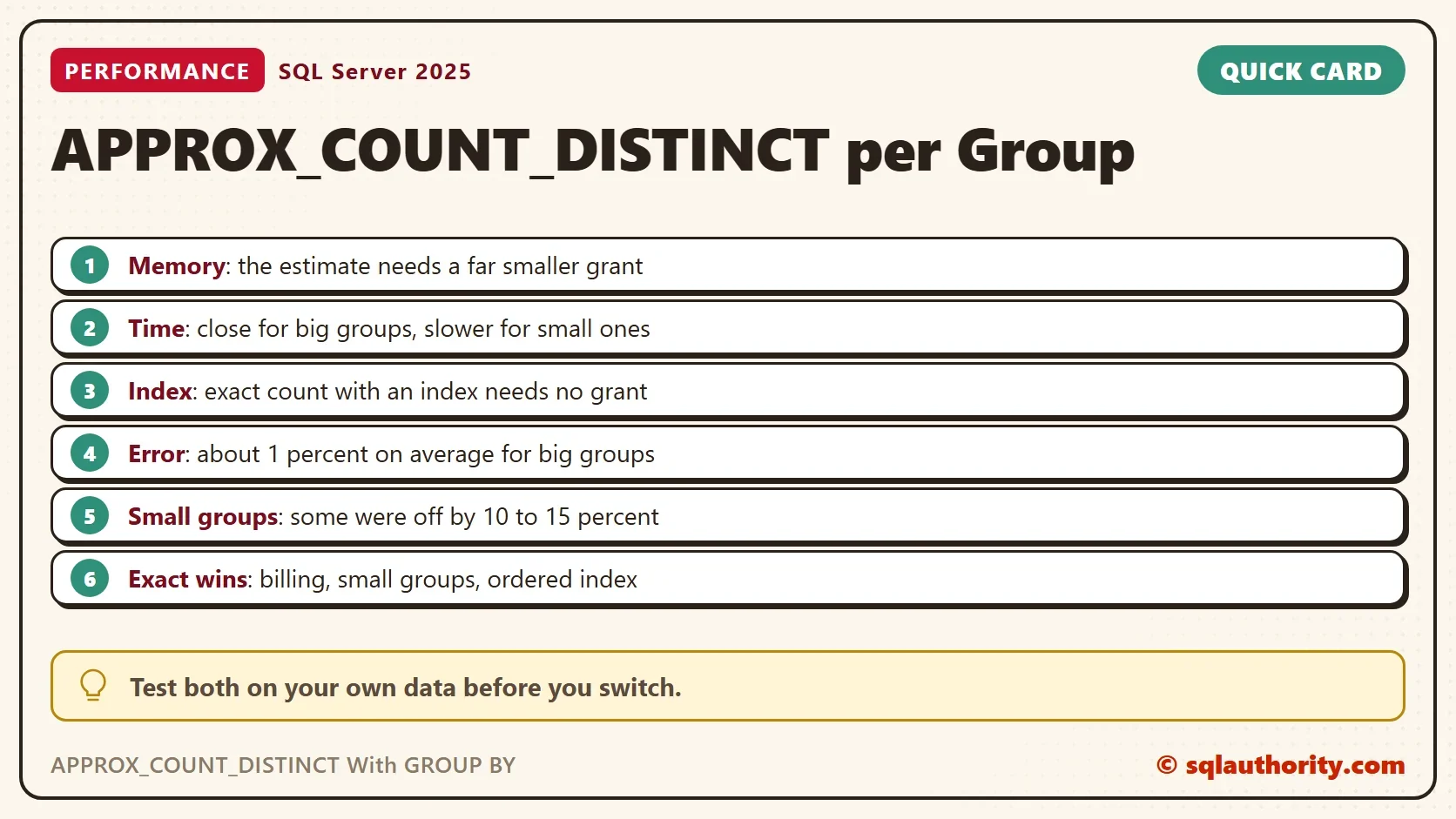
Use the exact count when the number must be right, such as billing or a legal report. Use it when groups are small, because a group of 20 can’t hide an error. Use it when an index already orders the data, because it then costs no memory.
Use APPROX_COUNT_DISTINCT with GROUP BY when the groups are big and no useful index exists. There it saves memory, and an error of a percent or two is acceptable for a dashboard.
Is the Estimate Worth It?
You could argue that the memory saving is the whole point, and that time never mattered. On a server short of memory, that is true. A grant of 227,384 KB for one query is a real cost when many run at once. On a server with memory to spare, the saving buys little.
What to Remember
Measure APPROX_COUNT_DISTINCT with GROUP BY on your own data, and check the error on your smallest groups. Don’t switch a billing query. When the exact count has an index, it is hard to beat.
When you finish, drop the demo database.
USE master;
GO
IF DB_ID(N'ApproxGroupDemo') IS NOT NULL
BEGIN
    ALTER DATABASE ApproxGroupDemo SET SINGLE_USER WITH ROLLBACK IMMEDIATE;
    DROP DATABASE ApproxGroupDemo;
END;
An estimate is not a shortcut, it is a trade you should measure.
Published by Pinal Dave on SQLAuthority. More of my work at pinaldave.com.
Discover more from SQL Authority with Pinal Dave
Subscribe to get the latest posts sent to your email.