Memory grant feedback events list every query whose memory grant keeps changing, and the moment SQL Server gives up. An execution plan tells you about one run of one query. An Extended Events session tells you about all of them, in the order they happened.

Why I Reach for Events
A bank in Europe asked me to look at its performance before its move to SQL Server 2019. A few queries had become slower. I had seen the same pattern at another client a week earlier. Memory grant feedback kept moving the grant of a query up and down.
For one query, I’d read its plan and switch feedback off for it. This time there were many, and nobody knew which ones. An Extended Events session gave us the list. We tuned those queries one at a time, and the system has run smoothly since.
The Three Events
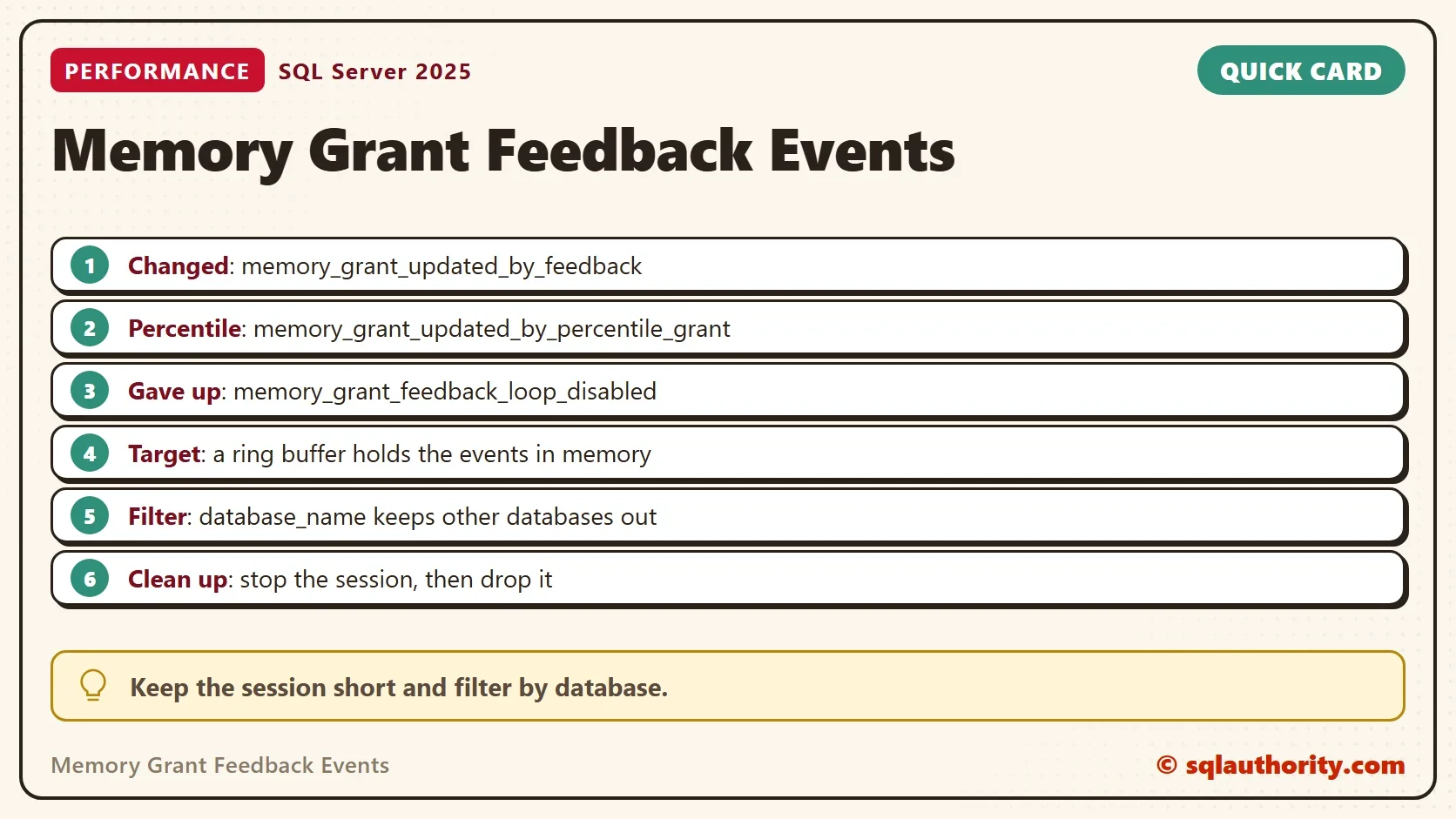
SQL Server has a handful of events about memory grant feedback. Three of them answer the questions that matter.
| Event | Fires when | What it tells you |
|---|---|---|
| memory_grant_updated_by_feedback | Feedback changes the grant of a query | The run number and the extra memory before and after the change |
| memory_grant_updated_by_percentile_grant | Percentile feedback changes a grant (SQL Server 2022 and later) | The range of grants and of memory used over recent runs |
| memory_grant_feedback_loop_disabled | Feedback gives up on a plan | How many runs and how many changes it took |
The first and the last make the pair to watch. Many changes followed by one give-up means a query whose memory needs swing from call to call.
Create the Session
The session below listens to the three events and records the plan handle with each one. The predicate keeps it to one database, so it stays quiet on a busy server. The ring buffer holds the events in memory until you stop the session.
CREATE EVENT SESSION MemoryGrantFeedback ON SERVER
ADD EVENT sqlserver.memory_grant_updated_by_feedback
    (ACTION (sqlserver.sql_text, sqlserver.plan_handle) WHERE sqlserver.database_name = N'GrantEventsDemo'),
ADD EVENT sqlserver.memory_grant_feedback_loop_disabled
    (ACTION (sqlserver.sql_text, sqlserver.plan_handle) WHERE sqlserver.database_name = N'GrantEventsDemo'),
ADD EVENT sqlserver.memory_grant_updated_by_percentile_grant
    (ACTION (sqlserver.sql_text, sqlserver.plan_handle) WHERE sqlserver.database_name = N'GrantEventsDemo')
ADD TARGET package0.ring_buffer
WITH (MAX_DISPATCH_LATENCY = 5 SECONDS);
GO
ALTER EVENT SESSION MemoryGrantFeedback ON SERVER STATE = START;
On your own server, put your database name in the three predicates. Creating a session needs the ALTER ANY EVENT SESSION permission. The predicate only compares a name, so the session works even before the database exists.
Make the Events Fire
The demo database holds 200,000 orders and two procedures. OrdersAfter sorts every order after a given number. A low number makes a big call, and a high number a small one. OrdersSteady always returns 100 rows, so its grant never needs to change.
IF DB_ID(N'GrantEventsDemo') IS NULL CREATE DATABASE GrantEventsDemo;
GO
USE GrantEventsDemo;
GO
DROP TABLE IF EXISTS dbo.Orders;
CREATE TABLE dbo.Orders (OrderID int IDENTITY(1,1) NOT NULL PRIMARY KEY, Remarks varchar(200) NOT NULL);
INSERT INTO dbo.Orders (Remarks) SELECT REPLICATE(CONVERT(varchar(36), NEWID()), 3) FROM GENERATE_SERIES(1, 200000);
GO
CREATE OR ALTER PROCEDURE dbo.OrdersAfter @MinID int
AS
SELECT OrderID, Remarks FROM dbo.Orders WHERE OrderID > @MinID ORDER BY Remarks;
GO
CREATE OR ALTER PROCEDURE dbo.OrdersSteady @MinID int
AS
SELECT TOP (100) OrderID, Remarks FROM dbo.Orders WHERE OrderID > @MinID ORDER BY Remarks;
The swing first turns off the percentile and persistence settings in the demo database. The classic feedback loop then runs the way it did on SQL Server 2019. Then it calls the big, the small and the steady procedure twenty times. The post on Memory Grant Feedback Loop: When SQL Server Stops Adjusting explains why the loop gives up.
ALTER DATABASE SCOPED CONFIGURATION SET MEMORY_GRANT_FEEDBACK_PERCENTILE_GRANT = OFF;
ALTER DATABASE SCOPED CONFIGURATION SET MEMORY_GRANT_FEEDBACK_PERSISTENCE = OFF;
ALTER DATABASE SCOPED CONFIGURATION CLEAR PROCEDURE_CACHE;
GO
DROP TABLE IF EXISTS #sink;
CREATE TABLE #sink (OrderID int, Remarks varchar(200));
GO
TRUNCATE TABLE #sink;
INSERT #sink EXEC dbo.OrdersAfter @MinID = 0;
TRUNCATE TABLE #sink;
INSERT #sink EXEC dbo.OrdersAfter @MinID = 199000;
INSERT #sink EXEC dbo.OrdersSteady @MinID = 0;
GO 20
Watch It Live
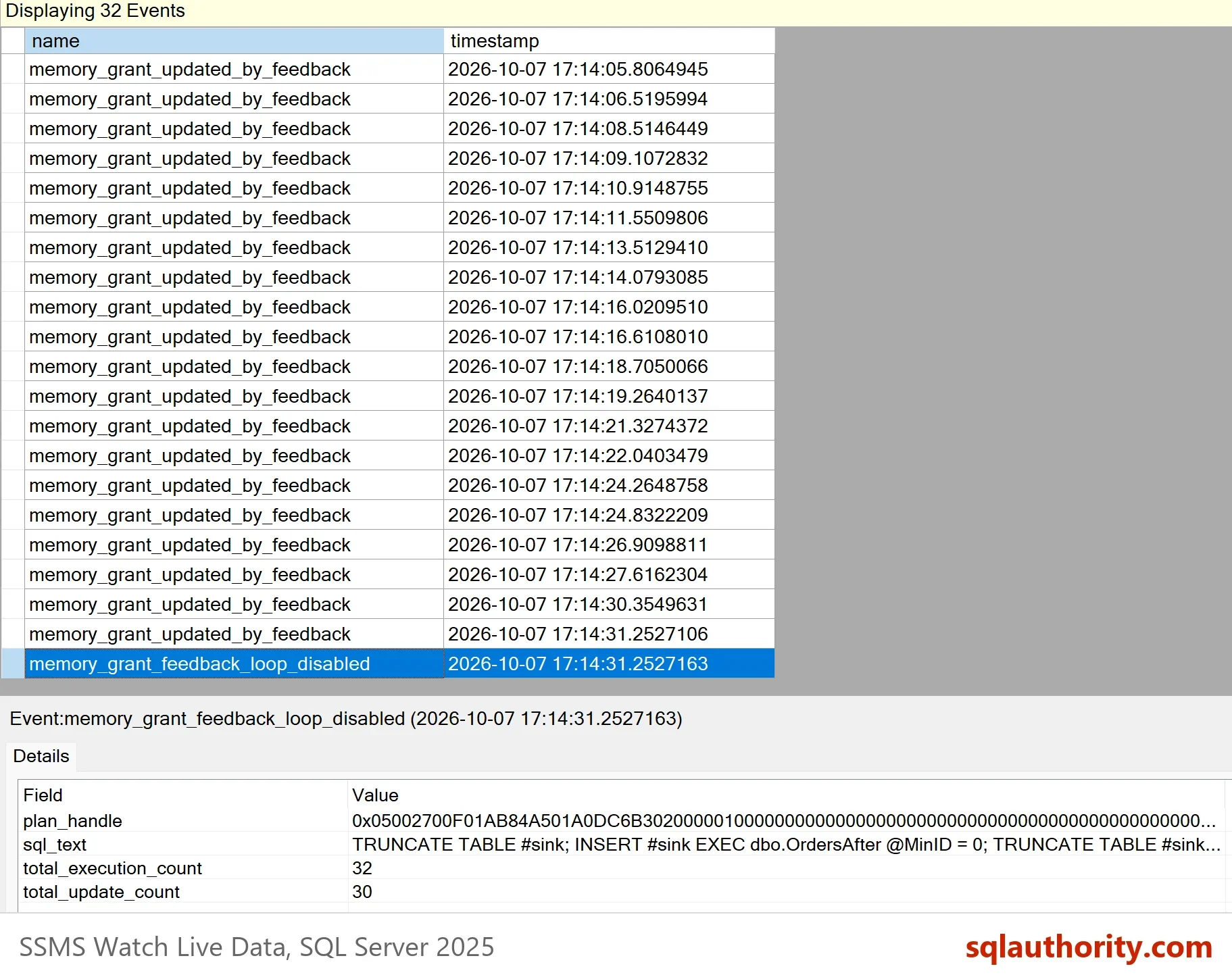
In Object Explorer, open Management, then Extended Events, then Sessions. Right-click MemoryGrantFeedback and choose Watch Live Data, then run the swing. The rows arrive a few seconds late, because the session sends its events in batches of up to five seconds.
Which Query Keeps Changing?
The live window is good for watching. For a list, read the ring buffer with T-SQL. This query counts the events of each procedure. It turns the plan handle of each event into the procedure name. Run it while the plan is still in the cache.
WITH Ev AS (
    SELECT x.e.value('@name', 'varchar(60)') AS EventName,
           CONVERT(varbinary(64), x.e.value('(action[@name="plan_handle"]/value)[1]', 'varchar(130)'), 2) AS PlanHandle
    FROM (SELECT CONVERT(xml, t.target_data) AS Doc
          FROM sys.dm_xe_sessions AS s
          JOIN sys.dm_xe_session_targets AS t ON t.event_session_address = s.address
          WHERE s.name = N'MemoryGrantFeedback' AND t.target_name = N'ring_buffer') AS r
    CROSS APPLY r.Doc.nodes('RingBufferTarget/event') AS x(e)
)
SELECT OBJECT_NAME(st.objectid, st.dbid) AS ProcedureName,
       SUM(CASE WHEN Ev.EventName = 'memory_grant_updated_by_feedback' THEN 1 ELSE 0 END) AS GrantChanges,
       SUM(CASE WHEN Ev.EventName = 'memory_grant_feedback_loop_disabled' THEN 1 ELSE 0 END) AS GaveUp
FROM Ev
OUTER APPLY sys.dm_exec_sql_text(Ev.PlanHandle) AS st
GROUP BY OBJECT_NAME(st.objectid, st.dbid)
ORDER BY GrantChanges DESC;| ProcedureName | GrantChanges | GaveUp |
|---|---|---|
| OrdersAfter | 31 | 1 |
OrdersAfter changed its grant 31 times and then gave up. OrdersSteady is missing, and that’s the point. A query whose grant fits never fires an event, so the list holds only the queries that need attention.
Each change also records the extra memory, in KB, before and after it. The first four changes show the swing.
SELECT TOP (4)
       x.e.value('(data[@name="current_execution_count"]/value)[1]', 'int') AS Execution,
       x.e.value('(data[@name="ideal_additional_memory_before_kb"]/value)[1]', 'bigint') AS BeforeKB,
       x.e.value('(data[@name="ideal_additional_memory_after_kb"]/value)[1]', 'bigint') AS AfterKB
FROM (SELECT CONVERT(xml, t.target_data) AS Doc
      FROM sys.dm_xe_sessions AS s
      JOIN sys.dm_xe_session_targets AS t ON t.event_session_address = s.address
      WHERE s.name = N'MemoryGrantFeedback' AND t.target_name = N'ring_buffer') AS r
CROSS APPLY r.Doc.nodes('RingBufferTarget/event[@name="memory_grant_updated_by_feedback"]') AS x(e);| Execution | BeforeKB | AfterKB |
|---|---|---|
| 2 | 42432 | 1024 |
| 3 | 1024 | 53848 |
| 4 | 53848 | 1024 |
| 5 | 1024 | 53848 |
The exact KB values move a little from run to run. The grant flips between about 1 MB and 53 MB on every call. That’s the loop the session caught, and the reason feedback stopped trying.
With the Newer Defaults
SQL Server 2022 added percentile feedback, and it is on by default. It sizes the grant from a range of recent runs instead of the last one. With it on, the same swing fired a few percentile events and no give-up event. The count changed from run to run, five in one test and thirteen in another.
Is a Session Too Much?
You could argue that a session is a lot of setup for something the plan already shows. For one known query, it is. Read its status as the post on IsMemoryGrantFeedbackAdjusted Values: What Each Status Means shows, and move on. The session pays off when you don’t know which queries swing. It costs little, because these events fire only when feedback acts.
Once you have the list, decide per query. Fix the estimate that swings, or stop feedback for that one query. The post Stop Memory Grant Feedback: Database Setting and Query Hint shows how. Then drop the session and the demo database.
USE master;
GO
IF EXISTS (SELECT 1 FROM sys.server_event_sessions WHERE name = N'MemoryGrantFeedback')
    DROP EVENT SESSION MemoryGrantFeedback ON SERVER;
GO
IF DB_ID(N'GrantEventsDemo') IS NOT NULL
BEGIN
    ALTER DATABASE GrantEventsDemo SET SINGLE_USER WITH ROLLBACK IMMEDIATE;
    DROP DATABASE GrantEventsDemo;
END;
An event session is not a trace of everything, it is a net with a chosen mesh.
Published by Pinal Dave on SQLAuthority. More of my work at pinaldave.com.
Discover more from SQL Authority with Pinal Dave
Subscribe to get the latest posts sent to your email.