
Question: How can you disable batch mode for one SQL Server query? On SQL Server 2019 and later, add OPTION (USE HINT(‘DISALLOW_BATCH_MODE’)). It restricts this statement’s execution to row mode.

This was a follow-up to my batch mode on rowstore example. My first reaction was to ask why someone would want to disable a feature that was helping them. The client had a good answer: hundreds of queries improved, but two regressed. They wanted a targeted exception.
SELECT ProductID, SUM(UnitPrice) AS SumUnitPrice, AVG(UnitPrice) AS AvgUnitPrice,
       SUM(OrderQty) AS SumOrderQty, AVG(OrderQty) AS AvgOrderQty
FROM dbo.MySalesOrderDetail
GROUP BY ProductID
ORDER BY ProductID
OPTION (USE HINT('DISALLOW_BATCH_MODE'));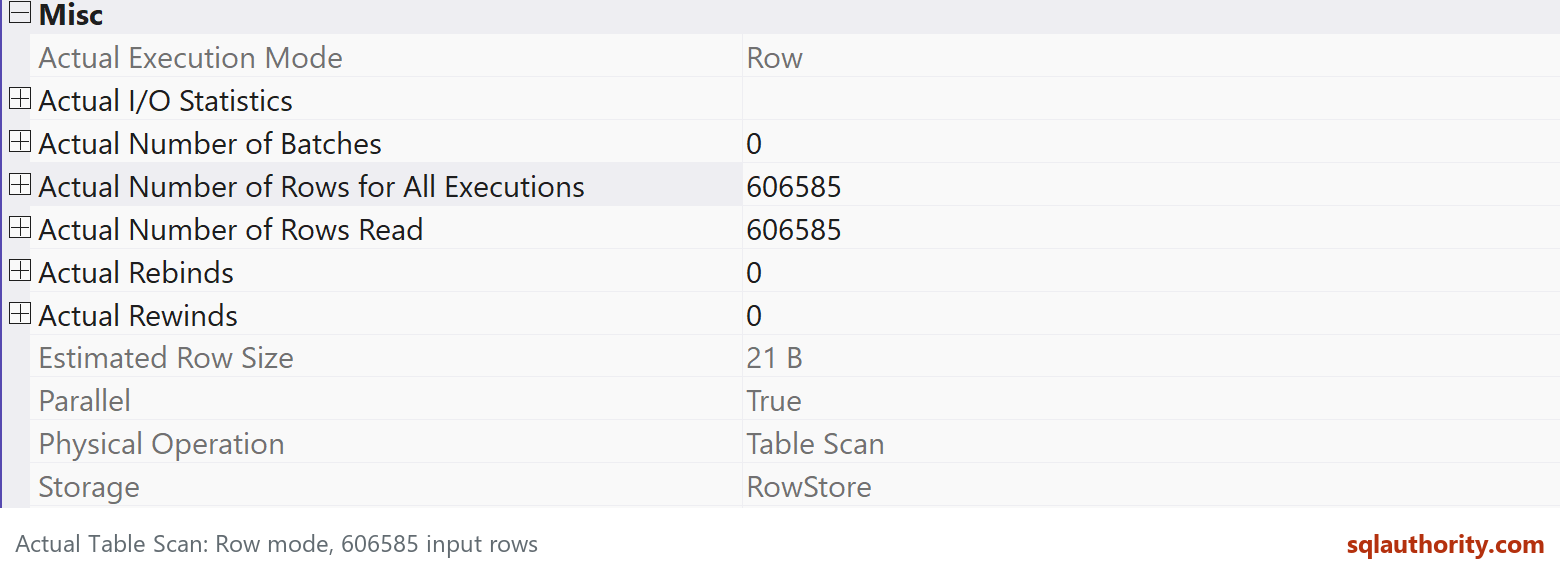
The query keeps the original MySalesOrderDetail columns and aggregation. That table comes from the linked disposable AdventureWorks lab, not a built-in sample table. The linked original lab expands SalesOrderDetail fifty times. The current capture here comes from a separate five-copy AdventureWorks2025 lab with 606,585 rows. The aggregate SQL is the same, but the smaller lab must not be confused with the original row count.
Compare this with the same query without the hint. Batch mode on rowstore becomes eligible at compatibility level 150 or higher, but eligibility is not a promise that the optimizer will choose it. Inspect the relevant operators’ Actual Execution Mode properties in the actual plan.
The hint disables batch execution for this statement; it doesn’t set the whole database to an earlier compatibility level or switch off every intelligent-query-processing feature. Disabling batch-mode memory grant feedback is also a different operation.
For the client’s two exceptions, the hint was a useful intervention. That result doesn’t justify adding it to the hundreds of queries that already benefited from batch mode. Compare elapsed time, CPU and reads across representative runs, and revisit the exception after changes to the workload or SQL Server build.
Published by Pinal Dave on SQLAuthority. More of my work at pinaldave.com.
Discover more from SQL Authority with Pinal Dave
Subscribe to get the latest posts sent to your email.




4 Comments. Leave new
Pinal,
What made their queries perform poorly in batch mode when this is meant to be a big improvement?
That is I am still figuring out. I think there are some queries just best to be used for rowstore. I will write a detailed post once I know the proper pattern about this one.
Pinal,
Did you do this with the database scoped configuration or were there so few queries that you did it as a hint in each one?
Only selected queries sir.