
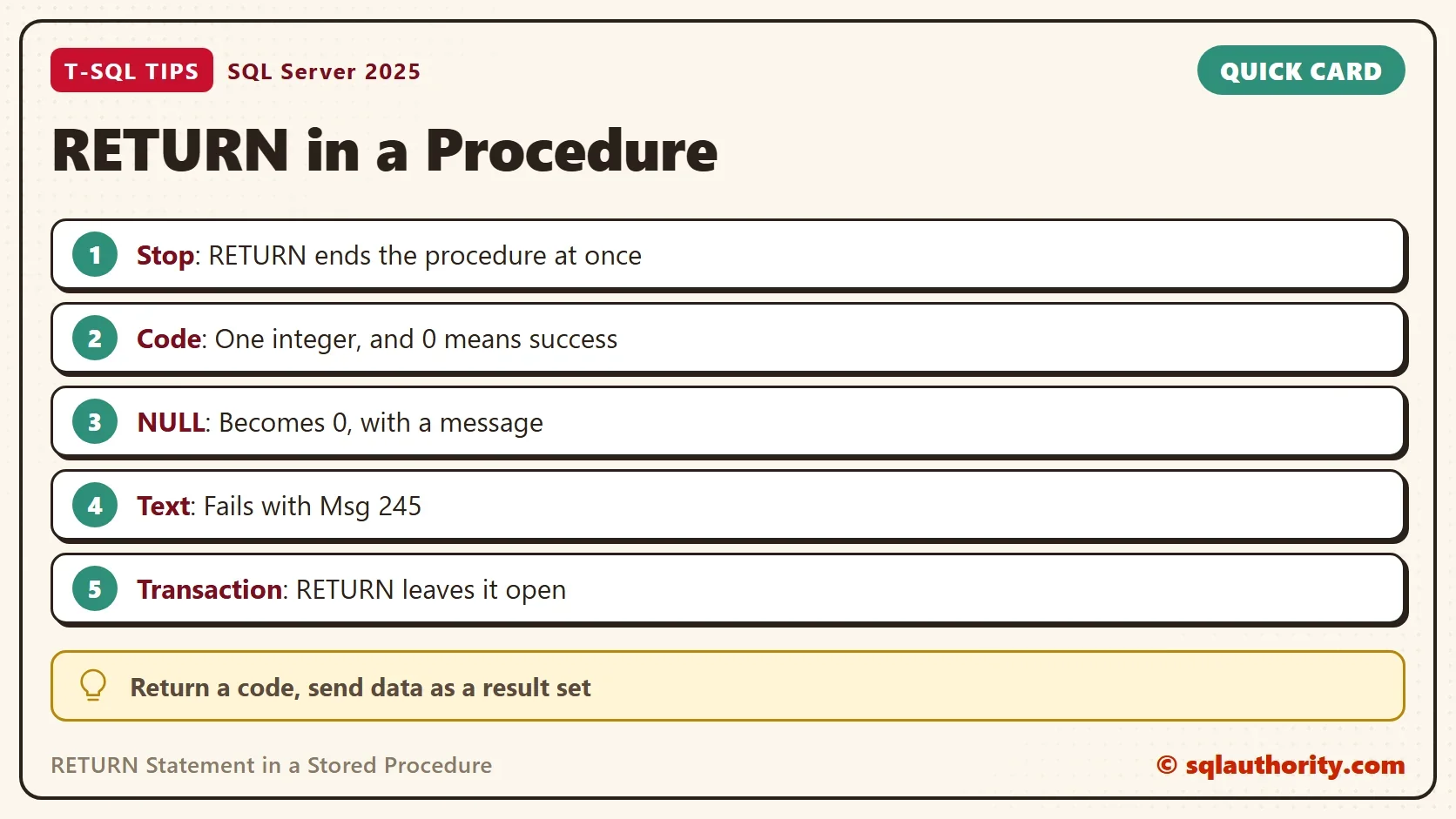
The RETURN statement ends a stored procedure at once and hands back one integer status code. Everything written after it never runs.

RETURN Stops the Procedure Where It Stands
RETURN is the exit door of a procedure. When SQL Server reaches it, the procedure ends, and control goes back to the caller. The next demo shows it with two SELECT statements and a RETURN between them. The script creates a database named ReturnKeywordDemo, so run it on a test server.
IF DB_ID(N'ReturnKeywordDemo') IS NULL CREATE DATABASE ReturnKeywordDemo;
GO
USE ReturnKeywordDemo;
GO
CREATE OR ALTER PROCEDURE dbo.ShowTwo
AS
BEGIN
    SELECT 1 AS FirstResult;
    RETURN;
    SELECT 2 AS SecondResult;
END;
GO
DECLARE @StatusCode int;
EXEC @StatusCode = dbo.ShowTwo;
SELECT @StatusCode AS StatusCode;| FirstResult |
|---|
| 1 |
| StatusCode |
|---|
| 0 |
Only the first SELECT runs. The second one is dead code. A RETURN with no value sends back the status 0. The call used EXEC @StatusCode = to catch it. That assignment is how you read the status.
The Status Code Is One Integer
By convention, 0 means success and any other number means something went wrong. The numbers are yours to define. Microsoft reserves 0 to -99 for its own statuses. A positive number is the safe choice for a custom meaning. The next procedure checks a quantity and returns a different code for each failure.
CREATE OR ALTER PROCEDURE dbo.ValidateQty @Qty int
AS
BEGIN
    IF @Qty < 0 RETURN 1;
    IF @Qty > 100 RETURN 2;
    RETURN 0;
END;
GO
DECLARE @a int, @b int, @c int;
EXEC @a = dbo.ValidateQty @Qty = -5;
EXEC @b = dbo.ValidateQty @Qty = 50;
EXEC @c = dbo.ValidateQty @Qty = 500;
SELECT @a AS NegativeQty, @b AS GoodQty, @c AS TooBigQty;| NegativeQty | GoodQty | TooBigQty |
|---|---|---|
| 1 | 0 | 2 |
RETURN accepts only integers, and it treats other values in its own way. RETURN 2.7 sends back 2. RETURN ‘A’ fails with Msg 245, because the text can’t convert to an int. RETURN NULL isn’t allowed. SQL Server prints a message and returns 0, so a procedure that returns NULL looks like a success.
CREATE OR ALTER PROCEDURE dbo.ReturnNull
AS
BEGIN
    RETURN NULL;
END;
GO
DECLARE @StatusCode int;
EXEC @StatusCode = dbo.ReturnNull;
SELECT @StatusCode AS StatusCode;
The message reads: The ‘ReturnNull’ procedure attempted to return a status of NULL, which is not allowed. A status of 0 will be returned instead. Send data back with a result set or an OUTPUT parameter, and keep RETURN for the status. Passing results between procedures has its own post. How to Pass Stored Procedure Result to Another Procedure in SQL Server covers it.
Stop a Long Procedure After a Chosen Step
Sapandeep Singh suggested a debugging trick. Put a RETURN after the first part of a long procedure, to run only that part. It works. It also means editing the procedure, and a forgotten RETURN stays in production. A parameter does the same job without an edit. The procedure below takes @StopAfter and exits after that step. The step number becomes its status.
DROP TABLE IF EXISTS dbo.StepLog;
CREATE TABLE dbo.StepLog (StepNo int NOT NULL, StepName nvarchar(20) NOT NULL);
GO
CREATE OR ALTER PROCEDURE dbo.RunSteps @StopAfter int = NULL
AS
BEGIN
    SET NOCOUNT ON;
    INSERT INTO dbo.StepLog (StepNo, StepName) VALUES (1, N'Stage');
    IF @StopAfter = 1 RETURN 1;
    INSERT INTO dbo.StepLog (StepNo, StepName) VALUES (2, N'Validate');
    IF @StopAfter = 2 RETURN 2;
    INSERT INTO dbo.StepLog (StepNo, StepName) VALUES (3, N'Publish');
    RETURN 0;
END;
GO
DECLARE @StatusCode int;
EXEC @StatusCode = dbo.RunSteps @StopAfter = 2;
SELECT @StatusCode AS StatusCode;
SELECT StepNo, StepName FROM dbo.StepLog ORDER BY StepNo;
TRUNCATE TABLE dbo.StepLog;
EXEC @StatusCode = dbo.RunSteps;
SELECT @StatusCode AS StatusCode;
SELECT StepNo, StepName FROM dbo.StepLog ORDER BY StepNo;| StatusCode |
|---|
| 2 |
| StepNo | StepName |
|---|---|
| 1 | Stage |
| 2 | Validate |
| StatusCode |
|---|
| 0 |
| StepNo | StepName |
|---|---|
| 1 | Stage |
| 2 | Validate |
| 3 | Publish |
With @StopAfter = 2 the procedure logs two steps and returns 2. With no parameter it runs all three and returns 0. The same exit works as a guard at the top of a procedure. Check the input first and return a code, and the rest never runs.
RETURN Does Not Clean Up
The RETURN statement ends the procedure and nothing else. It doesn’t commit a transaction and it doesn’t roll one back. A procedure that opens a transaction and then exits through a RETURN hands an open transaction to the caller.
CREATE OR ALTER PROCEDURE dbo.LeaveOpen
AS
BEGIN
    BEGIN TRANSACTION;
    RETURN 5;
END;
GO
DECLARE @StatusCode int;
EXEC @StatusCode = dbo.LeaveOpen;
SELECT @StatusCode AS StatusCode, @@TRANCOUNT AS OpenTransactions;
ROLLBACK TRANSACTION;| StatusCode | OpenTransactions |
|---|---|
| 5 | 1 |
SQL Server also raises Msg 266. The transaction count was 0 before the call and 1 after it. The script ends with ROLLBACK to close the transaction. In your own code, commit or roll back before every RETURN. Or use TRY and CATCH, so the CATCH block cleans up.
RETURN Is Not an Error Handler
A statement error inside a procedure doesn’t stop it, unless XACT_ABORT is ON. The status code doesn’t change by itself. The next procedure divides by zero, and then it returns 7.
CREATE OR ALTER PROCEDURE dbo.DivideThenReturn
AS
BEGIN
    SELECT 1 / 0 AS Broken;
    RETURN 7;
END;
GO
DECLARE @StatusCode int;
EXEC @StatusCode = dbo.DivideThenReturn;
SELECT @StatusCode AS StatusCode;
The division raises Msg 8134, Divide by zero error encountered. The procedure carries on and returns 7. If a failure should end the procedure, catch it with TRY and CATCH. Return a code from the CATCH block. In a plain batch outside a procedure, RETURN ends the batch, and the next batch after GO still runs.
Is a Return Code Old Fashioned?
You could argue that return codes belong to an older style, and that THROW and OUTPUT parameters replace them. For data that is true. A status code still fits a simple success or failure answer, because every caller can read it with one assignment. Use it for that, and use a result set or OUTPUT parameter for the data.
What to Remember
The RETURN statement ends a procedure on the spot and sends back one integer. Read it with EXEC @code = procedure. Use 0 for success and positive numbers for your own meanings, and never return NULL or text. RETURN doesn’t close a transaction and it isn’t an error handler.
To debug a long procedure, add a parameter such as @StopAfter instead of editing the code. When you finish with the demo, run the cleanup script.
USE master;
GO
ALTER DATABASE ReturnKeywordDemo SET SINGLE_USER WITH ROLLBACK IMMEDIATE;
DROP DATABASE ReturnKeywordDemo;
A return code is not a result, it is a verdict on how the procedure ended.
Published by Pinal Dave on SQLAuthority. More of my work at pinaldave.com.
Discover more from SQL Authority with Pinal Dave
Subscribe to get the latest posts sent to your email.




2 Comments. Leave new
You are doing a great job by educating our community. Your blogs are awesome and explains well. Please keep on sharing such useful tips and real time scenarios that you face while working.
Thank You.