
To pass stored procedure result values to another procedure, use an OUTPUT parameter. The first procedure fills it, and the caller hands it to the second procedure. Four other methods exist, and each one has a limit worth knowing.

Pass the Value With OUTPUT Parameters
The demo is a small order desk. One procedure calculates a line total. A second one calculates the sales tax on any amount. The script creates a database named ProcResultDemo, so run it on a test server.
IF DB_ID(N'ProcResultDemo') IS NULL CREATE DATABASE ProcResultDemo;
GO
USE ProcResultDemo;
GO
CREATE OR ALTER PROCEDURE dbo.GetLineTotal
    @Quantity int, @UnitPrice decimal(9,2), @LineTotal decimal(12,2) OUTPUT
AS
SET NOCOUNT ON;
SET @LineTotal = @Quantity * @UnitPrice;
GO
CREATE OR ALTER PROCEDURE dbo.GetSalesTax
    @Amount decimal(12,2), @SalesTax decimal(12,2) OUTPUT
AS
SET NOCOUNT ON;
SET @SalesTax = ROUND(@Amount * 0.0825, 2);
Call the first procedure and keep its answer in a variable. Then give that variable to the second procedure. The word OUTPUT is required on both the parameter and the call. Without it on the call, the variable stays empty.
DECLARE @total decimal(12,2), @tax decimal(12,2);
EXEC dbo.GetLineTotal @Quantity = 3, @UnitPrice = 4.25, @LineTotal = @total OUTPUT;
EXEC dbo.GetSalesTax @Amount = @total, @SalesTax = @tax OUTPUT;
SELECT @total AS LineTotal, @tax AS SalesTax;
| LineTotal | SalesTax |
|---|---|
| 12.75 | 1.05 |
This is the method to reach for first. An OUTPUT parameter works like a window into the caller’s variable. The called procedure writes into it, and the caller reads the value afterwards. The variable keeps its data type, and the procedures stay independent. A procedure can also have several OUTPUT parameters, so one call can pass back a total and a count together. Each procedure can still be called on its own.
Why RETURN Is the Wrong Tool
A classic way to pass stored procedure result values is the RETURN statement. It works for whole numbers, because a return code is an integer. It also hides a trap. The next procedure returns the same line total through RETURN.
CREATE OR ALTER PROCEDURE dbo.GetLineTotalByReturn @Quantity int, @UnitPrice decimal(9,2)
AS
RETURN @Quantity * @UnitPrice;
GO
DECLARE @rc int;
EXEC @rc = dbo.GetLineTotalByReturn @Quantity = 3, @UnitPrice = 4.25;
SELECT @rc AS ReturnCode;
| ReturnCode |
|---|
| 12 |
The answer should be 12.75, and SQL Server returned 12. It cut the decimal part without a warning. Text fails in a louder way. The procedure below tries to return a name, and the call stops with an error.
CREATE OR ALTER PROCEDURE dbo.GetLabel AS RETURN N'Basil';
GO
DECLARE @rc int;
EXEC @rc = dbo.GetLabel;
Msg 245, Level 16, State 1, Procedure dbo.GetLabel, Line 1
Conversion failed when converting the nvarchar value 'Basil' to data type int.
By convention, a return code says whether the procedure worked. Zero means success, and any other number names a failure. The caller checks it with a plain IF on the return code. Keep it for that job, and send data through OUTPUT parameters.
Capture a Whole Result Set With INSERT EXEC
Sometimes the first procedure returns rows instead of one value. INSERT ... EXEC catches those rows in a table or table variable. The next script adds an order table and a procedure that lists the orders for one city. It then sums the Austin orders and passes the sum to the tax procedure.
DROP TABLE IF EXISTS dbo.OrderLine;
CREATE TABLE dbo.OrderLine (OrderID int NOT NULL, City nvarchar(30) NOT NULL, Amount decimal(12,2) NOT NULL);
INSERT dbo.OrderLine VALUES (1, N'Austin', 12.75), (2, N'Austin', 30.00), (3, N'Denver', 8.50), (4, N'Austin', 5.25);
GO
CREATE OR ALTER PROCEDURE dbo.GetCityOrders @City nvarchar(30)
AS
SET NOCOUNT ON;
SELECT OrderID, Amount FROM dbo.OrderLine WHERE City = @City ORDER BY OrderID;
GO
DECLARE @orders TABLE (OrderID int, Amount decimal(12,2));
INSERT INTO @orders EXEC dbo.GetCityOrders @City = N'Austin';
DECLARE @sum decimal(12,2) = (SELECT SUM(Amount) FROM @orders), @tax decimal(12,2);
EXEC dbo.GetSalesTax @Amount = @sum, @SalesTax = @tax OUTPUT;
SELECT @sum AS CityTotal, @tax AS SalesTax;
| CityTotal | SalesTax |
|---|---|
| 48.00 | 3.96 |
Two limits apply. The columns must match the result set in number and order, or SQL Server stops with Msg 213. A procedure that already uses INSERT ... EXEC inside can’t be captured this way, because the statement can’t be nested. The next script shows both errors.
CREATE OR ALTER PROCEDURE dbo.GetCityTotal @City nvarchar(30)
AS
SET NOCOUNT ON;
DECLARE @orders TABLE (OrderID int, Amount decimal(12,2));
INSERT INTO @orders EXEC dbo.GetCityOrders @City = @City;
SELECT SUM(Amount) AS Total FROM @orders;
GO
DECLARE @nested TABLE (Total decimal(12,2));
INSERT INTO @nested EXEC dbo.GetCityTotal @City = N'Austin';
GO
DECLARE @narrow TABLE (OrderID int);
INSERT INTO @narrow EXEC dbo.GetCityOrders @City = N'Austin';
Msg 8164, Level 16, State 1, Procedure dbo.GetCityTotal, Line 5
An INSERT EXEC statement cannot be nested.
Msg 213, Level 16, State 7, Procedure dbo.GetCityOrders, Line 4
Column name or number of supplied values does not match table definition.
When you meet the first error, switch the inner procedure to an OUTPUT parameter. If you need the rows, write them to a temporary table that both procedures can see.
Send Many Rows In With a Table-Valued Parameter
A table-valued parameter works in the other direction. The caller fills a table variable and hands the whole set to a procedure. The parameter must be declared READONLY, so the procedure can read the rows but not change them.
CREATE TYPE dbo.OrderIdList AS TABLE (OrderID int PRIMARY KEY);
GO
CREATE OR ALTER PROCEDURE dbo.SumOrders @Ids dbo.OrderIdList READONLY, @Total decimal(12,2) OUTPUT
AS
SET NOCOUNT ON;
SELECT @Total = SUM(o.Amount) FROM dbo.OrderLine AS o INNER JOIN @Ids AS i ON i.OrderID = o.OrderID;
GO
DECLARE @ids dbo.OrderIdList, @total decimal(12,2);
INSERT @ids VALUES (1), (3);
EXEC dbo.SumOrders @Ids = @ids, @Total = @total OUTPUT;
SELECT @total AS TotalOfTwo;
| TotalOfTwo |
|---|
| 21.25 |
Do the Procedures Run One After Another?
Yes. A procedure that calls two others waits for each call to finish. The test below uses two procedures that wait one second each.
CREATE OR ALTER PROCEDURE dbo.Step1 AS WAITFOR DELAY '00:00:01';
GO
CREATE OR ALTER PROCEDURE dbo.Step2 AS WAITFOR DELAY '00:00:01';
GO
CREATE OR ALTER PROCEDURE dbo.RunBoth AS EXEC dbo.Step1; EXEC dbo.Step2;
GO
DECLARE @start datetime2 = SYSDATETIME();
EXEC dbo.RunBoth;
SELECT DATEDIFF(MILLISECOND, @start, SYSDATETIME()) AS Milliseconds;
The call takes a little over 2,000 milliseconds, which is both waits added together. Two procedures run at the same time only when they run in two separate connections. One call doesn’t start a second one in parallel.
When a Function Is Better
If the first procedure only calculates a value and changes no data, a scalar function is a tidier fit. You call it inside a query, and no variable is needed.
CREATE OR ALTER FUNCTION dbo.SalesTaxOf (@Amount decimal(12,2))
RETURNS decimal(12,2)
AS
BEGIN
    RETURN ROUND(@Amount * 0.0825, 2);
END;
GO
SELECT dbo.SalesTaxOf(12.75) AS SalesTax;
The function returns 1.05, the same as the procedure. Functions can’t change data, and a scalar function in a large query needs testing before you trust its speed. Procedures remain the right tool when the work changes rows.
You could argue that RETURN is fine when every value is a whole number, such as a count. That’s true, and the code works. I still prefer OUTPUT, because the next change of data type then needs no rewrite of the callers.
What to Remember
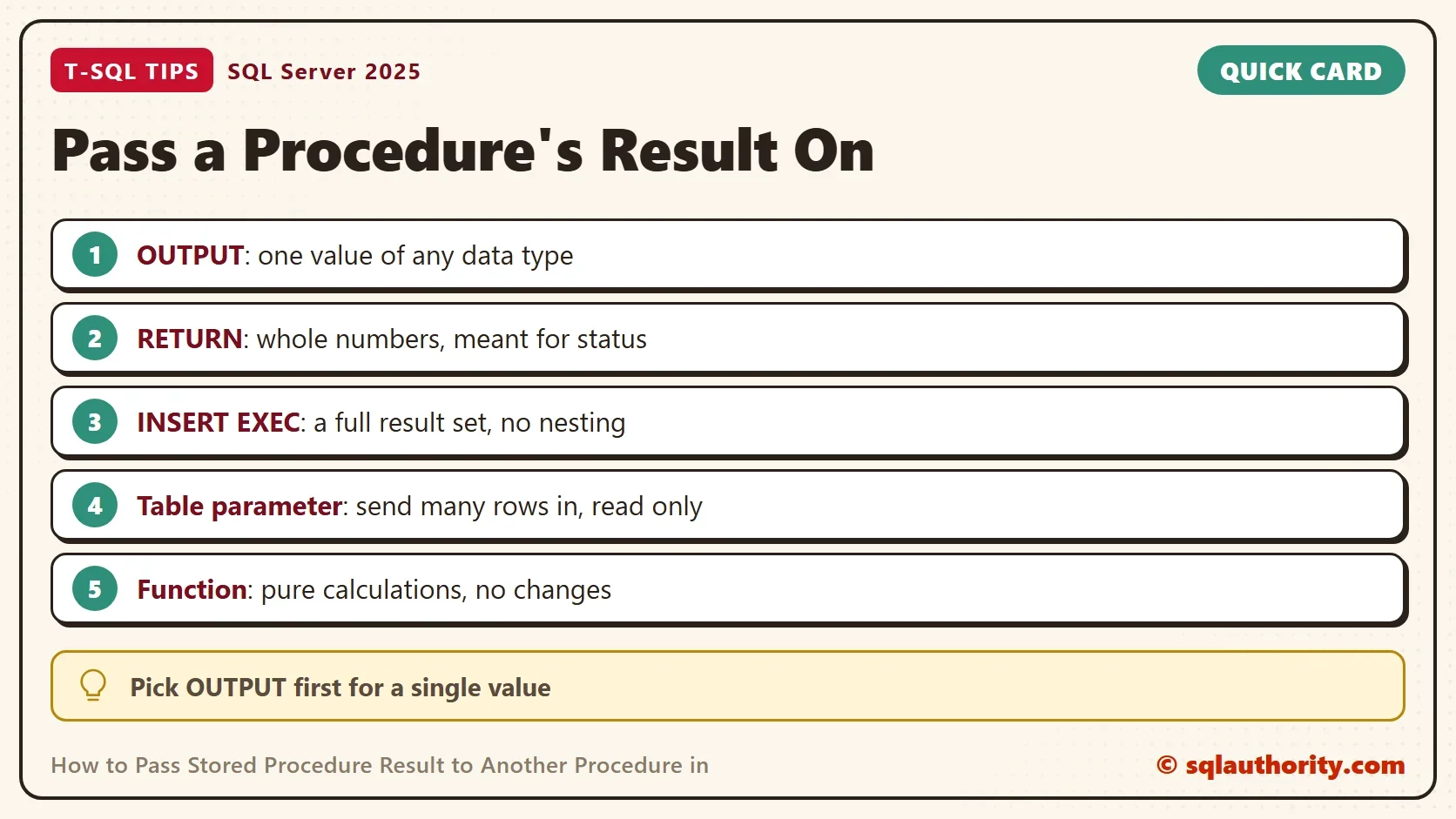
To pass stored procedure result values safely, pick the method that fits the shape of the data. Use OUTPUT for one value. Use INSERT EXEC for a result set. Use a table-valued parameter for a set going in and a function for a pure calculation. Keep RETURN for status codes.
When you finish, run the cleanup script. It drops the demo database.
USE master;
GO
ALTER DATABASE ProcResultDemo SET SINGLE_USER WITH ROLLBACK IMMEDIATE;
DROP DATABASE ProcResultDemo;
A stored procedure is not a function, it is a conversation, and OUTPUT is how it answers.
Published by Pinal Dave on SQLAuthority. More of my work at pinaldave.com.
Discover more from SQL Authority with Pinal Dave
Subscribe to get the latest posts sent to your email.




13 Comments. Leave new
This is the simplest possible case. But:
Stored procedure return values are generally used to indicate success (0) or failure (other than zero).
If you are going to use the style of programming used in the example, it would be better to use a Function rather than a stored procedure. The return value of a function is expected to be the result, not an indicator of success or failure.
The example only works for scalar results (a single value) of type [int]. Stored procedure return values are only allowed to be integers.
There are two cases for returning values from a stored procedure that should be addressed: scalar values and tables. There is a third (multiple result sets), but those are NOT easily addressed.
Because a stored proc can have multiple output parameters, multiple values can be passed from the stored proc.
Now for the hard part: passing the results of a stored proc when that result is a table. For this, you need a user-defined table type. Not so much for the source procedure, but so you can easily pass in the results to the target procedure.
Let’s say we have a procedure that lists the databases in an instance of SQL Server (or the databases that the user has access to based on [master].[sys].[databases]) and we want to pass that list into a second procedure.
First, create a user-defined table-type, then two procs, one that lists the databases and the next that adds a column to the list. You’ll catch the output of the first proc and feed it to the second.
Not need to create local variables:
— First Stored Procedure
CREATE PROCEDURE SquareSP
@MyFirstParam INTEGER
AS
RETURN (@MyFirstParam*@MyFirstParam);
CREATE PROCEDURE FindArea
@SquaredParam INTEGER
AS
RETURN (@SquaredParam * PI());
Thank you sir – You are very correct.
cannot return varchar values! Conversion failed when converting the varchar value ‘…’ to data type int. Severity 16
sir, can “FindArea” procedure return a table?
The below example will return table and inserted into another table using nested procedure.
SP 1 :
———–
ALTER PROCEDURE [dbo].[CustOrderHist_Elam_Out]
AS
begin
if object_id(‘temp_parithi’) is not null
select ‘table created already’
else
create table temp_parithi(ProductName nvarchar(50),Total nvarchar(50))
declare @temp_parithi table(ProductName nvarchar(50),Total nvarchar(50))
insert into @temp_parithi exec CustOrderHist_Elam_In ‘FRANK’
insert into temp_parithi select * from @temp_parithi
End
SP 2 :
———-
ALTER PROCEDURE [dbo].[CustOrderHist_Elam_In] @CustomerID nchar(5)
AS
SELECT ProductName, Total=SUM(Quantity) FROM Products P, [Order Details] OD, Orders O, Customers C WHERE C.CustomerID = @CustomerID AND C.CustomerID = O.CustomerID AND O.OrderID = OD.OrderID AND OD.ProductID = P.ProductID GROUP BY ProductName
When you excute CustOrderHist_Elam_Out:
The following steps are :
1.trigger the SP- CustOrderHist_Elam_In
2.output table will be handle inside the CustOrderHist_Elam_Out and inserted into another table
Are there any knows issues when calling a stored procedure from within a stored procedure or is this a common practice and SQL doesn’t care?
Thanks Pinal for an excellent structure you originally suggested with this thread. I was able to use this same logic to assure the first stored procedure was complete before the second procedure began. For my application, procedure 2 (and 3 and 4) used the output from procedure 1, but the main calling procedure executed procedures 3-4 before procedure 1 was completed. Hence, I received no output. The input and return parameters were irrelevant, but the logic you proposed generated the delay needed to attain the results. Again, thanks for your clear examples from a novice sql coder. Gerry
Can anyone help me on how to pass multivalue parameter with call in MySQL in to a ssrs report.
I have a sp in MySQL and am trying to use that sp in SSRS reporting using a call statement in the dataset. It works fine when I try to pass a single value parameter but it doesn’t work for multivalue parameter .
The expression am using is :
“call `sp_bi_incident_Summary` (‘(” + join(Parameters!RegionParam.Value,”‘,'”) + “)’,'(” + join(Parameters!DivisionParam.Value,”‘,'”) + “)’)”
Hi Reshma, Did you find a way to resolve this issue ? I am trying to do the same i.e. Trying to call a MySQL Proc in SSRS. Any suggestions will be appreciated. Thanks in advance.
How do we insert values into two different tables in the same database using stored procedures
My question is about how the stored procedures are processed. Do they process serially or in parallel? Is it possible to have one stored procedure start multiple stored procedures all at once or will the first stored procedure have to finish before the second starts? Thanks
Each connection can run a stored procedure.