
THREADPOOL waits are the clearest sign that raising the max worker count can help. The wait means a task was ready to run and found no free worker thread.

Check Other Causes First
A higher cap is not the first fix. A blocking chain holds workers: every blocked session keeps its worker while it waits. Clear blocking first.
The default cap follows a formula based on your processors. Many clients who raised the value without evidence saw their systems stop responding. Max Worker Count: Why Typing 10000 Slowed a Server tells that story. The hand-set value did the opposite of what the administrator hoped. Leave the setting alone until THREADPOOL waits and the signs below prove that workers run out.
Parallel plans deserve a look first. Each parallel branch of a query needs one worker for every degree of parallelism. A handful of heavy queries can then use a large share of the pool. Lowering MAXDOP or raising the cost threshold for parallelism gives those workers back without touching the cap.
The Five Signs
A large online retailer built a separate SQL Server instance for its shopping cart before a Black Friday sale. The instance added items to carts, handled checkout, and synced inventory from the main server every few seconds. Once the sale went live, requests queued, and shoppers waited to add items.
CPU use sat at about 5 percent, yet many connections waited for threads. No other major wait type stood out. I raised the max worker count, and within seconds new workers took the backlog. All five signs were present at once.
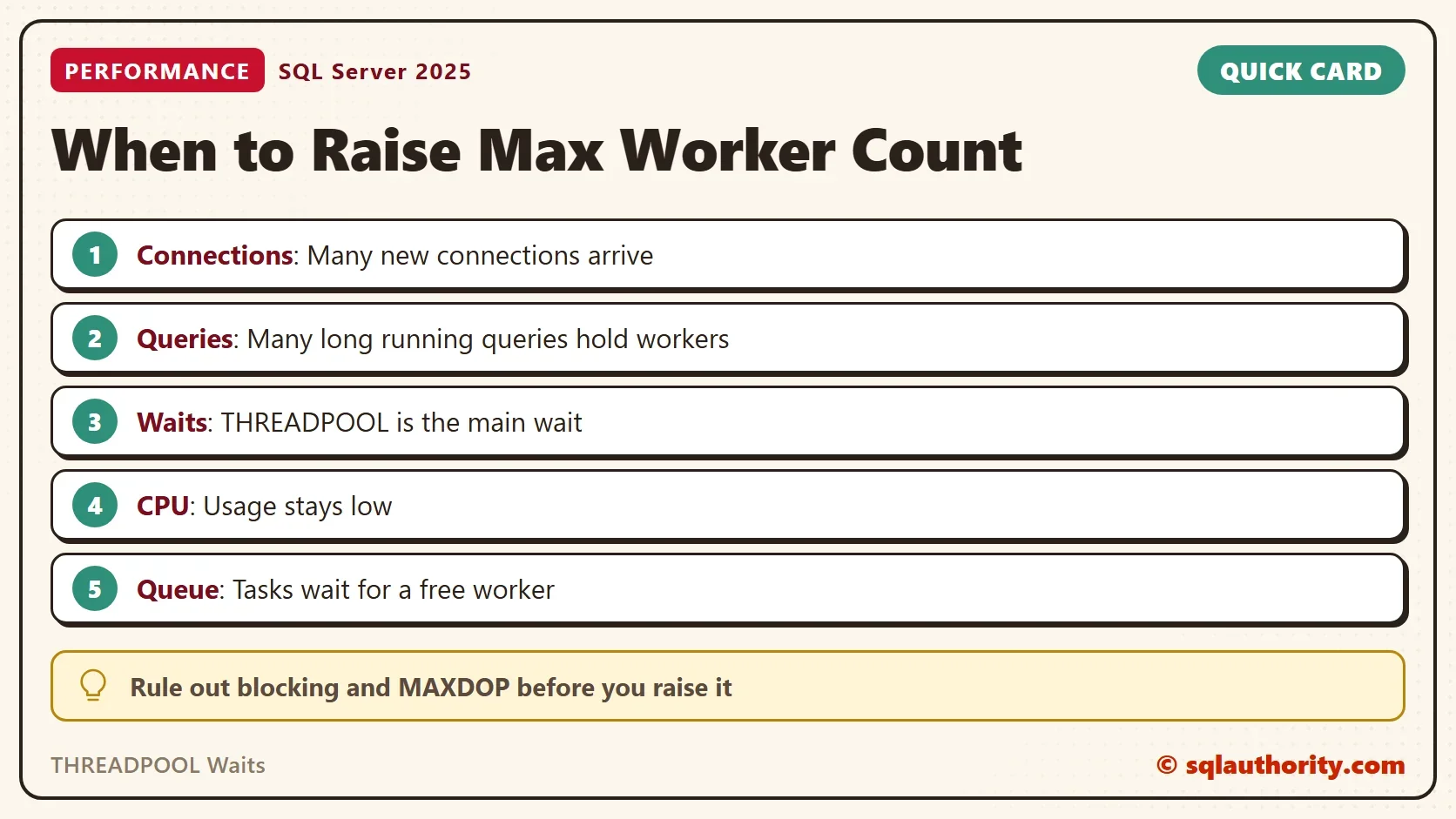
The five signs are easy to list. Many new connections arrive. Many queries run long and hold their workers. THREADPOOL leads the waits, with no other major wait beside it. CPU stays low. Connections queue for a free worker. Any one of them alone proves little, and together they point at the cap.
Read the THREADPOOL Waits
SQL Server counts every task that had to wait for a worker since the last restart. The count only grows, so a big total proves little. A busy server can hold a large count made of short waits. Read the average wait next to the count.
SELECT wait_type, waiting_tasks_count, wait_time_ms,
       wait_time_ms * 1.0 / NULLIF(waiting_tasks_count, 0) AS AvgWaitMs
FROM sys.dm_os_wait_stats
WHERE wait_type = N'THREADPOOL';
Then measure the change over a short window. This batch takes two readings five seconds apart and prints the difference. The result changes on every run, so no sample is shown. Run it while users complain.
DECLARE @before bigint, @after bigint;
SELECT @before = waiting_tasks_count FROM sys.dm_os_wait_stats WHERE wait_type = N'THREADPOOL';
WAITFOR DELAY '00:00:05';
SELECT @after = waiting_tasks_count FROM sys.dm_os_wait_stats WHERE wait_type = N'THREADPOOL';
SELECT @after - @before AS ThreadpoolWaitsInFiveSeconds;
A value that stays at zero while users complain points away from threads. A value that climbs, with waits that last seconds, points toward them.
See the Queue and the CPU Together
The scheduler view separates two queues. A task in the work queue waits for a worker. A runnable task has a worker and waits for a processor. Tasks that wait for workers while the processors sit idle are the pattern that justifies a higher cap.
SELECT SUM(sc.work_queue_count) AS TasksWaitingForWorker,
       SUM(sc.runnable_tasks_count) AS TasksWaitingForCpu,
       SUM(sc.current_workers_count) AS WorkersCreated,
       MAX(i.max_workers_count) AS WorkerLimit
FROM sys.dm_os_schedulers AS sc
CROSS JOIN sys.dm_os_sys_info AS i
WHERE sc.status = N'VISIBLE ONLINE';
A quiet server shows 0 and 0, as the test server did. During starvation, the first column grows while the second stays near zero. Two more queries finish the picture. The first lists the tasks waiting for a worker right now. The second compares open sessions with running requests.
SELECT wt.session_id, wt.wait_type, wt.wait_duration_ms
FROM sys.dm_os_waiting_tasks AS wt
WHERE wt.wait_type = N'THREADPOOL';

SELECT COUNT(*) AS UserSessions, COUNT(r.session_id) AS RunningRequests
FROM sys.dm_exec_sessions AS s
LEFT JOIN sys.dm_exec_requests AS r ON r.session_id = s.session_id
WHERE s.is_user_process = 1;
During a real starvation, a new connection can time out, because it needs a worker too. Use the dedicated administrator connection instead. In Management Studio 22, type ADMIN: before the server name in a new query window. With sqlcmd, add the -A switch. The test server accepted a -A connection from the same machine. From another machine, remote admin connections must be enabled first.
Raise It in Small Steps
When the signs match, raise the cap in small steps and read the THREADPOOL change again after each one. Stop when the waits stop. Each extra worker needs stack memory, so check free memory first. The statements below change a server setting, so they are not part of the demo. Write the old value down first. A value of 0 means SQL Server chooses.
EXEC sp_configure 'show advanced options', 1;
RECONFIGURE;
EXEC sp_configure 'max worker threads', <new value>;
RECONFIGURE;
-- undo: run the same statement with <old value>
You could argue that any THREADPOOL wait proves the cap is too low. It does not. A blocking chain can use up the workers, and a higher cap only lets the pile grow. Raising the number without evidence can leave a server slower than before.
What to Remember
Rule out blocking and parallel plans. Then look for the pattern: many connections, long queries, THREADPOOL waits, idle processors and a queue for workers. In my health checks, I have needed this change only four times.
I have never lowered the cap. A better goal is a system that uses its default threads well. Change one value, measure again, and keep the old number in your notes.
THREADPOOL waits are not a reason to add threads, they are a question about why the threads ran out.
Published by Pinal Dave on SQLAuthority. More of my work at pinaldave.com.
Discover more from SQL Authority with Pinal Dave
Subscribe to get the latest posts sent to your email.




2 Comments. Leave new
Interesting situation. Is there a situation when you might have lowered the number of worker threads?
that I have never done so far sir. I have always gone with the goal that my consultancy should help customer to speed up the system so much that they should efficiently use all the default worker threads.