
A transient error stopped automatic seeding of an availability database on the secondary. I’d written about two seeding failures before. One was a database stuck in the Restoring state. The other was a seeding failure with VDI Client Failed.

The Error
This is the message:
Automatic seeding of availability database 'SQLAGDB' in availability group 'AG' failed with a transient error. The operation will be retried.What the Client Saw
In both earlier cases, the restore started and failed in the middle, so the database stayed in the Restoring state. In my client’s situation, the database wasn’t listed in the Databases folder in SSMS at all.
I looked at the database and found no duplicate logical file names. Then I asked about its history, and whether a file had ever been added and later removed. The answer was yes.
Why It Happens
I reproduced the error. This script creates a database with two physical transaction log files that share one logical name:
CREATE DATABASE [SQLAuthority]
ON PRIMARY
(NAME = 'SQLAuthority', FILENAME = 'C:\Temp\SQLAuthority.mdf')
LOG ON
(NAME = 'SQLAuthority_log', FILENAME = 'C:\Temp\SQLAuthority_log.ldf')
GO
ALTER DATABASE SQLAuthority ADD FILE
(NAME = 'SQLAuthority_D1', FILENAME = 'C:\Temp\D1.ndf')
GO
ALTER DATABASE SQLAuthority ADD LOG FILE
(NAME = 'SQLAuthority_L1', FILENAME = 'C:\Temp\L1.ndf'),
(NAME = 'SQLAuthority_L1', FILENAME = 'C:\Temp\L2.ndf')
GO
BACKUP DATABASE SQLAuthority TO DISK = 'SQLAuthority.bak'
Add this database to an availability group with automatic seeding. The UI doesn’t fail. Here is what you see:

The real failure is in the ERRORLOG on the secondary. Msg 4353 appears before the transient error:
Error: 911, Severity: 16, State: 1.
Database 'SQLAuthority' does not exist. Make sure that the name is entered correctly.
Error: 4353, Severity: 16, State: 1.
Conflicting file relocations have been specified for file 'SQLAuthority_L1'. Only a single WITH MOVE clause should be specified for any logical file name.
Error: 3013, Severity: 16, State: 1.
RESTORE DATABASE is terminating abnormally.
Automatic seeding of availability database 'SQLAuthority' in availability group 'SQLAUTH-AG' failed with a transient error. The operation will be retried.
Seeding restores the database on the secondary. The restore can’t finish because of the conflict in logical file names, so seeding reports a transient error and retries. I’d already written about this error in a standalone case: Msg 4353, Conflicting File Relocations.
How to Check
Open the ERRORLOG on the secondary. If you need help finding it, read my guide to the ERRORLOG location. Look for Msg 4353 and the message about conflicting file relocations.
Then ask about the history of the database. In my client’s case, a file had been added and later removed.
The Fix
I tried a lot of things: removing files entirely, breaking the availability group, and removing the database from the group. None of them worked, and I still couldn’t add the database. Finally, I used the workaround from my Msg 4353 post and renamed the logical file.
USE [SQLAuthority]
GO
ALTER DATABASE [SQLAuthority] MODIFY FILE (NAME=N'SQLAuthority_L1', NEWNAME=N'SQLAuthority_L2')
GO
Confirm It Worked
After the command ran, I was able to add the database to the availability group with automatic seeding.
How to Prevent It
When seeding reports a transient error, read the ERRORLOG on the secondary. The real error is written there. If a database has had files added and removed, check its logical file names before you seed it.
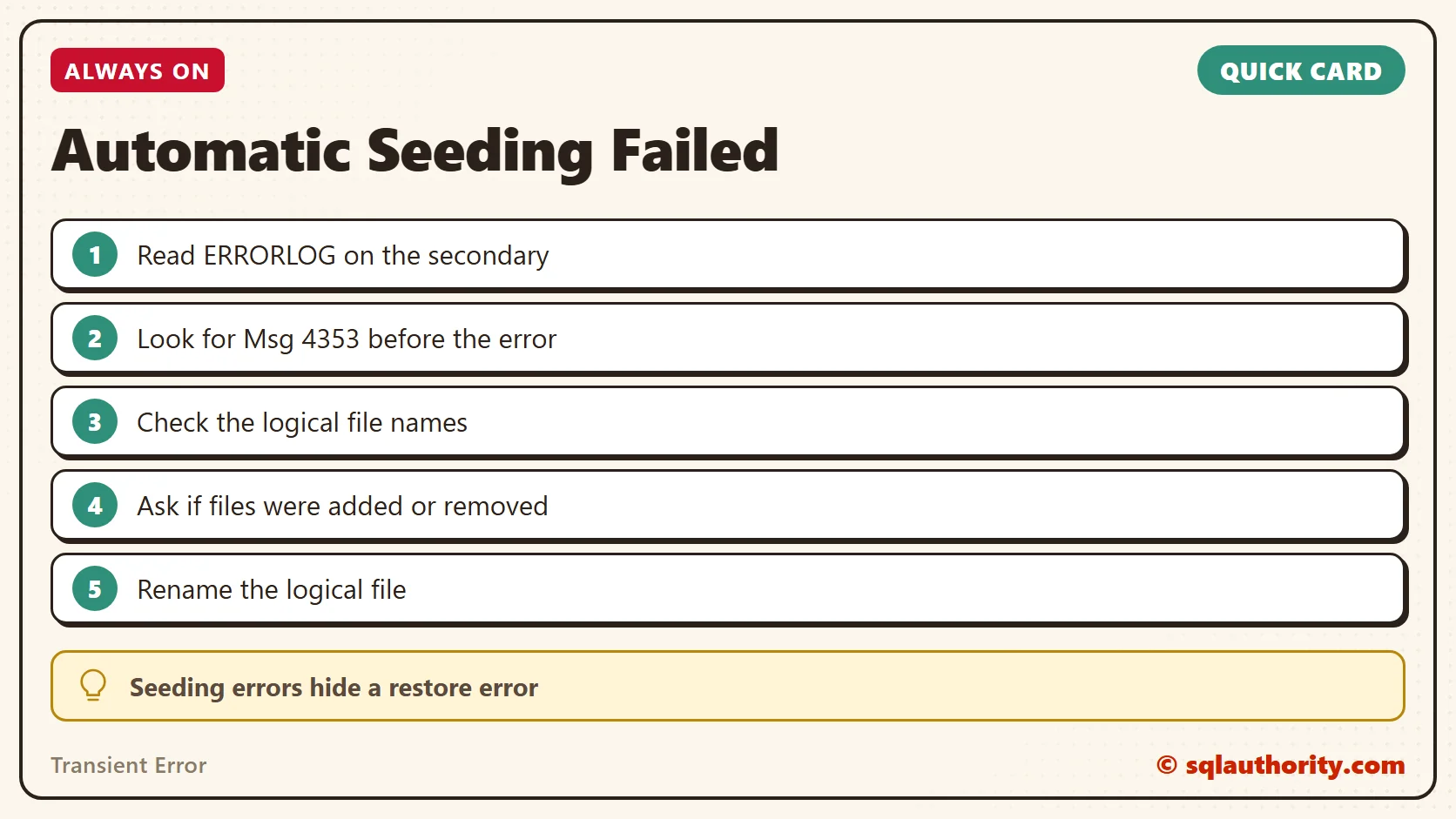
A transient error is not a flaky network, it is a restore that can’t finish.
Published by Pinal Dave on SQLAuthority. More of my work at pinaldave.com.
Discover more from SQL Authority with Pinal Dave
Subscribe to get the latest posts sent to your email.




1 Comment. Leave new
In later CU-s(2016 SP 2 CU 5) if you remove the DB from the availability Databases restart the service on the secondary node, and add it again it will appear, and replicate.