
Msg 17177 is an informational line in the SQL Server error log, and it needs no action. It reports the process ID of the instance, and it comes in two forms. Read together, the two forms give you uptime, downtime and the time zone of the server.

What Msg 17177 Is
The message lives in sys.messages like any other. Its severity is 10, which marks a status message, and it is flagged to be written to the error log. The text holds three placeholders for the process ID, the local time and the UTC time.
SELECT message_id, severity, is_event_logged, text
FROM sys.messages
WHERE message_id = 17177 AND language_id = 1033;
| message_id | severity | is_event_logged | text |
|---|---|---|---|
| 17177 | 10 | 1 | This instance of SQL Server has been using a process ID of %s since %s (local) %s (UTC). This is an informational message only; no user action is required. |
The process ID is the number that Task Manager shows for sqlservr.exe. It changes every time the service starts. The text says it plainly: this is an informational message only. An alert on Msg 17177 would fire every day for no reason.
The Two Forms of the Line
The log holds two different sentences under the same message number. The daily form says the instance has been using a process ID since a start time. The start-up form says the instance last reported using a process ID at a given time. That process ID belongs to the previous run. The first form arrives once a day, in the first minute after midnight, while the instance runs. The second form arrives at every start. Both lines below come from the test server’s log, so the dates are one run.
This instance of SQL Server has been using a process ID of 32496 since 05-10-2026 06:26:15 (local) 05-10-2026 00:56:15 (UTC).
This instance of SQL Server last reported using a process ID of 32496 at 06-10-2026 23:26:08 (local) 06-10-2026 17:56:08 (UTC).
The script below reads the current error log and each archive. It keeps the lines that mention a process ID, and the loop stops at the oldest archive. It needs the sysadmin role, or securityadmin. Large logs take longer.
DROP TABLE IF EXISTS #Logs, #Msg17177;
CREATE TABLE #Logs (Archive int, LogDate nvarchar(40), LogSize bigint);
CREATE TABLE #Msg17177 (LogDate datetime, ProcessInfo nvarchar(50), LogText nvarchar(max));
INSERT INTO #Logs EXEC sys.sp_enumerrorlogs;
DECLARE @n int = 0, @max int = (SELECT MAX(Archive) FROM #Logs);
WHILE @n <= @max
BEGIN
    INSERT INTO #Msg17177 EXEC sys.sp_readerrorlog @n, 1, N'process ID of';
    SET @n += 1;
END;
SELECT TOP (6) m.LogDate,
       CASE WHEN m.LogText LIKE N'%last reported%' THEN N'start-up' ELSE N'daily' END AS Kind,
       SUBSTRING(m.LogText, p.Pos, CHARINDEX(N' ', m.LogText, p.Pos) - p.Pos) AS ProcessId
FROM #Msg17177 AS m
CROSS APPLY (SELECT CHARINDEX(N'process ID of ', m.LogText) + 14 AS Pos) AS p
ORDER BY m.LogDate DESC;| LogDate | Kind | ProcessId |
|---|---|---|
| 2026-10-07 06:41:05.150 | start-up | 32496 |
| 2026-10-06 00:00:05.960 | daily | 32496 |
| 2026-10-05 06:26:15.410 | start-up | 20412 |
| 2026-10-04 13:06:29.920 | start-up | 45024 |
| 2026-10-04 13:05:24.100 | start-up | 38952 |
| 2026-10-04 00:00:02.540 | daily | 38952 |
The table shows one run on the test server, so your rows will differ. Read the process IDs. The daily line of October 6 and the start-up line of October 7 both carry 32496. The start-up line names the previous run. The process ID of the current run appears in the next daily line.
Read Downtime From the Start-Up Line
The start-up line is the useful one after a crash or an unplanned restart. Its time is the last moment the previous process reported in. On the test server, the 06:41 line of October 7 shows something useful. The previous process last reported at 23:26 the night before. That is the last moment the old log was written, so the gap is the downtime.
The daily line gives the start time of the running instance as text. The line of October 6 says the instance has been using process 32496 since 05-10-2026 06:26:15. The start-up line written at 06:26:15 on October 5 confirms it.
Get the Same Facts Without the Log
Parsing log text works, but the current values are available directly. SERVERPROPERTY returns the current process ID, and sys.dm_os_sys_info holds the start time as a real date. Use the date to compute uptime. The offset between local and UTC time comes from two date functions.
SELECT SERVERPROPERTY('ProcessID') AS ProcessId, sqlserver_start_time FROM sys.dm_os_sys_info;

SELECT DATEDIFF(MINUTE, SYSUTCDATETIME(), SYSDATETIME()) AS LocalMinusUtcMinutes;| ProcessId | sqlserver_start_time |
|---|---|
| 8892 | 2026-10-07 06:41:04.097 |
| LocalMinusUtcMinutes |
|---|
| 330 |
The test server runs at UTC plus 5:30. The local and UTC times in Msg 17177 differ by 330 minutes. A server whose machine runs in UTC prints the same time twice.
Why the Dates Look Different on Another Server
The dates inside the message are text, not date values. On the test server, the Windows regional format is dd-MM-yyyy with a 24-hour clock. The log prints 05-10-2026 06:26:15 in the same pattern. Another server can show 1/19/2020 2:05:40 AM, the month-first pattern with AM and PM. The pattern matches the regional setting of the host, so a script that parses the text must expect both.
For uptime, skip the text and read sqlserver_start_time. That column is a real date value, so no parsing is needed.
When the Line Is Noise
You could argue that a line which says nothing does not deserve space in the log. It does earn some. The daily lines form a free uptime record for as long as the logs are kept. The start-up lines mark each restart with the previous process ID. Filter it out of a log viewer if you wish. Never alert on it.
What to Remember
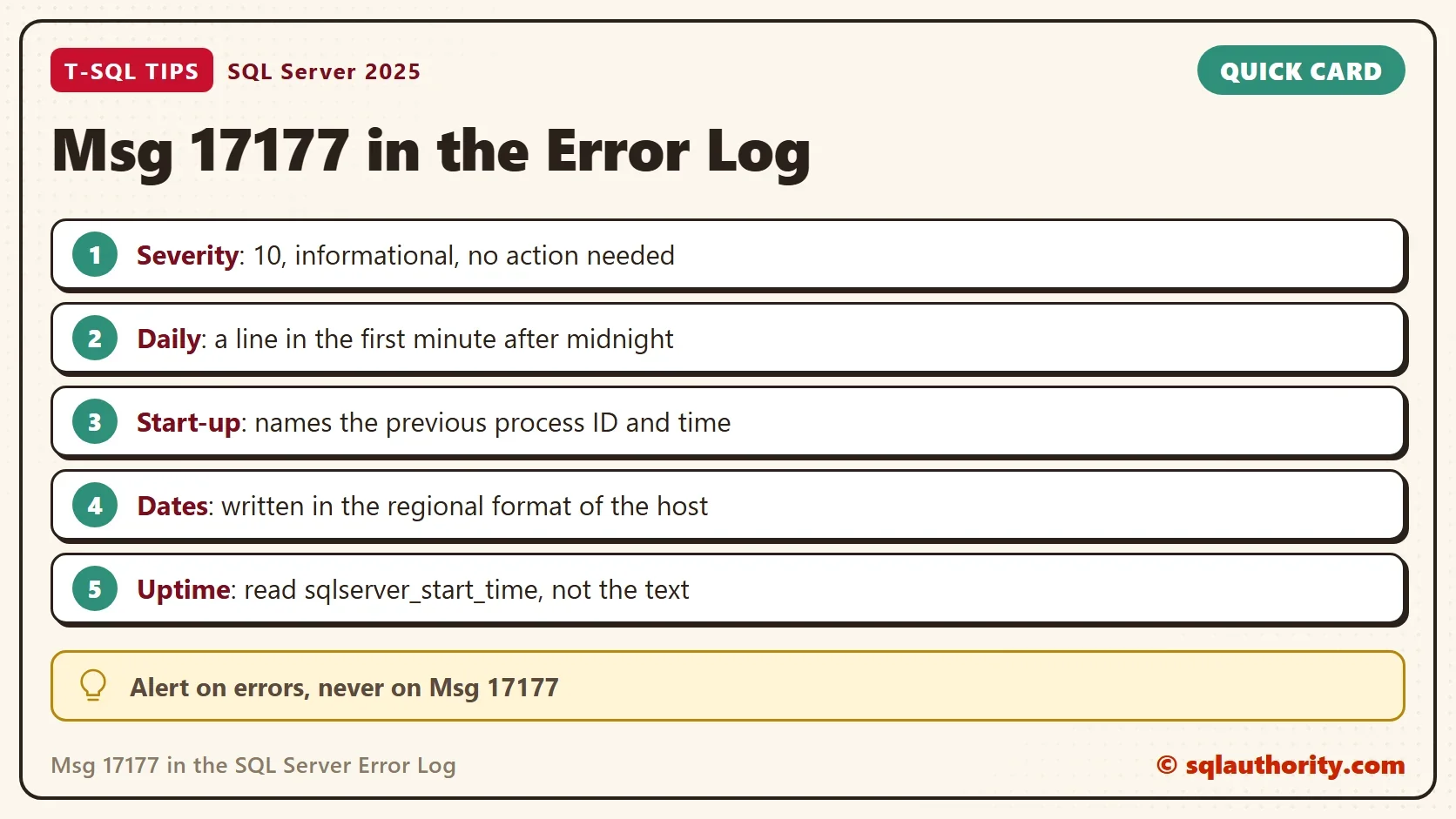
Msg 17177 has severity 10 and no action is required. The daily form proves the instance was running at midnight. The start-up form names the previous process and the time it last reported. Use the DMV for uptime and read the text only when you need the history.
Msg 17177 is not an error, it is the instance saying it is still here.
Published by Pinal Dave on SQLAuthority. More of my work at pinaldave.com.
Discover more from SQL Authority with Pinal Dave
Subscribe to get the latest posts sent to your email.




1 Comment. Leave new
Why do we see the time and date format different in different systems for this message? Is this based on SQL version? Do we have a list of formats that will be shown based on the SQL server version?