Quick answer: A slow flashing yellow light on an Echo speaker usually means Alexa has something waiting for you. It can be a notification, a message, or a missed reminder. If Alexa says there are no unread messages, ask for notifications separately. That distinction solved the problem in my home office.

What the yellow light means
Amazon describes the yellow indicator as a slow burst every few seconds when a message, notification, or missed reminder is waiting. It is not a general warning that the Echo is broken. Other light colors have other meanings, so confirm that you are seeing the repeating yellow light before following these steps.
Clear the current alert
- Say, “Alexa, what are my notifications?” Listen to the item or items Alexa reports.
- If the light continues, say, “Alexa, what are my messages?” A message and a notification are separate categories; hearing “no new messages” does not rule out a notification.
- Check for a missed reminder if those two categories do not explain the light. The Alexa app can also show pending items associated with your account.
In my original post, I repeatedly asked Alexa to read my messages. Alexa correctly reported that there were none, but the yellow light remained because a notification was waiting. Asking about notifications first is the fastest check when you use this page as a reference later.
Control future shopping alerts without silencing everything
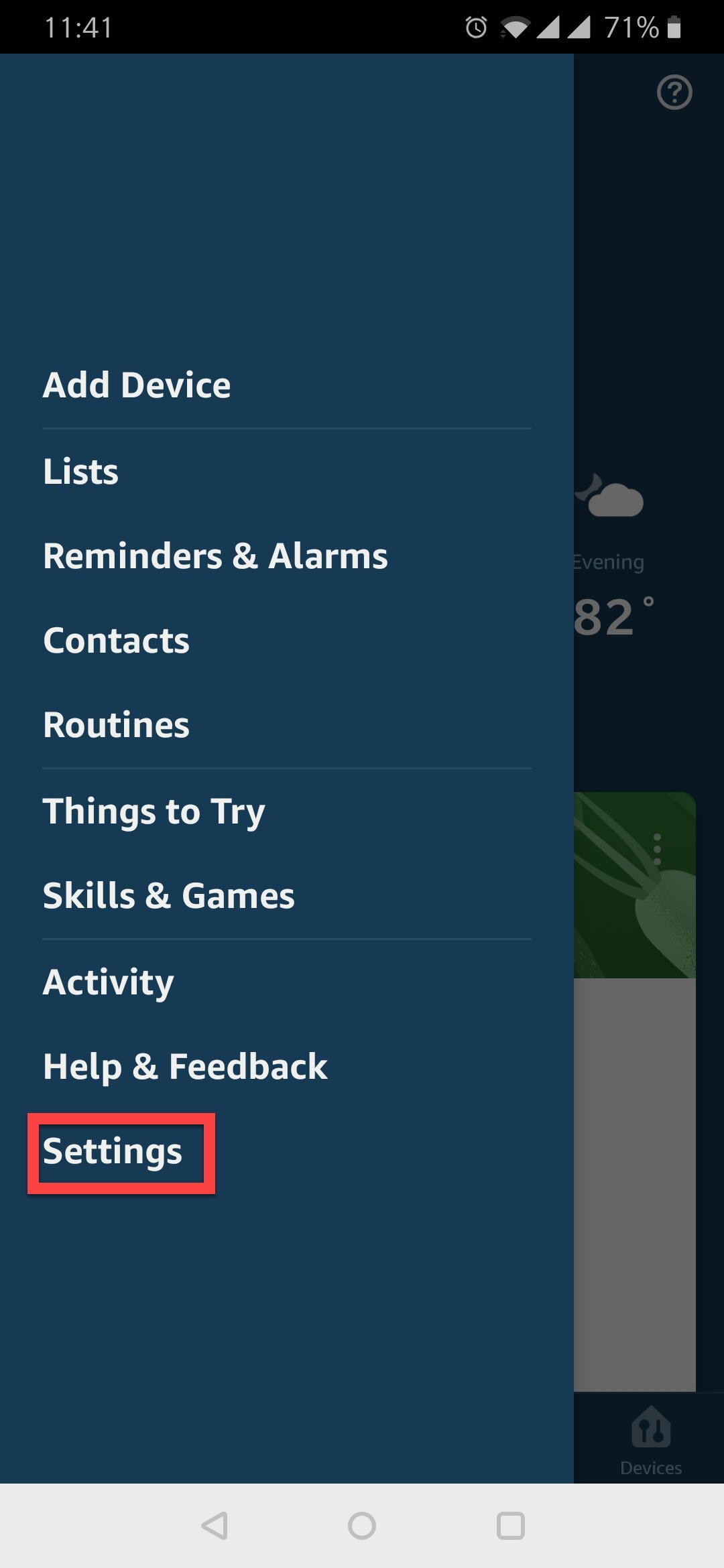
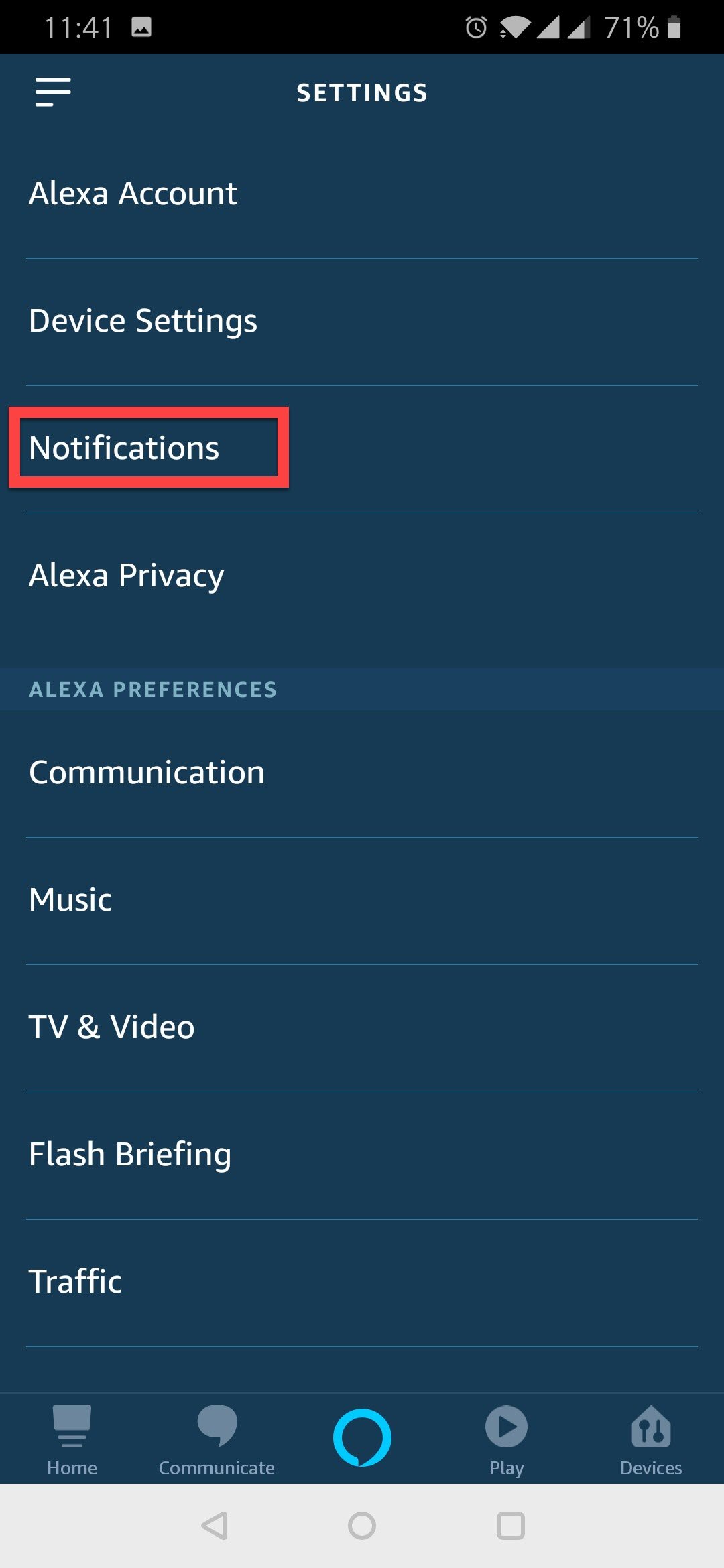
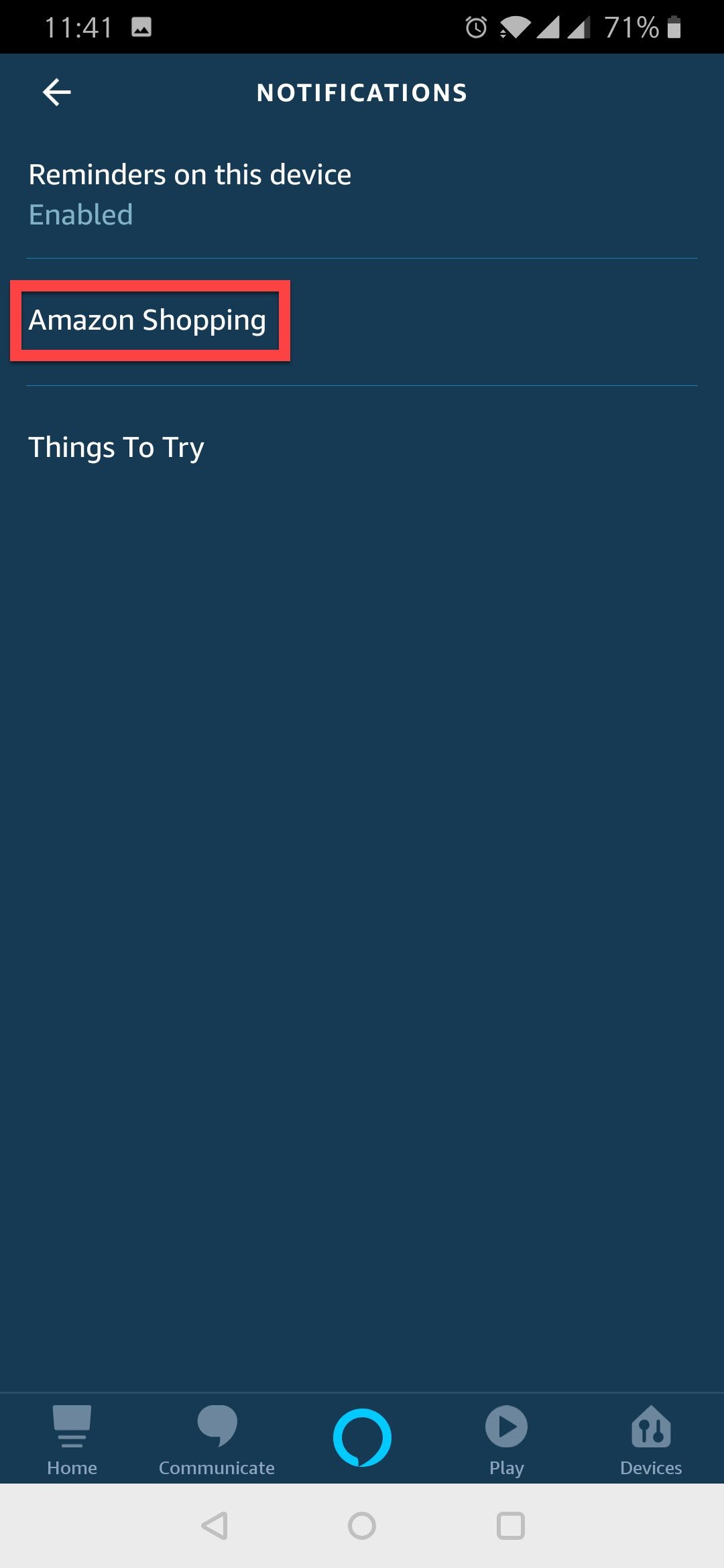
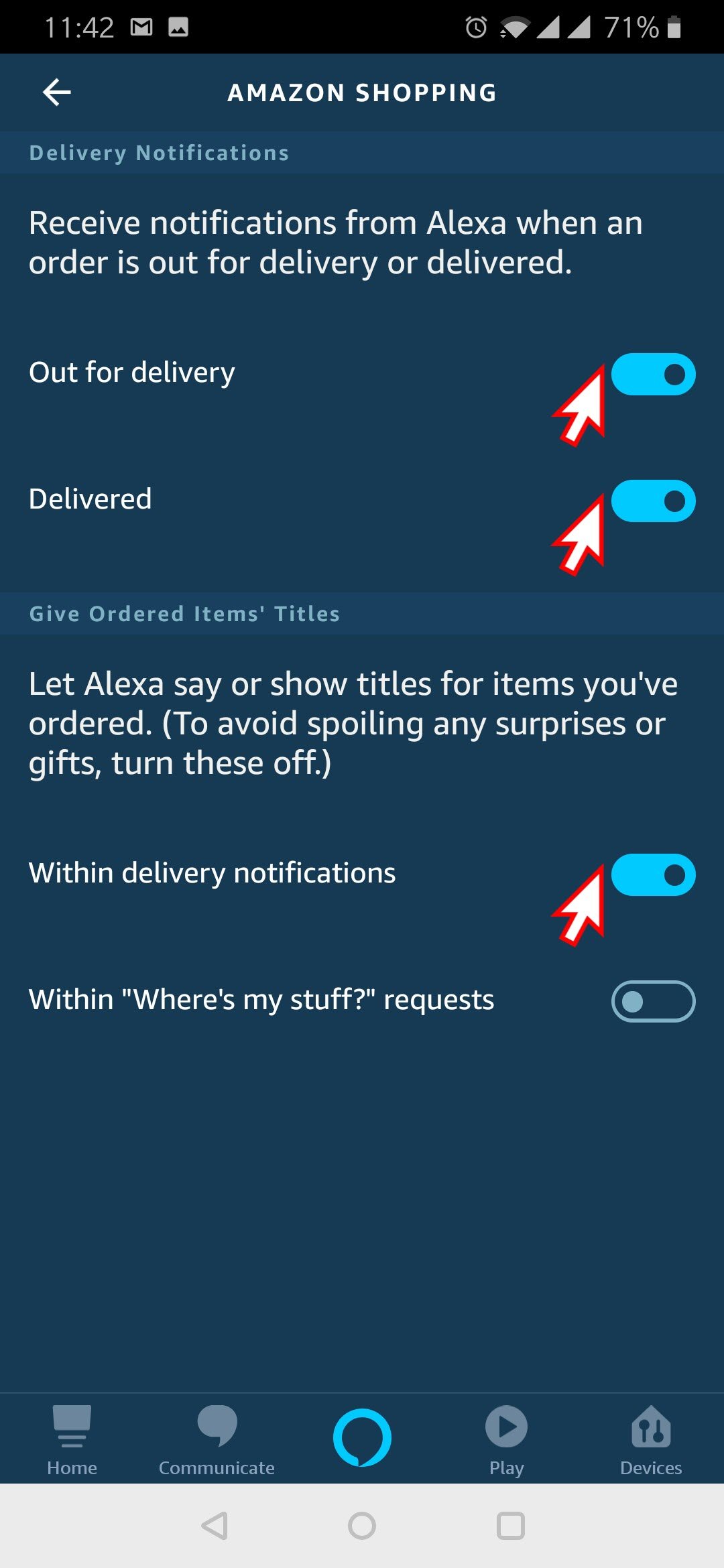
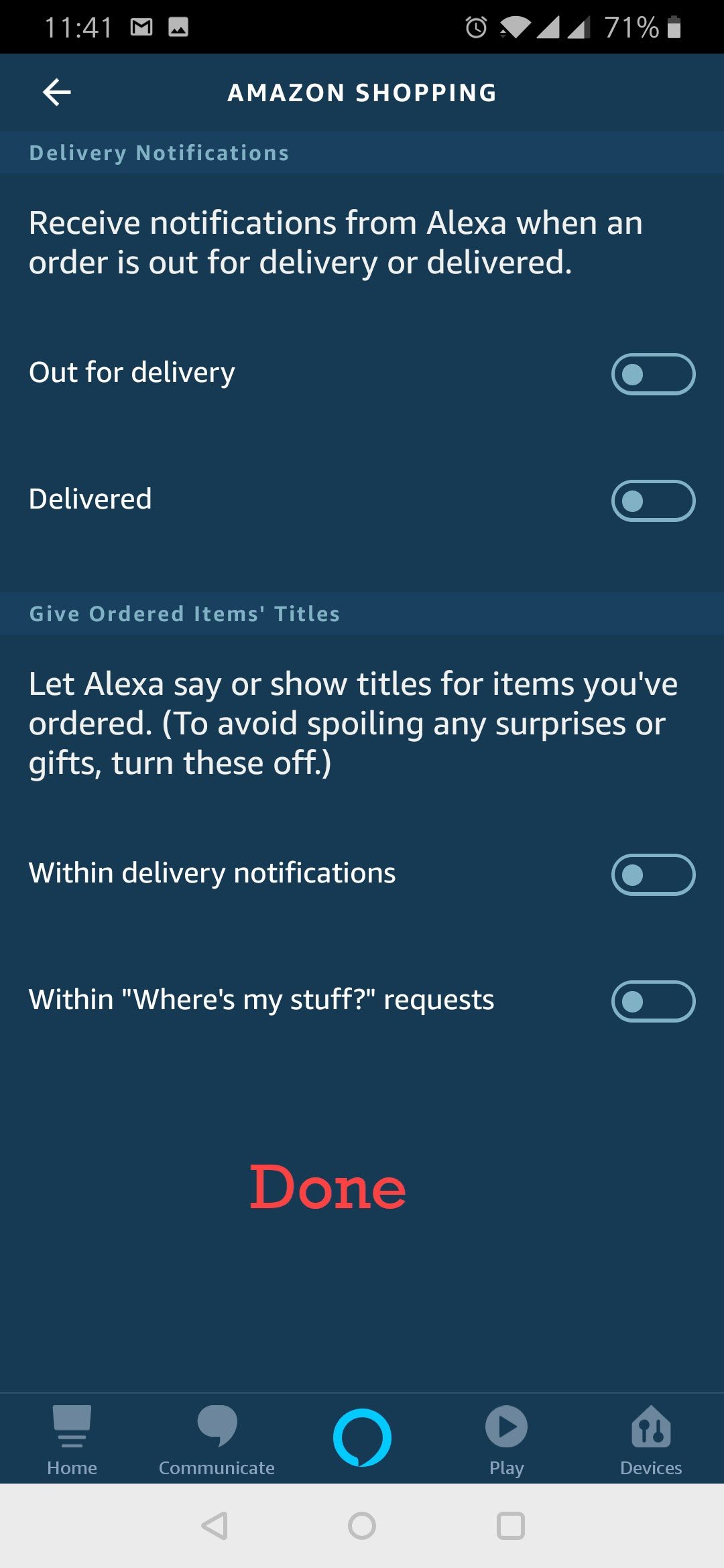
If the waiting item was an Amazon Shopping update and you do not want that category of alert, open the Alexa app and go to More > Settings > Notifications > Amazon Shopping. Review the available delivery and order notification switches, then turn off only the ones you do not want. The exact labels can change as the app is updated. Disabling shopping alerts does not mean a later message, reminder, or another notification can never light the ring.
If the yellow light remains after you have checked the pending items, look at the app’s notification settings for other categories. Amazon’s yellow-light troubleshooting page recommends checking both notifications and messages, then adjusting settings in the app. You do not need to reset the Echo just because a yellow light appeared.
The original app walkthrough
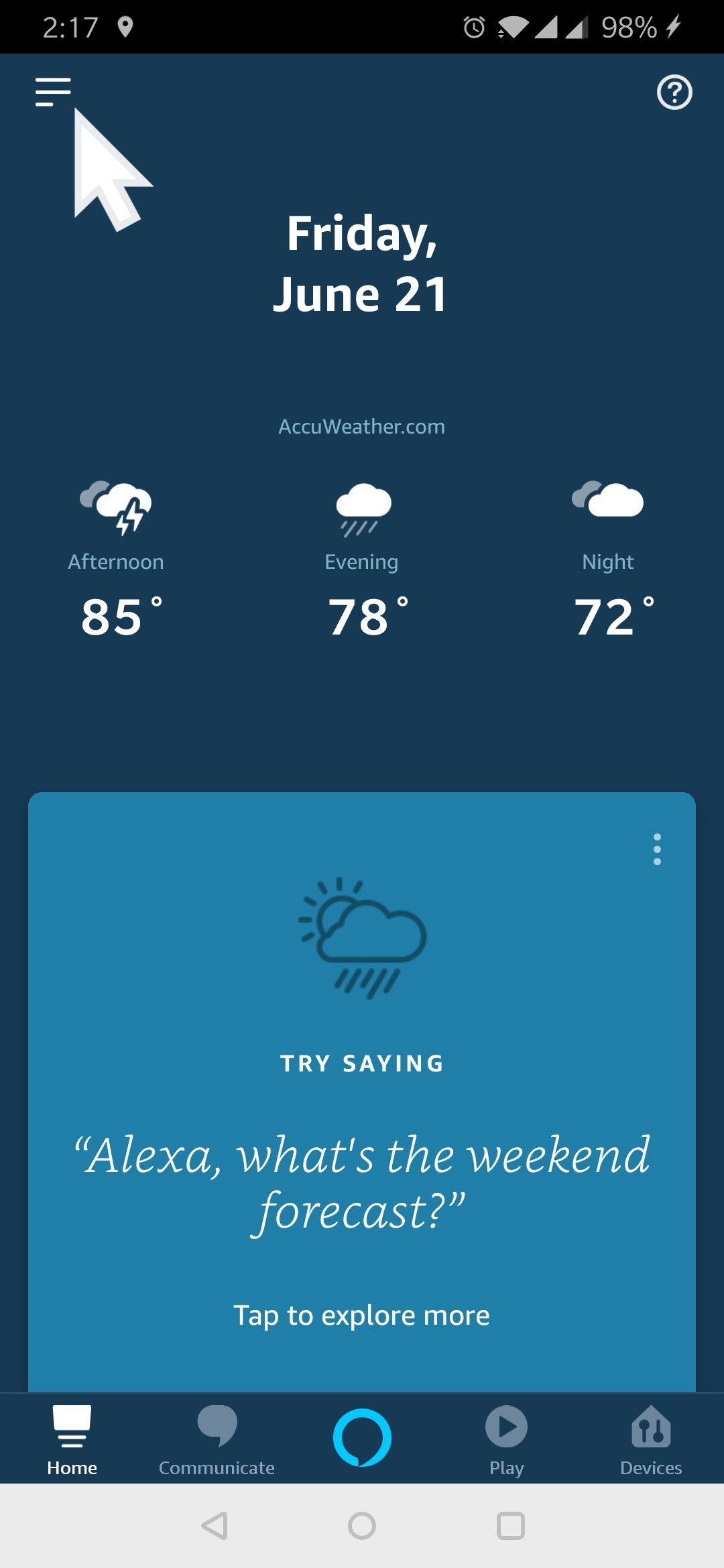
The six screenshots below document the 2019 Alexa app path that I followed. They remain here as historical context. Use the current written steps above when the app’s menu layout differs.
View the six original 2019 Alexa app screenshots
Amazon’s Echo light guide lists the current meaning of the yellow indicator. The related Bluetooth volume post remains another personal technology note that I keep for quick reference.
Published by Pinal Dave on SQLAuthority. More of my work at pinaldave.com.
Discover more from SQL Authority with Pinal Dave
Subscribe to get the latest posts sent to your email.