
CHECKPOINT vs DBCC DROPCLEANBUFFERS comes down to dirty pages and clean pages in the buffer pool. Today we will see how each command clears pages from the buffer memory pool. If you want help with your own server, see my Comprehensive Database Performance Health Check.
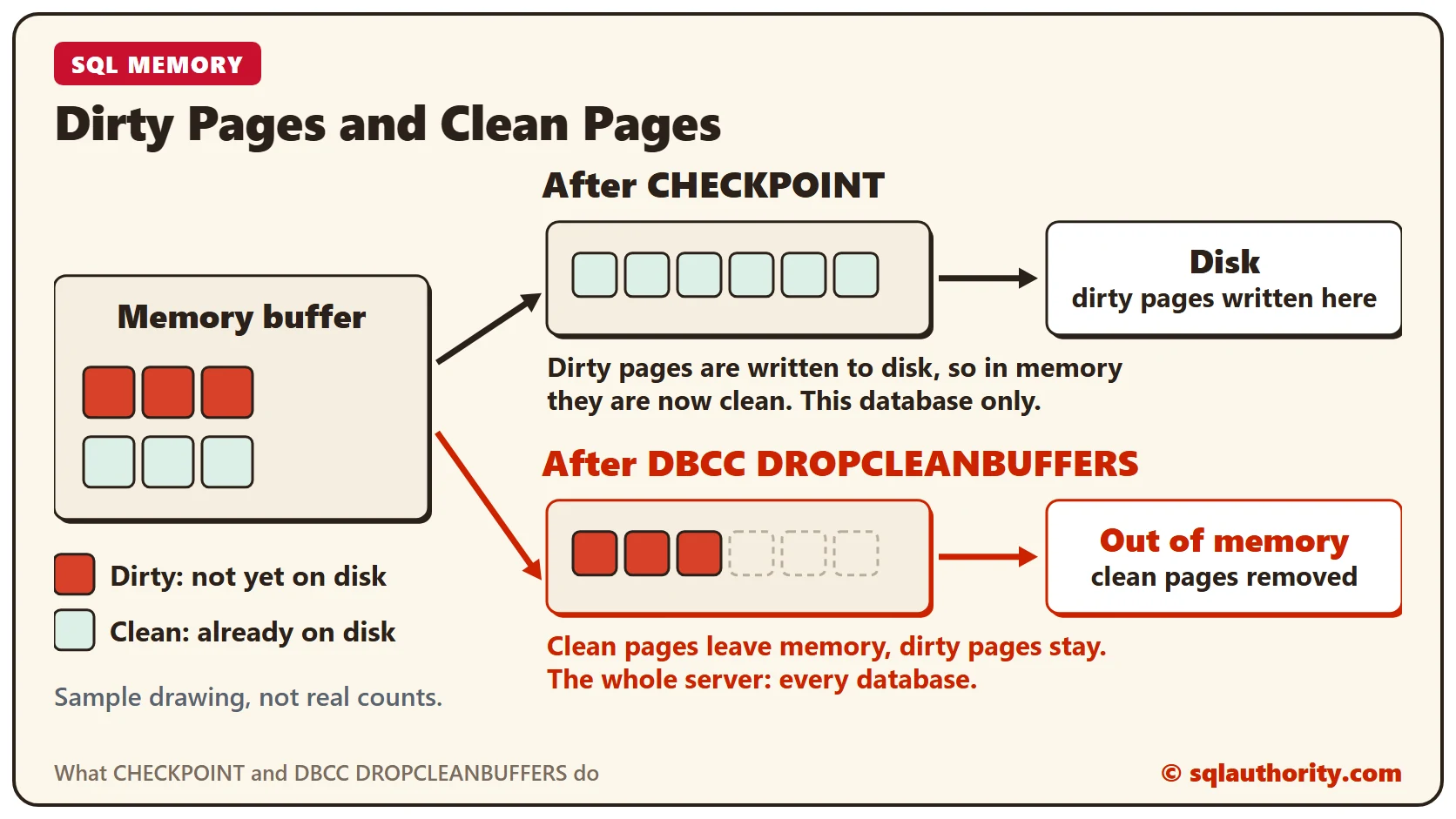
Dirty and Clean Buffers
To understand both commands, you first need two concepts: the clean buffer and the dirty buffer in memory. I suggest you read these two posts before you continue:
- Dirty Pages: How to List Dirty Pages From Memory in SQL Server?
- What Is Clean Buffer in DBCC DROPCLEANBUFFERS?
Now go to How Dirty or Clean Is SQL Server’s Memory? and run the query on that page. It gives a result similar to this one.

CHECKPOINT
CHECKPOINT writes to disk all the data pages in the buffer cache that are modified but not yet written. In other words, it flushes all the modified dirty pages to disk. Let us see what it does to SQL Server memory.
CHECKPOINT
GO
CHECKPOINT works on one database, so run it in the database you want to flush.
DBCC DROPCLEANBUFFERS
DBCC DROPCLEANBUFFERS removes from the cache all the buffers whose data is already on disk. In other words, it flushes the clean pages out of memory. These are the pages that were dirty before CHECKPOINT ran.
DBCC DROPCLEANBUFFERS
GO
This command works on the whole server. After you run it, the clean pages are gone from the buffer for all databases.
Run With Care
Note: do not run CHECKPOINT or DBCC DROPCLEANBUFFERS on a production server without a specific reason. CHECKPOINT is not as dangerous. DBCC DROPCLEANBUFFERS can lower your SQL Server performance for a while, until the cache is rebuilt.
I hope the examples make the impact of both commands on memory clear.
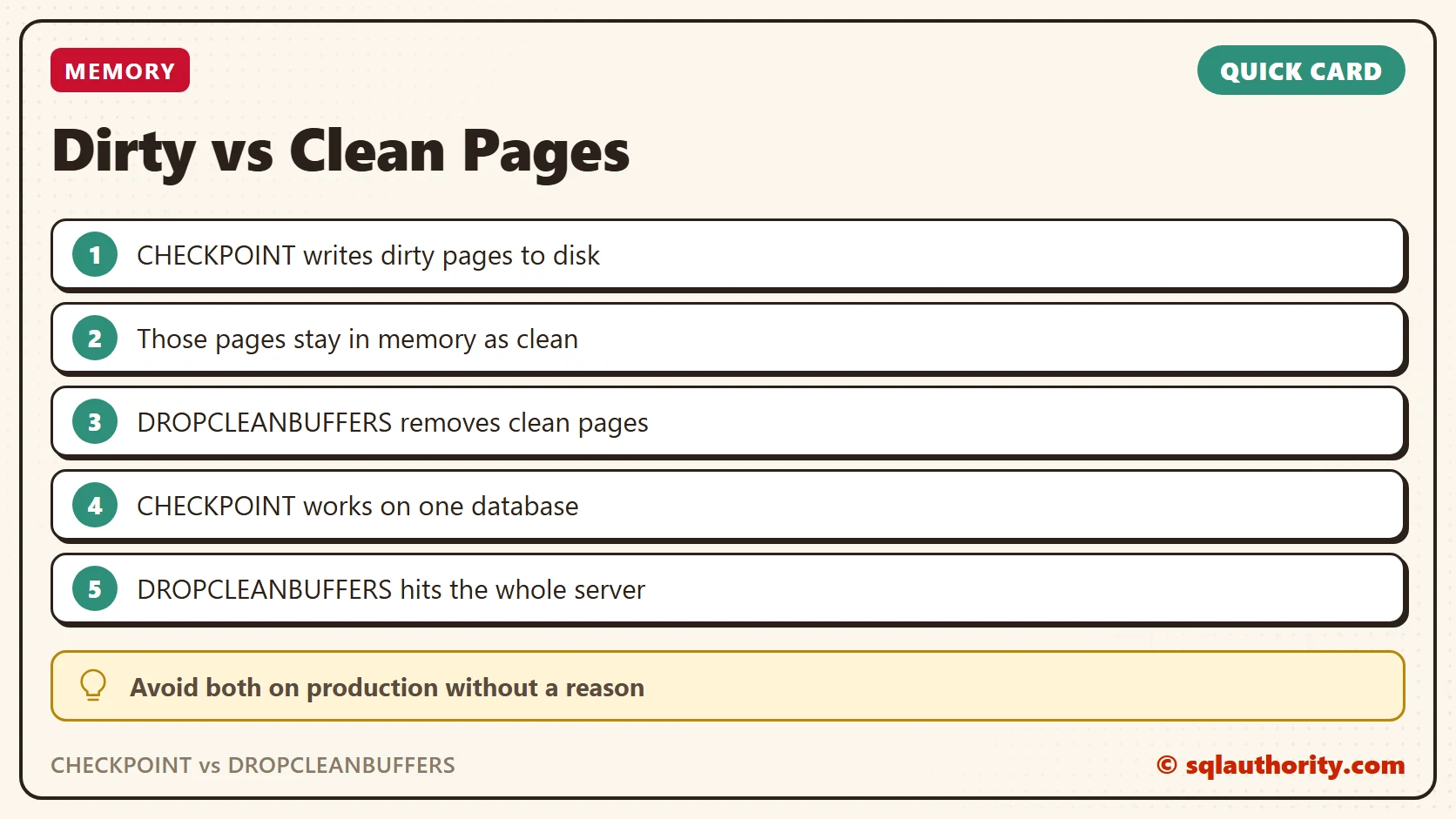
CHECKPOINT is not a cache flush, it is a write to disk that leaves the pages in memory.
Published by Pinal Dave on SQLAuthority. More of my work at pinaldave.com.
Discover more from SQL Authority with Pinal Dave
Subscribe to get the latest posts sent to your email.



1 Comment. Leave new
Thank you with the explanation.
I have one small question.
Is DROPCLEANBUFFER and Lazy writer works on same algorithm (LRU) –> move pages to disk. What is the main difference between them then?