Setup error 0x84CF0004 can stop you while you rebuild system databases after a disaster. I saw it while using SQL Setup for the rebuild. The log said the permission setting update failed for a file while updating a folder.
The Error
This is the setup log, trimmed to the lines that matter:
Overall summary:
Final result: Failed: see details below
Exit code (Decimal): -2066808828
Requested action: RebuildDatabase
Feature: Database Engine Services
Status: Failed: see logs for details
Reason for failure: An error occurred during the setup process of the feature.
Component name: SQL Server Database Engine Services Instance Features
Component error code: 0x84CF0004
Error description: While updating permission setting for folder 'F:\MSSQL\MSSQLSERVER\Data\MSSQL11.MSSQLSERVER\MSSQL\JOBS' the permission setting update failed for file 'F:\MSSQL\MSSQLSERVER\Data\MSSQL11.MSSQLSERVER\MSSQL\JOBS\Check DB_20190521170029.txt'. The folder permission setting were supposed to be set to 'D:P(A;OICI;FA;;;BA)(A;OICI;FA;;;SY)(A;OICI;FA;;;CO)(A;OICI;FA;;;S-1-5-80-4075806543-296798423-764872590-3661508593-3560600922)'.
What the Clients Saw
I had written an earlier post about another rebuild error, and one of my clients followed it. It is Setup Error 0x851A0012. My clients tried the same command, but it failed with this different error.
Why It Happens
Setup couldn’t set permissions on the files in that folder, for a reason I never found. My best explanation is corruption in the file permissions.
How to Check
When I searched for the message, I found a Microsoft KB article about permission errors with volume mount points. It didn’t apply to us, because no mount points were involved. Also, the file named in the message was a job history file created long ago.
We deleted that file and ran setup again. It failed for a different file. A new file in the same folder points at the folder, not at one file.
The Fix
The quick solution that worked for me was to move the JOBS folder somewhere else (outside Program Files). Then create an empty folder with the same name and run setup again.
How to Prevent It
When setup fails on the permissions of one file, don’t fight it file by file. Look at the folder that holds the files and take it out of the way.
Have you seen such an error while doing a rebuild database or some other setup activity? Please share it in the comments.
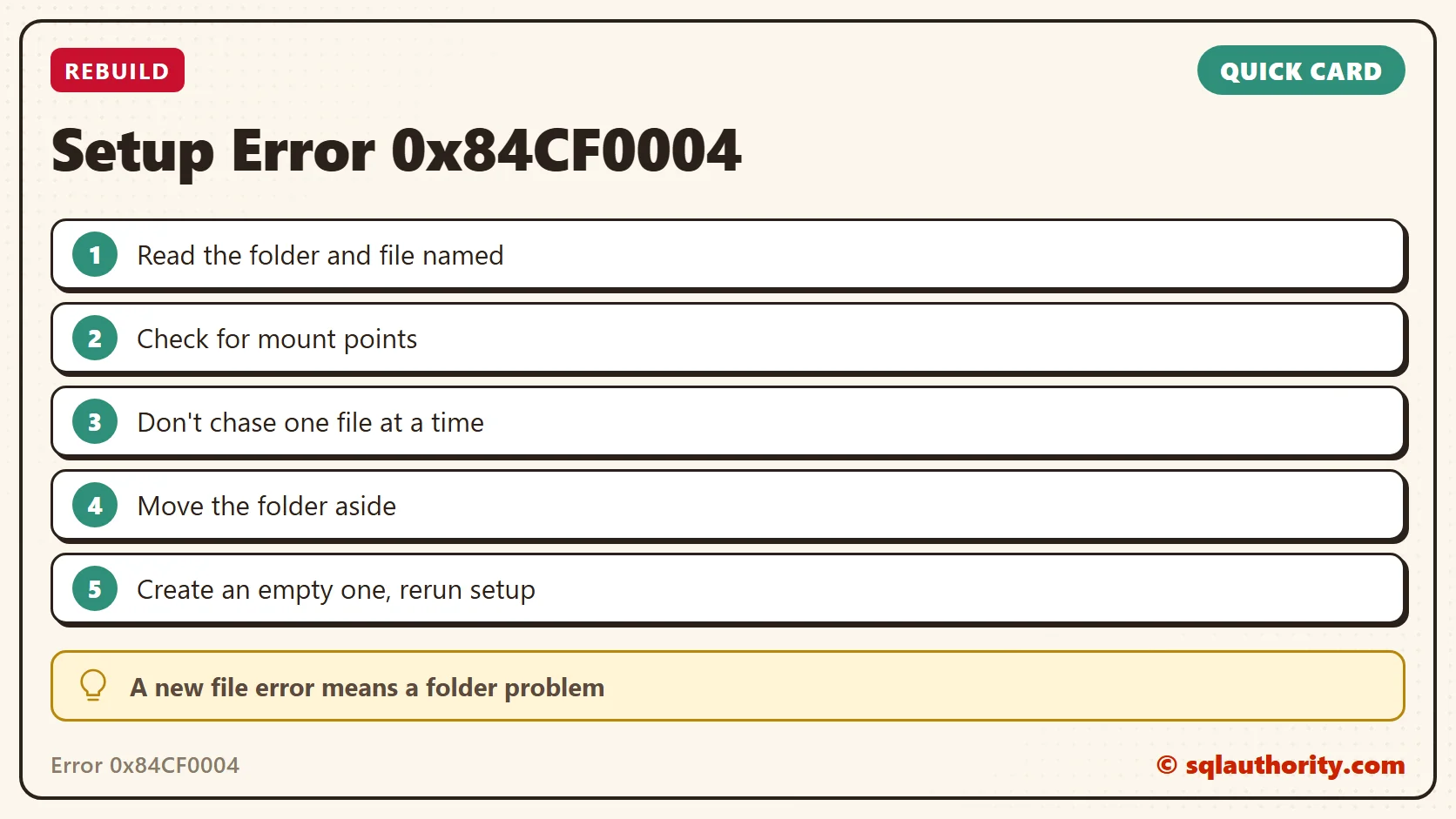
A permission error on one file is not about that file, it is about its folder.
Published by Pinal Dave on SQLAuthority. More of my work at pinaldave.com.
Discover more from SQL Authority with Pinal Dave
Subscribe to get the latest posts sent to your email.