Question: How do I know whether I am a db_owner member? Run IS_MEMBER(N'db_owner') in the database you intend to inspect.

During a Comprehensive Database Performance Health Check, I proposed database changes. The DBA was concerned about permission to make them, rather than managerial approval. A role-membership check gave us a useful starting point.
DECLARE @Membership int = IS_MEMBER(N'db_owner');
IF @Membership = 1
    PRINT 'Current database user is a member of db_owner.';
ELSE IF @Membership = 0
    PRINT 'Current database user is not a member of db_owner.';
ELSE
    PRINT 'Membership could not be determined.';

SELECT DB_NAME() AS DatabaseName,
       USER_NAME() AS DatabaseUser,
       IS_MEMBER(N'db_owner') AS DbOwnerMembership,
       HAS_PERMS_BY_NAME(DB_NAME(), N'DATABASE', N'CONTROL') AS HasDatabaseControl;
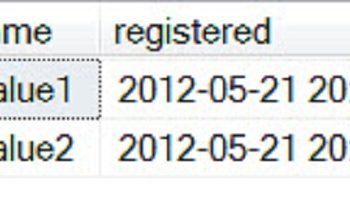
The membership result is 1 for membership, 0 for no membership, or NULL when SQL Server cannot provide that answer. Don’t turn NULL into a confident “no.” The PRINT version keeps the original example’s simple branching; the SELECT version returns values you can inspect together.
Be precise with the names. db_owner is a database role. It is not the single database owner login recorded in sys.databases.owner_sid. The result describes the current database user and execution context; a sysadmin connects as dbo, so it doesn’t establish that the original login received an explicit role grant.
For dbo, IS_MEMBER returns 0 for an existing database role because dbo cannot be added to a role. That does not remove dbo’s authority. Membership also isn’t a complete permission test. A user granted CONTROL directly can have broad database authority without belonging to db_owner. For a particular change, check the exact permission needed instead of adding the application to an administrative role just to make an error disappear.
IS_MEMBER can also check supported database roles and Windows groups. It does not check server roles. Which role or permission check has helped you troubleshoot an application? Share the scenario in the comments.
Published by Pinal Dave on SQLAuthority. More of my work at pinaldave.com.
Discover more from SQL Authority with Pinal Dave
Subscribe to get the latest posts sent to your email.