
Windows clusters in different domains can still feed one Distributed Availability Group. Company mergers and takeovers are common, and you can run into two domains that are connected but not trusted. I was engaged in consulting for a client who had such a merger. Their reporting application was in a different domain. They wanted its data synchronized to a SQL Server database in the parent domain. In short, they had two Windows clusters and wanted one AG across them.
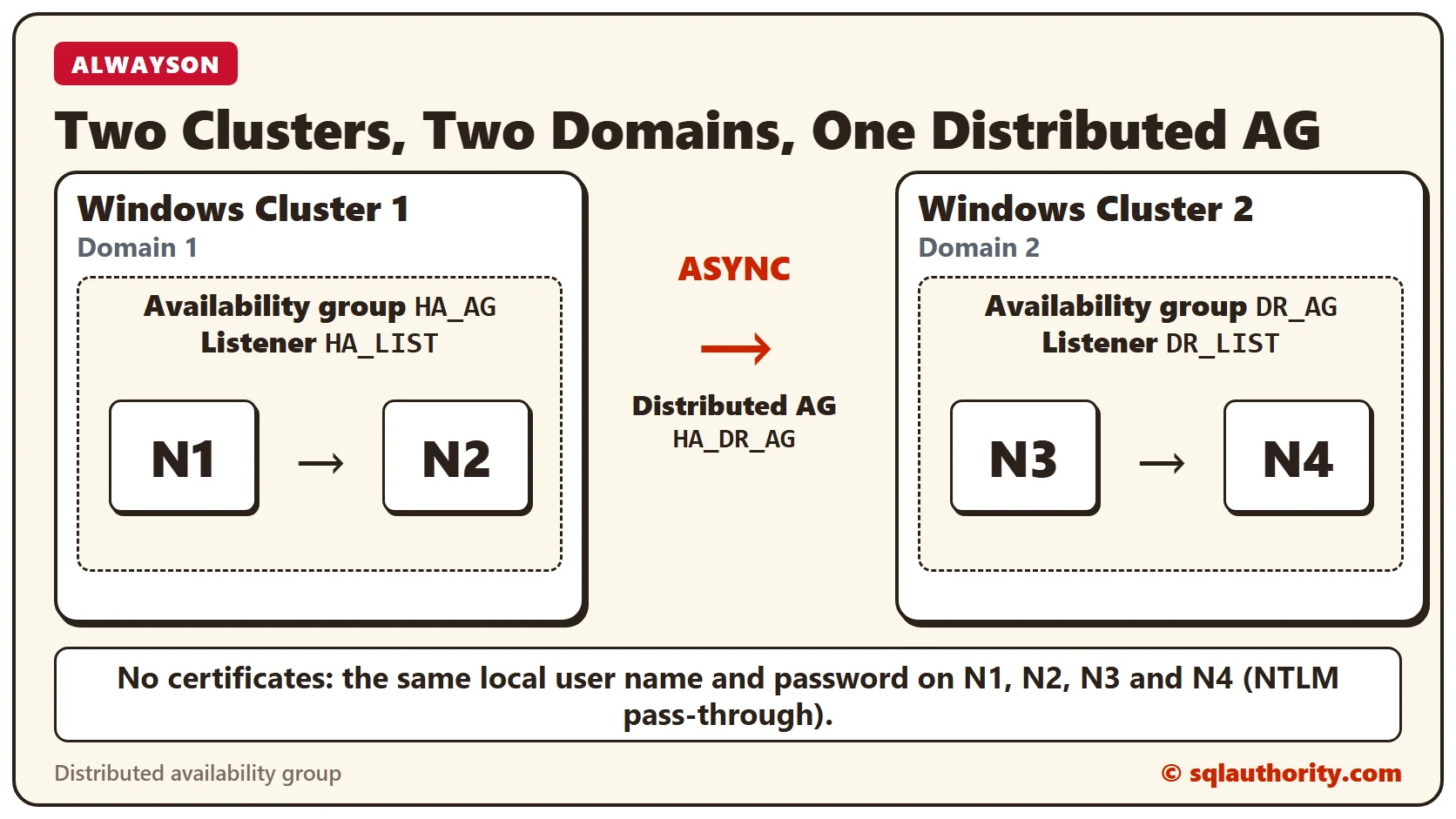
The only solution that came to my mind was a Distributed Availability Group in SQL Server. To make it more complicated, they did not want to use certificates, because certificates add maintenance overhead. Here is an oversimplified diagram of their deployment.
The Solution
After contemplating and testing for a while, we decided to use NTLM pass-through authentication between the domains, and it worked. These are the high-level steps we followed.
- Create a local Windows user with the same name and password on every node, N1 to N4. Only the node name changes, for example N1\DAGUser, N2\DAGUser, N3\DAGUser and N4\DAGUser. The user name and password must be the same.
- Add this account to the local Administrators group on all the nodes across the domains.
- In SQL Server Configuration Manager, change the SQL Server startup account to the new account on all the nodes.
- Create the primary availability group (HA_AG) with its listener (HA_LIST).
Grant the SQL Server service account CONNECT permission on the endpoint. Run this on all the nodes:
GRANT CONNECT ON ENDPOINT::Hadr_endpoint TO [<nodename>\UserName]- Each node needs CONNECT permission from all three other nodes.
- Create the secondary availability group (DR_AG) with its listener (DR_LIST).
- Join the secondary replicas to the secondary availability group.
Add entries to the hosts file with the IP address and listener FQDN of the other domain. The Domain 1 nodes get this line:
1.1.xxx DR_LIST.MyDomain2.comThe Domain 2 nodes get this line. The addresses and domain names are placeholders:
192.168.1.xxx HA_LIST.MyDomain.com- Create the Distributed Availability Group (HA_DR_AG) on the primary availability group (HA_AG).
- Join the secondary availability group (DR_AG) to the Distributed Availability Group.
There were some hiccups in the deployment, but overall these steps worked, and we met the client’s requirement. If you have a similar need for Always On, feel free to contact me.
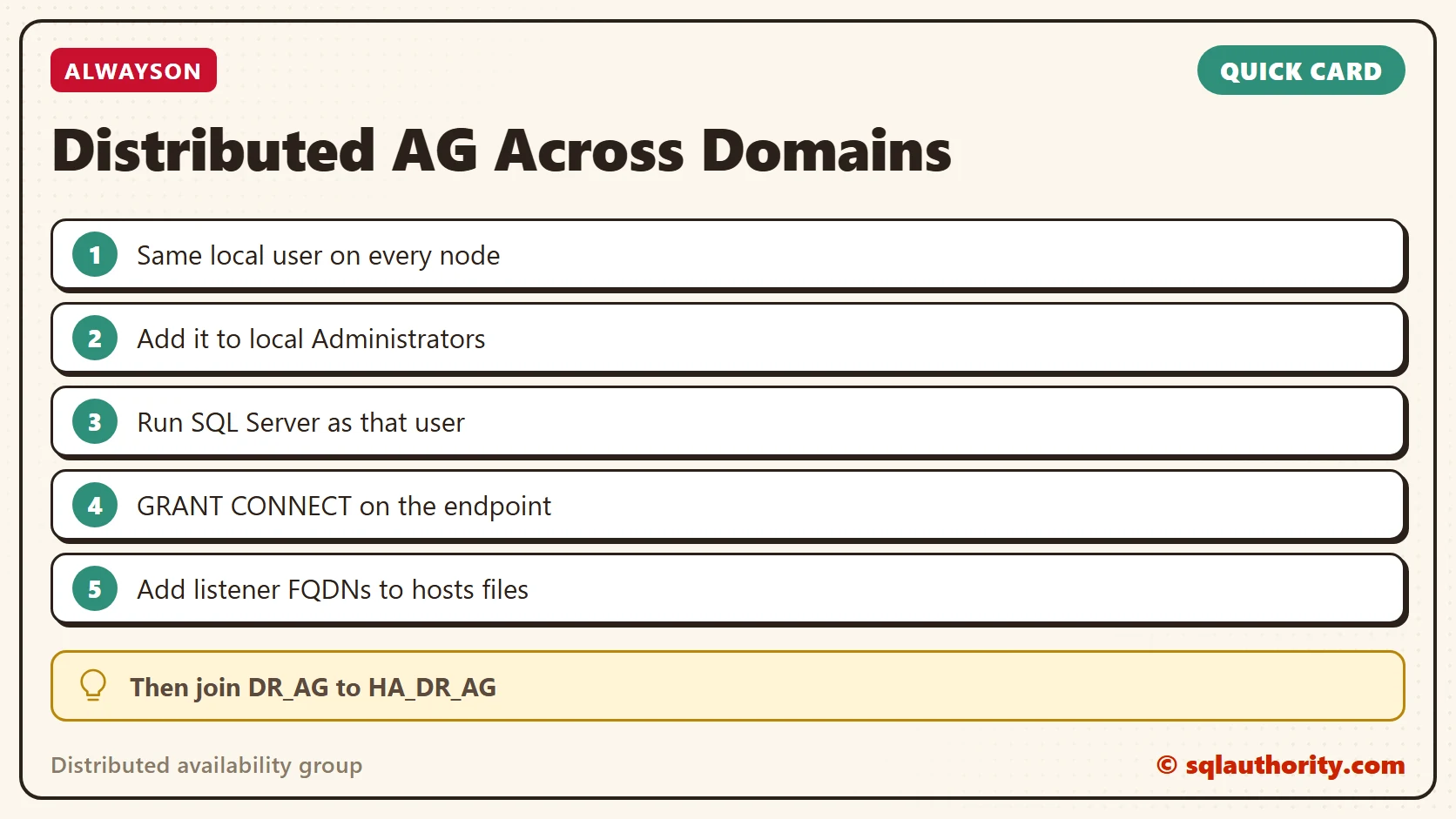
A missing domain trust is not the end, it is a reason to use NTLM pass-through.
Published by Pinal Dave on SQLAuthority. More of my work at pinaldave.com.
Discover more from SQL Authority with Pinal Dave
Subscribe to get the latest posts sent to your email.



3 Comments. Leave new
Pinal, –
Nice write up. If we have distributed AG, is it possible to take the replicated note at secondary site to be set to read/write for testing / DR drill and add it back to the AG ? Can this be done ? Is it safe ? and the modified data will not be written back to the primary ? thanks
Cant we use certificates and new endpoints for DAG instead of chnaging the service accounts to local?
Could you help in sharing steps for adding new database to an existing Distributed AAG, plz.