
Backup detected log corruption in a client’s database, and every full backup failed at exactly 60%. During my consulting, I guide my clients to have a backup plan in place. This client’s plan had a problem, and the cause wasn’t what the message suggested.

The Error
SQL Server Management Studio showed this error when the backup failed:
System.Data.SqlClient.SqlError: BACKUP detected corruption in the database log. Check the errorlog for more information. (Microsoft.SqlServer.Smo)As usual, I asked for the ERRORLOG to see what happened during the failure. It had these lines:
2018-03-07 13:25:40.570 spid62 Backup detected log corruption in database MyDB. Context is Bad Middle Sector. LogFile: 2 'D:\Data\MyDB_log.ldf' VLF SeqNo: x280d VLFBase: x10df10000 LogBlockOffset: x10efa1000 SectorStatus: 2 LogBlock.StartLsn.SeqNo: x280d LogBlock.StartLsn.
2018-03-07 13:25:40.650 Backup Error: 3041, Severity: 16, State: 1.
2018-03-07 13:25:40.650 Backup BACKUP failed to complete the command BACKUP DATABASE MyDB. Check the backup application log for detailed messages
What the Client Saw
One of my clients reported a problem with a full backup of a database. It failed precisely after 60% completion, every time. The error pointed to corruption in the transaction log file.
Why It Happens
When I searched the internet, most reported cases had a single solution: rebuild the transaction log. That’s a risky operation because it can lose data. So I checked the VLF information first, and the finding was interesting.

How to Check
The error shows the VLF SeqNo x280d, which looks like a hexadecimal number. I converted it to decimal and got 10253. I ran DBCC LOGINFO on this database and found this VLF with a status of 2, which means active.
Then I used DBCC OPENTRAN to look for an active transaction. This was the output:
Transaction information for database 'MyDB'.
Replicated Transaction Information:
 Oldest distributed LSN : (0:0:0)
 Oldest non-distributed LSN : (9877:25:1)
DBCC execution completed. If DBCC printed error messages, contact your system administrator.
Next I checked what the transaction log was waiting for:
SELECT log_reuse_wait
,log_reuse_wait_desc
FROM sys.databases
WHERE database_id = DB_ID('MyDB')-- replace DB Name
The output was this:
log_reuse_wait Log_reuse_wait_desc
-------------- ----------------------
6              REPLICATION
The Fix
My client had no clue about replication on this database. It looked like another classic case where replication metadata wasn’t fully removed. I used this command to remove replication from the database:
sp_removedbreplication 'MyDB'Run it only when you’re sure nothing depends on replication in that database.
Confirm It Worked
After this, we didn’t see any old replicated transactions, and DBCC OPENTRAN was clean. The VLF was in status 0, which means inactive. We were also able to take a backup of the database, and it was a happy ending.
How to Prevent It
When a log looks stuck or a backup reports log corruption, read log_reuse_wait_desc before you think about rebuilding the log. It costs one query, and a rebuild can cost you data.
Have you seen such an issue earlier? Let me know in the comments.
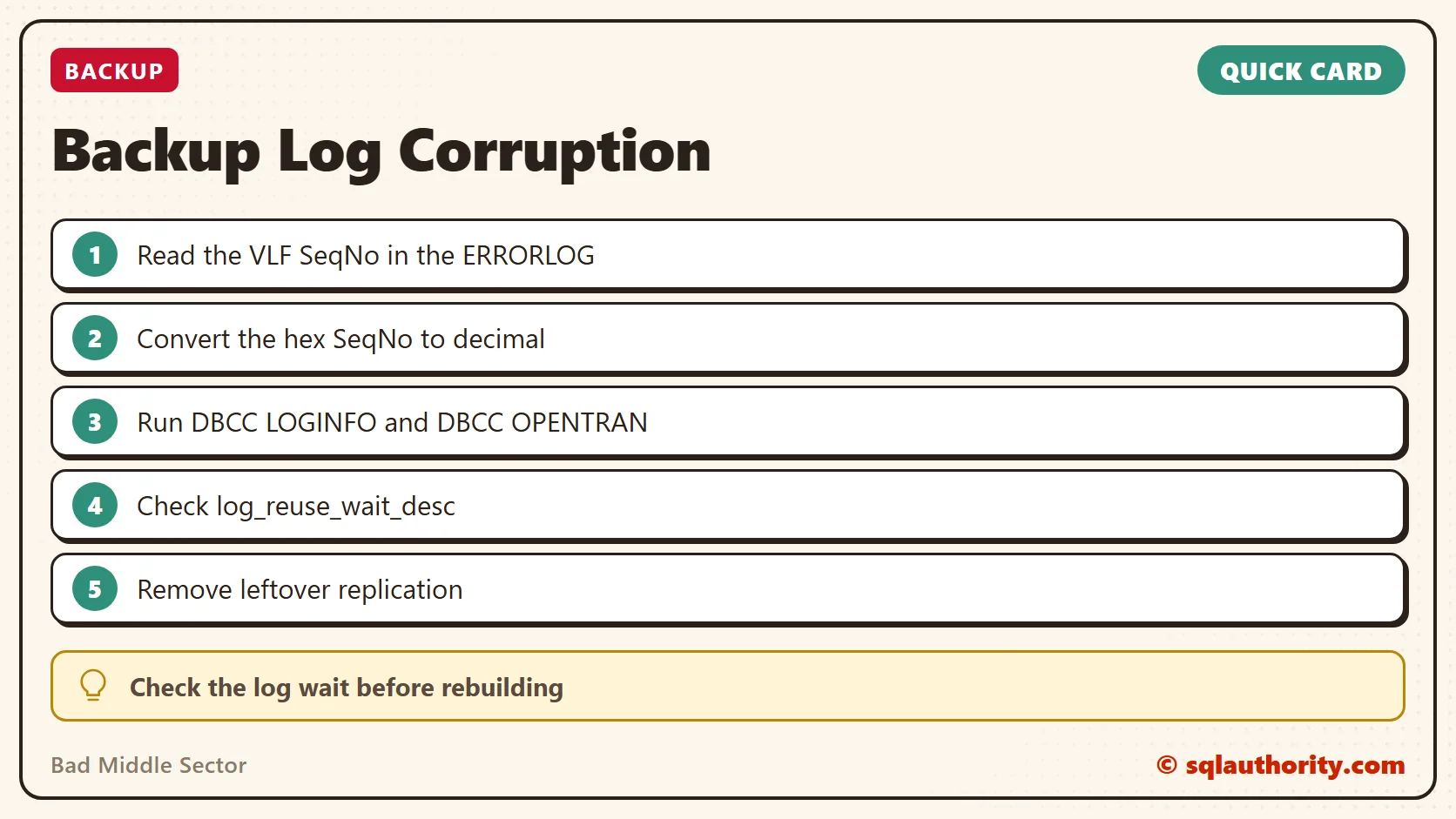
A log corruption message is not always corruption, it is sometimes a log waiting on something old.
Published by Pinal Dave on SQLAuthority. More of my work at pinaldave.com.
Discover more from SQL Authority with Pinal Dave
Subscribe to get the latest posts sent to your email.




5 Comments. Leave new
hi, that’s a good post.
I have a similar issue, need help in sorting this as the MS case says its a Storage Issue just due to the keyword “bad sector”. Here is the error message
Backup detected log corruption in database MYDB. Context is Bad End Sector. LogFile: 2 ‘E:\DatabaseFiles\WSS_Content_SIMS_M201812_log.ldf’ VLF SeqNo: x4ff VLFBase: x52759e0000 LogBlockOffset: x52df17d800 SectorStatus: 4 LogBlock.StartLsn.SeqNo: x4ff LogBlock.StartLsn.Blk: x34bc75 Size: xf000 PrevSize: xd400
the VLF seqno shows 2 and is active, however there is no active connections.
I am not sure how to find the root cause.
I have a similar issue. I see the same error log whenever I backup the transaction log.
So, I can’t process the transaction backup.
Now there isn’t any backup now.
When I checked what the transaction log waiting for is and I found the below info.
log_reuse_wait Log_reuse_wait_desc
————– ———————-
2 LOG_BACKUP
Could you tell me what can be a solution?
but if you find a LOG_BACKUP as log_reuse_wait_desc what will be the solution? please
Hi,
Same issue where my DBCC LOGINFO shows 35 rows with status 2.
The above SELECT on sys.databases, also shows log_reuse_wait = 6 and log_reuse_wait_desc = REPLICATION.
But the sp_removedbreplication ‘MyDb’ (yes, with my own db-name of course) does not solve the problem! Any hints to where to look now?
My database is not really that important – so I have also tried setting the db to SIMPLE mode – but still it says there are log-errors – which confuses me as I thought SIMPLE mode would not be using the log-file!