HRESULT 0x8007138E means the cluster resource is not available. A DBA sent me this error while installing a patch for SQL Server in a clustered environment. Sometimes DBAs get into a situation where they don’t know the next step. I do provide quick consultancy, and you can read more here: On Demand (55 minutes).
The Error
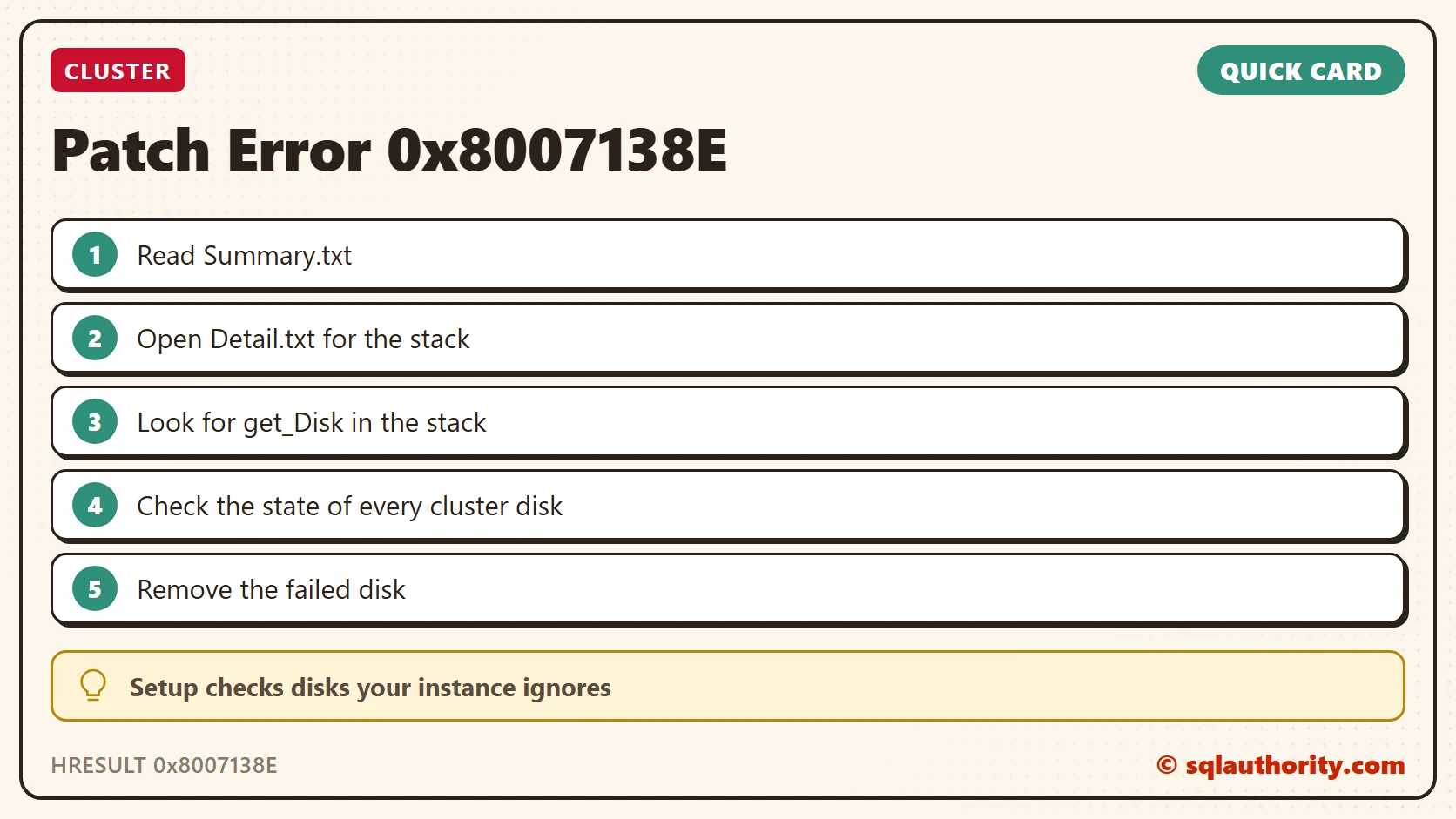
I asked the DBA to share the Summary.txt file. If you need help finding it, read Installation Log Summary File Location for SQL Server 2012 and 2008 R2. Here is the information from the summary.
Instance MSSQLSERVER overall summary:
  Final result: The patch installer has failed to update the shared features. To determine the reason for failure, review the log files.
  Exit code (Decimal): -568706566
  Exit facility code: 1562
  Exit error code: 14842
  Exit message: The cluster resource is not available. (Exception from HRESULT: 0x8007138E)
  Start time: 2018-01-02 15:00:21
  End time: 2018-01-02 15:06:14
  Requested action: Patch
How to Check
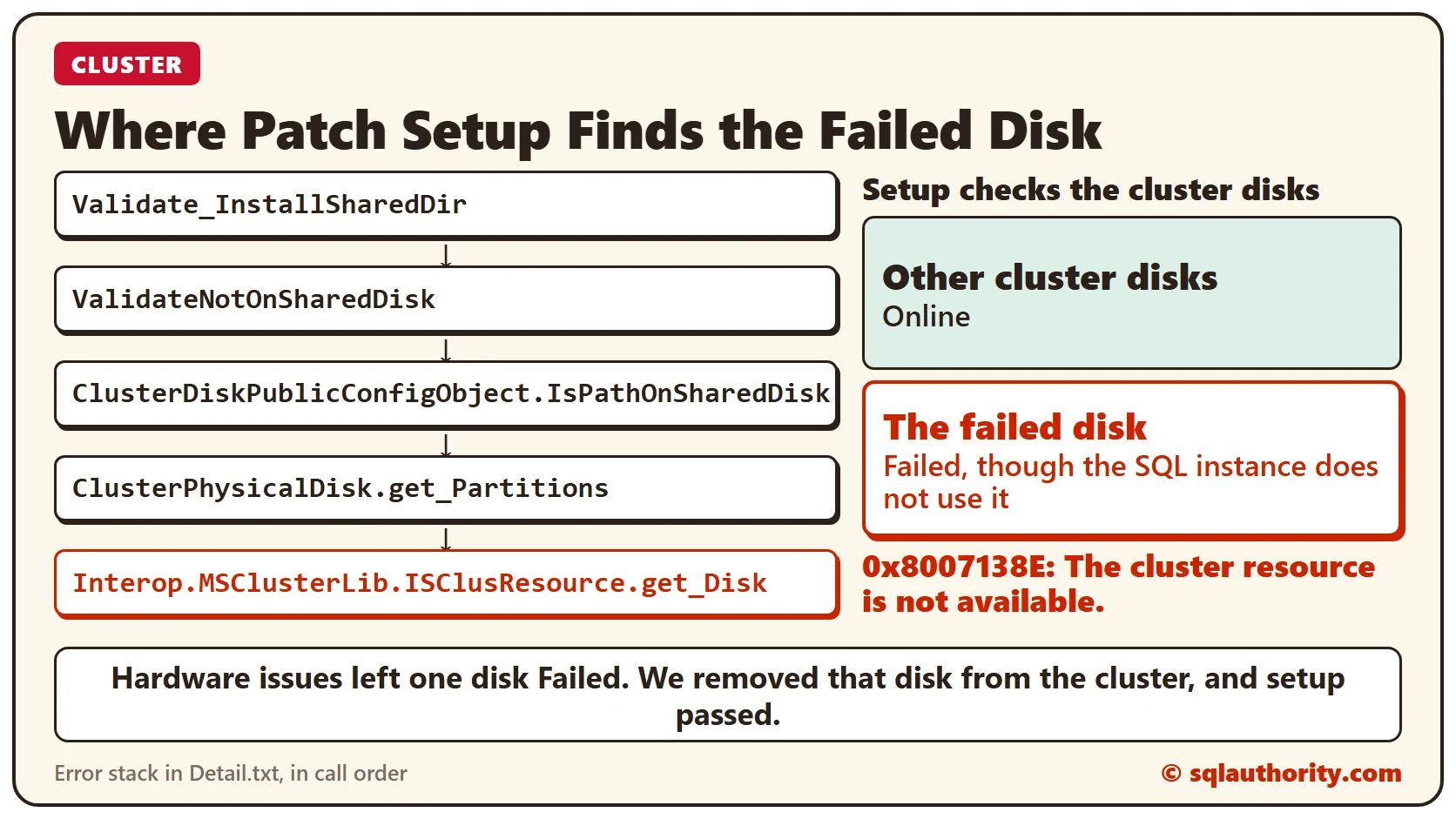
The summary shows a problem with a cluster resource. So as a next step, I asked for Detail.txt, to learn more about the exception. After reading it carefully, I saw this error stack:
Interop.MSClusterLib.ISClusResource.get_Disk
ClusterPhysicalDisk.get_Partitions
ClusterDiskPublicConfigObject.IsPathOnSharedDisk
ValidateNotOnSharedDisk
Validate_InstallSharedDir
This stack looks like the one in my earlier post The wrong diskette is in the drive. When I checked the disk resources, I found that one disk was in a failed state. Every role and its disks should be online, apart from the role we are concerned with.
Why It Happens
There were hardware issues on this cluster, and because of them one disk was in a failed state. Our SQL instance did not use that disk, but SQL Setup still checks it.
The Fix
We removed the disk from the cluster, and the issue was resolved.
How to Prevent It
Before you patch a clustered instance, check that every cluster disk is online. A failed disk can stop setup even when the instance does not use it.
A patch error is not always about your instance, it is sometimes about a disk it never uses.
Published by Pinal Dave on SQLAuthority. More of my work at pinaldave.com.
Discover more from SQL Authority with Pinal Dave
Subscribe to get the latest posts sent to your email.