
Run a stored procedure at startup by creating it in the master database and marking it with sp_procoption. SQL Server then runs it every time the instance starts. The setup takes a few short scripts, and a few rules decide whether it works.

Step One: Know the Rules
A stored procedure at startup is an ordinary stored procedure with a flag. SQL Server runs every flagged procedure each time the instance starts. Nobody has to log in first.
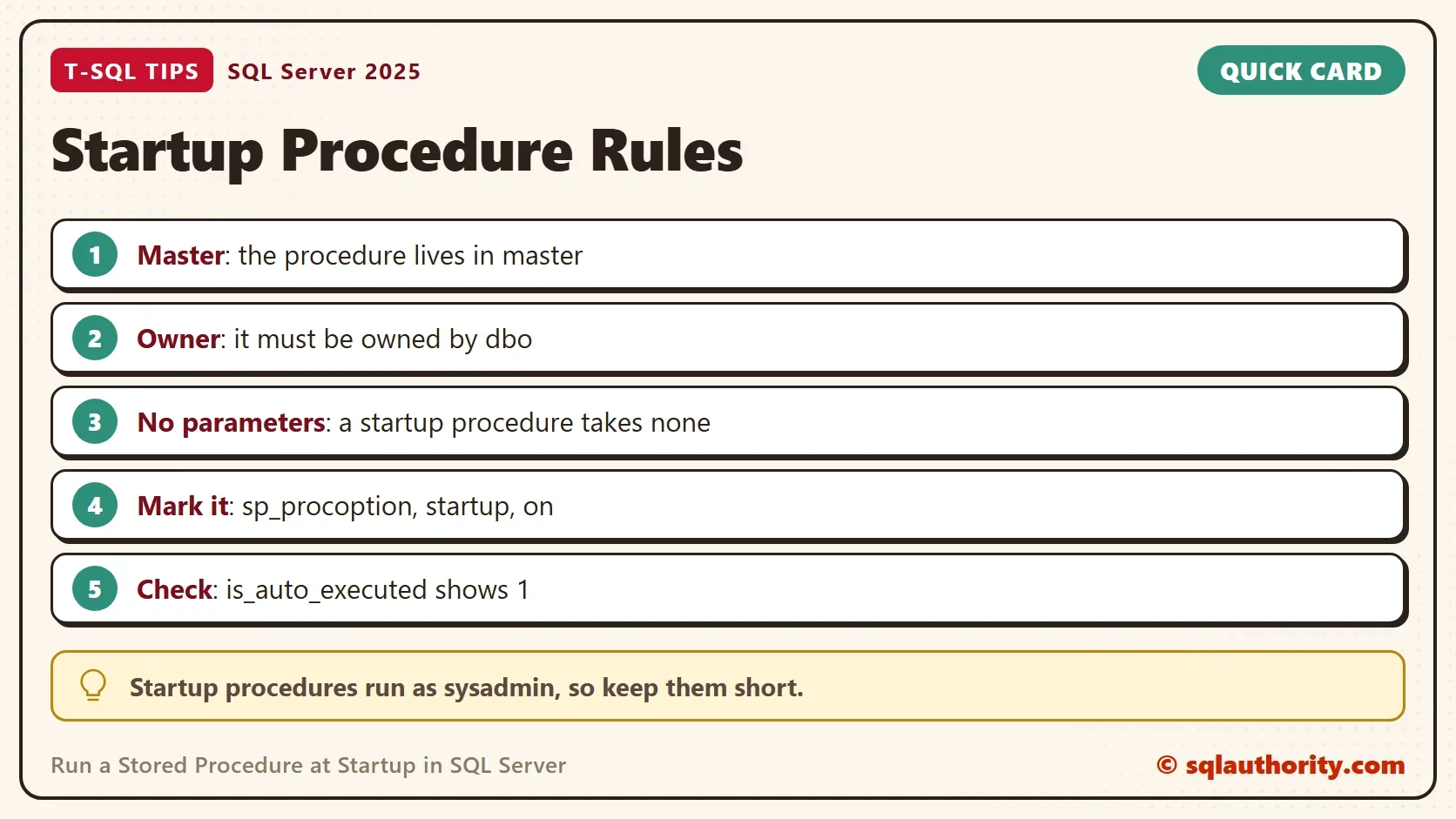
Four rules apply. The procedure must live in the master database. It must be owned by dbo. It can’t take parameters. And only a member of the sysadmin role can set the flag. The system procedure sp_procoption enforces all four, and its source says that startup procedures run as sysadmin.
A companion post, Startup Stored Procedures in SQL Server Explained, covers use cases and risks. It also shows how to list and remove startup procedures that already exist. This post is the setup, step by step.
Step Two: Build the Demo
The demo writes one row to a log table each time the instance starts. The log table lives in a database named StartupProcDemo, so the procedure in master has something to write to. Run the scripts on a test server.
IF DB_ID(N'StartupProcDemo') IS NULL CREATE DATABASE StartupProcDemo;
GO
USE StartupProcDemo;
GO
DROP TABLE IF EXISTS dbo.ServerStartLog;
CREATE TABLE dbo.ServerStartLog (
    LogID         int IDENTITY(1,1) NOT NULL PRIMARY KEY,
    LoggedAt      datetime2(0) NOT NULL DEFAULT SYSDATETIME(),
    InstanceStart datetime2(0) NOT NULL
);
Step Three: Try the Obvious Way First
Create the procedure in this database and flag it.
CREATE OR ALTER PROCEDURE dbo.LogServerStartLocal
AS
INSERT INTO dbo.ServerStartLog (InstanceStart) SELECT sqlserver_start_time FROM sys.dm_os_sys_info;
GO
EXEC sp_procoption N'dbo.LogServerStartLocal', N'startup', N'on';
SQL Server refuses, because the procedure isn’t in master.
Msg 15398, Level 11, State 1, Procedure sp_procoption, Line 73
Only objects in the master database owned by dbo can have the startup setting changed.
Step Four: Create It in master and Flag It
Create the real procedure in master. It copies the instance start time into the log table. The guard on DATABASEPROPERTYEX skips the insert when the log database isn’t online at that moment. It doesn’t retry, so a restart in which that database is still recovering leaves no row. Keep the procedure small for that reason.
The next block changes master and the server option scan for startup procs. Run it only on a test server of your own, and finish with Step Seven.
USE master;
GO
CREATE OR ALTER PROCEDURE dbo.LogServerStart
AS
BEGIN
    SET NOCOUNT ON;
    IF DATABASEPROPERTYEX(N'StartupProcDemo', N'Status') = N'ONLINE'
        INSERT INTO StartupProcDemo.dbo.ServerStartLog (InstanceStart)
        SELECT sqlserver_start_time FROM sys.dm_os_sys_info;
END;
GO
EXEC sp_procoption N'dbo.LogServerStart', N'startup', N'on';
SELECT SCHEMA_NAME(schema_id) AS SchemaName, name FROM sys.procedures WHERE is_auto_executed = 1;| SchemaName | name |
|---|---|
| dbo | LogServerStart |
The flag is set, and the query lists every startup procedure in master. Run it before you add one too, so you know what already runs. Then read the text of each procedure with OBJECT_DEFINITION. Each one runs with full rights at every start. That earns each one a review, and another review whenever someone adds a new one.
Step Five: See How the Scan Setting Gets Turned On
Older instructions start with sp_configure and the option scan for startup procs. That step isn’t needed. In the test, marking the first startup procedure changed the configured value of the option to 1. The value in use stayed 0 until the next restart, which is also the moment the scan happens.
SELECT name, value, value_in_use FROM sys.configurations WHERE name = N'scan for startup procs';
| name | value | value_in_use |
|---|---|---|
| scan for startup procs | 1 | 0 |
Before any procedure was flagged, both columns read 0. Removing the last flag sets the value back to 0, as Step Seven shows. If the setting worries your security team, here is the rule. SQL Server turns it on only when a procedure is flagged. It turns it off again when the last flag goes.
Step Six: Test It Safely
You can’t see a restart in a script, so run the procedure by hand first. It must insert one row. This block runs the procedure in master, so it also belongs on a test server.
EXEC dbo.LogServerStart;
SELECT LogID, InstanceStart FROM StartupProcDemo.dbo.ServerStartLog;
| LogID | InstanceStart |
|---|---|
| 1 | 2026-10-05 06:26:15 |
The start time is the instance start time, so yours differs. After a real restart of a test instance, query the same table. A new row appears for each start. The error log also records each startup procedure that SQL Server launches, so sp_readerrorlog confirms it.
A procedure that works by hand can still fail at startup, because a database or table isn’t ready yet. Keep the procedure small, guard each dependency, and write a row on success. A missing row then tells you that something went wrong, or that the guard skipped the insert. Never test a new startup procedure on a production instance first.
Step Seven: Turn It Off and Remove It
When the demo is done, turn the flag off and drop the procedure. This block changes master back. The guard makes it safe to run twice, and the first line makes sure it runs in master.
USE master;
GO
IF OBJECT_ID(N'master.dbo.LogServerStart') IS NOT NULL
BEGIN
    EXEC sp_procoption N'dbo.LogServerStart', N'startup', N'off';
    DROP PROCEDURE dbo.LogServerStart;
END;
Check that no startup procedure is left, and that the option is back to 0.
SELECT name FROM sys.procedures WHERE is_auto_executed = 1;
SELECT name, value, value_in_use FROM sys.configurations WHERE name = N'scan for startup procs';
The first query returns no rows. The second shows 0 and 0 on a server that had no other startup procedure. The last block removes the demo database.
USE master;
GO
ALTER DATABASE StartupProcDemo SET SINGLE_USER WITH ROLLBACK IMMEDIATE;
DROP DATABASE StartupProcDemo;
The procedure runs once for each start, and nobody is waiting for it. There is no caller to tell about an error. Write each outcome to a table or to the error log, so a failure leaves evidence.
Is a Startup Procedure the Right Tool?
You could argue that a SQL Server Agent job is better. A job that runs when the Agent starts has a history and a failure alert. A startup procedure has neither. When it fails, the only trace is a line in the error log.
That’s a fair point, and I use the Agent for anything that needs monitoring. A startup procedure fits small, quiet tasks, such as logging each start or setting a state before users arrive.
What to Remember
Put the procedure in master, owned by dbo, with no parameters. Flag it with sp_procoption, and list the startup procedures before and after. Keep a stored procedure at startup short, because it runs as sysadmin. Restart a test instance once to prove it works before you rely on it.
A startup procedure is not a convenience, it is a standing order that runs without anyone watching.
Published by Pinal Dave on SQLAuthority. More of my work at pinaldave.com.
Discover more from SQL Authority with Pinal Dave
Subscribe to get the latest posts sent to your email.


2 Comments. Leave new
Superb!
Hello Dave, the question is for Security reasons it should be False unless justified.