
I just love my On Demand offering because it gives me more pleasure of assisting clients who are in urgent need of an SQL expert. Most of the time I am called for help when clients are not able to start SQL Service due to some reason. Today we will see how to fix an error which is about unable to start SQL Server. The error was TDSSNIClient Initialization Failed with Error 0x2, Status Code 0x38.
My approach to solve the SQL startup issue is straightforward. Look for error messages, wherever it could be. Mostly it is in ERRORLOG or Event Log.
Here is the last part of the ERRORLOG file.
As soon as I saw “The system cannot find the file specified.” message, I started Process Monitor and capture data and compare with my laptop. It took a lot of time to identify the issue, but it was fun. I checked “SuperSocketNetLib” key for the instance.
HKEY_LOCAL_MACHINE\SOFTWARE\Microsoft\Microsoft SQL Server\MSSQL13.MSSQLSERVER\MSSQLServer\SuperSocketNetLib
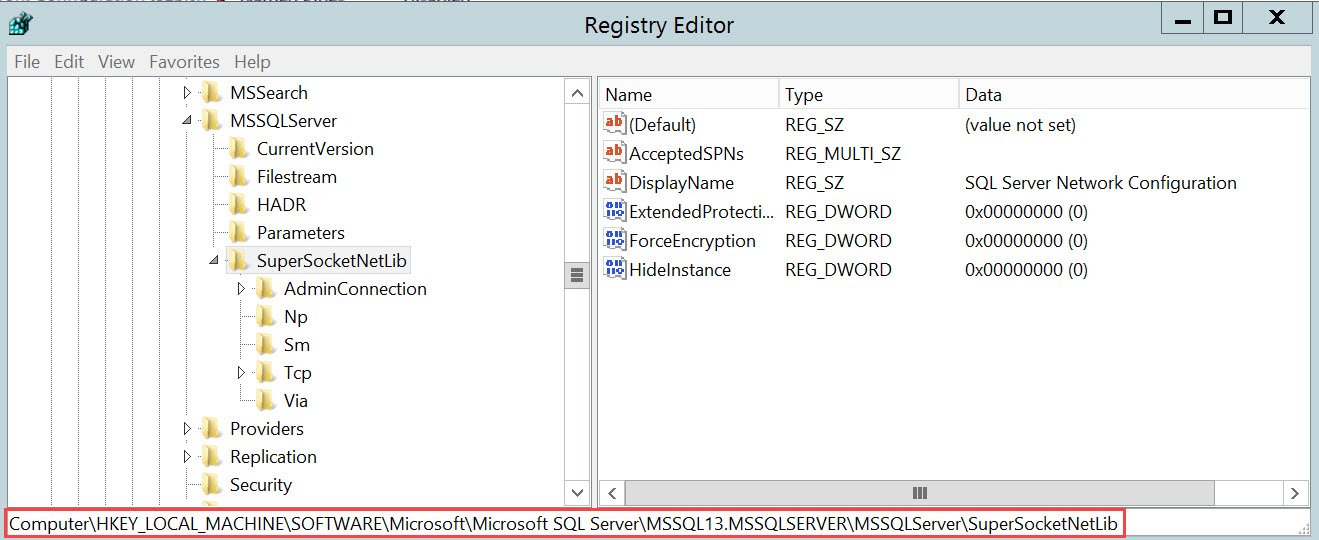
When I compared above with my laptop, I found that Certificate key is missing.
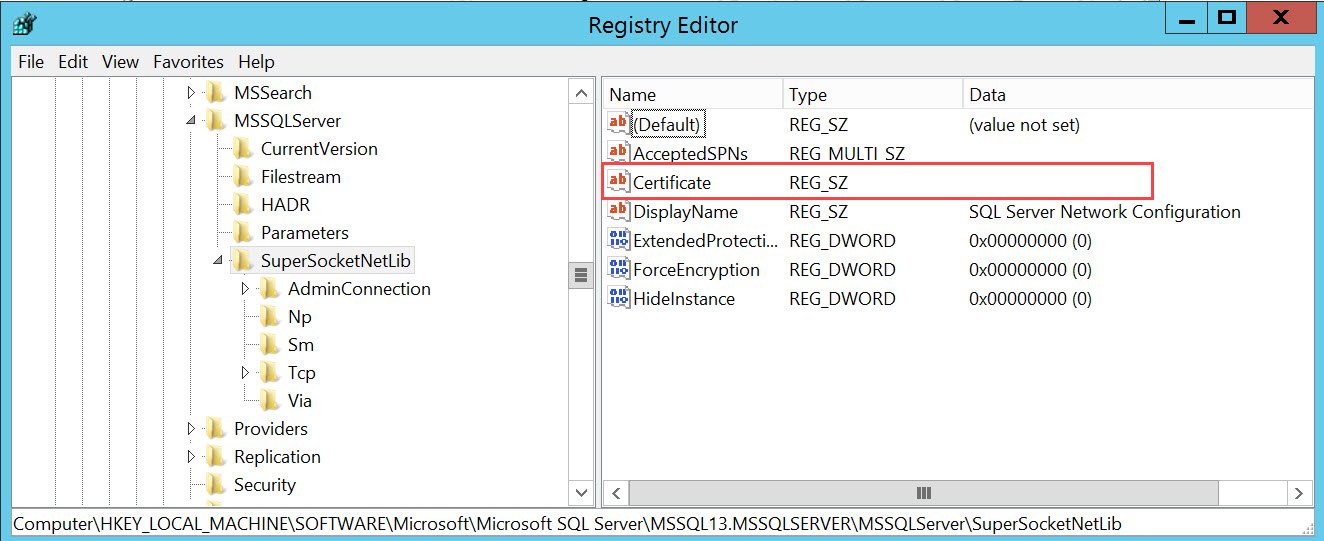
SOLUTION / WORKAROUND
I created a Certificate key as shown on my workstation and I could fix the issue. Then we were able to start SQL Server.
When I asked them about the key they informed that they were earlier using certificates. Since they are going away with it, someone advised them to delete the certificate thumbprint from registry also and they misunderstood.
Published by Pinal Dave on SQLAuthority. More of my work at pinaldave.com.