
The COL_NAME function returns a column’s name when you give it a table’s object ID and the column’s ID. It’s a small function with one real use and two traps.

What the COL_NAME Function Returns
The COL_NAME function takes two numbers. The first is the object ID of the table, which OBJECT_ID returns from a name. The second is the column ID. The result is the column name, or NULL when no column has that ID. The demo database has a small tool inventory with an index, a loan table and a parts table.
IF DB_ID(N'ColNameDemo') IS NULL CREATE DATABASE ColNameDemo;
GO
IF DB_ID(N'ColNameOther') IS NULL CREATE DATABASE ColNameOther;
GO
USE ColNameOther;
GO
DROP TABLE IF EXISTS dbo.Boxes;
CREATE TABLE dbo.Boxes (BoxCode char(4) NOT NULL, Material nvarchar(20) NOT NULL);
GO
USE ColNameDemo;
GO
DROP TABLE IF EXISTS dbo.ToolLoans;
DROP TABLE IF EXISTS dbo.Parts;
DROP TABLE IF EXISTS dbo.Tools;
CREATE TABLE dbo.Tools (
    ToolID   int NOT NULL CONSTRAINT PK_Tools PRIMARY KEY,
    ToolName nvarchar(40) NOT NULL,
    Shelf    char(3) NOT NULL,
    Notes    nvarchar(100) NULL
);
CREATE INDEX IX_Tools_Shelf_Name ON dbo.Tools (Shelf, ToolName) INCLUDE (Notes);
CREATE TABLE dbo.Parts (PartID int NOT NULL, Label nvarchar(30) NOT NULL, Weight decimal(6,2) NULL);
CREATE TABLE dbo.ToolLoans (LoanID int NOT NULL PRIMARY KEY, ToolID int NOT NULL CONSTRAINT FK_ToolLoans_Tools REFERENCES dbo.Tools (ToolID));
SELECT COL_NAME(OBJECT_ID(N'dbo.Tools'), 1) AS Column1, COL_NAME(OBJECT_ID(N'dbo.Tools'), 2) AS Column2,
COL_NAME(OBJECT_ID(N'dbo.Tools'), 4) AS Column4, COL_NAME(OBJECT_ID(N'dbo.Tools'), 5) AS Column5;| Column1 | Column2 | Column4 | Column5 |
|---|---|---|---|
| ToolID | ToolName | Notes | NULL |
The result has the type sysname, which SQL Server uses for object names. It compares cleanly with sys.columns.name. The table has four columns, so the fifth ID returns NULL. You could get the same names from sys.columns with a filter on the column ID. COL_NAME is shorter when all you need is one name.
Where It Earns Its Place
Many catalog views store IDs and not names. sys.index_columns says which columns an index uses, as numbers. sys.foreign_key_columns and sys.stats_columns do the same. COL_NAME turns those numbers into names inside the same query, without a join back to sys.columns.
SELECT i.name AS IndexName, ic.key_ordinal, COL_NAME(ic.object_id, ic.column_id) AS ColumnName, ic.is_included_column
FROM sys.indexes i JOIN sys.index_columns ic ON ic.object_id = i.object_id AND ic.index_id = i.index_id
WHERE i.object_id = OBJECT_ID(N'dbo.Tools')
ORDER BY i.index_id, ic.is_included_column, ic.key_ordinal;
| IndexName | key_ordinal | ColumnName | is_included_column |
|---|---|---|---|
| PK_Tools | 1 | ToolID | 0 |
| IX_Tools_Shelf_Name | 1 | Shelf | 0 |
| IX_Tools_Shelf_Name | 2 | ToolName | 0 |
| IX_Tools_Shelf_Name | 0 | Notes | 1 |
Each index and its columns appear with real names. The key order comes from key_ordinal. The included column has an ordinal of 0 and a flag of 1.
Foreign keys need two calls, one for the child column and one for the parent column. The query below lists each key with both ends spelled out. COL_NAME returns NULL on an error too, and for an object you aren’t allowed to see.
SELECT fk.name AS ForeignKey, OBJECT_NAME(fkc.parent_object_id) AS ChildTable, COL_NAME(fkc.parent_object_id, fkc.parent_column_id) AS ChildColumn,
       OBJECT_NAME(fkc.referenced_object_id) AS ParentTable, COL_NAME(fkc.referenced_object_id, fkc.referenced_column_id) AS ParentColumn
FROM sys.foreign_keys fk JOIN sys.foreign_key_columns fkc ON fkc.constraint_object_id = fk.object_id;| ForeignKey | ChildTable | ChildColumn | ParentTable | ParentColumn |
|---|---|---|---|---|
| FK_ToolLoans_Tools | ToolLoans | ToolID | Tools | ToolID |
A Column ID Is Not a Position
The old habit is to read the ID as the position of the column: first, second, third. That works until someone drops a column. SQL Server never renumbers the IDs of the remaining columns. The next script drops the middle column from the Parts table.
ALTER TABLE dbo.Parts DROP COLUMN Label;
SELECT column_id, name FROM sys.columns WHERE object_id = OBJECT_ID(N'dbo.Parts') ORDER BY column_id;
SELECT COL_NAME(OBJECT_ID(N'dbo.Parts'), 2) AS Position2, COL_NAME(OBJECT_ID(N'dbo.Parts'), 3) AS Position3;
| column_id | name |
|---|---|
| 1 | PartID |
| 3 | Weight |
| Position2 | Position3 |
|---|---|
| NULL | Weight |
The table now has two columns, with IDs 1 and 3. ID 2 returns NULL, and the second column in the table is the one with ID 3. A loop that counts from 1 until it hits NULL stops too early. For the real position, number the rows of sys.columns with ROW_NUMBER().
SELECT ROW_NUMBER() OVER (ORDER BY column_id) AS Position, column_id, name
FROM sys.columns WHERE object_id = OBJECT_ID(N'dbo.Parts') ORDER BY column_id;
| Position | column_id | name |
|---|---|---|
| 1 | 1 | PartID |
| 2 | 3 | Weight |
Position counts the columns that exist, and column_id is the label. The reverse question has its own function. COLUMNPROPERTY with the property name ColumnId turns a column name into its ID. For the Notes column of the Tools table, it returns 4.
SELECT COLUMNPROPERTY(OBJECT_ID(N'dbo.Tools'), N'Notes', 'ColumnId') AS NotesColumnId;
| NotesColumnId |
|---|
| 4 |
The Database Trap
COL_NAME looks the ID up in the current database. An object ID from another database means nothing there. The result is NULL. Worse, it can be the name of an unrelated column. That happens when a table here has the same ID.
SELECT OBJECT_ID(N'ColNameOther.dbo.Boxes') AS BoxesId, COL_NAME(OBJECT_ID(N'ColNameOther.dbo.Boxes'), 1) AS FromOtherDb,
       (SELECT name FROM sys.tables WHERE object_id = OBJECT_ID(N'ColNameOther.dbo.Boxes')) AS LocalTableWithThatId;
SELECT name AS FromOtherCatalog FROM ColNameOther.sys.columns WHERE object_id = OBJECT_ID(N'ColNameOther.dbo.Boxes') AND column_id = 1;
Your object ID differs.
| BoxesId | FromOtherDb | LocalTableWithThatId |
|---|---|---|
| 1221579390 | ToolID | Tools |
| FromOtherCatalog |
|---|
| BoxCode |
The first query asks for the first column of Boxes. The third column shows whether a table in this database has the same ID. If none does, COL_NAME returns NULL. If one does, COL_NAME answers from that table, and the second column holds its first column, with no error. Object IDs differ from server to server, so you can see NULL, or the name of an unrelated column.
The second query reads the catalog of the other database, and it always gives the right answer, BoxCode. Running COL_NAME with the other database as the current one also works.
Temporary tables follow the same rule. They live in tempdb, so COL_NAME finds their columns only while tempdb is the current database.
CREATE TABLE #Scratch (A int, B int);
SELECT COL_NAME(OBJECT_ID(N'tempdb..#Scratch'), 2) AS TempFromDemo;
GO
USE tempdb;
CREATE TABLE #Scratch2 (A int, B int);
SELECT COL_NAME(OBJECT_ID(N'tempdb..#Scratch2'), 2) AS TempFromTempdb;
This session is now in tempdb. Switch back before you continue.
| TempFromDemo |
|---|
| NULL |
| TempFromTempdb |
|---|
| B |
COL_NAME or sys.columns?
You could argue that sys.columns is clearer. For listing a table, it is, and it shows the type and nullability too. COL_NAME is the better choice when you already hold a pair of IDs from another view. Keep it to objects in the current database. For anything else, query the catalog of the database that owns the object. That one habit removes the trap.
What to Remember
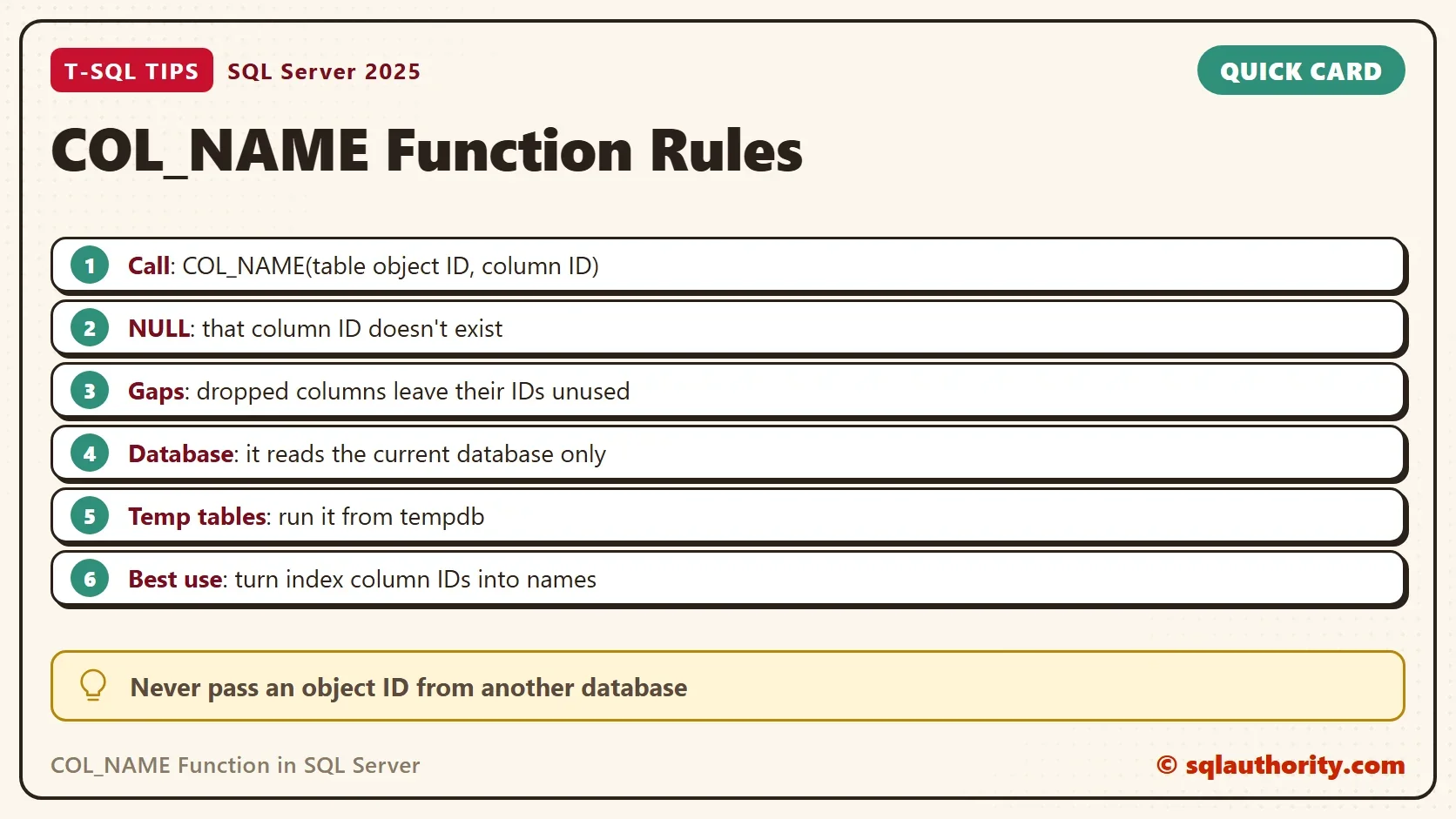
Pass the COL_NAME function a table’s object ID and a column ID, and test for NULL. Treat the ID as a label, not a position. Never give it an object ID from another database.
When you finish with the demo, drop both test databases.
USE master;
GO
ALTER DATABASE ColNameDemo SET SINGLE_USER WITH ROLLBACK IMMEDIATE;
DROP DATABASE ColNameDemo;
ALTER DATABASE ColNameOther SET SINGLE_USER WITH ROLLBACK IMMEDIATE;
DROP DATABASE ColNameOther;
A column ID is not a position, it is a name tag that stays when the column leaves.
Published by Pinal Dave on SQLAuthority. More of my work at pinaldave.com.
Discover more from SQL Authority with Pinal Dave
Subscribe to get the latest posts sent to your email.




2 Comments. Leave new
Without Ordinal position we cannot find out if a table exists or not. Maybe that is the reason, why its rarely used.
Not used it, didnt know about it, cant see a real need for it.