
Question: I installed SQL Server, but I cannot find SQL Server Configuration Manager. Where did it go?

I was once on an interview panel when someone proposed this question. I argued that it was a poor way to grade a candidate. Knowing how SQL Server services and network protocols work matters; memorizing a Windows shortcut is a search task. The panel agreed not to grade it, though they still wanted to ask. Some battles we win, and some end at a compromise.
Answer: Configuration Manager is an MMC snap-in installed with SQL Server. It might not appear as a separate app in Windows search. Open the versioned SQLServerManager<version>.msc file instead. The number refers to the SQL Server major version on that machine, not your SSMS version.
| SQL Server | Open from Start search or Run |
|---|---|
| 2025 | SQLServerManager17.msc |
| 2022 | SQLServerManager16.msc |
| 2019 | SQLServerManager15.msc |
| 2017 | SQLServerManager14.msc |
| 2016 | SQLServerManager13.msc |
| 2014 | SQLServerManager12.msc |
| 2012 | SQLServerManager11.msc |
| 2008, original article example | SQLServerManager10.msc |
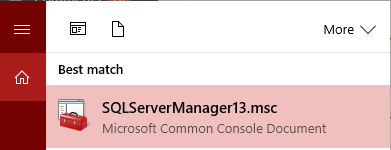
For current supported versions, the file is normally under C:\Windows\SysWOW64. For example, on a machine with SQL Server 2025, open C:\Windows\SysWOW64\SQLServerManager17.msc. If one number does not open, check which SQL Server version is installed before trying another. A missing snap-in on a machine with only SSMS is different from a hidden Start menu entry.
Then you can manage SQL Server services and network protocols from Configuration Manager. That is the job to understand. The file name is simply the route in.
Published by Pinal Dave on SQLAuthority. More of my work at pinaldave.com.
Discover more from SQL Authority with Pinal Dave
Subscribe to get the latest posts sent to your email.




13 Comments. Leave new
SQL Server Configuration Manager is up to today still present in the Start Menu.
That is great to hear. However, in my test, I could not find it on Windows 10 with SQL Server 2016
So please Brother, please let me know, where can I find the start menu on SQL Server 2012.,Because I can’t Find It. Thank you for your Help.
Config manager has been present ever since SQL 2008 on the start menus in all OS version higher than Windows 2000 and higher than Windows XP, which is pretty much everything. But in the rare occasion that it is not available any longer, your advice works. Thanks.
On windows 10 Control Panel→Administrative Tools→Computer Management >> Services and application >> SQL Server Configuration Manager
Thanks for sharing @Vikas.
What if it does not show up in a search or is not available in the computer management app? does not seem to be anywhere in my computer. (windows 10, sql server 16 fresh install)
not even C:\Windows\System32 ?
yes! this is my problem! i have checked al the solutions and its literally no where!
Thanks for this post Pinal. I recently had updates applied to my laptop and this shortcut went missing from my tiles on my Start Menu in Windows 10. Having the SQLServerManager14.msc to search it helped to find it and re-pin to my Start Menu.
I found sql config manager via;
On windows 10 Control Panel→Administrative Tools→Computer Management >> Services and application >> SQL Server Configuration Manager
But when I click on it I get a message;
Cannot connect to WMI provider. You do not have permission or the server is unreachable. Note that you can only manager SQL server 2005 and later servers with SQL Server Configuration Manager. Invalid class (0x80041010).
So what do I do now. I wish to check named pipes / tcp etc. Can I do this without config manager.
The question I have is how to get the Configuration Manager Icon to show up on the apps screen under the correct version of SQL. I have 2 intances (2008R2 & 2012) installed (however 2008R2 was uninstalled – yet still shows up in that version of Configuration Manager). In the application screen of the Windows Server 2012 R2, under SQL 2008R2 there is a CM icon (where CM does not show 2012 version running), but NOT under the listing of icons on 2012. I pinned Configuration Manager to my task bar, but others accessing the server claim configuration manager for 2012 is not installed as it does not show up.
Sir,SQL CONFIGURATION MANAGER 2008 is not install in my pc. I have done all the steps. I am not finding.What should I do? How I install ?