
Another email from one of my blog reader, which made me think about the incorrect information which is available on the internet.
Hi Pinal,
I have corruption in model database and due to that SQL Service is not able to start. Here are the messages in SQL ERRORLOG
2015-09-23 21:45:07.00 spid11s Srting up database ‘model’.
2015-09-23 21:45:07.45 spid11s Error: 5125, Severity: 24, State: 2.
2015-09-23 21:45:07.45 spid11s File ‘E:\Program Files\Microsoft SQL Server\MSSQL12.SQL2014\MSSQL\DATA\model.mdf’ appears to have been truncated by the operating system. Expected size is 4288 KB but actual size is 4280 KB.
2015-09-23 21:45:07.49 spid11s SQL Trace was stopped due to server shutdown. Trace ID = ‘1’. This is an informational message only; no user action is required.
What should I do? I have backup of the model database and want to restore it. I have spoken to many folks and I was getting different answers. Can you please provide me right direction?
Thanks,
<Name Hidden>
In this case problem is straight forward, restore backup of model when current model is corrupted and SQL is not starting due to that. If we search on internet, we get below incorrect hints:
- Start SQL with trace flag 3608. To do that Use this from command prompt: sqlservr.exe -T3608
- Start SQL Server via command prompt using sqlservr.exe -c –m
To test above, I renamed the database files of model database and then tried restore after started via trace flag 3608. Here is the message which I received during restore.
Shared Memory Provider: The pipe has been ended.
Communication link failure

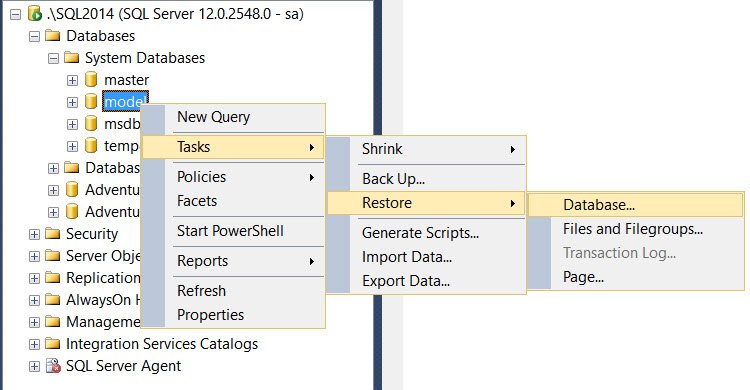
Restoring model is not a big deal, it doesn’t need any special switch or startup parameter. We can use T-SQL query or Management Studio UI to restore model.
Our problem above is that SQL is not getting started because model is in bad state. Below are the working solutions.

Hopefully, this flow chart would help in getting exact steps needed. Model can be restored directly via T-SQL or SSMS.
Have you ever found incorrect information on the internet? Never trust information from untrusted sources.
Reference: Pinal Dave (https://blog.sqlauthority.com)



