
To add a user across databases, you create one login. Then you add a user and a role membership in every chosen database. A yearly audit is a common reason: the auditors need read access everywhere for a few weeks. This post gives a tested script that adds the user, checks it and removes it again.

One Login, Many Users
SQL Server keeps two kinds of identity. A login lives on the server and lets someone connect. A user lives inside one database and holds the permissions there. The user points at the login. So adding access to ten databases means one login and ten users.
A role makes the permissions short. The built-in db_datareader role allows SELECT on every table and view in its database. Put the user in that role and the audit access is done. It grants no writes, which suits an auditor: INSERT, UPDATE and DELETE stay denied.
Build the Test
I ran everything here on SQL Server 2025. The script creates four small databases. One is read only and one is offline, because real instances hold databases like these. The Sales database also gets a table with two rows, so we can read it later.
USE master;
GO
IF DB_ID(N'SqlUserDemoSales') IS NULL CREATE DATABASE SqlUserDemoSales;
IF DB_ID(N'SqlUserDemoHR') IS NULL CREATE DATABASE SqlUserDemoHR;
IF DB_ID(N'SqlUserDemoArchive') IS NULL CREATE DATABASE SqlUserDemoArchive;
IF DB_ID(N'SqlUserDemoOffline') IS NULL CREATE DATABASE SqlUserDemoOffline;
GO
CREATE TABLE SqlUserDemoSales.dbo.Notes (NoteID int NOT NULL, Note varchar(40) NOT NULL);
INSERT INTO SqlUserDemoSales.dbo.Notes VALUES (1, 'Quarter closed'), (2, 'Invoices checked');
ALTER DATABASE SqlUserDemoArchive SET READ_ONLY;
ALTER DATABASE SqlUserDemoOffline SET OFFLINE;
GO
Now the login. The password is a placeholder. For real use, set a strong password of your own, or use a Windows login instead. The cleanup drops this login.
IF SUSER_ID(N'AuditReader') IS NULL
    CREATE LOGIN AuditReader WITH PASSWORD = N'ReplaceWithAStrongPassword1!', CHECK_POLICY = ON;
GO
The Script
The script is a temporary stored procedure, so it vanishes with your session. It loops over the databases that match a name pattern. For each one it runs a short batch inside that database, through sys.sp_executesql with the database name in front. The names go through QUOTENAME, so odd characters cannot break the statement.
One procedure does three jobs. ADD creates the user if it is missing and adds the role. CHECK reports the state. REMOVE drops the user. Offline databases are skipped. Read-only databases are skipped for ADD and REMOVE, since they cannot change.
USE master;
GO
CREATE OR ALTER PROCEDURE #AcrossDatabases
    @Action varchar(6),
    @Login sysname,
    @Role sysname = N'db_datareader',
    @Like nvarchar(128) = N'%'
AS
BEGIN
    SET NOCOUNT ON;
    CREATE TABLE #Outcome (DatabaseName sysname, Outcome nvarchar(400));
    DECLARE @db sysname, @runner nvarchar(300), @stmt nvarchar(max), @readonly bit;
    SET @stmt = CASE @Action
        WHEN 'ADD' THEN N'DECLARE @ddl nvarchar(400), @new bit = 0;
            IF DATABASE_PRINCIPAL_ID(@l) IS NULL
            BEGIN
                SET @ddl = N''CREATE USER '' + QUOTENAME(@l) + N'' FOR LOGIN '' + QUOTENAME(@l);
                EXEC (@ddl);
                SET @new = 1;
            END;
            SET @ddl = N''ALTER ROLE '' + QUOTENAME(@r) + N'' ADD MEMBER '' + QUOTENAME(@l);
            EXEC (@ddl);
            SELECT DB_NAME(), CASE @new WHEN 1 THEN N''user created'' ELSE N''user already there'' END + N'', member of '' + @r;'
        WHEN 'CHECK' THEN N'SELECT DB_NAME(), CASE
            WHEN DATABASE_PRINCIPAL_ID(@l) IS NULL THEN N''no user''
            WHEN IS_ROLEMEMBER(@r, @l) = 1 THEN N''user exists, member of '' + @r
            ELSE N''user exists, not in '' + @r END;'
        WHEN 'REMOVE' THEN N'DECLARE @ddl nvarchar(400);
            IF DATABASE_PRINCIPAL_ID(@l) IS NULL
                SELECT DB_NAME(), N''no user to remove'';
            ELSE
            BEGIN
                SET @ddl = N''DROP USER '' + QUOTENAME(@l);
                EXEC (@ddl);
                SELECT DB_NAME(), N''user dropped'';
            END;'
    END;
    DECLARE dbs CURSOR LOCAL FAST_FORWARD FOR
        SELECT name, is_read_only FROM sys.databases WHERE database_id > 4 AND name LIKE @Like ORDER BY name;
    OPEN dbs;
    FETCH NEXT FROM dbs INTO @db, @readonly;
    WHILE @@FETCH_STATUS = 0
    BEGIN
        IF DATABASEPROPERTYEX(@db, 'Status') <> N'ONLINE'
            INSERT #Outcome VALUES (@db, N'skipped, not online');
        ELSE IF @readonly = 1 AND @Action <> 'CHECK'
            INSERT #Outcome VALUES (@db, N'skipped, read only');
        ELSE
        BEGIN TRY
            SET @runner = QUOTENAME(@db) + N'.sys.sp_executesql';
            INSERT #Outcome EXEC @runner @stmt, N'@l sysname, @r sysname', @Login, @Role;
        END TRY
        BEGIN CATCH
            INSERT #Outcome VALUES (@db, N'failed: ' + ERROR_MESSAGE());
        END CATCH;
        FETCH NEXT FROM dbs INTO @db, @readonly;
    END;
    CLOSE dbs;
    DEALLOCATE dbs;
    SELECT DatabaseName, Outcome FROM #Outcome ORDER BY DatabaseName;
END;
GO
Run It
To add a user across databases from a list, change the name pattern. The pattern SqlUserDemo% picks our test databases. Use % for every user database, or a list of your own names. The first call adds the user. The second proves that a repeat run is safe. The third checks the result. Each call returns one row per database, so the output reads like a short report.
EXEC #AcrossDatabases 'ADD', N'AuditReader', @Like = N'SqlUserDemo%';
EXEC #AcrossDatabases 'ADD', N'AuditReader', @Like = N'SqlUserDemo%';
EXEC #AcrossDatabases 'CHECK', N'AuditReader', @Like = N'SqlUserDemo%';
GO
| DatabaseName | First ADD | Second ADD | CHECK |
|---|---|---|---|
| SqlUserDemoArchive | skipped, read only | skipped, read only | no user |
| SqlUserDemoHR | user created, member of db_datareader | user already there, member of db_datareader | user exists, member of db_datareader |
| SqlUserDemoOffline | skipped, not online | skipped, not online | skipped, not online |
| SqlUserDemoSales | user created, member of db_datareader | user already there, member of db_datareader | user exists, member of db_datareader |
The first run created the user in HR and Sales. The second run found it and changed nothing. Archive and Offline were skipped, and that skip list is your to-do list. Bring the offline database online and run the script again.
Now a real test. I impersonate the login, read the Notes table, and then try to write to it.
EXECUTE AS LOGIN = N'AuditReader';
SELECT COUNT(*) AS NotesRead FROM SqlUserDemoSales.dbo.Notes;
INSERT INTO SqlUserDemoSales.dbo.Notes VALUES (3, 'Not allowed');
REVERT;
GO
The read returned 2 rows. The write failed, as it should for a reader. It is output, not code to run.
Msg 229, Level 14, State 5, Line 3
The INSERT permission was denied on the object 'Notes', database 'SqlUserDemoSales', schema 'dbo'.
When the audit ends, the same procedure removes the access. REMOVE drops the user in each database and skips the same two.
EXEC #AcrossDatabases 'REMOVE', N'AuditReader', @Like = N'SqlUserDemo%';
GO
| DatabaseName | Outcome |
|---|---|
| SqlUserDemoArchive | skipped, read only |
| SqlUserDemoHR | user dropped |
| SqlUserDemoOffline | skipped, not online |
| SqlUserDemoSales | user dropped |
The login itself stays until you drop it. Disable it between audits if you want to keep it.
The Model Database Question
A fair question: why not add the user to the model database once? SQL Server copies model into every new database, users and roles included. The next block does exactly that, creates a new database, and checks all of them. It removes the user from model at once.
USE model;
CREATE USER AuditReader FOR LOGIN AuditReader;
ALTER ROLE db_datareader ADD MEMBER AuditReader;
GO
USE master;
CREATE DATABASE SqlUserDemoNew;
GO
EXEC #AcrossDatabases 'CHECK', N'AuditReader', @Like = N'SqlUserDemo%';
GO
USE model;
DROP USER AuditReader;
GO
USE master;
GO
| DatabaseName | Outcome |
|---|---|
| SqlUserDemoArchive | no user |
| SqlUserDemoHR | no user |
| SqlUserDemoNew | user exists, member of db_datareader |
| SqlUserDemoOffline | skipped, not online |
| SqlUserDemoSales | no user |
The answer is yes and no. The new database got the user and the role. The existing databases did not. So model is enough for an instance with no databases yet, and for every database created later. It does nothing for the databases you already have. A restored or attached database brings its own users, so model does not reach it either.
Remove the user from model when you finish, as the block does. Otherwise every future database starts with an audit user inside it.
The Server-Level Shortcut
SQL Server 2014 added two server-level permissions. CONNECT ANY DATABASE lets a login connect to every database, now and later. SELECT ALL USER SECURABLES allows reads on all user objects. The login needs no user anywhere. At this point our login has no users left, so it is a clean test.
GRANT CONNECT ANY DATABASE TO AuditReader;
GRANT SELECT ALL USER SECURABLES TO AuditReader;
EXECUTE AS LOGIN = N'AuditReader';
SELECT COUNT(*) AS NotesRead FROM SqlUserDemoSales.dbo.Notes;
REVERT;
REVOKE CONNECT ANY DATABASE FROM AuditReader;
REVOKE SELECT ALL USER SECURABLES FROM AuditReader;
GO
The read returned the 2 rows again, with no user in Sales. You could say this makes the script pointless. Fair point, for one case. When every database is in scope, the two grants are shorter and they cover new databases too. When the auditors get a named list, use the script. The grants cannot be limited to a list.
Before You Run It for Real
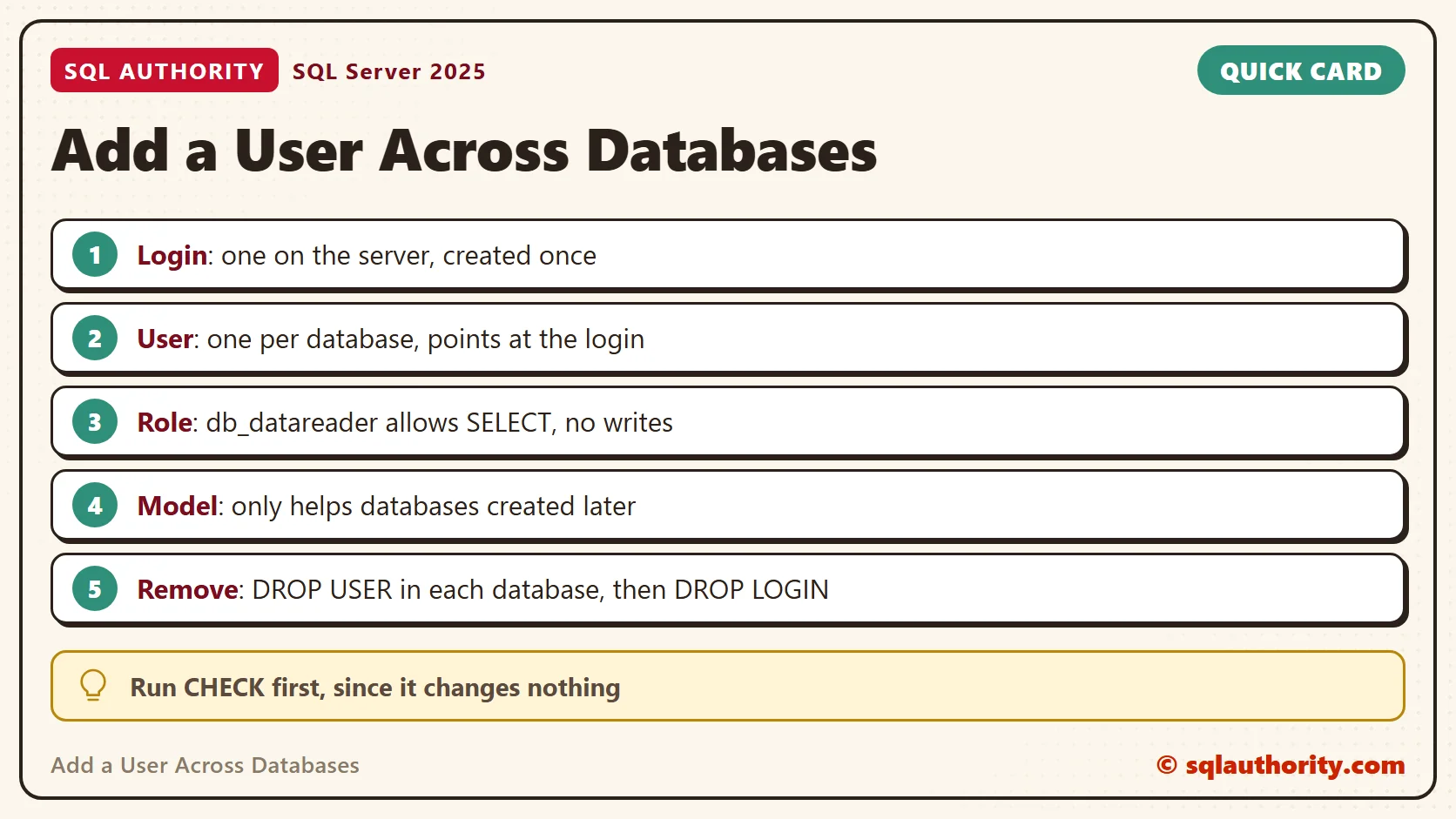
Before you add a user across databases on a production instance, read the name pattern twice. The wildcard % reaches every user database. Run CHECK first, since it changes nothing. Write down the day you add the access and set a reminder to run REMOVE. For people, prefer a Windows group login, so membership stays in one place.
Cleanup
The older way to loop over databases was sp_MSforeachdb. It is undocumented, so Microsoft makes no promise about it. The loop here uses only documented parts, and ALTER ROLE … ADD MEMBER (SQL Server 2012 and later) replaces sp_addrolemember.
The cleanup block brings the offline database online before it drops it. A dropped offline database leaves its files on disk. A later CREATE DATABASE with the same name then fails with Msg 5170. The block also removes the temporary procedure, the user in model and the login.
USE model;
IF DATABASE_PRINCIPAL_ID(N'AuditReader') IS NOT NULL DROP USER AuditReader;
GO
USE master;
DROP PROCEDURE IF EXISTS #AcrossDatabases;
DROP DATABASE IF EXISTS SqlUserDemoSales;
DROP DATABASE IF EXISTS SqlUserDemoHR;
DROP DATABASE IF EXISTS SqlUserDemoArchive;
IF DB_ID(N'SqlUserDemoOffline') IS NOT NULL ALTER DATABASE SqlUserDemoOffline SET ONLINE;
DROP DATABASE IF EXISTS SqlUserDemoOffline;
DROP DATABASE IF EXISTS SqlUserDemoNew;
IF SUSER_ID(N'AuditReader') IS NOT NULL DROP LOGIN AuditReader;
GO
Access across databases is not one grant, it is one login and a user in every database.
Published by Pinal Dave on SQLAuthority. More of my work at pinaldave.com.
Discover more from SQL Authority with Pinal Dave
Subscribe to get the latest posts sent to your email.




9 Comments. Leave new
Hi Pinal,
Thanks for awesome post !!
We used sp_MSforeachdb to grant access on all databases for around 10 SQL instances. We did it by creating local sever group and running almost similar script with less checks. Luckly it worked.
Per my understanding, below is the answer for your quiz.
1. Model database is used as a tempelate for new database, so if there are some existing databases, creating user in model won’t help.
2. Even if we could create a user in model database, it won’t get replicated in newly created database.
3. Adding user to model DB also defeates the minimal required security proncipal because business may not like to get their critical DB accessed without knowing about it.
Next time I will certainly check what is running inside my model database.
Thanks,
Anil
Good answers.
No responses? Pinal, what is the downside of adding the user to the model DB? (Provided there are no existing databases the user has to be added to.)
you are right Benjamin!
Cool, thanks.
I love your blog! (Especially the test DDL to clearly demonstrate concepts.)
We use sp_msforeachdb on a daily job that verifies if exists some table without a primary key.
Cool. Be aware of point made by twoknightsthenight.
I don’t trust sp_msforeachdb as I’ve gotten in trouble with it missing DBs. I thought I was crazy and then I found this…
Of course there are other methods for getting around it. But I do need to point out that goofy naming conventions will screw it up.
you are correct twoknightsthenight. I already said its undocumented so one need to be careful using it.