A database maintenance checklist turns a vague worry into a short list of checks you run daily, weekly and monthly. It doesn't make you a better DBA. It stops you from forgetting the dull check that matters on the one day it does.

How to Use This Database Maintenance Checklist
Every query below only reads server metadata, and one uses a temporary table that it drops. You can run them on a production server. Each one answers a single question and tells you what to do next. The scripts ran on SQL Server 2025. Nothing needs a vendor tool, only the views SQL Server already keeps.
Run the daily part of the database maintenance checklist when you start work. Run the weekly list on a fixed day, and the monthly list on the first working day. Write down what you checked and when. A log of ten seconds per check shows the pattern later. It also shows who checked last.
Daily: Is Everything Still Running?
Start with backups, because everything else assumes they work. This query lists every database with its last full, differential and log backup. A database in full recovery model with no log backup is a warning, since its log can only grow. A database with no full backup at all shows NULL and sorts first. The oldest full backups follow, so the neglected databases rise to the top.
SELECT d.name AS DatabaseName, d.recovery_model_desc AS RecoveryModel,
       MAX(CASE WHEN b.type = 'D' THEN b.backup_finish_date END) AS LastFull,
       MAX(CASE WHEN b.type = 'I' THEN b.backup_finish_date END) AS LastDifferential,
       MAX(CASE WHEN b.type = 'L' THEN b.backup_finish_date END) AS LastLog,
       DATEDIFF(HOUR, MAX(CASE WHEN b.type = 'D' THEN b.backup_finish_date END), GETDATE()) AS HoursSinceFull
FROM sys.databases AS d
LEFT JOIN msdb.dbo.backupset AS b ON b.database_name = d.name
WHERE d.database_id <> 2
GROUP BY d.name, d.recovery_model_desc
ORDER BY CASE WHEN MAX(CASE WHEN b.type = 'D' THEN b.backup_finish_date END) IS NULL THEN 0 ELSE 1 END,
         HoursSinceFull DESC, d.name;
The history lives in msdb, so a database restored from another server can show no backups at all. Treat an empty cell as a question for that database, not as proof of a problem.
Next, ask what failed overnight. The query below counts the job runs that failed in the last day. It then reads the error log for lines with severity 17 to 25, the serious ones. Each line holds only the error number. The message sits on the next log line, so open the log for the text. A count of zero and a quiet log are the answer you want.
DECLARE @since datetime = DATEADD(DAY, -1, GETDATE());
SELECT COUNT(*) AS FailedJobRuns
FROM msdb.dbo.sysjobhistory
WHERE step_id = 0 AND run_status = 0
  AND msdb.dbo.agent_datetime(run_date, run_time) >= @since;
CREATE TABLE #ErrorLog (LogDate datetime, ProcessInfo nvarchar(64), LogText nvarchar(max));
INSERT INTO #ErrorLog EXEC sys.sp_readerrorlog 0, 1, N'Severity';
SELECT LogDate, ProcessInfo, LogText FROM #ErrorLog
WHERE LogDate >= @since AND (LogText LIKE N'%Severity: 1[7-9]%' OR LogText LIKE N'%Severity: 2[0-5]%')
ORDER BY LogDate DESC;
DROP TABLE #ErrorLog;
Last, free space. Database size alone misleads, because a full disk stops every database on it. This query shows each volume that holds a database file, with its free space in gigabytes and as a percentage. Act when the free percentage trends down, not only when it reaches a limit.
SELECT vs.volume_mount_point AS Volume,
       CAST(MAX(vs.total_bytes) / 1073741824.0 AS decimal(10,1)) AS TotalGB,
       CAST(MIN(vs.available_bytes) / 1073741824.0 AS decimal(10,1)) AS FreeGB,
       CAST(100.0 * MIN(vs.available_bytes) / MAX(vs.total_bytes) AS decimal(5,1)) AS FreePercent
FROM sys.master_files AS f
CROSS APPLY sys.dm_os_volume_stats(f.database_id, f.file_id) AS vs
GROUP BY vs.volume_mount_point
ORDER BY FreePercent;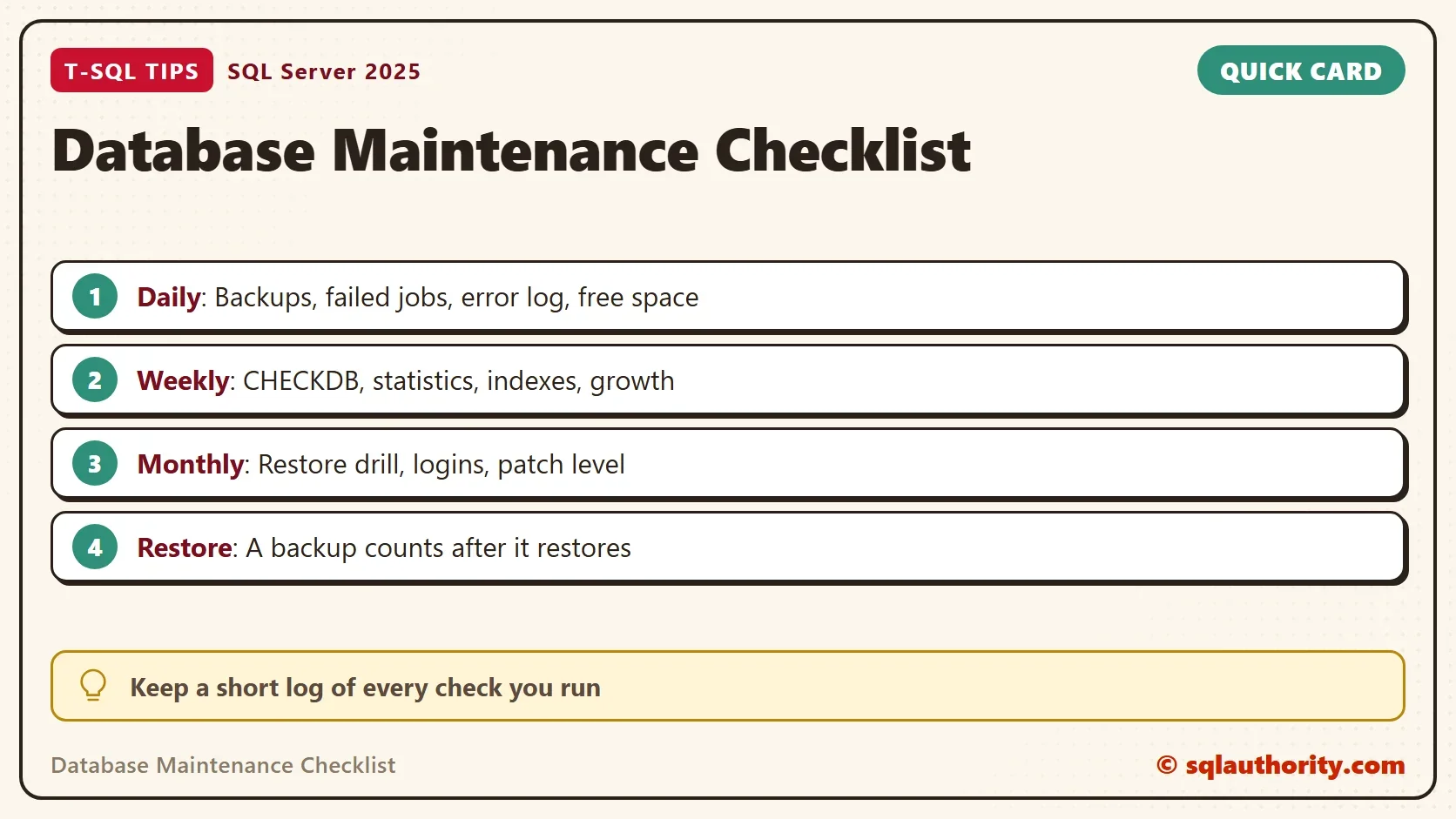
Weekly: Is Anything Slowly Going Wrong?
CHECKDB finds corruption, and a backup of a corrupt database holds the corruption. Run DBCC CHECKDB at least weekly, then confirm that it finished with this query. A database with no clean check on record shows the date 1900-01-01. On the test instance every database shows that date, so no clean check is on record there.
SELECT d.name AS DatabaseName,
       CAST(DATABASEPROPERTYEX(d.name, 'LastGoodCheckDbTime') AS datetime) AS LastGoodCheckDb
FROM sys.databases AS d
WHERE d.database_id <> 2
ORDER BY LastGoodCheckDb, d.name;
Then look at statistics and indexes in each database you care about. The first query lists the statistics with the most changed rows since their last update. The second lists the most fragmented indexes. It skips small ones, since a rebuild of a tiny index gains nothing. The 1,000 page cutoff is my choice, so tune it. The script runs in msdb as a demo, so replace msdb with your own database.
USE msdb;
GO
SELECT TOP (5) OBJECT_NAME(s.object_id) AS TableName, s.name AS StatisticName,
       sp.last_updated AS LastUpdated, sp.rows AS TableRows, sp.modification_counter AS RowsChanged
FROM sys.stats AS s
CROSS APPLY sys.dm_db_stats_properties(s.object_id, s.stats_id) AS sp
WHERE OBJECTPROPERTY(s.object_id, 'IsUserTable') = 1
ORDER BY sp.modification_counter DESC;
GO
SELECT TOP (5) OBJECT_NAME(ips.object_id) AS TableName, i.name AS IndexName,
       CAST(ips.avg_fragmentation_in_percent AS decimal(5,1)) AS Fragmentation, ips.page_count AS Pages
FROM sys.dm_db_index_physical_stats(DB_ID(), NULL, NULL, NULL, 'LIMITED') AS ips
JOIN sys.indexes AS i ON i.object_id = ips.object_id AND i.index_id = ips.index_id
WHERE ips.index_id > 0 AND ips.page_count >= 1000
ORDER BY ips.avg_fragmentation_in_percent DESC;
Finally, watch growth. Full backup sizes in msdb give a free growth chart, because each backup records its size. Compare this month with last month for each database, and plan disk space before the volume query forces you to.
SELECT b.database_name AS DatabaseName,
       DATEFROMPARTS(YEAR(b.backup_finish_date), MONTH(b.backup_finish_date), 1) AS MonthStart,
       CAST(MAX(b.backup_size) / 1048576.0 AS decimal(12,1)) AS LargestFullBackupMB
FROM msdb.dbo.backupset AS b
WHERE b.type = 'D'
GROUP BY b.database_name, DATEFROMPARTS(YEAR(b.backup_finish_date), MONTH(b.backup_finish_date), 1)
ORDER BY b.database_name, MonthStart;
Monthly: Can You Recover, and Who Holds the Keys?
A backup counts only after it restores. The restore drill is the monthly check that matters most. This query finds the newest full backup file for every database, so you know what to restore. Rotate through the databases from month to month. Restore it under a different name on a test server, run CHECKDB on the copy, and open a table. Then drop the copy.
WITH Newest AS (
    SELECT b.database_name, b.backup_finish_date, b.media_set_id,
           ROW_NUMBER() OVER (PARTITION BY b.database_name ORDER BY b.backup_finish_date DESC) AS Recency
    FROM msdb.dbo.backupset AS b
    WHERE b.type = 'D'
)
SELECT n.database_name AS DatabaseName, n.backup_finish_date AS FinishedAt, mf.physical_device_name AS BackupFile
FROM Newest AS n
JOIN msdb.dbo.backupmediafamily AS mf ON mf.media_set_id = n.media_set_id
WHERE n.Recency = 1
ORDER BY n.database_name;
Next, review who has full control. Members of the sysadmin role can do anything, including reading every table and changing every setting. The list should be short and every name should have a reason.
SELECT p.name AS LoginName, p.type_desc AS LoginType, p.is_disabled AS IsDisabled
FROM sys.server_role_members AS rm
JOIN sys.server_principals AS r ON r.principal_id = rm.role_principal_id
JOIN sys.server_principals AS p ON p.principal_id = rm.member_principal_id
WHERE r.name = N'sysadmin'
ORDER BY p.name;
Last, the patch level. The query below returns the version, the update level and the edition. Compare it with the latest cumulative update for your release. On the test instance it returns the following row.
SELECT SERVERPROPERTY('ProductVersion') AS Version, SERVERPROPERTY('ProductLevel') AS Level,
SERVERPROPERTY('ProductUpdateLevel') AS UpdateLevel, SERVERPROPERTY('Edition') AS Edition;| Version | Level | UpdateLevel | Edition |
|---|---|---|---|
| 17.0.5005.3 | RTM | CU9 | Enterprise Developer Edition (64-bit) |
Is a Maintenance Plan Enough?
You could argue that a maintenance plan or a monitoring product covers the whole database maintenance checklist. It covers the work, and it can still fail without telling you. The checks above ask the server what happened. A plan that reports success while its backups are three weeks old is the case they catch.
What to Remember
The database maintenance checklist has three parts. Daily, check backups, failed jobs, the error log and free space. Weekly, confirm CHECKDB, review statistics and indexes, and watch growth. Monthly, run a restore drill, review the sysadmin list and check the patch level.
A chart of green checks means nothing until a restore has worked. Keep your log short, and keep it honest.
A checklist is not paperwork, it is the memory you do not have to trust.
Published by Pinal Dave on SQLAuthority. More of my work at pinaldave.com.
Discover more from SQL Authority with Pinal Dave
Subscribe to get the latest posts sent to your email.