A SQL script library is a folder of your own tested scripts. You never solve the same problem twice. It sounds like housekeeping. It is the difference between an answer from memory and a long search while a server waits.
Why Keep a SQL Script Library
Every DBA and developer meets the same problems again. Find the blocking session. Check the last backup. List the biggest tables. The first time, you write the script. The fifth time, you search for it. A SQL script library turns that search into a lookup.
I keep a script bank of my own. The scripts I have shared on this blog for years come from it. A script should enter the bank only after it has run on a server you trust. It should carry a note that says so. That note is what makes a stored script different from a pasted one.
Lay Out the Folders by Task
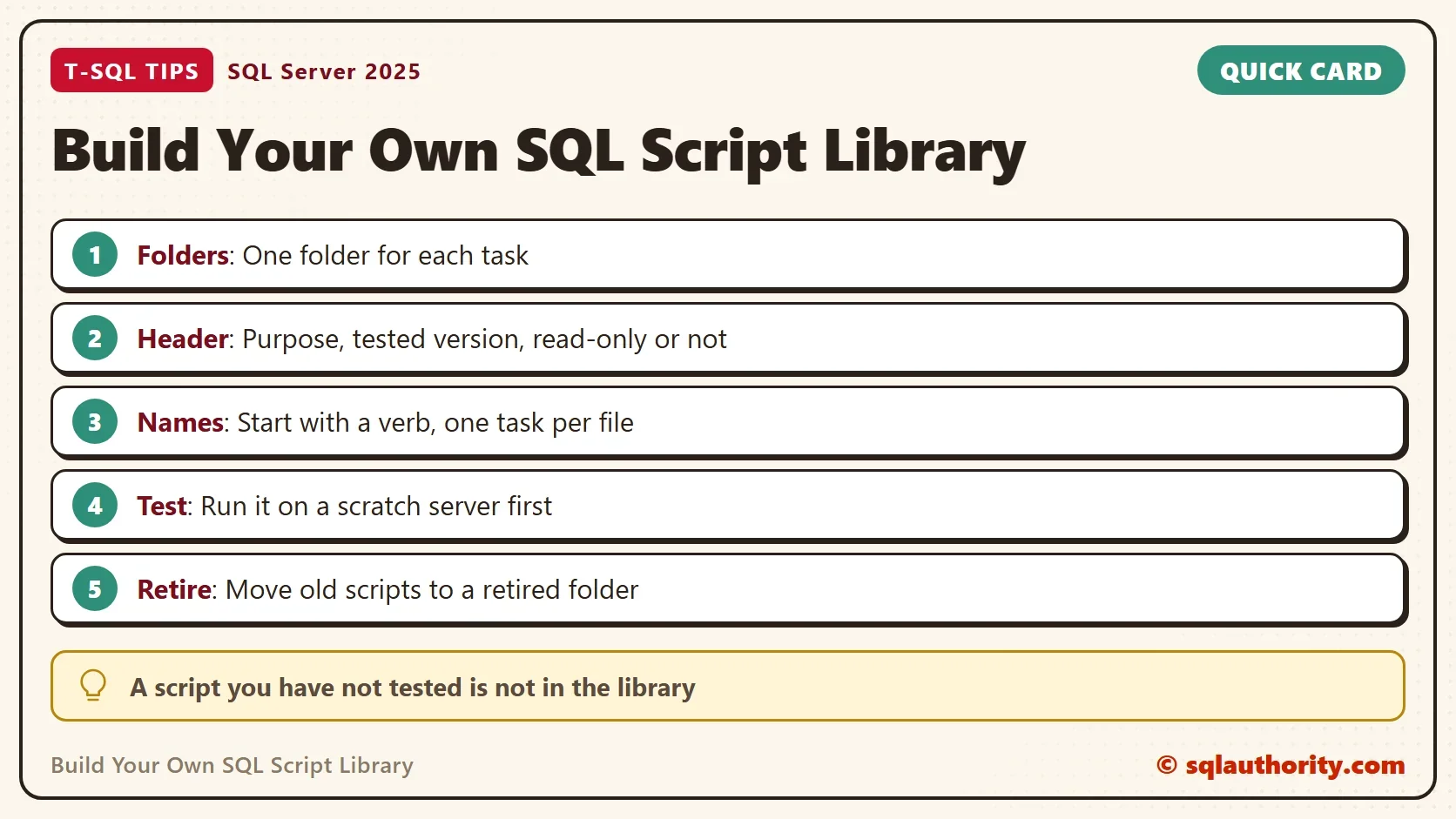
Group scripts by the job they do, not by the date you wrote them. A date tells you nothing in six months, and a task name tells you where to look. A short, flat layout is enough to start.
- Backup and restore: backup history and verification checks. Restore scripts go in Changes.
- Performance: waits, expensive queries, missing and unused indexes.
- Security: logins, roles, permissions reviews.
- Maintenance: reports on statistics, integrity checks and file growth. Scripts that rebuild, update or resize go in Changes.
- Changes: every script that modifies data or settings.
- Retired: scripts you no longer trust, with a note on why.
The Changes folder is the one that protects you. Everything outside it only reads. A tired person at midnight can open a read-only folder and run any file without fear. Putting dangerous scripts in one place means you open them on purpose.
Put a Header in Every Script
A header is a comment block at the top of each file. It answers four questions before anyone runs the script. What does it do? Which version was it tested on? Does it change anything? How do you adjust it? Add a line of keywords as well, so a text search finds the file later.
A complete example follows. The header comes first, and a small read-only script follows. Replace the version and the date in the Tested on line with your own. It lists online databases with no full backup in the last 72 hours. Change the limit in one place.
/*
Purpose:    List online databases with no full backup in the last N hours.
Tested on:  SQL Server 2025 (17.0.5005.3), 6 October 2026.
Access:     Read-only. Needs access to msdb.
Keywords:   backup, last full backup, stale, daily check
Change:     Set @MaxAgeHours to your own limit.
*/
DECLARE @MaxAgeHours int = 72;
SELECT d.name AS DatabaseName,
       MAX(b.backup_finish_date) AS LastFullBackup,
       DATEDIFF(HOUR, MAX(b.backup_finish_date), GETDATE()) AS HoursOld
FROM sys.databases AS d
LEFT JOIN msdb.dbo.backupset AS b ON b.database_name = d.name AND b.type = 'D'
WHERE d.database_id <> 2
  AND d.state_desc = N'ONLINE'
GROUP BY d.name
HAVING MAX(b.backup_finish_date) IS NULL
    OR MAX(b.backup_finish_date) < DATEADD(HOUR, -@MaxAgeHours, GETDATE())
ORDER BY LastFullBackup, d.name;
The script reads msdb and the database catalog, and it changes nothing. That fact is in the header, which means nobody has to read the code to learn it. A database with no backup at all shows a NULL date and sorts first.
Name Scripts So You Can Find Them
Start each file name with a verb and keep it to one task. A name such as find-stale-backups.sql says what happens when you run it. A name such as new-script-final2.sql says nothing. Use lower case and hyphens, so the names look the same on every system.
One task per file matters more than it sounds. A file that does three things gets run for one of them, and the other two run by accident. Split it. Search covers the rest: any editor can search a whole folder for the words in your keywords line.
Keep a Safe Copy and a History
Store the library where it is backed up. A version control system or a synced folder with file history both work. Pick the one you will use every week, because a library on one laptop disappears with the laptop. History also lets you see what a script looked like before you changed it.
Test on a Scratch Server First
The rule is short: a script that has not run on a scratch server is not in the library. Run it, read the output, and then write the tested version and the date in the header. A scratch server can be a developer edition on your own machine.
For a script that changes data, add one more step. Run it inside a transaction on the scratch server, check the row counts, and roll back. Only then does it move into the Changes folder.
Retire Old Scripts
A library that only grows becomes a junk drawer. Each new SQL Server release removes or replaces features, and scripts that use them stop working or give wrong answers. When a script fails on the current version, move it to the Retired folder. Do the same when a better one replaces it. Add a line that says why. Never delete it at once, since the note helps the next person who asks the same question.
Review the tested version in each header once a year, and again after every major upgrade. The date in the header tells you which scripts to test first.
Is a Library Still Worth It?
You could argue that a search engine or an AI assistant makes a SQL script library pointless. They return answers quickly. They can't tell you which script you tested, on which version, against which kind of server. A pasted script is a guess until you run it. A SQL script library holds the scripts you already trust, so the guess is gone.
What to Remember
Group scripts by task. Put a header in every file with the purpose, the tested version and whether it changes anything. Name files with a verb, test on a scratch server, keep a history, and retire what no longer works.
Start small. Save the next script you write twice, with a header, in the right folder. Ten scripts in, you will stop searching and start looking up.
A script library is not a pile of code, it is a record of what you already know works.
Published by Pinal Dave on SQLAuthority. More of my work at pinaldave.com.
Discover more from SQL Authority with Pinal Dave
Subscribe to get the latest posts sent to your email.