
Every day when I woke up there are hundreds of emails with various questions related to SQL. I spend my first hour of the day answer each of them. One of them asked how to search records with single quotes in a table.
How do I search records with single quotes in it?
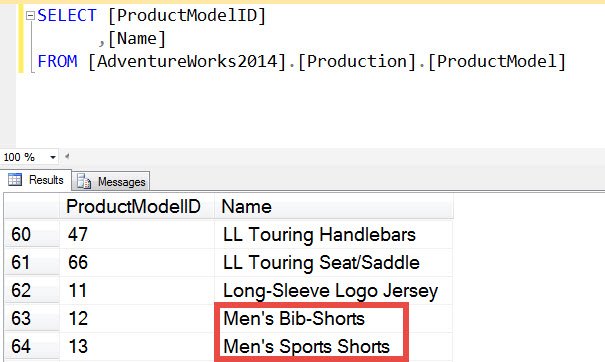
Here is the answer to find records with single quotes in the table.
SELECT [ProductModelID]
,[Name]
FROM [AdventureWorks2014].[Production].[ProductModel]
WHERE [Name] LIKE '%''%'
GO
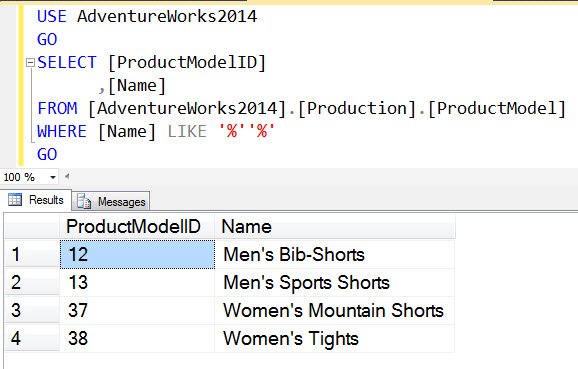
Do let me know if there is any other way to find records with single quotes in it.
Want to try this yourself? Here is how to install AdventureWorks.
Published by Pinal Dave on SQLAuthority. More of my work at pinaldave.com.
Discover more from SQL Authority with Pinal Dave
Subscribe to get the latest posts sent to your email.



12 Comments. Leave new
Thanks!
So ‘ is the escape sequence?
like ‘%’+char(39)+’%’
SELECT [ProductModelID] ,[Name]
FROM [AdventureWorks2014].[Production].[ProductModel]
WHERE CHARINDEX(””,[Name]) 0
GO
The same results can be achieved using CHARINDEX function, but again the pattern matching LIKE operator is most efficient. Here is the answer,
SELECT [ProductModelID], [Name]
FROM [AdventureWorks2014].[Production].[ProductModel]
WHERE CHARINDEX(””, Name) > 0;
GO
You can also use:
DECLARE @Find VARCHAR = ””
SELECT [ProductModelID], [Name]
FROM [Production].[ProductModel]
WHERE PATINDEX(‘%’ +@Find+ ‘%’, [Name]) >0
SELECT [ProductModelID]
,[Name]
FROM [AdventureWorks2014].[Production].[ProductModel]
WHERE [Name] LIKE ‘%!”%’ ESCAPE ‘!’
Thanks a lot.
need to search records that may need to support any characters in this field. e.g. “-“, “!” “?” “‘” etc
You can use CHARINDEX to find character(s) in string.
It gives me error and I have used N’sub’ ‘m’ to Search the table.
Error : Incorrect syntax near ‘m’.
Please show us the full code you used so that it is easy to answer