This example of delayed durability measures how much faster a commit returns when SQL Server stops waiting for the disk. I ran 50,000 tiny transactions on SQL Server 2025 four ways. Each run recorded the time, the log writes and the WRITELOG wait.

What a Commit Waits For
A normal commit is a promise. SQL Server writes the log record of your transaction to disk. Only then does it tell your code that the commit is done. That wait appears as the WRITELOG wait type, and every tiny transaction pays it once.
Delayed durability breaks the promise on purpose. The commit returns as soon as the log record is in memory. SQL Server writes the log to disk a moment later, in bigger groups. If the server crashes in that gap, the commits inside the gap are lost.
The trade pays off for one kind of workload: code that commits thousands of tiny transactions, one after another. Each commit waits for the disk, and the waits add up. The test below makes the total visible.
Build the Test
The first script creates a database and allows delayed durability in it. Allowing it changes nothing by itself. It lets a transaction ask for it.
IF DB_ID(N'DelayedDurabilityDemo') IS NULL CREATE DATABASE DelayedDurabilityDemo;
GO
ALTER DATABASE DelayedDurabilityDemo SET DELAYED_DURABILITY = ALLOWED;
GO
SELECT name, delayed_durability_desc FROM sys.databases WHERE name = N'DelayedDurabilityDemo';
The next script adds a small table and a procedure. In this example of delayed durability, the table plays the part of a click log. The procedure inserts one row per transaction. It reports the elapsed time, the log writes and the WRITELOG wait time. A third mode wraps all the inserts in one transaction, as a comparison.
USE DelayedDurabilityDemo;
GO
CREATE TABLE dbo.Clicks (ClickID int IDENTITY(1,1) PRIMARY KEY, Page varchar(50) NOT NULL);
GO
CREATE PROCEDURE dbo.RunClicks @Mode varchar(10), @Rows int = 50000
AS
BEGIN
    SET NOCOUNT ON;
    DECLARE @i int = 0;
    DECLARE @start datetime2 = SYSDATETIME();
    DECLARE @writes bigint = (SELECT num_of_writes FROM sys.dm_io_virtual_file_stats(DB_ID(), 2));
    DECLARE @waits bigint = (SELECT ISNULL(SUM(wait_time_ms), 0) FROM sys.dm_exec_session_wait_stats WHERE session_id = @@SPID AND wait_type = 'WRITELOG');
    TRUNCATE TABLE dbo.Clicks;
    IF @Mode = 'batched' BEGIN TRAN;
    WHILE @i < @Rows
    BEGIN
        IF @Mode IN ('full', 'delayed') BEGIN TRAN;
        INSERT INTO dbo.Clicks (Page) VALUES ('home');
        IF @Mode = 'full' COMMIT TRAN WITH (DELAYED_DURABILITY = OFF);
        IF @Mode = 'delayed' COMMIT TRAN WITH (DELAYED_DURABILITY = ON);
        SET @i += 1;
    END
    IF @Mode = 'batched' COMMIT TRAN;
    SELECT @Mode AS Mode, DATEDIFF(MILLISECOND, @start, SYSDATETIME()) AS ElapsedMs,
           (SELECT num_of_writes FROM sys.dm_io_virtual_file_stats(DB_ID(), 2)) - @writes AS LogWrites,
           (SELECT ISNULL(SUM(wait_time_ms), 0) FROM sys.dm_exec_session_wait_stats WHERE session_id = @@SPID AND wait_type = 'WRITELOG') - @waits AS WritelogMs;
END
GO
Run It Four Ways
The first three runs use the ALLOWED setting. Then I switch the whole database to FORCED and ask for a normal commit again.
EXEC dbo.RunClicks @Mode = 'full';
EXEC dbo.RunClicks @Mode = 'delayed';
EXEC dbo.RunClicks @Mode = 'batched';
GO
USE master;
ALTER DATABASE DelayedDurabilityDemo SET DELAYED_DURABILITY = FORCED;
GO
USE DelayedDurabilityDemo;
EXEC dbo.RunClicks @Mode = 'full';
GO
| Run | Elapsed (ms) | Log writes | WRITELOG wait (ms) |
|---|---|---|---|
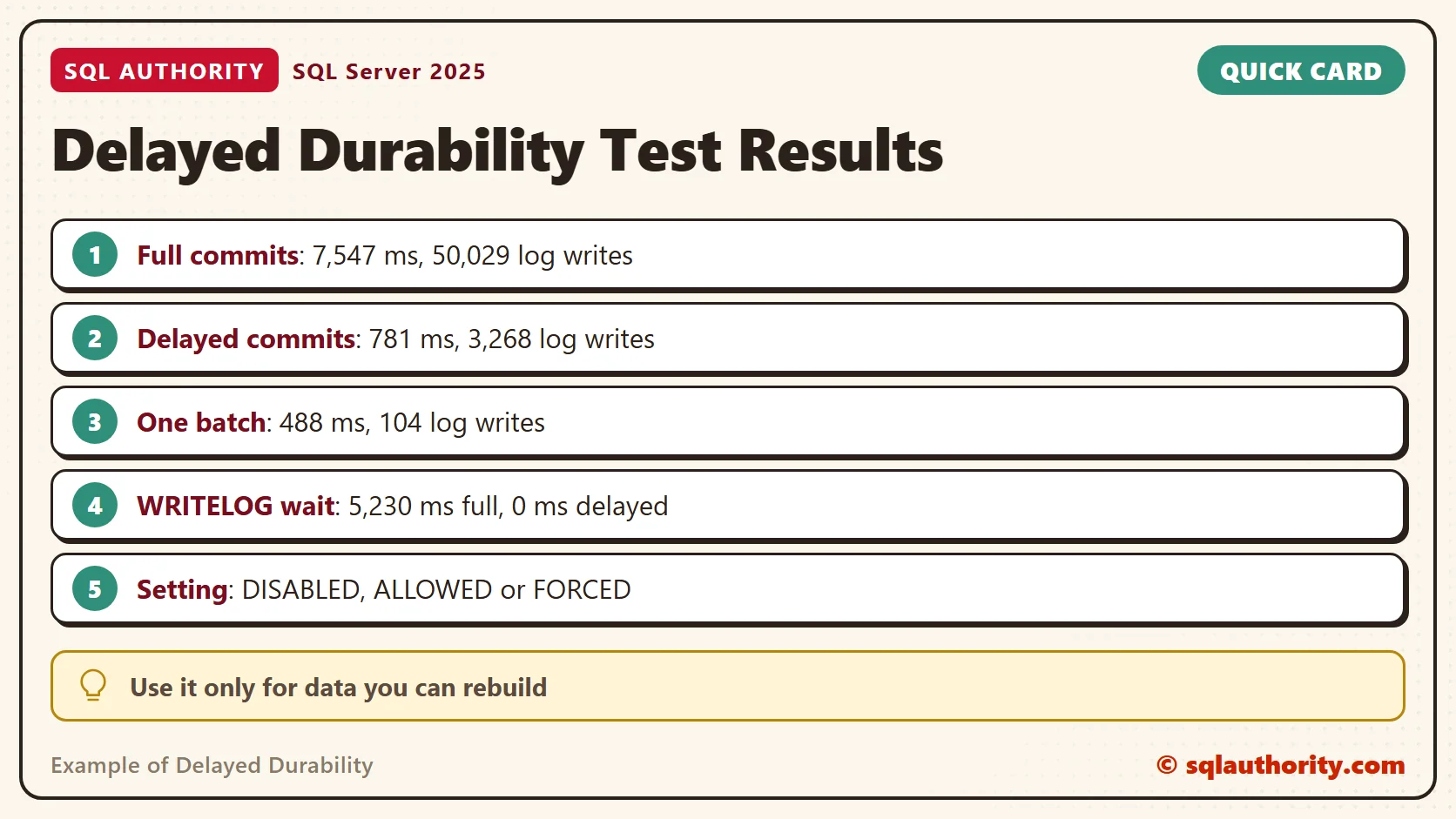
| full: one durable commit per row | 7,547 | 50,029 | 5,230 |
| delayed: DELAYED_DURABILITY = ON per commit | 781 | 3,268 | 0 |
| batched: one transaction for all rows | 488 | 104 | 1 |
| FORCED on the database, commit says OFF | 756 | 3,000 | 0 |
The full run needed one log write for every commit. The delayed run needed about fifteen times fewer writes and finished about ten times faster. Your disk will give other times, but the order should match. The order never changed across my runs.
The WRITELOG column shows where the time went. The full run spent 5,230 ms of its 7,547 ms waiting for log writes. The delayed run spent none of its 781 ms there.
Why Fewer Writes Means Less Waiting
A log write is a trip to the disk. The trip costs about the same whether it carries one commit record or hundreds. The full run made 50,029 trips, one for every commit. The delayed run packed many commit records into each trip and made 3,268.
The batched run made 104 trips because one commit covers all the rows. That is why batching and delayed durability solve the same problem from two sides. Both cut the number of times the session stands at the disk door.
What the Database Setting Does
The setting has three values. DISABLED is the default and makes every commit durable. ALLOWED lets each transaction choose, as the second run did. FORCED makes every commit delayed, whatever the commit says.
The last run shows FORCED at work. The procedure asked for DELAYED_DURABILITY = OFF, and the numbers still look like the delayed run. FORCED needs no change in the application, which is its appeal and its danger.
Some transactions stay fully durable whatever you ask. Cross-database transactions and distributed transactions are examples. Read the documentation for your case before you count on the saving.
What You Risk
A delayed commit is safe only after its log record reaches disk. That happens in four cases. The log buffer fills. A fully durable transaction commits in the same database. You run sys.sp_flush_log. The server shuts down cleanly. A crash before any of these loses the commits still in memory.
You can force the flush yourself. Run it before a planned stop, or after a batch of delayed commits that you want on disk now.
EXEC sys.sp_flush_log;
After a crash, the database stays consistent. It recovers to the last durable commit and the lost ones never ran. Your application, however, was told they succeeded. I did not crash the server to prove this part, so it comes from the documentation.
When Batching Is Better
You could say the batched run makes this setting pointless. One transaction around all 50,000 inserts finished faster than the delayed run and needed about a hundred log writes. It also loses nothing. Fair point.
If you can batch, batch. Delayed durability helps when you can’t. Think of many sessions that each commit a small transaction, with work that arrives one row at a time. It also needs a business answer, because losing the last moments of data has to be acceptable.
A Short Checklist
First, find out whether any database on your server already uses the setting. The query lists every database that is not on DISABLED. In this test it shows the demo database, which is on FORCED at that point.
SELECT name, delayed_durability_desc FROM sys.databases WHERE delayed_durability_desc <> 'DISABLED';
To turn the feature off again, set the value back to DISABLED. Nothing else in the database needs to change. Then ask four questions before you turn it on anywhere.
- Can you rebuild the data if the last moments vanish?
- Can the application batch its work instead?
- Is ALLOWED enough, so that only chosen commits take the risk?
- Did you measure the WRITELOG wait first, so you know the saving is real?
The numbers in this example of delayed durability come from one machine, so measure your own disk before you decide. Use delayed durability for data you can rebuild: staging tables, activity logs, import work. Do not use it for orders, payments or anything you tell a customer is saved. Prefer ALLOWED and opt in on the commits that can afford it. FORCED hands the risk to every query in the database.
When you finish testing, remove the example database.
USE master;
GO
ALTER DATABASE DelayedDurabilityDemo SET SINGLE_USER WITH ROLLBACK IMMEDIATE;
DROP DATABASE DelayedDurabilityDemo;
Delayed durability is not a faster commit, it is a commit that answers before the disk does.
Published by Pinal Dave on SQLAuthority. More of my work at pinaldave.com.
Discover more from SQL Authority with Pinal Dave
Subscribe to get the latest posts sent to your email.