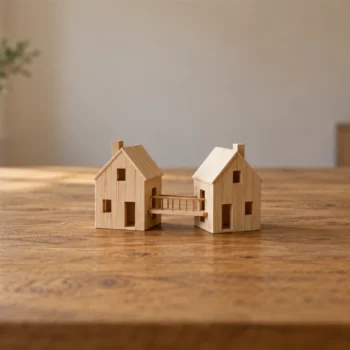
Starting a blog takes an afternoon, but the first choice, where it lives, is the hardest one to undo. Own the address from day one and everything you write stays yours. Rent it, and your readers and links stay with the landlord.
Rent or Own: Two Ways to Host a Blog
A hosted platform gives you a blog on its own servers, usually with an address like yourname.platform.com. Setup takes minutes, and the platform handles updates and security. The price of that comfort is that the platform sets the rules, the design options and the future.
Self-hosted WordPress is free software that you install on a hosting account you pay for. You own the files, the database and the design. You also handle updates, backups and security, or you pick a host that does it for you. This blog runs that way.
Neither choice is wrong. A personal diary can live happily on a hosted platform. But the host is not the part to worry about. The address is.
Choose by purpose. A personal diary needs little. A blog for your business needs its own look and a name that no other business uses. Search for the name you want before you print it on a card or a shirt. Changing a name later means changing every link.
Why the Domain Matters More Than the Host
A domain is the address people type, like sqlauthority.com. Every link, saved page, email signature and search result points to it. If the domain is yours, you can move to a new host next year. The address keeps working, and readers never notice the move.
If the address belongs to the platform, moving means a new address. Old links break, readers have to find you again and years of mentions point to nothing. That is the rent you pay at the end of the lease.
You can have the easy start and keep the address. Many hosted platforms let you connect your own domain. Do that on the first day, and a later move costs you an afternoon instead of your readers.
Choose a Name You Can Say Out Loud
Pick a name that a friend can type after hearing it once, with no spelling help. Avoid hyphens, digits and swapped letters, such as a z for an s. Short beats clever. Your own name works well if you plan to write for years. Topics change, and your name doesn’t.
Prefer a .com ending when it is free. If it is taken, a clean name on another ending is better than a messy name on .com. Say the name aloud on a phone call, and if the other person asks you to spell it, choose again.
Register the domain in your own name, with an email address you will keep for years. Turn on auto-renewal and two-step sign-in for the registrar account. People lose blogs when a domain lapses or sits in a friend’s account.
What to Set Up on the First Day
The list for starting a blog is short on purpose. Each item protects the readers you don’t have yet.
- The domain, registered to you, with auto-renewal on.
- HTTPS, so the connection between reader and site is encrypted.
- A plain theme with large, readable text that works on a phone.
- An About page that says who you are and what you write about.
- One way to reach you, such as a contact form.
- Comments on, with moderation, so spam waits for your approval.
- Automatic backups, stored somewhere other than your host.
HTTPS matters because browsers warn visitors when it is missing, and most hosts switch it on with one setting. Backups matter because every host fails eventually, and a copy on the same server is lost with the server. Keep one copy somewhere else.
Then write three posts before you tell anyone about the blog. A new visitor who finds one post wants to see that there are more. Three posts show that the blog has a direction.
Keep the Design Plain
Choose a white background, dark text and one accent color for links and headings. Use a common font that comes with every computer, because common fonts are easy to read. A design that draws attention to itself takes attention away from your writing.
Leave space between posts, and add a menu with your About page and your newest posts. A visitor who sees an orderly blog trusts that it will still be here next month.
Comments and Spam
Comments turn readers into a community, because people answer you and each other. They also bring spam within the first weeks. Set comments to wait for your approval, and delete the junk once a day. Most hosts and WordPress tools can filter the worst of it before you see it.
What to Skip at First
Skip the custom logo, the hand-built theme and the long plugin list. Skip the newsletter until you have posts worth sending. Skip accounts on every social site; choose one place where your readers already are. Skip the visitor dashboards too, because a count of five visitors teaches you nothing.
When you are starting a blog, each extra item is something to update and something that delays your first post. A blog with a plain look and ten good posts beats a beautiful blog with none. You can improve the design on any weekend, but you can’t get back the weeks spent not writing.
Isn’t a Free Hosted Blog Easier?
You could say a domain is one more bill and one more thing to break. A hosted blog starts today and asks for nothing. Fair point. If you only want to test whether you enjoy writing, start there and write ten posts.
Once you have ten posts you care about, buy the domain and connect it. Doing it early costs a small yearly fee. Doing it late costs links, and links are harder to win back than money.
A Simple Rule
Before the first post, ask: if I moved hosts tomorrow, would every link to my blog still work? If the answer is yes, you own your blog. If the answer is no, fix that first, because it only gets harder with every post you publish.
A blog is not rented space with your name on the door, it is an address that belongs to you.
Published by Pinal Dave on SQLAuthority. More of my work at pinaldave.com.
Discover more from SQL Authority with Pinal Dave
Subscribe to get the latest posts sent to your email.