
INSERT with an identity column is simplest when you leave the identity column out. SQL Server numbers the new row for you. This post covers three habits: supplying the number, skipping the column list, and deleting a row you added.
The Sample Table
Books has an identity column named BookID. It starts at 1 and goes up by 1. Run this in any test database. Every result in this post comes from SQL Server 2025.
CREATE TABLE Books (BookID INT IDENTITY(1,1) PRIMARY KEY, Title VARCHAR(30) NOT NULL, Pages INT NOT NULL, Shelf VARCHAR(10) NOT NULL);
GO

INSERT INTO Books (Title, Pages, Shelf) VALUES ('Tea Gardens', 220, 'Garden'), ('Kite Season', 180, 'Craft'), ('Reading Maps', 260, 'Travel');
GO
Don’t Supply the Number by Position
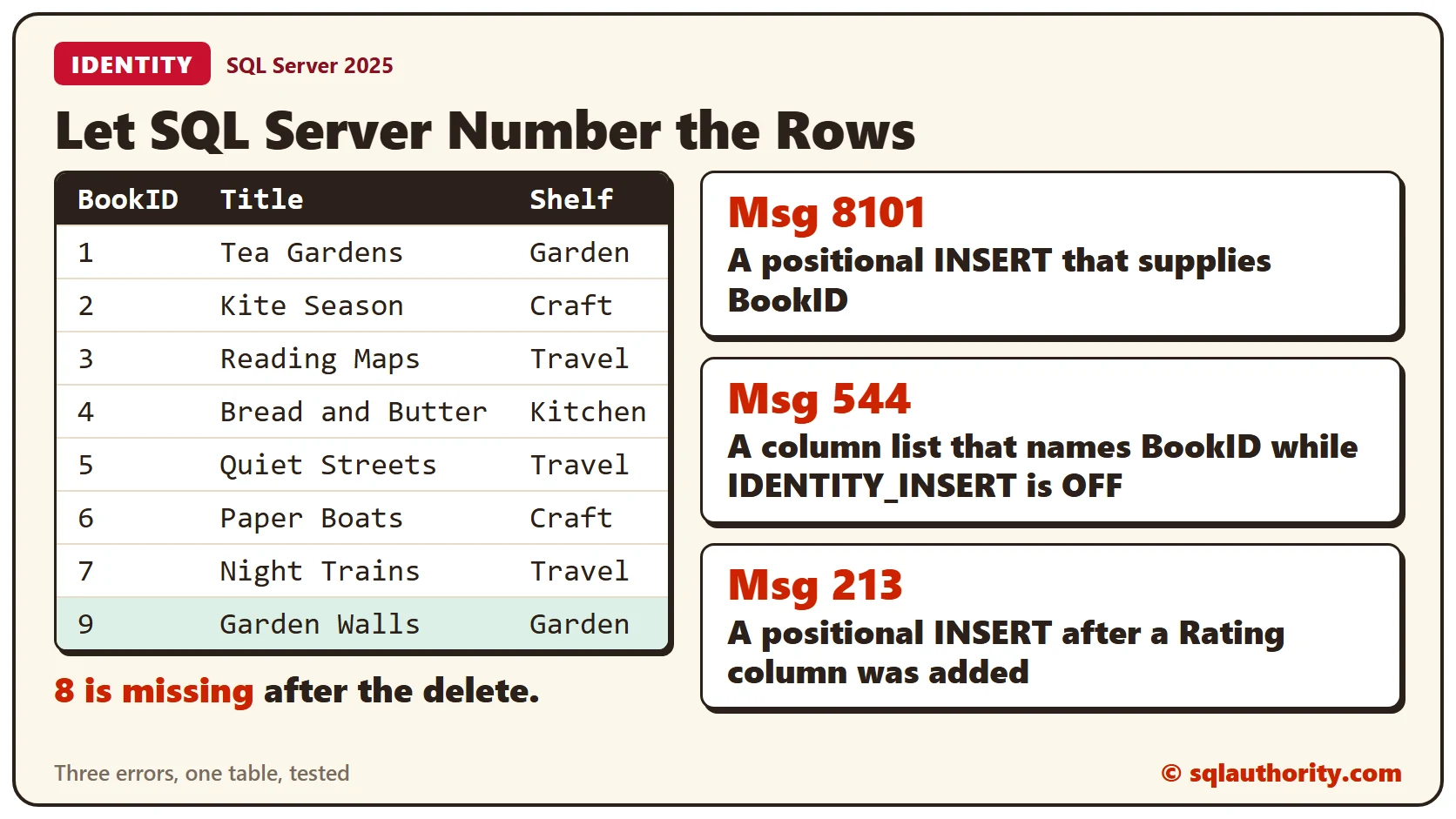
A positional insert has no column list. SQL Server matches the values to the table’s columns in order. If you give a value for BookID this way, the insert fails.
INSERT INTO Books VALUES (4, 'Bread and Butter', 300, 'Kitchen');The error is Msg 8101. It says an explicit value for the identity column needs a column list, and IDENTITY_INSERT must be ON. Leave BookID out and the same insert works.
INSERT INTO Books VALUES ('Bread and Butter', 300, 'Kitchen');SQL Server skips the identity column when it lines up the values. The new book gets BookID 4.
A Column List Does Not Change the Rule
A column list lets you name BookID, but the table still refuses a number you choose.
INSERT INTO Books (BookID, Title, Pages, Shelf) VALUES (5, 'Quiet Streets', 150, 'Travel');That’s Msg 544. It says you can’t insert an explicit value while IDENTITY_INSERT is set to OFF, and OFF is the default. Drop BookID from the list and the insert works.
INSERT INTO Books (Title, Pages, Shelf) VALUES ('Quiet Streets', 150, 'Travel');Quiet Streets gets BookID 5. This query lists the table. It shows BookID 1 to 5, with no gaps.
SELECT BookID, Title, Pages, Shelf FROM Books ORDER BY BookID;Why Name the Columns
A positional insert depends on the number and order of the columns. It works until somebody adds one. This script adds a Rating column, then runs a positional insert like the one that worked above.
ALTER TABLE Books ADD Rating INT NULL;

INSERT INTO Books VALUES ('Garden Walls', 140, 'Garden');
Now the insert fails with Msg 213, because the number of values doesn’t match the table definition. The same insert with a column list doesn’t mention Rating, and the new column allows NULL, so it still runs.
INSERT INTO Books (Title, Pages, Shelf) VALUES ('Garden Walls', 140, 'Garden');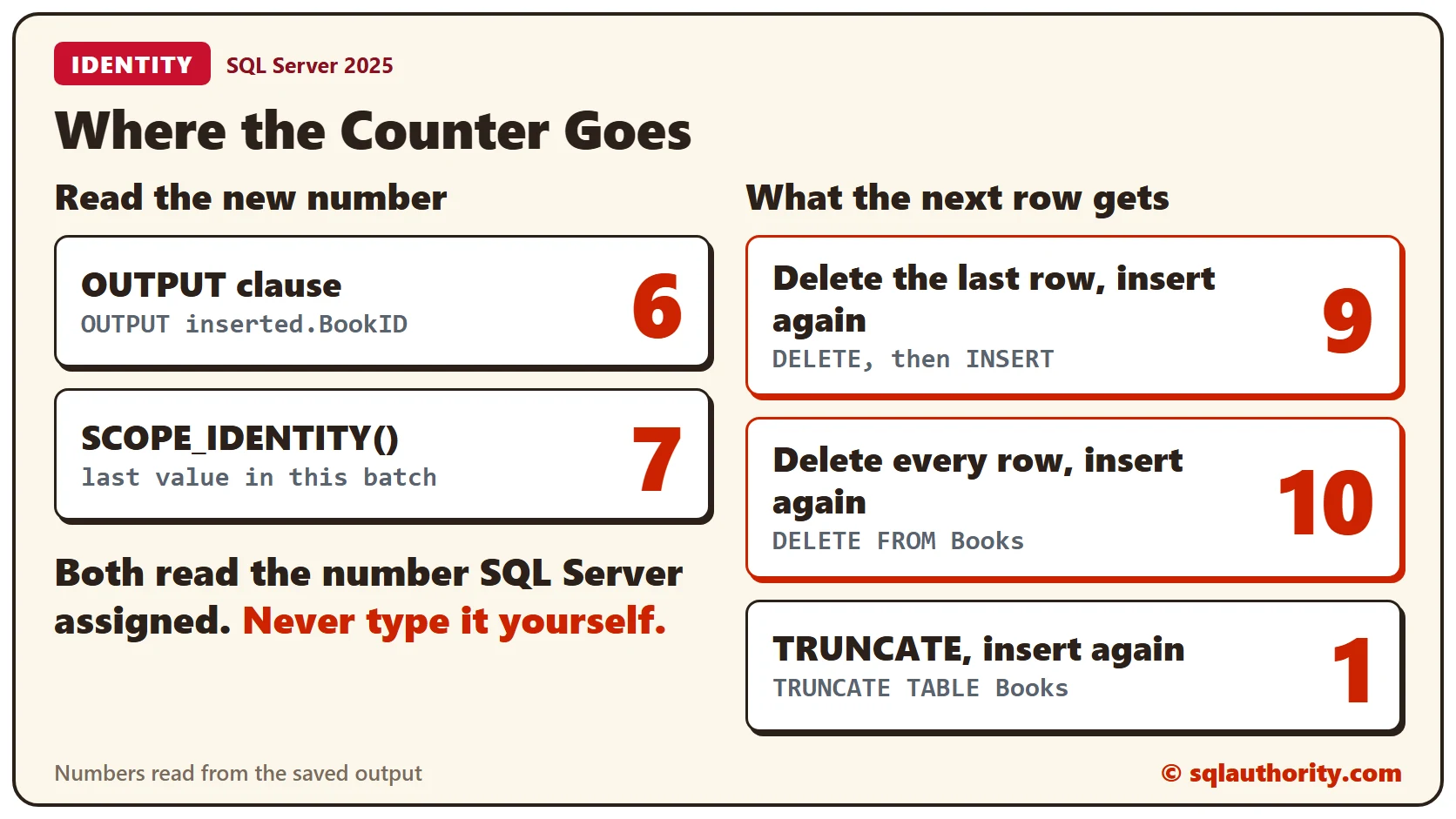
Read the New Number Back
Sometimes you need the number SQL Server assigned. The OUTPUT clause returns it as part of the insert.
INSERT INTO Books (Title, Pages, Shelf) OUTPUT inserted.BookID VALUES ('Paper Boats', 90, 'Craft');It returned 6, the number after BookID 5. SCOPE_IDENTITY() returns the last identity value created in your own batch.
INSERT INTO Books (Title, Pages, Shelf) VALUES ('Night Trains', 310, 'Travel');
SELECT SCOPE_IDENTITY() AS NewBookID;
That returned 7.
Deleted Numbers Are Not Reused
Delete the newest row, then add the same book again. The new row doesn’t take the old number.
DELETE FROM Books WHERE Title = 'Garden Walls';
INSERT INTO Books (Title, Pages, Shelf) OUTPUT inserted.BookID VALUES ('Garden Walls', 140, 'Garden');
The new Garden Walls row got BookID 9. Number 8 is gone for good, and the table keeps counting forward. A gap harms nothing.
DELETE and TRUNCATE
DELETE removes rows but leaves the counter alone. After every row was deleted, the next insert got BookID 10.
DELETE FROM Books;
INSERT INTO Books (Title, Pages, Shelf) OUTPUT inserted.BookID VALUES ('Fresh Start', 100, 'Craft');
TRUNCATE TABLE empties the table and sets the counter back to the seed. The next insert got BookID 1.
TRUNCATE TABLE Books;
INSERT INTO Books (Title, Pages, Shelf) OUTPUT inserted.BookID VALUES ('Fresh Start', 100, 'Craft');
When You Need an Old Number
Sometimes a deleted row has to come back with its old number, for example when other rows point to it. That needs the IDENTITY_INSERT setting. The rules are in Overriding Identity Fields: Put a Deleted Row Back With Its Old ID.
Clean Up
Remove the sample table when you finish.
DROP TABLE Books;What to Remember
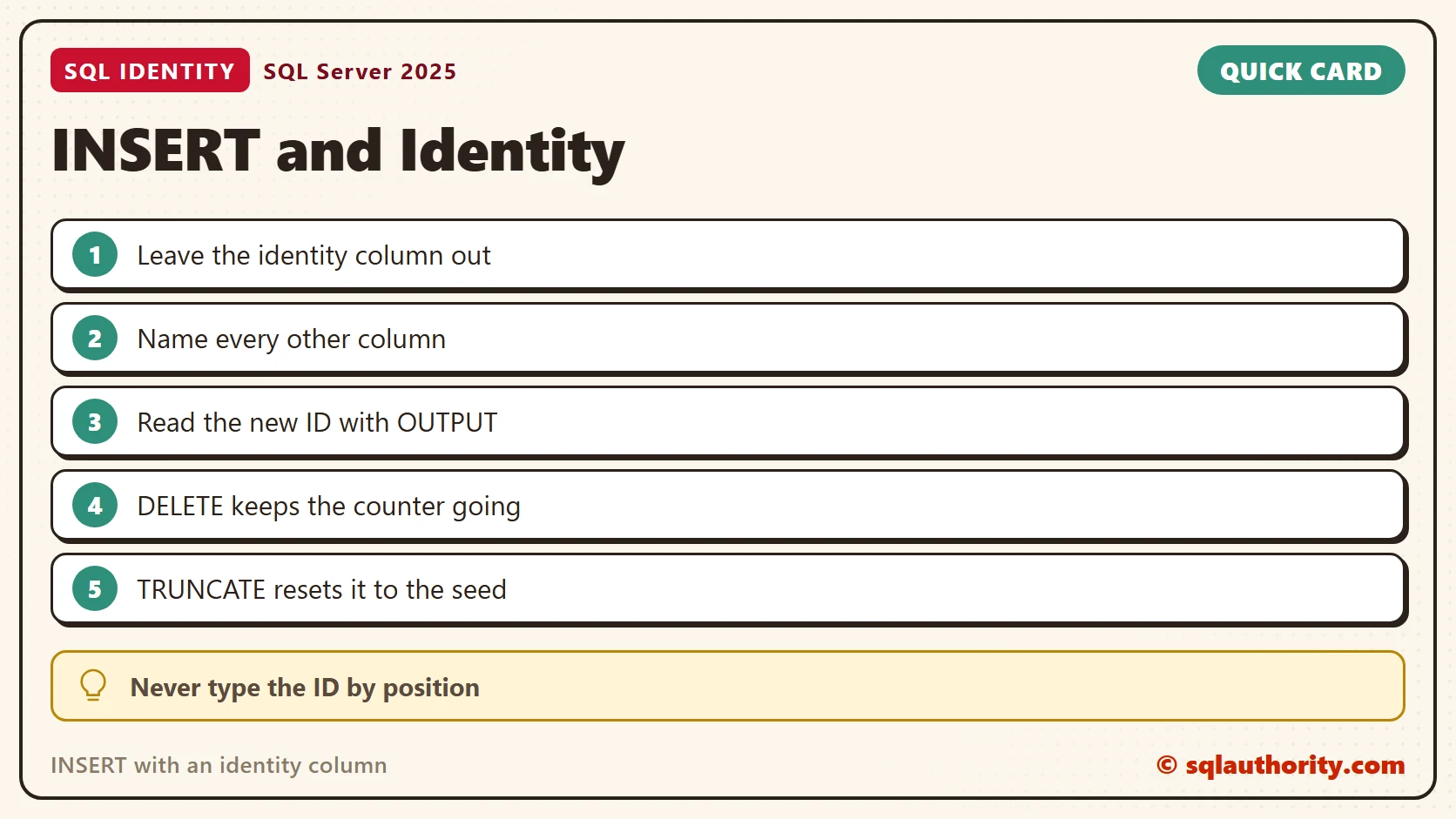
Leave the identity column out of your INSERT and name every other column. Read the new number with OUTPUT or SCOPE_IDENTITY(). Expect gaps. DELETE keeps the counter, and TRUNCATE resets it.
To go further, read Overriding Identity Fields: Put a Deleted Row Back With Its Old ID, Gaps in an Identity Column: Find Missing Identity Values and @@IDENTITY vs SCOPE_IDENTITY() vs IDENT_CURRENT.
An identity column is not a number you choose, it is a number you read back.
Published by Pinal Dave on SQLAuthority. More of my work at pinaldave.com.
Discover more from SQL Authority with Pinal Dave
Subscribe to get the latest posts sent to your email.




2 Comments. Leave new
Excellent post. Very informative.
Really informative for my study…