
A good query writing strategy starts before you type SELECT. Write the question down, find the tables that hold the answer, then build the query one table at a time. This post follows that plan on a small tea shop database.
The Sample Tables
The shop keeps customers, products, orders and order lines in four tables. Run this in any test database. Every result in this post comes from SQL Server 2025.
CREATE TABLE Customer (CustomerID INT PRIMARY KEY, CustomerName VARCHAR(20) NOT NULL, State CHAR(2) NOT NULL);
CREATE TABLE Product (ProductID INT PRIMARY KEY, ProductName VARCHAR(20) NOT NULL, Category VARCHAR(10) NOT NULL);
CREATE TABLE Orders (OrderID INT PRIMARY KEY, CustomerID INT NOT NULL REFERENCES Customer (CustomerID), OrderDate DATE NOT NULL);
CREATE TABLE OrderLine (OrderLineID INT PRIMARY KEY, OrderID INT NOT NULL REFERENCES Orders (OrderID), ProductID INT NOT NULL REFERENCES Product (ProductID), Qty INT NOT NULL);
GO

INSERT INTO Customer (CustomerID, CustomerName, State) VALUES (1, 'Asha', 'OR'), (2, 'Ben', 'WA'), (3, 'Chloe', 'OR'), (4, 'Dev', 'ID'), (5, 'Elena', 'WA');
INSERT INTO Product (ProductID, ProductName, Category) VALUES (1, 'Jasmine Tea', 'Tea'), (2, 'Mint Tea', 'Tea'), (3, 'Clay Teapot', 'Ware'), (4, 'Bamboo Whisk', 'Ware');
INSERT INTO Orders (OrderID, CustomerID, OrderDate) VALUES (1, 1, '20261003'), (2, 2, '20261005'), (3, 3, '20261012'), (4, 1, '20261020'), (5, 4, '20260928'), (6, 3, '20261102'), (7, 5, '20261015'), (8, 1, '20261029');
INSERT INTO OrderLine (OrderLineID, OrderID, ProductID, Qty) VALUES (1, 1, 1, 3), (2, 1, 3, 1), (3, 2, 2, 2), (4, 3, 1, 4), (5, 3, 2, 1), (6, 4, 4, 1), (7, 4, 1, 2), (8, 5, 1, 5), (9, 6, 2, 3), (10, 7, 3, 1), (11, 8, 2, 2), (12, 8, 1, 1);
GO
Start With the Question
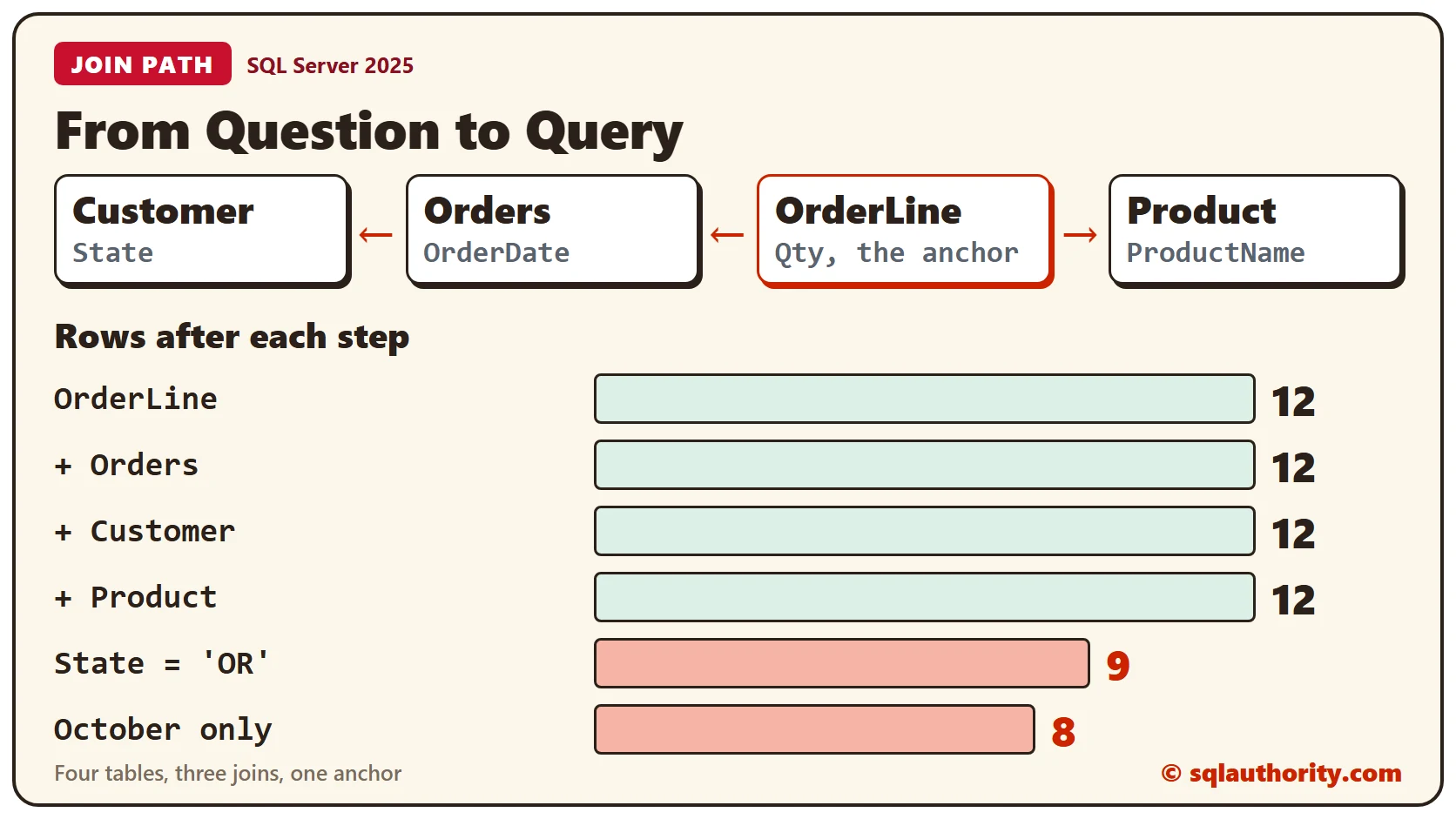
Ours is simple: how many of each product did Oregon customers order in October 2026? A question names the columns you need. State lives in Customer, OrderDate in Orders, Qty in OrderLine and ProductName in Product. Four tables means three joins.
Before you write a join, find how the tables connect. The catalog view sys.foreign_keys lists every declared key, and this query reads it.
SELECT OBJECT_NAME(fk.parent_object_id) AS FromTable,
  COL_NAME(fkc.parent_object_id, fkc.parent_column_id) AS FromColumn,
  OBJECT_NAME(fk.referenced_object_id) AS ToTable,
  COL_NAME(fkc.referenced_object_id, fkc.referenced_column_id) AS ToColumn
FROM sys.foreign_keys AS fk
INNER JOIN sys.foreign_key_columns AS fkc ON fkc.constraint_object_id = fk.object_id
ORDER BY FromTable, ToTable;
Three rows come back. OrderLine points to Orders and to Product, and Orders points to Customer. That is the path. A table without a declared key won’t show up. For those, read the column names or ask whoever built the database.
Pick an Anchor Table
Start from the table at the many end of the joins. Here that’s OrderLine, because each line belongs to one order and one product. A join from the many side to the one side keeps the row count. OrderLine has 12 rows, so every join below should still return 12.
Build Outward, One Table at a Time
Use SELECT * while you build. Add one table, run the query and read the row count. Each query below builds on the one before it.
SELECT * FROM OrderLine;

SELECT *
FROM OrderLine
INNER JOIN Orders ON OrderLine.OrderID = Orders.OrderID;

SELECT *
FROM OrderLine
INNER JOIN Orders ON OrderLine.OrderID = Orders.OrderID
INNER JOIN Customer ON Orders.CustomerID = Customer.CustomerID;

SELECT *
FROM OrderLine
INNER JOIN Orders ON OrderLine.OrderID = Orders.OrderID
INNER JOIN Customer ON Orders.CustomerID = Customer.CustomerID
INNER JOIN Product ON OrderLine.ProductID = Product.ProductID;
The counts are 12, 12, 12 and 12. Nothing was lost and nothing doubled, so every join is right. Now add the filters, one at a time.
SELECT *
FROM OrderLine
INNER JOIN Orders ON OrderLine.OrderID = Orders.OrderID
INNER JOIN Customer ON Orders.CustomerID = Customer.CustomerID
INNER JOIN Product ON OrderLine.ProductID = Product.ProductID
WHERE Customer.State = 'OR';

SELECT *
FROM OrderLine
INNER JOIN Orders ON OrderLine.OrderID = Orders.OrderID
INNER JOIN Customer ON Orders.CustomerID = Customer.CustomerID
INNER JOIN Product ON OrderLine.ProductID = Product.ProductID
WHERE Customer.State = 'OR' AND Orders.OrderDate >= '20261001' AND Orders.OrderDate < '20261101';
The counts fall to 9 for Oregon and 8 for October. Each drop comes from a filter you can name, and that’s the only kind of drop you want.
What a Wrong Join Looks Like
A wrong join can run without an error. This one matches the order line number to the order number, which are different things.
SELECT *
FROM OrderLine
INNER JOIN Orders ON OrderLine.OrderLineID = Orders.OrderID;
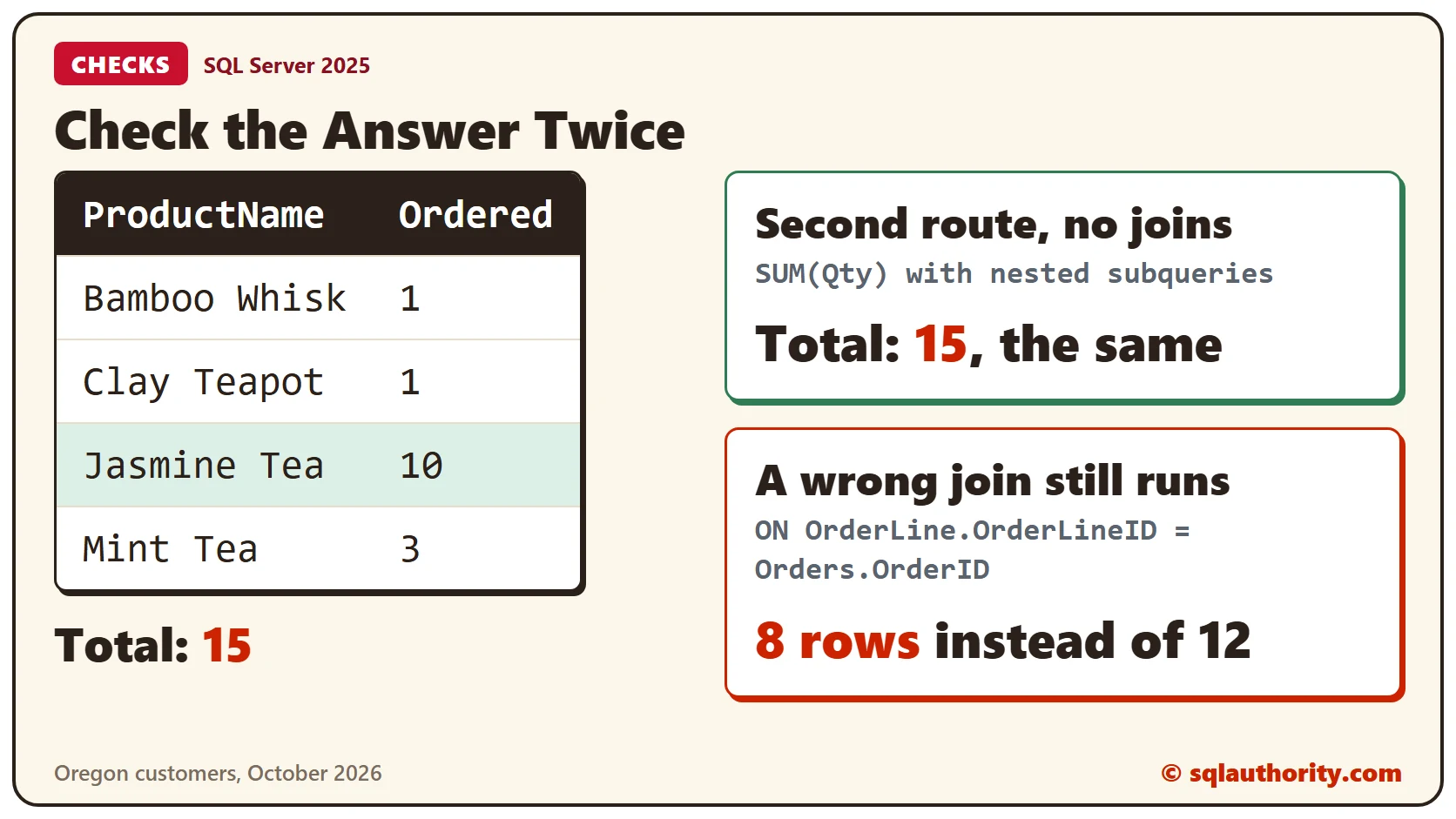
It returns 8 rows instead of 12. SQL Server accepted the query and the answer is wrong. A count that changes after a join like this one is your signal to read the ON clause.
Itemize and Total
With the rows right, replace the star with the columns you need. Give each table an alias, so every column shows where it comes from. The first query lists the eight rows. The second adds up each product.
SELECT c.CustomerName, o.OrderDate, p.ProductName, ol.Qty
FROM OrderLine AS ol
INNER JOIN Orders AS o ON ol.OrderID = o.OrderID
INNER JOIN Customer AS c ON o.CustomerID = c.CustomerID
INNER JOIN Product AS p ON ol.ProductID = p.ProductID
WHERE c.State = 'OR' AND o.OrderDate >= '20261001' AND o.OrderDate < '20261101'
ORDER BY o.OrderDate, p.ProductName;

SELECT p.ProductName, SUM(ol.Qty) AS Ordered
FROM OrderLine AS ol
INNER JOIN Orders AS o ON ol.OrderID = o.OrderID
INNER JOIN Customer AS c ON o.CustomerID = c.CustomerID
INNER JOIN Product AS p ON ol.ProductID = p.ProductID
WHERE c.State = 'OR' AND o.OrderDate >= '20261001' AND o.OrderDate < '20261101'
GROUP BY p.ProductName
ORDER BY p.ProductName;
Jasmine Tea leads with 10 and Mint Tea has 3. The Clay Teapot and the Bamboo Whisk have 1 each. That’s 15 in all.
Check the Answer a Second Way
Ask the question again by a different route, with no joins at all. Nested subqueries find the same order lines and add them up.
SELECT SUM(Qty) AS TotalFromLines
FROM OrderLine
WHERE OrderID IN (SELECT OrderID FROM Orders WHERE OrderDate >= '20261001' AND OrderDate < '20261101' AND CustomerID IN (SELECT CustomerID FROM Customer WHERE State = 'OR'));
It returns 15, the same total. When two routes agree, you can trust the joins.
A Note on the Word State
A reader asked whether State is a reserved word. It isn’t a problem here, because the queries above use it with no brackets. The post on two phases lists the words that do need them.
Clean Up
Remove the sample tables when you finish.
DROP TABLE OrderLine;
DROP TABLE Orders;
DROP TABLE Product;
DROP TABLE Customer;
What to Remember
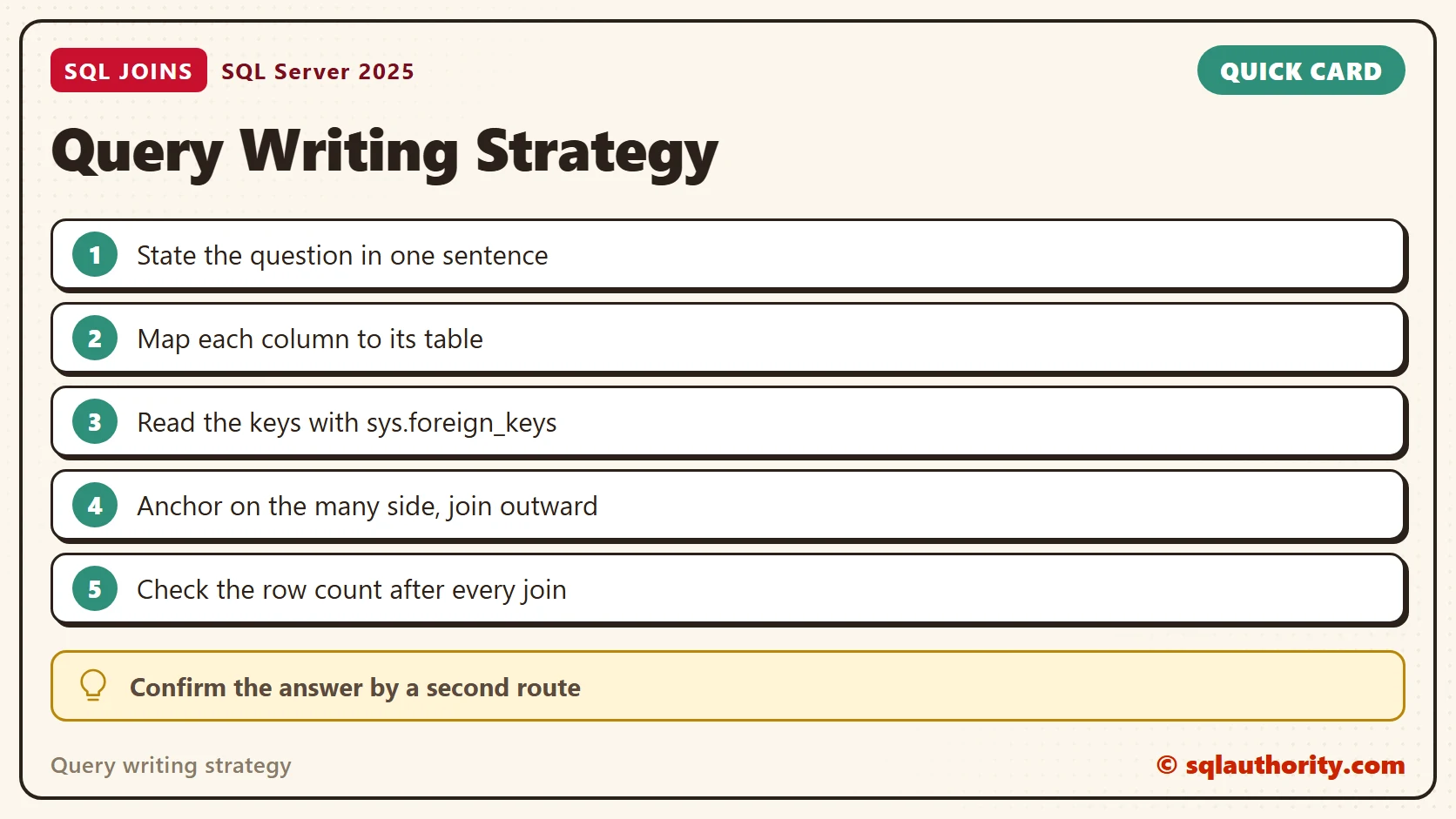
Write the question first. List the columns and the table that holds each one. Read the keys and anchor on the many side. Add one table at a time and watch the row count. Finish with a second route that gives the same total.
To go further, read Build a Query in Two Phases: Organize First, Itemize Second, INNER JOIN Returning More Records than Exists in Table and SELECT * in Production Code: The Hidden Costs.
A query is not finished when it runs, it is finished when two routes agree.
Published by Pinal Dave on SQLAuthority. More of my work at pinaldave.com.
Discover more from SQL Authority with Pinal Dave
Subscribe to get the latest posts sent to your email.



2 Comments. Leave new
Hi sir,
I have seen “STATE” is a future keyword in sql server.
But i want to know: What does “STATE” actually refers to.
Is there any kind of source where we can learn about the future keywords with explanation?
Sir I am ramanathan.i want write a script for table data only an query