
You can convert subquery to CTE syntax by naming the inner query and using that name in the outer query.

This series began after the SQL Server Questions and Answers video tutorial. Readers asked for smaller tips they could absorb quickly. While writing SQL books with Vinod Kumar and Rick Morelan, I had collected useful ideas that needed little explanation.
We called them Sixty Seconds Tips. Some were too small for a separate book section, but they helped during everyday work. The name described the format: one practical idea, explained briefly. I tested each query below on SQL Server 2025.
Watch the Original First Episode
Move the Inner Query into a CTE
This example uses a small set of orders. The first query uses a derived table, which is a subquery in the FROM clause. The second query gives the same calculation a CTE name.
DECLARE @Orders TABLE (CustomerId int, Amount decimal(10,2));
INSERT INTO @Orders (CustomerId, Amount)
VALUES (10, 40.00), (10, 35.00), (20, 20.00);

SELECT totals.CustomerId, totals.TotalAmount
FROM
(
    SELECT CustomerId, SUM(Amount) AS TotalAmount
    FROM @Orders
    GROUP BY CustomerId
) AS totals
WHERE totals.TotalAmount >= 50.00;

;WITH CustomerTotals AS
(
    SELECT CustomerId, SUM(Amount) AS TotalAmount
    FROM @Orders
    GROUP BY CustomerId
)
SELECT CustomerId, TotalAmount
FROM CustomerTotals
WHERE TotalAmount >= 50.00;
Both queries return customer 10 with a total of 75.00. The grouping and the filter did not change. We moved the grouped query above the SELECT and used its name instead of repeating its definition.
Name It Once, Use It Twice
The real gain shows when the same calculation is needed twice. Finding customers above the average customer total needs the totals and their average. With a derived table, you write the grouped query two times. With a CTE, you write it once. First, build a table of 50,000 orders for 500 customers.
CREATE TABLE dbo.Orders (OrderId int IDENTITY(1,1) PRIMARY KEY, CustomerId int NOT NULL, Amount decimal(10,2) NOT NULL);
INSERT dbo.Orders (CustomerId, Amount)
SELECT n % 500 + 1, CAST(5 + n % 97 AS decimal(10,2))
FROM (SELECT TOP (50000) ROW_NUMBER() OVER (ORDER BY (SELECT NULL)) AS n
      FROM sys.all_objects AS a CROSS JOIN sys.all_objects AS b) AS t;
GO
SET STATISTICS IO ON;
WITH CustomerTotals AS
(
    SELECT CustomerId, SUM(Amount) AS TotalAmount
    FROM dbo.Orders
    GROUP BY CustomerId
)
SELECT COUNT(*) AS AboveAverage
FROM CustomerTotals AS c
WHERE c.TotalAmount > (SELECT AVG(TotalAmount) FROM CustomerTotals);
WITH CustomerTotals AS
(
    SELECT CustomerId, SUM(Amount) AS TotalAmount
    FROM dbo.Orders
    GROUP BY CustomerId
)
SELECT COUNT(*) AS Customers FROM CustomerTotals WHERE TotalAmount > 0;
SET STATISTICS IO OFF;
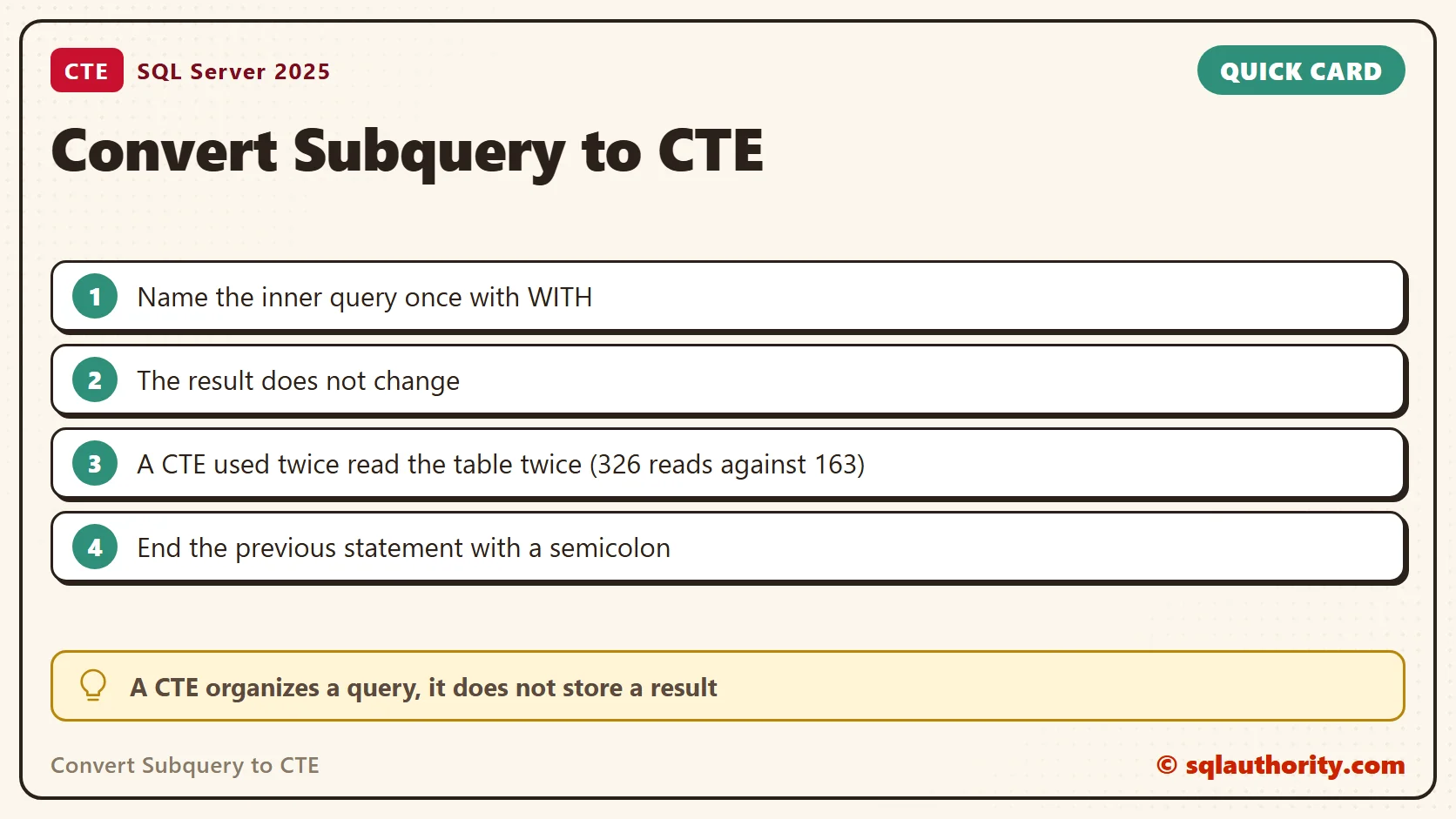
The first query found 245 customers above the average. It scanned the Orders table twice and read 326 pages. The second query used the CTE once. It scanned the table once and read 163 pages. The CTE is a name for a query, not a stored result. In this plan, each reference ran the query again.
Three Errors New CTE Writers Meet
A CTE follows strict rules. The previous statement must end with a semicolon, and that is why the first example starts with ;WITH. An ORDER BY inside a CTE needs TOP. A CTE is also visible to the one statement that follows it. I ran each mistake on purpose.
SELECT 1 AS Before
WITH T AS (SELECT 1 AS x) SELECT x FROM T;
GO
WITH T AS (SELECT CustomerId FROM dbo.Orders ORDER BY CustomerId)
SELECT COUNT(*) FROM T;
GO
WITH T AS (SELECT CustomerId FROM dbo.Orders)
SELECT COUNT(*) AS FirstStatement FROM T;
SELECT COUNT(*) AS SecondStatement FROM T;
The first raised error 319 about the missing semicolon. The second raised error 1033 about ORDER BY. In the third, the first statement returned 50000. The second failed with error 208, because the name T was gone.
Prove the Result Did Not Change
When I convert a larger query, I compare the old and new results with EXCEPT. It returns the rows in the first result that are missing from the second. Run it in both directions. Two empty results mean the forms agree.
WITH CustomerTotals AS
(
    SELECT CustomerId, SUM(Amount) AS TotalAmount FROM dbo.Orders GROUP BY CustomerId
)
SELECT CustomerId, TotalAmount FROM CustomerTotals
EXCEPT
SELECT t.CustomerId, t.TotalAmount
FROM (SELECT CustomerId, SUM(Amount) AS TotalAmount FROM dbo.Orders GROUP BY CustomerId) AS t;
GO
WITH CustomerTotals AS
(
    SELECT CustomerId, SUM(Amount) AS TotalAmount FROM dbo.Orders GROUP BY CustomerId
)
SELECT t.CustomerId, t.TotalAmount
FROM (SELECT CustomerId, SUM(Amount) AS TotalAmount FROM dbo.Orders GROUP BY CustomerId) AS t
EXCEPT
SELECT CustomerId, TotalAmount FROM CustomerTotals;
Both queries returned no rows for the 500 customers. That is evidence, not a guarantee for every data set. Run the same check on a copy of your real data before you ship the change.
Rename Columns and Update Through a CTE
A CTE can list its own column names, which keeps long expressions out of the final SELECT. It can also feed an UPDATE. The change lands in the base table, so test the CTE with a SELECT before you change data.
WITH CustomerTotals (Customer, Total) AS
(
    SELECT CustomerId, SUM(Amount) FROM dbo.Orders GROUP BY CustomerId
)
SELECT TOP (3) Customer, Total FROM CustomerTotals ORDER BY Total DESC, Customer;
GO
WITH FirstOrders AS (SELECT TOP (3) OrderId, Amount FROM dbo.Orders ORDER BY OrderId)
UPDATE FirstOrders SET Amount = Amount + 1;
SELECT OrderId, Amount FROM dbo.Orders WHERE OrderId <= 3;
The first query returned the top three customers with their new column names. The update raised the first three order amounts by 1. The final SELECT showed 7.00, 8.00 and 9.00.
Keep the Behavior Unchanged
A CTE is available to the single statement immediately following its definition. It is not a stored temporary table, and it does not promise better performance. Keep the joins, filters and grouping equivalent when you convert a larger query. A correlated subquery needs more thought, because it depends on values from its outer query.
Related CTE Examples
- A simple recursive CTE
- Multiple CTEs in one statement
- CTE observations
- Delete duplicate rows
- Recursive CTEs and MAXRECURSION
- Paging with a CTE or derived table
A CTE is not a promise of faster execution, it is a way to organize a query.
Published by Pinal Dave on SQLAuthority. More of my work at pinaldave.com.
Discover more from SQL Authority with Pinal Dave
Subscribe to get the latest posts sent to your email.




16 Comments. Leave new
It says, Video is private!!
Try again.
Pinal,
what is the benefits of using a CTE vs a temp table?
You can read the additional resources below. CTE and Temp Table are very different thing.
super “LIKE”. I am ready to watch this kind of 60 videos a day :).
Hi Pinal sir,
I will definitely go for this.
Regard$
Chirag Satasiya
nice!!!!
Could you provide a script of the video?
Or better, loose the video and just write about the topic?
I’m at work and cannot view videos.
Dear Dave. The idea is great & I’m looking forward to every topic in this series.
But not to use video – in this case – seems to be more effiecient for your readers and less laborious for you :-)
Hi Pinal,
This will help for us….! we are very much interested to participate in this..!!!
We can share below topics with developers and DBAs
1. simple query tuning tricks
2. choosing indexes wisely
3. useful and less used DBCC’s, XP_’s and SP_’s
I think We can make most in 60 seconds
Hi,
this is great!
Although i’m using CTE for quite a while, this is the most simple way to use it and to show how it works.
I really enjoyed that video and hope to see more of those :-)
o
Peter
Nice demo of CTE, thank you
Hi pinal sir,
Nice demo and easy explanation.
Regard$
Chirag Satasiya
@Nghia Tran
Where I work, I don’t get access to the DB for stored code. In our case, everything has to be done IN sql alone and my use of even T-SQL is limited — no procedural code.
Luckily, pretty everything I’ve tried can be done w/ the right SQL. CTEs have let me whip up some awesome SQL — the main benefit being sql clarity, ability to change and maintain portions more easily, and the ability for clear incremental development and testing.
Nice Post Dave. :)
Quickest way to write CTE’s.