
This Nonclustered Index Rebuild Quiz is about a belief I hear in index maintenance talks. Many people think a clustered index rebuild quietly rebuilds every other index on the table. It sounds logical. The scripts below show what SQL Server does.

The Quiz
Riley looks after an order table called QuizOrder. It has a clustered index on OrderID and two nonclustered indexes, one on CustomerName and one on OrderDate. The table holds a few thousand rows.
One evening, Riley runs ALTER INDEX with REBUILD on the clustered index only. No other index is named in the command.
What happens to the two nonclustered indexes?
A. Both are rebuilt automatically, because they depend on the clustered index
B. Both are left alone
C. Both are rebuilt, but only when the table has more than 1,000 rows
D. Both are disabled until someone rebuilds them
Pick one before you read on.
The Answer
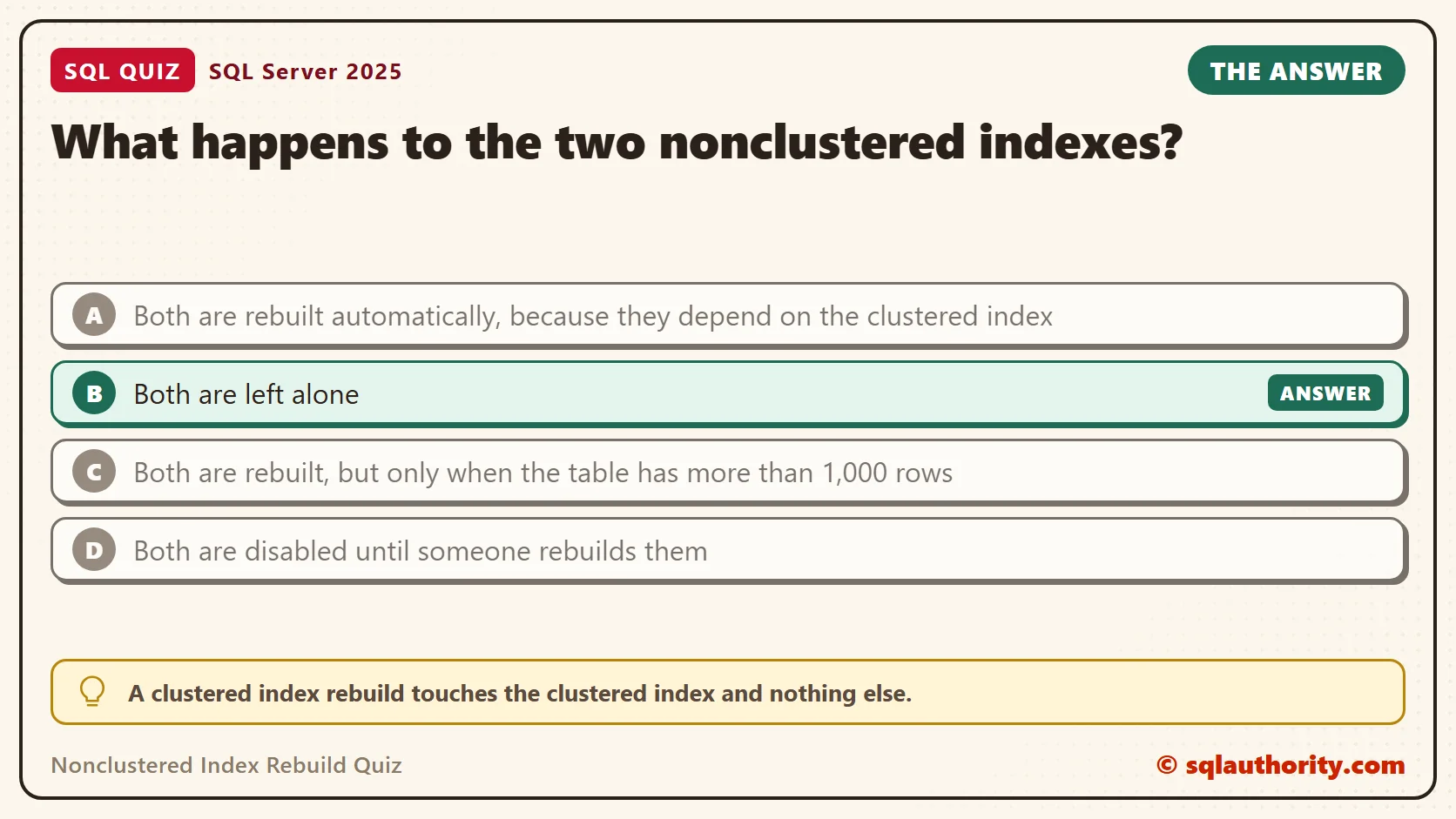
The answer is B. A clustered index rebuild touches the clustered index and nothing else.
Each row in a nonclustered index carries a pointer back to its table row. Think of it as a page number in a book index. As long as the page numbers don’t change, the index stays correct. On a clustered table, that pointer is the clustering key. A rebuild keeps the same key, so every pointer stays correct. SQL Server has no reason to rewrite the other indexes, so it doesn’t.
Prove It
This script builds a database called SqlQuizNonclusteredIndexRebuild, used only for this example, so run it on a test server. A small view shows two things for each index: the storage ID and the time its statistics were last updated. A rebuild creates new storage, so a changed ID means the index was rebuilt.
IF DB_ID(N'SqlQuizNonclusteredIndexRebuild') IS NULL CREATE DATABASE SqlQuizNonclusteredIndexRebuild;
GO
USE SqlQuizNonclusteredIndexRebuild;
GO
DROP TABLE IF EXISTS dbo.QuizOrder;
CREATE TABLE dbo.QuizOrder
(
    OrderID int NOT NULL,
    CustomerName nvarchar(40) NOT NULL,
    OrderDate date NOT NULL
);
INSERT INTO dbo.QuizOrder (OrderID, CustomerName, OrderDate)
SELECT TOP (5000) n, CONCAT(N'Customer ', n % 500), DATEADD(DAY, n % 365, '20260101')
FROM (SELECT ROW_NUMBER() OVER (ORDER BY (SELECT NULL)) AS n FROM sys.all_objects a CROSS JOIN sys.all_objects b) AS t;
CREATE CLUSTERED INDEX CX_QuizOrder ON dbo.QuizOrder (OrderID);
CREATE NONCLUSTERED INDEX IX_QuizOrder_Customer ON dbo.QuizOrder (CustomerName);
CREATE NONCLUSTERED INDEX IX_QuizOrder_Date ON dbo.QuizOrder (OrderDate);
GO
CREATE OR ALTER VIEW dbo.QuizIndexState AS
SELECT i.name AS IndexName, i.type_desc AS IndexType, p.hobt_id AS StorageID, STATS_DATE(i.object_id, i.index_id) AS StatsUpdated
FROM sys.indexes AS i
JOIN sys.partitions AS p ON p.object_id = i.object_id AND p.index_id = i.index_id
WHERE i.object_id = OBJECT_ID(N'dbo.QuizOrder');
GO
SELECT IndexName, StorageID, StatsUpdated FROM dbo.QuizIndexState ORDER BY IndexName;
WAITFOR DELAY '00:00:02';
ALTER INDEX CX_QuizOrder ON dbo.QuizOrder REBUILD;
SELECT IndexName, StorageID, StatsUpdated FROM dbo.QuizIndexState ORDER BY IndexName;
The first query shows the starting point. The second shows the state after the rebuild of CX_QuizOrder. Your IDs and times will differ, but the pattern will match.
| IndexName | StorageID | StatsUpdated |
|---|---|---|
| CX_QuizOrder | 72057594047299584 | 2026-10-05 14:11:44.050 |
| IX_QuizOrder_Customer | 72057594047365120 | 2026-10-05 14:11:44.057 |
| IX_QuizOrder_Date | 72057594047430656 | 2026-10-05 14:11:44.063 |
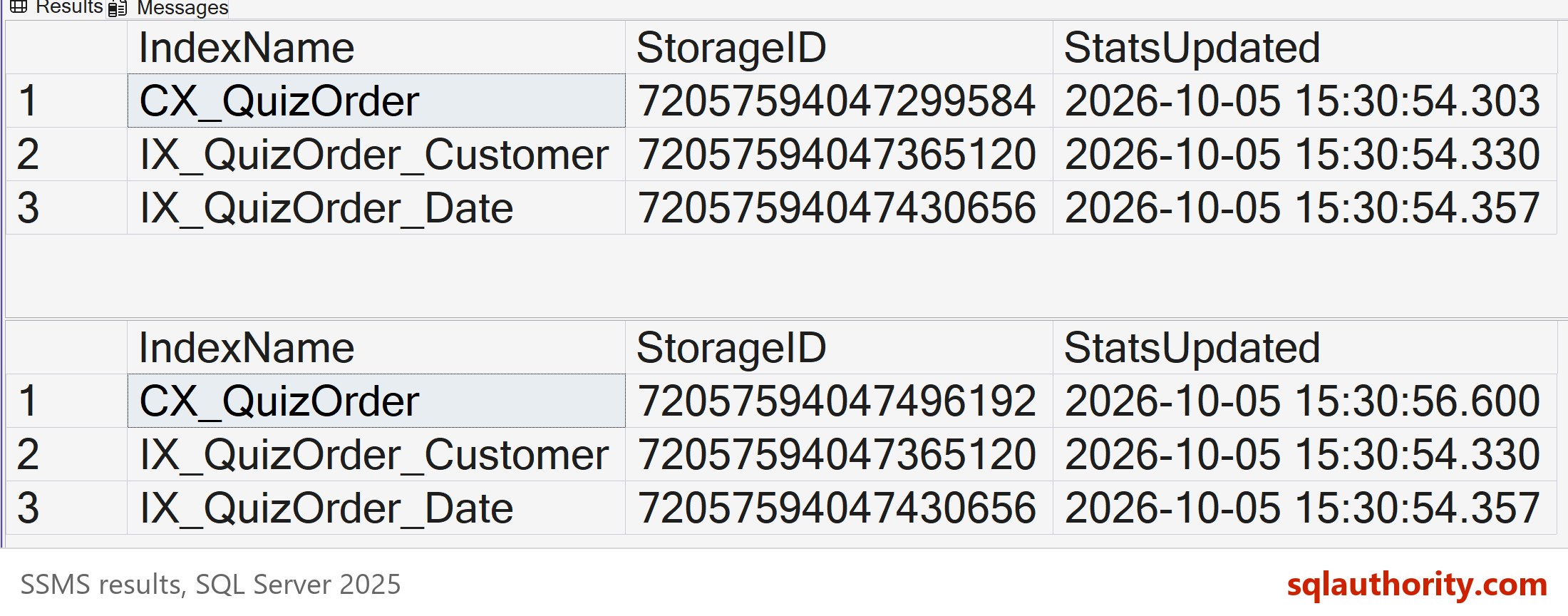
Read the second table against the first. The clustered index got a new storage ID 72057594047496192 and a fresh statistics time. The two nonclustered indexes show the same ID and the same time as before.
| IndexName | StorageID | StatsUpdated |
|---|---|---|
| CX_QuizOrder | 72057594047496192 | 2026-10-05 14:11:46.130 |
| IX_QuizOrder_Customer | 72057594047365120 | 2026-10-05 14:11:44.057 |
| IX_QuizOrder_Date | 72057594047430656 | 2026-10-05 14:11:44.063 |
Why the Other Answers Are Wrong
A feels right because the indexes are linked. But linked doesn’t mean rebuilt together. The link is the key value, and a rebuild leaves the key values as they were.
C invents a row count rule. SQL Server has no such threshold for rebuilds, and the table here is small anyway.
D confuses a rebuild with a disable. Disabling an index is a separate command, and a rebuild is how you bring a disabled index back. Nothing in this rebuild disables anything.
When SQL Server Does Rebuild Them
The clustering key is what the other indexes point to. Change it, or remove it, and every pointer must change. Then SQL Server does rebuild the nonclustered indexes, and you don’t ask for it.
This script runs three changes. The first creates the same clustered index again with DROP_EXISTING. The second creates it on a different key. The third drops the clustered index, so the table becomes a heap. A heap points to rows by physical location instead of by key.
SELECT IndexName, StorageID INTO #Before FROM dbo.QuizIndexState WHERE IndexType = N'NONCLUSTERED';
CREATE CLUSTERED INDEX CX_QuizOrder ON dbo.QuizOrder (OrderID) WITH (DROP_EXISTING = ON);
SELECT s.IndexName, CASE WHEN s.StorageID = b.StorageID THEN N'Untouched' ELSE N'Rebuilt' END AS Result
FROM dbo.QuizIndexState AS s JOIN #Before AS b ON b.IndexName = s.IndexName ORDER BY s.IndexName;

UPDATE b SET StorageID = s.StorageID FROM #Before AS b JOIN dbo.QuizIndexState AS s ON s.IndexName = b.IndexName;
CREATE CLUSTERED INDEX CX_QuizOrder ON dbo.QuizOrder (OrderDate, OrderID) WITH (DROP_EXISTING = ON);
SELECT s.IndexName, CASE WHEN s.StorageID = b.StorageID THEN N'Untouched' ELSE N'Rebuilt' END AS Result
FROM dbo.QuizIndexState AS s JOIN #Before AS b ON b.IndexName = s.IndexName ORDER BY s.IndexName;

UPDATE b SET StorageID = s.StorageID FROM #Before AS b JOIN dbo.QuizIndexState AS s ON s.IndexName = b.IndexName;
DROP INDEX CX_QuizOrder ON dbo.QuizOrder;
SELECT s.IndexName, CASE WHEN s.StorageID = b.StorageID THEN N'Untouched' ELSE N'Rebuilt' END AS Result
FROM dbo.QuizIndexState AS s JOIN #Before AS b ON b.IndexName = s.IndexName ORDER BY s.IndexName;
The first comparison, with the same key, returned this. Neither index was touched.
| IndexName | Result |
|---|---|
| IX_QuizOrder_Customer | Untouched |
| IX_QuizOrder_Date | Untouched |
The second comparison, with the new key, returned Rebuilt for both indexes. The third, after the DROP INDEX, also returned Rebuilt for both.
Creating a clustered index on a heap does the same thing in the other direction. The nonclustered indexes switch from row locations to key values, so they are rebuilt. On my test, the table was a heap after the drop, so this next script puts the clustered index back.
Rebuilding Everything on Purpose
Sometimes you do want every index rebuilt in one go. ALTER INDEX ALL does that, and it needs no key change. This script recreates the clustered index, remembers the storage IDs, and then rebuilds all three indexes.
CREATE CLUSTERED INDEX CX_QuizOrder ON dbo.QuizOrder (OrderID);
SELECT IndexName, StorageID INTO #Start FROM dbo.QuizIndexState;
ALTER INDEX ALL ON dbo.QuizOrder REBUILD;
SELECT s.IndexName, CASE WHEN s.StorageID = b.StorageID THEN N'Untouched' ELSE N'Rebuilt' END AS Result
FROM dbo.QuizIndexState AS s JOIN #Start AS b ON b.IndexName = s.IndexName ORDER BY s.IndexName;
All three indexes show Rebuilt.
| IndexName | Result |
|---|---|
| CX_QuizOrder | Rebuilt |
| IX_QuizOrder_Customer | Rebuilt |
| IX_QuizOrder_Date | Rebuilt |
Why One Rebuild Isn’t Enough
A common mistake is a job that rebuilds the clustered index and calls the table done. The nonclustered indexes keep whatever fragmentation they had. To see it, this script adds 10,000 rows with scattered customer names and dates. Then it rebuilds only the clustered index and measures every index.
INSERT INTO dbo.QuizOrder (OrderID, CustomerName, OrderDate)
SELECT TOP (10000) 5000 + n, CONCAT(N'Customer ', (n * 37) % 500), DATEADD(DAY, (n * 11) % 365, '20260101')
FROM (SELECT ROW_NUMBER() OVER (ORDER BY (SELECT NULL)) AS n FROM sys.all_objects a CROSS JOIN sys.all_objects b) AS t;
ALTER INDEX CX_QuizOrder ON dbo.QuizOrder REBUILD;
SELECT i.name AS IndexName, s.page_count AS Pages, CAST(s.avg_fragmentation_in_percent AS decimal(5,1)) AS FragPct
FROM sys.indexes AS i
CROSS APPLY sys.dm_db_index_physical_stats(DB_ID(), i.object_id, i.index_id, NULL, 'LIMITED') AS s
WHERE i.object_id = OBJECT_ID(N'dbo.QuizOrder') ORDER BY i.name;
The clustered index shows 0.0 percent fragmentation. The two nonclustered indexes show 97.8 and 97.0 percent. Their rows arrived out of key order, and the clustered rebuild never looked at them. You need a separate step for each: ALTER INDEX on that index, or ALTER INDEX ALL.
| IndexName | Pages | FragPct |
|---|---|---|
| CX_QuizOrder | 85 | 0.0 |
| IX_QuizOrder_Customer | 93 | 97.8 |
| IX_QuizOrder_Date | 33 | 97.0 |
Rebuilding is not always the right tool, either. A reorganize is lighter, runs online and can be stopped at any time. Fragmentation is also measured one index at a time, so each index gets its own decision.
What to Remember
A clustered index rebuild rebuilds only that index. If a maintenance job rebuilds the clustered index and skips the others, the others keep their old fragmentation. Check each index on its own.
When I plan index work on a big table, I list the key changes first. A same-key rebuild costs the other indexes nothing. A key change or a drop of the clustered index rewrites all of them. That costs time and log space.
When you finish testing, remove the example database.
USE master;
GO
ALTER DATABASE SqlQuizNonclusteredIndexRebuild SET SINGLE_USER WITH ROLLBACK IMMEDIATE;
DROP DATABASE SqlQuizNonclusteredIndexRebuild;
A clustered index rebuild is not a rebuild of the whole table, it is a rebuild of one index.
Published by Pinal Dave on SQLAuthority. More of my work at pinaldave.com.
Discover more from SQL Authority with Pinal Dave
Subscribe to get the latest posts sent to your email.




4 Comments. Leave new
Hi Pinal,
I have one more doubt.
When i rebuild or reorganize Clustered index,the averge fragmentation value is reduced as 0.But While rebuild or reogranize non clustered index ,the averge fragmentation values not redudec as less than 10 or 0.it having same value only.Kindly give advice for rebuild or reorganziese index for non clustered index
Regards
T.Suresh
what is the difference between clustered index ans non- clustered index