This OUTPUT Clause Quiz asks what an UPDATE hands back when you ask for the old and new values together. The answer depends on two names that SQL Server creates for you. Read the setup, pick your answer, and then run the script to check yourself.

The Quiz
A small shop keeps its prices in a table. The Notebook costs 10. An UPDATE raises the price to 12. The statement carries an OUTPUT clause that asks for deleted.Price and then inserted.Price.
What two values come back, in that order?
A. 10 and 10
B. 12 and 12
C. 12 and 10
D. 10 and 12
Take a moment and pick one before you read on.
The Answer
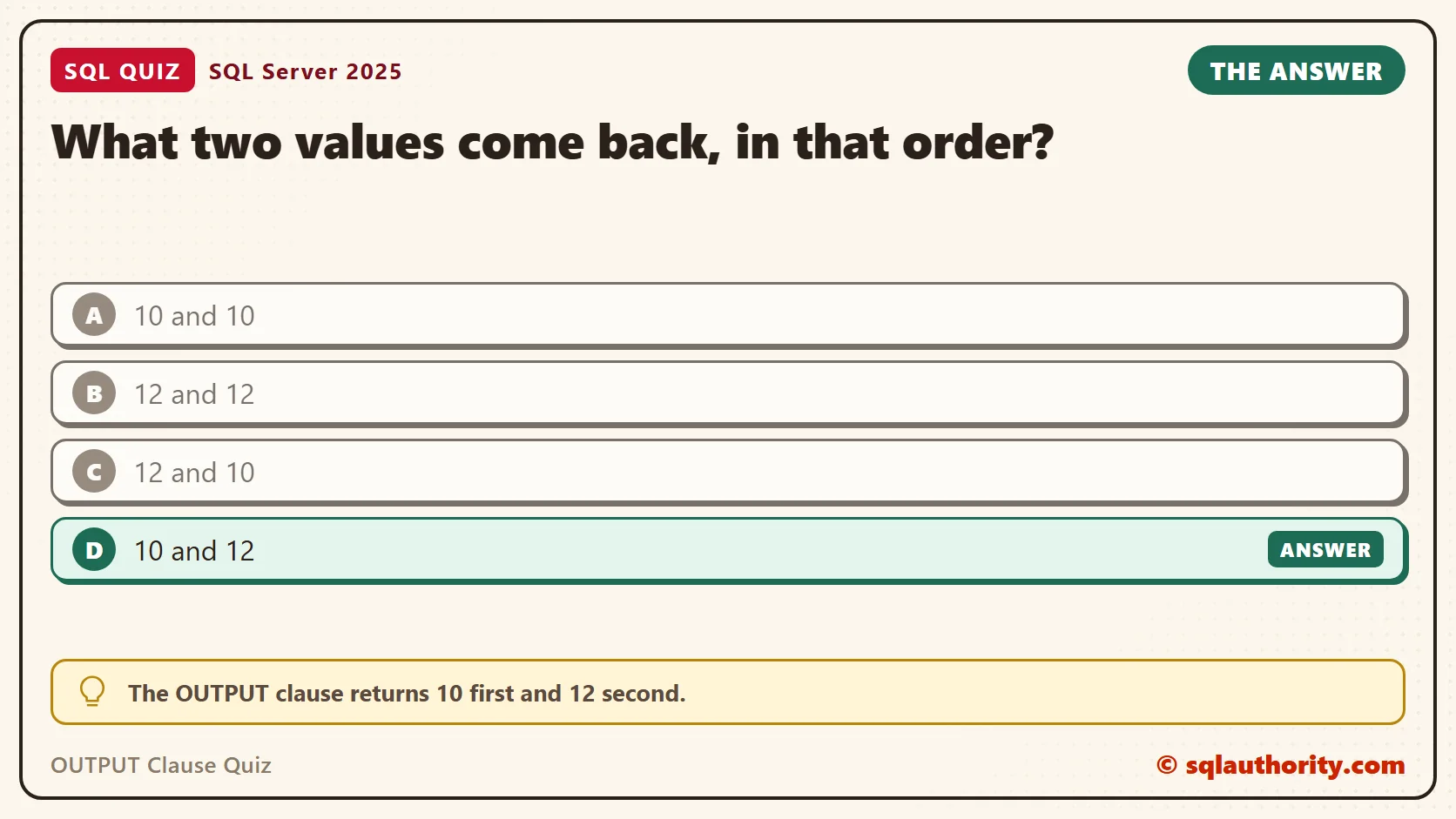
The answer is D. The OUTPUT clause returns 10 first and 12 second.
Inside an OUTPUT clause, SQL Server gives you two virtual tables. The name deleted holds each affected row as it was before the statement. The name inserted holds the same row as it is afterward. For an UPDATE, you get both: the old Price from deleted and the new Price from inserted.
Prove It
Here is the quiz as a script. It creates a small database called SqlQuizOutputClause, used only for this example, so run it on a test server.
IF DB_ID(N'SqlQuizOutputClause') IS NULL CREATE DATABASE SqlQuizOutputClause;
GO
USE SqlQuizOutputClause;
GO
DROP TABLE IF EXISTS dbo.QuizPrice;
CREATE TABLE dbo.QuizPrice
(
    ItemID int IDENTITY(1,1) PRIMARY KEY,
    ItemName nvarchar(40) NOT NULL,
    Price decimal(8,2) NOT NULL
);
INSERT INTO dbo.QuizPrice (ItemName, Price) VALUES (N'Notebook', 10.00);
UPDATE dbo.QuizPrice
SET Price = 12.00
OUTPUT deleted.Price AS OldPrice, inserted.Price AS NewPrice
WHERE ItemName = N'Notebook';
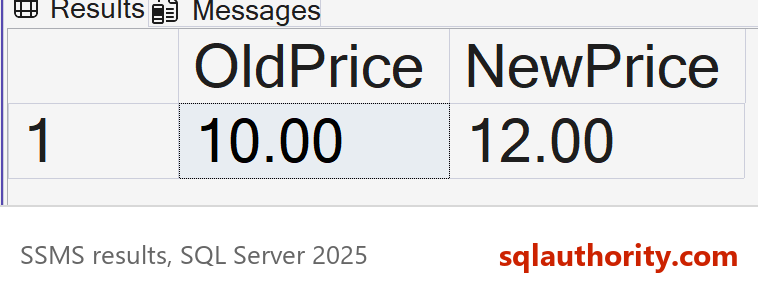
On SQL Server 2025, the UPDATE sent one row back to the result grid.
| OldPrice | NewPrice |
|---|---|
| 10.00 | 12.00 |
Why the Other Answers Are Wrong
A would mean both names show the old row. Only deleted does that. If A were right, you couldn’t see a change at all.
B makes the opposite mistake: both names show the new row. Only inserted does that. The old value is gone from the table after the UPDATE. The name deleted is the one place where you can still read it.
C has the right values in the wrong order. The order follows the order you write the columns in the OUTPUT clause. Write inserted.Price first, and 12 comes first.
OUTPUT With INSERT and DELETE
The two names don’t exist in every statement. An INSERT has only inserted, because no old row exists. A DELETE has only deleted, because no new row exists. An INSERT with OUTPUT is handy for reading the identity values it created, with no second query.
INSERT INTO dbo.QuizPrice (ItemName, Price)
OUTPUT inserted.ItemID, inserted.ItemName, inserted.Price
VALUES (N'Stapler', 8.50), (N'Marker', 2.25);
It returned Stapler with ItemID 2 and Marker with ItemID 3, both with the new IDs. OUTPUT returns one row for every row the statement changed. A statement that changes two rows returns two rows, and one that changes none returns an empty result. The order of those rows isn’t promised, so don’t depend on it. A DELETE reports what it removed.
DELETE FROM dbo.QuizPrice
OUTPUT deleted.ItemID, deleted.ItemName, deleted.Price
WHERE ItemName = N'Marker';
It returned the Marker row, ItemID 3, at 2.25. Now try the wrong name. Asking a DELETE for inserted fails, because a DELETE has no new row.
DELETE FROM dbo.QuizPrice
OUTPUT inserted.ItemName
WHERE ItemName = N'Stapler';
This is the text SSMS shows in the Messages tab. It is output, not code to run.
Msg 4104, Level 16, State 1, Line 2
The multi-part identifier "inserted.ItemName" could not be bound.
The statement changed nothing, and the Stapler row is still in the table.
OUTPUT INTO: A Price History for Free
Rows sent to the result grid are gone once the grid closes. Add INTO and the rows go to a table instead. That makes OUTPUT a simple audit trail, written by the same statement that makes the change. If the statement fails, no audit rows appear either.
DROP TABLE IF EXISTS dbo.QuizPriceAudit;
CREATE TABLE dbo.QuizPriceAudit
(
    AuditID int IDENTITY(1,1) PRIMARY KEY,
    ItemID int NOT NULL,
    OldPrice decimal(8,2) NOT NULL,
    NewPrice decimal(8,2) NOT NULL,
    ChangedAt datetime2(0) NOT NULL DEFAULT SYSDATETIME()
);
UPDATE dbo.QuizPrice
SET Price = Price * 1.10
OUTPUT inserted.ItemID, deleted.Price, inserted.Price
INTO dbo.QuizPriceAudit (ItemID, OldPrice, NewPrice);
SELECT AuditID, ItemID, OldPrice, NewPrice FROM dbo.QuizPriceAudit;
The 10 percent raise touched two rows, the Notebook and the Stapler. The audit table now holds both changes. ChangedAt filled itself in from its default.
| AuditID | ItemID | OldPrice | NewPrice |
|---|---|---|---|
| 1 | 1 | 12.00 | 13.20 |
| 2 | 2 | 8.50 | 9.35 |
Move Rows in One Statement
DELETE with OUTPUT INTO can also archive rows. The rows leave one table and land in another in a single statement. No row can be deleted without being copied, and none can be copied without being deleted.
DROP TABLE IF EXISTS dbo.QuizPriceArchive;
CREATE TABLE dbo.QuizPriceArchive
(
    ItemID int NOT NULL,
    ItemName nvarchar(40) NOT NULL,
    Price decimal(8,2) NOT NULL
);
DELETE FROM dbo.QuizPrice
OUTPUT deleted.ItemID, deleted.ItemName, deleted.Price
INTO dbo.QuizPriceArchive (ItemID, ItemName, Price)
WHERE ItemName = N'Stapler';
SELECT ItemID, ItemName, Price FROM dbo.QuizPriceArchive;
The Stapler left QuizPrice and appeared in QuizPriceArchive with its last price, 9.35. If you archive old rows from a large table, do it in small batches, so each statement stays short.
The Trigger Rule
One rule catches people. Say the target table has an enabled trigger for the kind of statement you run. Then a plain OUTPUT that returns rows to the client is not allowed. You must use OUTPUT INTO. The next script adds an UPDATE trigger and then runs an UPDATE. The trigger does nothing useful, but it is enough to see the rule.
CREATE TRIGGER dbo.trg_QuizPrice ON dbo.QuizPrice AFTER UPDATE AS SET NOCOUNT ON;
GO
UPDATE dbo.QuizPrice SET Price = 14.00 OUTPUT inserted.Price WHERE ItemID = 1;
GO
UPDATE dbo.QuizPrice SET Price = 14.00
OUTPUT inserted.ItemID, deleted.Price, inserted.Price
INTO dbo.QuizPriceAudit (ItemID, OldPrice, NewPrice)
WHERE ItemID = 1;
The first UPDATE has no INTO, so it failed. The second UPDATE sends its rows to the audit table, so it worked.
This is the text SSMS shows in the Messages tab. It is output, not code to run.
Msg 334, Level 16, State 1, Line 1
The target table 'dbo.QuizPrice' of the DML statement cannot have any enabled triggers if the statement contains an OUTPUT clause without INTO clause.
The rule follows the action of the statement. This trigger fires on UPDATE only, so an INSERT with a plain OUTPUT still works on the same table.
INSERT INTO dbo.QuizPrice (ItemName, Price)
OUTPUT inserted.ItemID, inserted.ItemName, inserted.Price
VALUES (N'Eraser', 0.75);
It returned the new row, ItemID 4, with no error. Before you add a trigger to a table that your code reads with OUTPUT, test every statement that uses it.
| ItemID | ItemName | Price |
|---|---|---|
| 4 | Eraser | 0.75 |
What to Remember
The name deleted is the row before, and inserted is the row after. An UPDATE has both, an INSERT has only inserted, and a DELETE has only deleted. Write the columns in the order you want them back. Name them with AS so the result is easy to read.
When I need to know what a statement changed, I add OUTPUT instead of running a second SELECT. The second query can see a different table, because other sessions keep working in between. OUTPUT reports the exact rows of that one statement.
When you finish testing, remove the example database.
USE master;
GO
ALTER DATABASE SqlQuizOutputClause SET SINGLE_USER WITH ROLLBACK IMMEDIATE;
DROP DATABASE SqlQuizOutputClause;
The OUTPUT clause is not a second query, it is a receipt for the statement itself.
Published by Pinal Dave on SQLAuthority. More of my work at pinaldave.com.
Discover more from SQL Authority with Pinal Dave
Subscribe to get the latest posts sent to your email.