This Ranking Functions Quiz uses one tie to show how ROW_NUMBER, RANK and DENSE_RANK differ. The three functions look alike, and a tie is where they part ways. Read the setup, pick your answer, and then run the script to check yourself.

The Quiz
A teacher stores three quiz scores in a table. Avery scored 90, Jordan scored 90 and Riley scored 85. A query ranks the students from the highest score to the lowest. It uses all three functions, and each one has ORDER BY Score DESC.
What numbers does Riley get from ROW_NUMBER, RANK and DENSE_RANK, in that order?
A. 3, 3 and 3
B. 3, 2 and 2
C. 3, 3 and 2
D. 2, 2 and 2
Take a moment and pick one before you read on.
The Answer
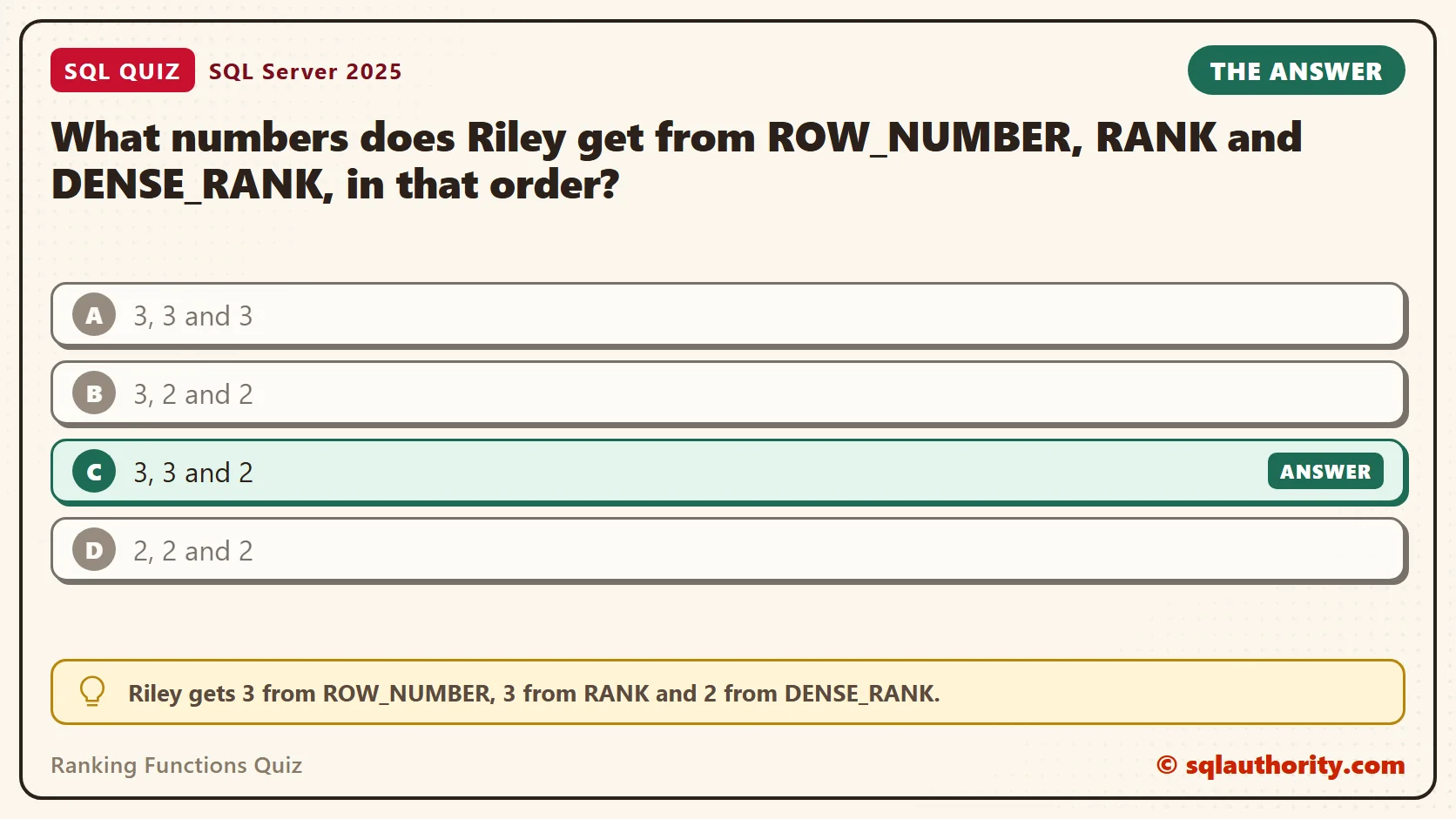
The answer is C. Riley gets 3 from ROW_NUMBER, 3 from RANK and 2 from DENSE_RANK.
ROW_NUMBER numbers the rows one after another and never repeats a number. Riley is the third row, so Riley gets 3. RANK gives tied rows the same rank. Avery and Jordan both get 1. The next rank skips ahead to 3, because two rows stand in front of Riley. DENSE_RANK also repeats the rank for a tie, but it skips nothing. After 1, the next value is 2.
Prove It
Here is the quiz as a script. It creates a small database called SqlQuizRankingFunctions, used only for this example, so run it on a test server.
IF DB_ID(N'SqlQuizRankingFunctions') IS NULL CREATE DATABASE SqlQuizRankingFunctions;
GO
USE SqlQuizRankingFunctions;
GO
DROP TABLE IF EXISTS dbo.QuizScore;
CREATE TABLE dbo.QuizScore
(
    Student nvarchar(40) NOT NULL,
    Score int NOT NULL
);
INSERT INTO dbo.QuizScore (Student, Score)
VALUES (N'Avery', 90), (N'Jordan', 90), (N'Riley', 85);
SELECT Student, Score,
       ROW_NUMBER() OVER (ORDER BY Score DESC) AS RowNum,
       RANK()       OVER (ORDER BY Score DESC) AS RankNum,
       DENSE_RANK() OVER (ORDER BY Score DESC) AS DenseRankNum
FROM dbo.QuizScore
ORDER BY Score DESC, Student;
On SQL Server 2025, the query returned these three rows. Look at the last row.
| Student | Score | RowNum | RankNum | DenseRankNum |
|---|---|---|---|---|
| Avery | 90 | 1 | 1 | 1 |
| Jordan | 90 | 2 | 1 | 1 |
| Riley | 85 | 3 | 3 | 2 |
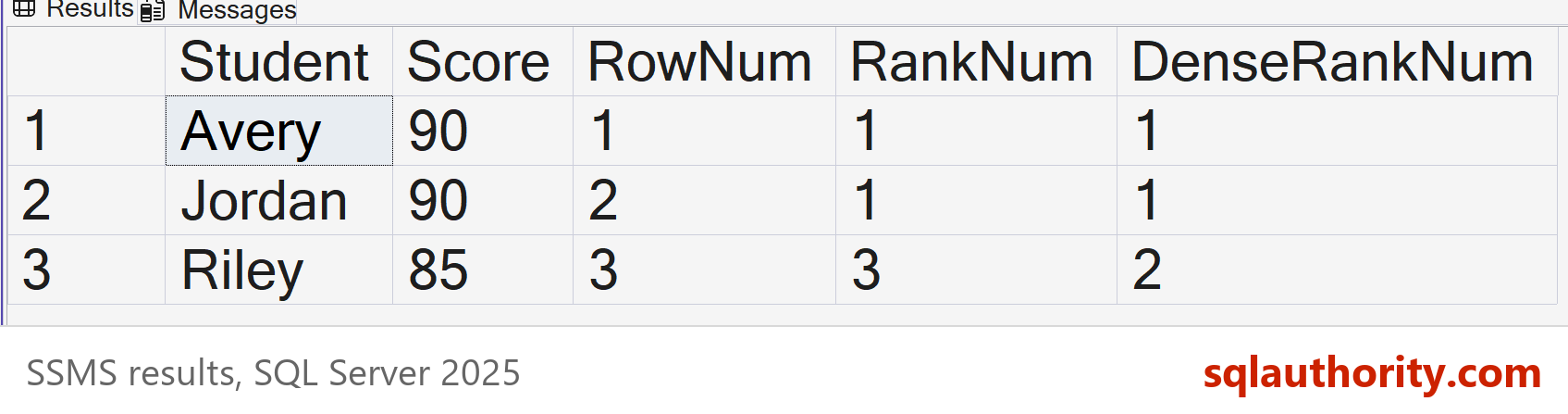
Avery and Jordan tie, so ROW_NUMBER has no reason to put one first. In my run Avery got 1, but SQL Server doesn’t promise that. To make it certain, add a second column to the ORDER BY, such as Student.
The ORDER BY inside OVER decides how the rows are ranked. It doesn’t decide how the result is shown. That’s why the script ends with its own ORDER BY. Without it, SQL Server can return the rows in any order, even though the ranks are right.
Why the Other Answers Are Wrong
A treats all three functions as plain counters. Only ROW_NUMBER works that way. RANK and DENSE_RANK care about ties, and that is why they exist.
B gets DENSE_RANK right and RANK wrong. A RANK of 2 would mean the tie counted as a single position. That is DENSE_RANK behavior. RANK counts every tied row, so the gap appears.
D can’t be right for ROW_NUMBER. Two rows come before Riley, and ROW_NUMBER counts both of them, so Riley can’t be below 3.
Replace a Cursor Loop With One Query
Older scripts number rows with a cursor. The loop fetches one row, adds 1 to a counter, stores the result and repeats. Here is that loop on the same table.
DECLARE @Numbered TABLE (RowNum int, Student nvarchar(40), Score int);
DECLARE @Counter int = 0, @Student nvarchar(40), @Score int;
DECLARE score_cursor CURSOR LOCAL FAST_FORWARD FOR
    SELECT Student, Score FROM dbo.QuizScore ORDER BY Score DESC, Student;
OPEN score_cursor;
FETCH NEXT FROM score_cursor INTO @Student, @Score;
WHILE @@FETCH_STATUS = 0
BEGIN
    SET @Counter += 1;
    INSERT INTO @Numbered (RowNum, Student, Score) VALUES (@Counter, @Student, @Score);
    FETCH NEXT FROM score_cursor INTO @Student, @Score;
END
CLOSE score_cursor;
DEALLOCATE score_cursor;
SELECT RowNum, Student, Score FROM @Numbered ORDER BY RowNum;
One query does the same work. It states what you want, and the cursor spells out every step.
SELECT ROW_NUMBER() OVER (ORDER BY Score DESC, Student) AS RowNum, Student, Score
FROM dbo.QuizScore
ORDER BY RowNum;
Both returned 1 Avery 90, 2 Jordan 90 and 3 Riley 85. The query is shorter, easier to read, and it can’t leave a cursor open by mistake.
Ranking Inside Each Group
Add PARTITION BY and every group is ranked on its own. This script adds an Art class and finds the top score in each class. The first query uses RANK. The second uses ROW_NUMBER.
DROP TABLE IF EXISTS dbo.QuizClassScore;
CREATE TABLE dbo.QuizClassScore
(
    ClassName nvarchar(20) NOT NULL,
    Student nvarchar(40) NOT NULL,
    Score int NOT NULL
);
INSERT INTO dbo.QuizClassScore (ClassName, Student, Score)
VALUES (N'Math', N'Avery', 90), (N'Math', N'Jordan', 90), (N'Math', N'Riley', 85),
       (N'Art', N'Casey', 95), (N'Art', N'Morgan', 70), (N'Art', N'Quinn', 70);
SELECT ClassName, Student, Score
FROM (SELECT ClassName, Student, Score,
             RANK() OVER (PARTITION BY ClassName ORDER BY Score DESC) AS PlaceInClass
      FROM dbo.QuizClassScore) AS Ranked
WHERE PlaceInClass = 1
ORDER BY ClassName, Student;

SELECT ClassName, Student, Score
FROM (SELECT ClassName, Student, Score,
             ROW_NUMBER() OVER (PARTITION BY ClassName ORDER BY Score DESC, Student) AS PlaceInClass
      FROM dbo.QuizClassScore) AS Ranked
WHERE PlaceInClass = 1
ORDER BY ClassName, Student;
RANK returned three rows: Casey for Art, and both Avery and Jordan for Math. ROW_NUMBER returned two rows: Casey and Avery. Use RANK when every tied top scorer should show. Use ROW_NUMBER when you need exactly one row per group.
Keep Only the Latest Row
ROW_NUMBER with PARTITION BY also solves a common cleanup job. Say each student can retake the quiz, and you want only the newest attempt for each student. Number the attempts from newest to oldest, then keep number 1.
Two attempts can share the same time, for example when a student double-clicks Submit. The time alone can’t pick the newest one, so the ORDER BY needs a tie-breaker. The identity column AttemptID works well, because a later attempt always gets a higher ID. In this script, Riley submits twice in the same second.
DROP TABLE IF EXISTS dbo.QuizAttempt;
CREATE TABLE dbo.QuizAttempt
(
    AttemptID int IDENTITY(1,1) PRIMARY KEY,
    Student nvarchar(40) NOT NULL,
    TakenAt datetime2(0) NOT NULL,
    Score int NOT NULL
);
INSERT INTO dbo.QuizAttempt (Student, TakenAt, Score)
VALUES (N'Avery', '2026-09-01 09:00:00', 70), (N'Avery', '2026-09-15 09:00:00', 90),
       (N'Riley', '2026-09-01 10:00:00', 80), (N'Riley', '2026-09-01 10:00:00', 85),
       (N'Jordan', '2026-09-01 09:00:00', 60), (N'Jordan', '2026-09-08 09:00:00', 75);
SELECT Student, TakenAt, Score
FROM (SELECT Student, TakenAt, Score,
             ROW_NUMBER() OVER (PARTITION BY Student ORDER BY TakenAt DESC, AttemptID DESC) AS AttemptAge
      FROM dbo.QuizAttempt) AS Numbered
WHERE AttemptAge = 1
ORDER BY Student;
The query returned three rows, one per student, each with the newest attempt. Riley’s two attempts share a time. The higher AttemptID won, so Riley’s row shows 85, not 80.
| Student | TakenAt | Score |
|---|---|---|
| Avery | 2026-09-15 09:00:00 | 90 |
| Jordan | 2026-09-08 09:00:00 | 75 |
| Riley | 2026-09-01 10:00:00 | 85 |
This is a job for ROW_NUMBER, because you want exactly one row per student. RANK would have returned both of Riley’s attempts.
The family has a fourth member, NTILE. It splits the rows into equal buckets. Here it splits the three scores into two buckets.
SELECT Student, Score,
       NTILE(2) OVER (ORDER BY Score DESC, Student) AS Half
FROM dbo.QuizScore;
Avery and Jordan landed in bucket 1, and Riley in bucket 2. The extra row goes to the first bucket. More on all four: SQL SERVER – 2005 – Sample Example of RANKING Functions – ROW_NUMBER, RANK, DENSE_RANK, NTILE.
What to Remember
ROW_NUMBER gives every row a unique number. RANK repeats a number for a tie and leaves a gap. DENSE_RANK repeats a number for a tie and leaves no gap. The difference shows only when two rows tie, so test with a tie.
When I write a ranking query, I ask what should happen when two rows tie. If the answer is “both count,” I use RANK or DENSE_RANK. If the answer is “pick one,” I use ROW_NUMBER with a tie-breaker column. Then the result is the same on every run.
When you finish testing, remove the example database.
USE master;
GO
ALTER DATABASE SqlQuizRankingFunctions SET SINGLE_USER WITH ROLLBACK IMMEDIATE;
DROP DATABASE SqlQuizRankingFunctions;
A rank is not a row count, it is a place among the scores.
Published by Pinal Dave on SQLAuthority. More of my work at pinaldave.com.
Discover more from SQL Authority with Pinal Dave
Subscribe to get the latest posts sent to your email.