SQL Assessment API findings can guide a health review, provided the scan’s scope and evidence are clear. I separate collection problems from recommendations before deciding what to change. A short list is useful only when I know what was checked.

Confirm that the tool fits the target
The SQL Assessment API evaluates configurations against a customizable rule set. Its targets include SQL Server 2012 and later and Azure SQL Managed Instance. Do not assume that Azure SQL Database has the same assessment workflow.
The API supplies best-practice checks, but it does not replace a comprehensive security review. Its rules evolve, and custom rules can change the result. Record the target version and rule-set version when saving an assessment.
Know what was selected before running a scan
The SqlServer PowerShell module supplies Get-SqlAssessmentItem and Invoke-SqlAssessment. The first lists applicable checks for a selected object. The second evaluates selected objects and returns the assessment results.
Applicable checks depend on the engine version, platform and object type. A filter by check name, tag or severity narrows that scope further. Keep the selected checks with the result so a missing finding has an explanation.
Default rules target Server and Database objects. Assessing an instance object does not automatically assess every database on it. Select the required database objects separately, and record any databases excluded from the run.
A connection or permission failure is a collection problem
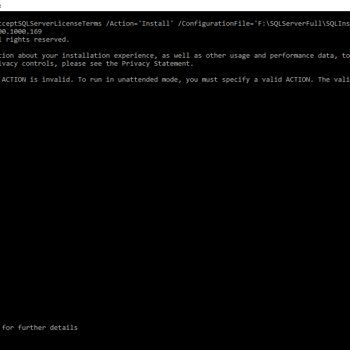
Record the execution identity, target instance and complete error text when a scan cannot collect its inputs. Verify the instance name, connection settings and permissions required by the selected checks. Do not classify an uncollected check as a healthy result.
Different checks need different access, so a successful connection is only the beginning. Review the selected rules and their data requirements with the server owner. Avoid granting broad permanent privileges only to silence a collection error.
Read a recommendation before applying it
Start with the finding’s affected object, severity, explanation and supporting documentation. Compare the observed configuration with the rule’s threshold and the workload’s requirements. The assessment returns recommendations; the operational decision remains yours.
For example, a backup-age warning needs the accepted recovery requirement and the complete backup strategy. A recovery-model warning needs the intended restore capabilities. Use the SQL Server health check: six checks to prioritize as a practical review path.

Save enough context to compare two runs
Keep the timestamp, target identity, selected object list, module version and rule-set version with the findings. Preserve errors and exclusions alongside successful results. Otherwise, a shorter report could mean fewer checks ran rather than fewer problems remained.
Compare matching object and rule identities between runs, then inspect changes in severity or explanation. A new default rule can create a new finding without any server configuration changing. A changed threshold can also change the result, so save that context.
A documented exception should state why the rule is unsuitable and when the decision will be reviewed. Custom rule files deserve inspection before they run under an assessment account. Never run an untrusted rule set without a thorough review.
Close the loop on one justified change
Select a finding with a clear consequence and an agreed action. Preserve the current configuration, define success and arrange the appropriate change window. Reassess the affected scope afterward, then verify the practical behavior the change was intended to improve.
A clean assessment does not prove that a restore succeeds or an application meets its latency target. It also does not prove every security requirement is satisfied. Those outcomes need their own checks. The assessment is most useful when it directs attention toward evidence someone can act on.
Run the scan, read the findings, and change one thing at a time.
A clean assessment is not a healthy server, it is a list of what the tool checked.
Published by Pinal Dave on SQLAuthority. More of my work at pinaldave.com.
Discover more from SQL Authority with Pinal Dave
Subscribe to get the latest posts sent to your email.