The last read and write time of a table tells you whether anyone still uses it. Every database collects a few tables that nobody remembers. Think of an old import, a copy from a test or a log that stopped growing. Before you archive one, you want proof that nothing reads it. SQL Server keeps that proof, with a few traps.

Where SQL Server Keeps the Times
The view sys.dm_db_index_usage_stats has one row per index that was used since the last restart. It counts seeks, scans and lookups by your queries, and the updates they made. For each, it keeps the time of the last one. A table without a clustered index appears as a heap, with index ID 0, so heaps are covered too. Reading the view needs the VIEW SERVER STATE permission.
Build a Small Test
The demo database is LastAccessDemo. It has a busy Orders table and a forgotten ArchiveNotes table.
CREATE DATABASE LastAccessDemo;
GO
USE LastAccessDemo;
CREATE TABLE dbo.Orders (OrderID int IDENTITY PRIMARY KEY, CustomerID int NOT NULL, Amount decimal(10,2) NOT NULL);
CREATE INDEX IX_Orders_Customer ON dbo.Orders (CustomerID);
CREATE TABLE dbo.ArchiveNotes (NoteID int IDENTITY PRIMARY KEY, Note nvarchar(100) NOT NULL);
INSERT INTO dbo.Orders (CustomerID, Amount) SELECT TOP (1000) ABS(CHECKSUM(NEWID())) % 100, 10 FROM sys.all_columns;
INSERT INTO dbo.ArchiveNotes (Note) VALUES (N'Old note');
Now one read and one change on Orders. ArchiveNotes gets nothing.
SELECT COUNT(*) FROM dbo.Orders WHERE CustomerID = 42;
UPDATE dbo.Orders SET Amount = Amount + 1 WHERE OrderID = 5;
What Counts as a Read and a Write
This query lists the counters per index in the current database.
SELECT OBJECT_NAME(u.object_id) AS TableName, i.name AS IndexName,
       u.user_seeks, u.user_scans, u.user_lookups, u.user_updates,
       u.last_user_seek, u.last_user_update
FROM sys.dm_db_index_usage_stats AS u
JOIN sys.indexes AS i ON i.object_id = u.object_id AND i.index_id = u.index_id
WHERE u.database_id = DB_ID()
ORDER BY TableName, IndexName;| Table and index | Seeks | Updates | Why |
|---|---|---|---|
| ArchiveNotes, primary key | 0 | 1 | The first INSERT counts as a write |
| Orders, IX_Orders_Customer | 1 | 1 | The COUNT seeks it; the load wrote it |
| Orders, primary key | 1 | 2 | The UPDATE seeks by OrderID; the load and the UPDATE wrote it |
Two details stand out. ArchiveNotes was never read, but it shows a write, because the INSERT that filled it counts. And the UPDATE changed only Amount, so IX_Orders_Customer kept one update. An update touches only the indexes that hold a changed column.
What Keeps the Numbers and What Wipes Them
Index maintenance is a common worry. In this test, both REBUILD and REORGANIZE kept the Orders rows in the view.
ALTER INDEX ALL ON dbo.Orders REBUILD;
SELECT COUNT(*) AS RowsAfterRebuild FROM sys.dm_db_index_usage_stats WHERE database_id = DB_ID() AND object_id = OBJECT_ID(N'dbo.Orders');
ALTER INDEX ALL ON dbo.Orders REORGANIZE;
SELECT COUNT(*) AS RowsAfterReorganize FROM sys.dm_db_index_usage_stats WHERE database_id = DB_ID() AND object_id = OBJECT_ID(N'dbo.Orders');
Both counts return 2. Taking the database offline is different. Run this on a test server only, because it disconnects every user of the database.
USE master;
ALTER DATABASE LastAccessDemo SET OFFLINE WITH ROLLBACK IMMEDIATE;
ALTER DATABASE LastAccessDemo SET ONLINE;
SELECT COUNT(*) AS RowsAfterOnline FROM sys.dm_db_index_usage_stats WHERE database_id = DB_ID(N'LastAccessDemo');
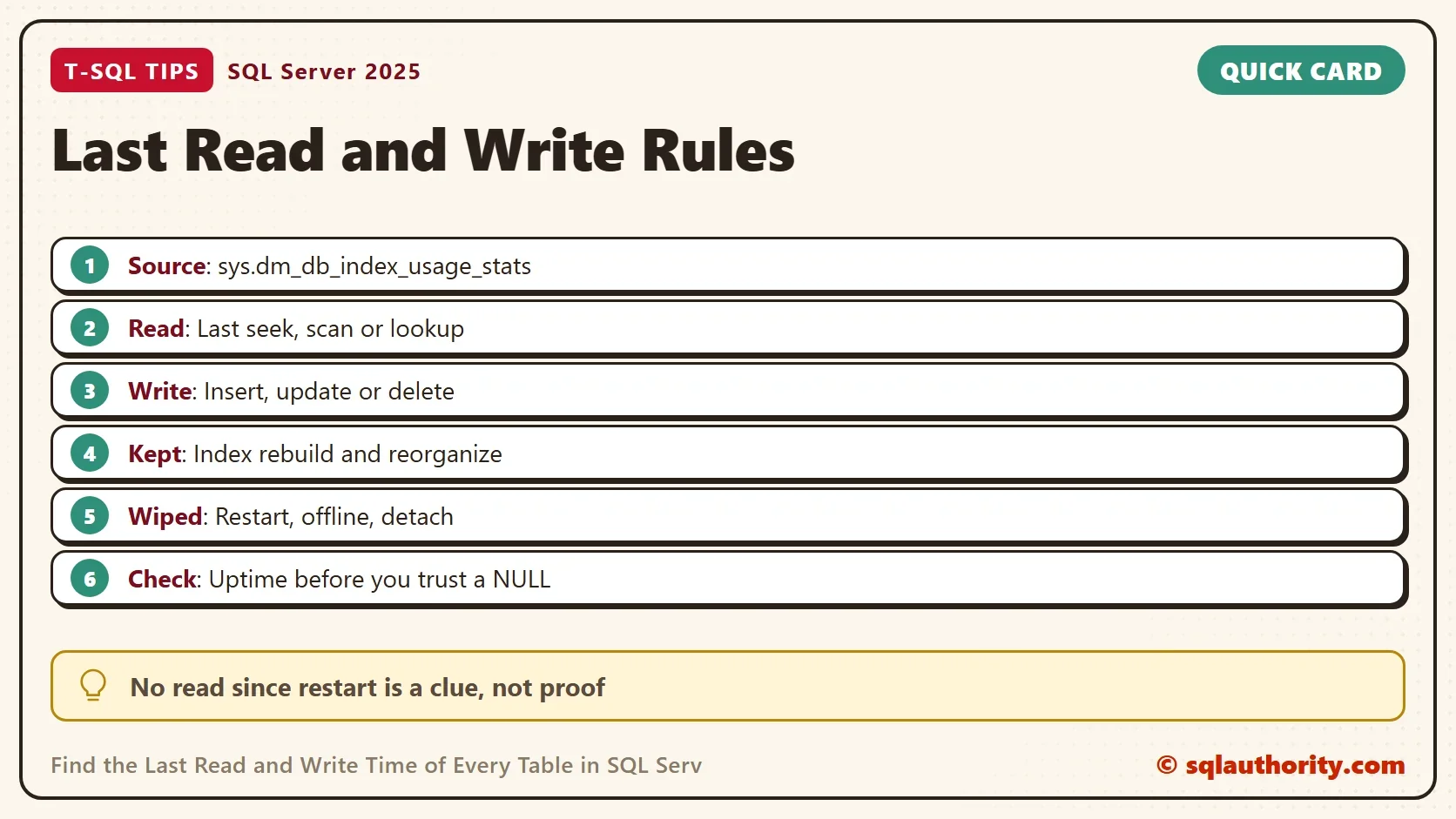
The count is 0. Every row for the database is gone. A service restart, a detach and AUTO_CLOSE clear the view the same way. So “no reads” only means “no reads since the last reset”.
The Last Read and Write Time of Every Table
Here is the query to keep. It lists every table, even the ones the view has never seen. The latest seek, scan or lookup becomes the last read. When a table has no read, it says since when, using the server start time.
USE LastAccessDemo;
SELECT COUNT(*) FROM dbo.Orders WHERE CustomerID = 7;
INSERT INTO dbo.ArchiveNotes (Note) VALUES (N'Second note');
SELECT s.name + N'.' + t.name AS TableName,
       MAX(x.LastRead) AS LastRead,
       MAX(u.last_user_update) AS LastWrite,
       CASE WHEN MAX(x.LastRead) IS NULL
            THEN N'no read since ' + CONVERT(nvarchar(19), (SELECT sqlserver_start_time FROM sys.dm_os_sys_info), 120) END AS Note
FROM sys.tables AS t
JOIN sys.schemas AS s ON s.schema_id = t.schema_id
LEFT JOIN sys.dm_db_index_usage_stats AS u ON u.object_id = t.object_id AND u.database_id = DB_ID()
OUTER APPLY (SELECT MAX(v) AS LastRead FROM (VALUES (u.last_user_seek), (u.last_user_scan), (u.last_user_lookup)) AS r(v)) AS x
GROUP BY s.name, t.name
ORDER BY TableName;| TableName | LastRead | LastWrite | Note |
|---|---|---|---|
| dbo.ArchiveNotes | NULL | (time of the insert) | no read since (server start time) |
| dbo.Orders | (time of the count) | NULL | NULL |
Your times will differ. Notice that Orders shows no last write. Its writes happened before the database went offline, and that reset erased them. The view only remembers what happened since the last reset, so always read the Note column.
Before You Archive a Table
A month of uptime can still miss a quarterly report or a yearly audit job. Check the server start time first, and wait until the uptime covers a full business cycle. Search the code too: procedures, views, Agent jobs and the applications that connect to the database.
You could argue that a NULL last read is enough proof. It isn’t. It’s a strong clue that earns the table a closer look. Rename it or deny access first, wait a cycle, and archive it only when nobody complains.
What to Remember
The last read and write time of a table lives in sys.dm_db_index_usage_stats. Reads are seeks, scans and lookups; writes include inserts. Index rebuilds keep the numbers, and a restart or an offline database wipes them. Drop the demo database when you finish.
USE master;
DROP DATABASE LastAccessDemo;
A table with no recent reads is not proof of a dead table, it is an invitation to look closer.
Published by Pinal Dave on SQLAuthority. More of my work at pinaldave.com.
Discover more from SQL Authority with Pinal Dave
Subscribe to get the latest posts sent to your email.