
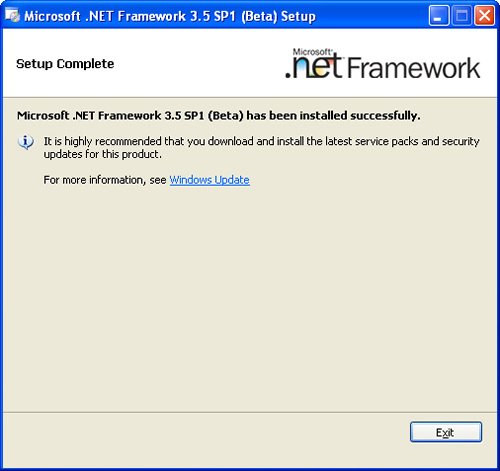
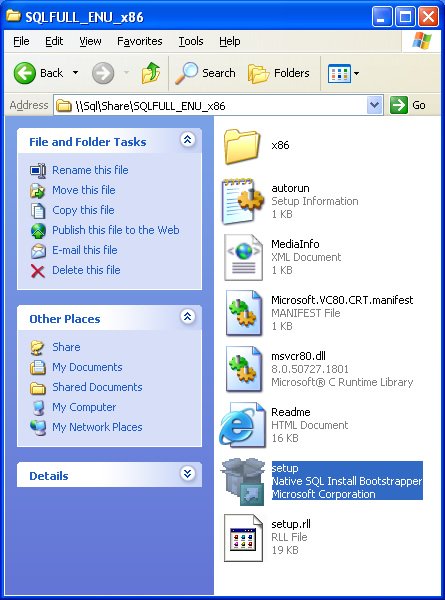
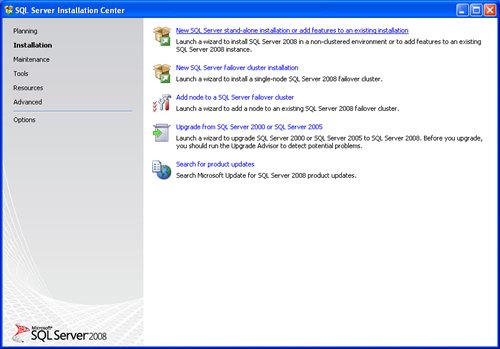
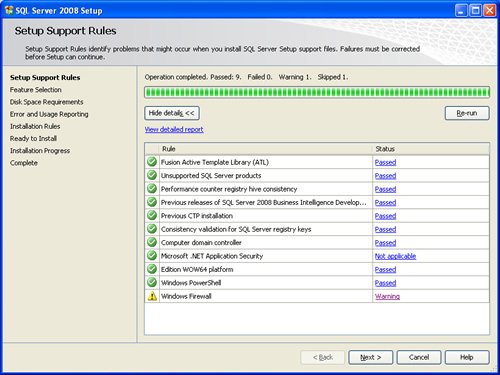
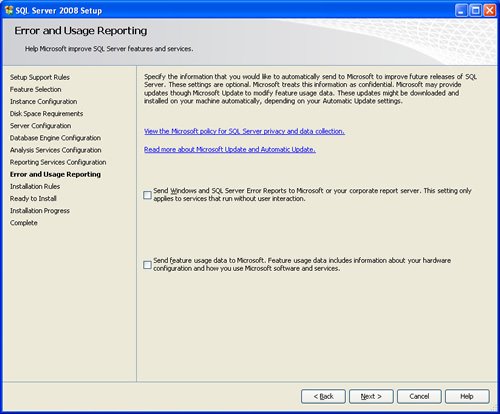
SQL SERVER 2008 has been released for some time and I have got numerous request about how to install SQL Server 2008. I have created this step by step guide Installation Guide. Images are used to explain the process easier.
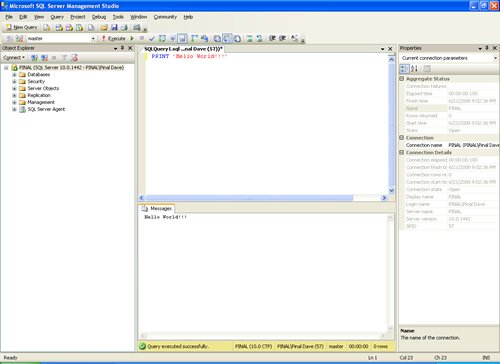
SQL Server 2008 is a major improvement from SQL Server 2005. Honestly, I still see lots of people still using SQL Server 2000. I would like to say it is time to upgrade and move to the next version of SQL Server. In SQL Server 2000, DBA had to use two different tools to maintain the database as well as the query database, specifically SQL Server Enterprise Manager and SQL Server Query Analyzer. With the release of SQL Server 2005 both of these tools are combined into one tool: SQL Server Management Studio. For a while DBA who were fans of Query Analyzer requested to bring it back, but as they keep on using SQL Server Management Studio (SSMS) they realized that it was much more convenient if every task related to SQL Server could be accomplished using SSMS. With the release of SQL Server 2008 Microsoft has upgraded SSMS with many new features as well as added tons of new functionalities requested by DBAs for long time.








Reference : Pinal Dave (https://blog.sqlauthority.com)




402 Comments. Leave new
Hi Pinal,
After installing sql server 2008 in windows 7,I cant able to access the database using windows authentication and sql server authentication .This is the error coming,so help me plz
TITLE: Connect to Server
——————————
Cannot connect to PRAVEEN-PCPRAVEEN.
——————————
ADDITIONAL INFORMATION:
A network-related or instance-specific error occurred while establishing a connection to SQL Server. The server was not found or was not accessible. Verify that the instance name is correct and that SQL Server is configured to allow remote connections. (provider: SQL Network Interfaces, error: 26 – Error Locating Server/Instance Specified) (Microsoft SQL Server, Error: -1)
For help, click:
——————————
BUTTONS:
OK
——————————
I have installed the SQL Server 2008 on Windows XP successfully in just one go. I am lucky to access the database from my VB6 application running on the same machine. But I am unable to connect to this SQL Server from a remote Window XP machine. Any one help me how to connect to
Make sure that the system where the application is deployed has enough permission to access the server. Also did you get any error?
Thank you very much
very goooooooooooooodddd
Hi…
I have installed sql server 2008 R2 (sql management studio _X86 ENU) in windows 7 Home premium.
I mentioned server name as (local).
While connecting i am getting the following error.
cannot connect to (local)
Additional information
network related or instance specific error has occurred while establishing connection to sql server.server was not found or not accessible.Verify that the instance name is correct and that SQL server is configured to allow remote connection.(Provider:Named Pipes Provider,error-40-could not open a connection to Sql server)(Microsoft sql server,error:2)
Then i changed server name as (local)\sqlexpress.
Now i am getting getting error message as follows.
cannot connect to (local)
Additional information
network related or instance specific error has occurred while establishing connection to sql server.server was not found or not accessible.Verify that the instance name is correct and that SQL server is configured to allow remote connection.(Provider:Sql Network interfaces,error-26-Error locating server/instance specified)(Microsoft sql server)
Kindly assist me to resolve this issue.
Thank You.
hi friends,
i m trying to install the sql server 2008 in microsoft vista but it gives me a error
“Wait on the database Engine recovery handled fail” so please give me a suggestion what i have done wrong and how can i solve this problem.
Thank you!
hi
i unable to install sql server 2008 on windows xp sp3.
the following system configuration i have:
1.Internet Explorer 8.0
2.windows installer 4.5
3.Microsoft .NET Framework 3.5 SP1
4.MSXML 4.0 SP2 Parser SDK
Problem:
When i clicked on Setup file (native SQL install bootstrapper) nothing was opened and it just shown anything.
I tried to install as administrator and Firewall also OFF.
Please help me out.
less any explanation on each image. euh -______-
Is it possible to install sql server 2008 when already 2005 and vs 2008 installed ?
Yes you can install it as a new instance
thanks
On my machine SQL server was working fine when I installed it first time later on I uninstalled .net and sql and reinstalled sql i was not able to restore the datbases. So again I have uninstalled and also after uninstalltion deleted folder created in program files.While trying to install it again I am not able to use default instance it gives me error that instances are already in use.Could you please tell me what I should do to get use of default instance of SQL sever 2008.
Working Fine!! Thanks a lot buddy… :)
Hi Pinal,
Need your quick suggest, does Mssql 2008 R2 inplace upgrade requires SSL reconfigure?
thanx dave……
it was very helpful.
Killing one of the msi.exe service helped
Sir ,
Can you also please tell me how to install a sql server 2005 on a machine which has got sql server 2008 already installed.
i have installed & uninstalled sql server 2008 7 times but same thing repeats
if i select Management tools i get the error message Previous version of vsiual studio 2008 failed
if i dont select the Management tools option Sql get installed sucesfully but without ssms.exe
i even tried regedit with SPINDEX & SP values but still same
i tried everything available online but the issue persists
my system has visual studio 2008 already installed
Dear All
i have installed sql server 2008 r2 on 64 bit windows 7. i connect on local computer with no network means Ncomputing network with RDP. sql is running fine on local server but not work on remote desktop ncomputing. please suggest what can i do in this case.
Regards
Arun
HI ALL:
Can any body can tell me how to find the edition of SQL Server 2008r2 from Setup files. means is it STD or ENT edition.without installing the software
how to install 2008 server
TITLE: Microsoft SQL Server 2008 Setup
——————————
The following error has occurred:
Wait on the Database Engine recovery handle failed. Check the SQL Server error log for potential causes.
For help, click:
——————————
BUTTONS:
OK
——————————