
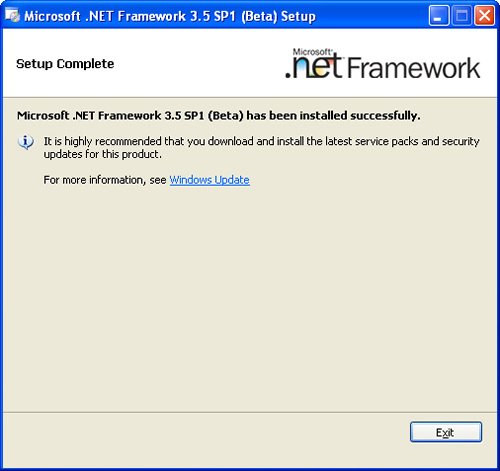
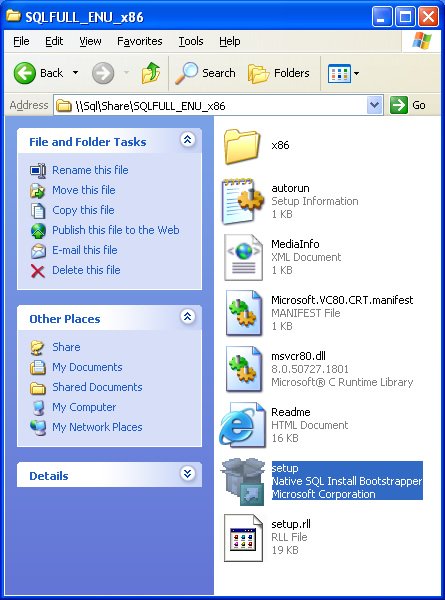
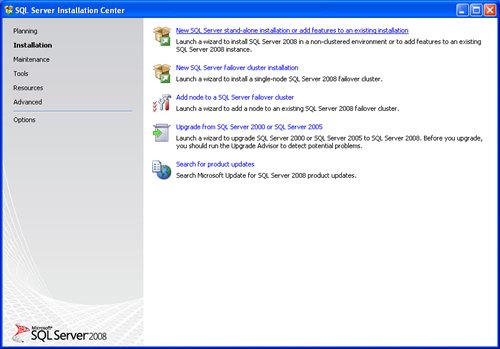
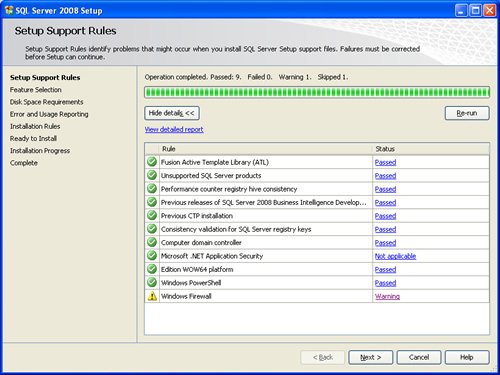
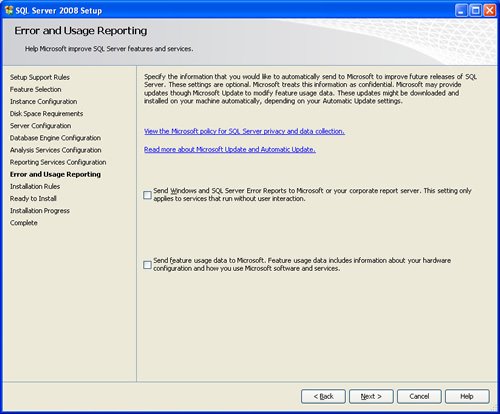
SQL SERVER 2008 has been released for some time and I have got numerous request about how to install SQL Server 2008. I have created this step by step guide Installation Guide. Images are used to explain the process easier.
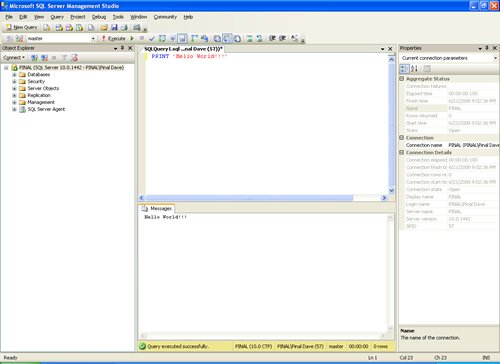
SQL Server 2008 is a major improvement from SQL Server 2005. Honestly, I still see lots of people still using SQL Server 2000. I would like to say it is time to upgrade and move to the next version of SQL Server. In SQL Server 2000, DBA had to use two different tools to maintain the database as well as the query database, specifically SQL Server Enterprise Manager and SQL Server Query Analyzer. With the release of SQL Server 2005 both of these tools are combined into one tool: SQL Server Management Studio. For a while DBA who were fans of Query Analyzer requested to bring it back, but as they keep on using SQL Server Management Studio (SSMS) they realized that it was much more convenient if every task related to SQL Server could be accomplished using SSMS. With the release of SQL Server 2008 Microsoft has upgraded SSMS with many new features as well as added tons of new functionalities requested by DBAs for long time.








Reference : Pinal Dave (https://blog.sqlauthority.com)




402 Comments. Leave new
I’ve installed Microsoft SQL Server 2008 R2 and rebooted. Upon reboot, I only have the Installation Center in my Program Files. When trying to upgrade my installation, it asks me to Browse for the Installation Media. Do you have any idea on where the Installation Media might be?
Thanks alot,it was very helpful ..is that same case with windows 2007 ?
HI,
I am amol Mehare
it is nice one
but if there is an error at the end of the installation that your system is in single user mode . you cant logged in …. then wat shuld i do … ????
please resolve this problem
i have installed the sql server 2008 r2, i had only one default instance. how can i get more instance? where can jeg install more instance? please show me step by step.. thankxxxxxxxxxxxxxxxxxxxxxxxxxxxxxxxx
hey, my installation has failed on installation rules step.
error is previous release of microsoft visual studio 2008.
plz help me
An array of screen shots without explanation served no purpose at all. I dumped this and winged it successfully myself. This blog, I conclude is just internet noise.
Thanks …..
Finally i can start preparing for 70-448.
God Bless u :)
hello sir thanks from you outstanding information about SQL server.
we use open sources SQL server and i have some difficulties regarding restoring the date and i have problem to create users if you guide me thanks
Hi Pinal,
very helpfull. Thank you
Hi Pinal,
thanks a lot for the info.
thanx………..
its vary usefull post
It was really helpful.
Thanks :-)
I am installing as given above. In “Installation Progress ” step after a few seconds in “validating feature setting” i get the error:
“The folder path specified is invalid. Please enter a valid folder path.. Folder Path=C:\Program Files\Microsoft SQL Server\MSAS10.MSSQLSERVER\OLAP\Data”. If anyone know the solution , please help
I am installing SQL Server 2008 R2… The same I have installed in another server and it works without any error.
Thanks a lot for ur work
During installation progress,it shows few error regarding this package
i have tried this with SQL 2008 R2 developer version
TITLE: Connect to Server
——————————
Cannot connect to MUKESH-PCSqlExpress.
——————————
ADDITIONAL INFORMATION:
A network-related or instance-specific error occurred while establishing a connection to SQL Server. The server was not found or was not accessible. Verify that the instance name is correct and that SQL Server is configured to allow remote connections. (provider: SQL Network Interfaces, error: 26 – Error Locating Server/Instance Specified) (Microsoft SQL Server, Error: -1)
For help, click:
——————————
BUTTONS:
OK
——————————
Hi Pinal,
thanks a lot for the info….
Hi Pinal,
I have installed SQL Server 2008 r2 as per your instruction and all process have done successfully but when i tried to connect showing “Login failed for user HOME-B076483C3F (Microsoft SQL Server, Error: 18456). So please suggest me what should i do now…
Hi,
Nice document. it really helped me. can you tell me if there is any link for the
installation of VS_2008_SP1.
hi
i installed sql server 2008 in my system.
i worked on ssrs reports for some days.
in those days i used windows credencials to login to report server
now those windows credencials are not accepting
can u ply help me in this issue.
at the same i install that one in sever system also
in server system it is working fine.
can u ply help me how to resolve it