
The best part of the having blog is that SQL Community helps to keep it running with new ideas. Earlier I wrote about SQL SERVER – Server Side Paging in SQL Server Denali – A Better Alternative. A very popular article on that subject. I had used variables for “number of the rows” and “number of the pages”. Blog reader send me email asking in their organizations these values are stored in the table. Is there any the new syntax can read the data from the table. Absolutely YES!
USE AdventureWorks2008R2
GO
CREATE TABLE PagingSetting (RowsPerPage INT, PageNumber INT)
INSERT INTO PagingSetting (RowsPerPage, PageNumber)
VALUES(10,5)
GO
SELECT *
FROM Sales.SalesOrderDetail
ORDER BY SalesOrderDetailID
OFFSET (SELECT RowsPerPage*PageNumber FROM PagingSetting) ROWS
FETCH NEXT (SELECT RowsPerPage FROM PagingSetting) ROWS ONLY
GO
Here is the quick script:
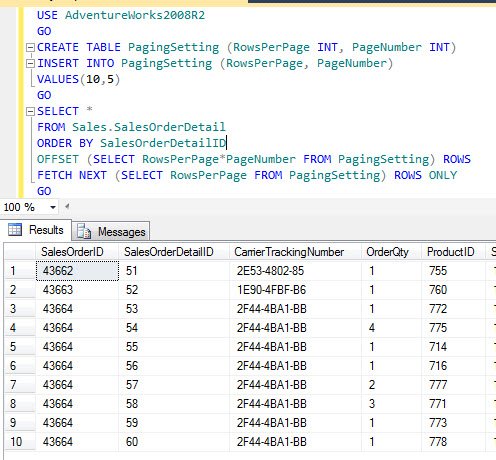
This is really an easy trick. I also wrote blog post on comparison of the performance over here: .
SQL SERVER – Server Side Paging in SQL Server 2011 Performance Comparison
Published by Pinal Dave on SQLAuthority. More of my work at pinaldave.com.




2 Comments. Leave new
Hi there!
I have a question not about exacly to this article:
To export a result of a query from the sqlserver database to excel we use:
—————————————————————————
INSERT INTO OPENROWSET(‘Microsoft.Jet.OLEDB.4.0’, ‘Excel 8.0;Database=C:Teste.xls;’, ‘select nome_inst, sexo_inst, data_nasc, sal_inst FROM [Plan1$]’)
select nome_inst, sexo_inst, data_nasc, sal_inst from instrutor
GO
—————————————————————————
Someone alread export to calc from brOffice?
Is possible? If somebody have an example to show i thank so much.
best regards
Jardel
what dd you mean by broffice?