
The quickest way to kill all processes and user sessions in a database: SET SINGLE_USER WITH ROLLBACK IMMEDIATE, then back to MULTI_USER. No cursor needed.
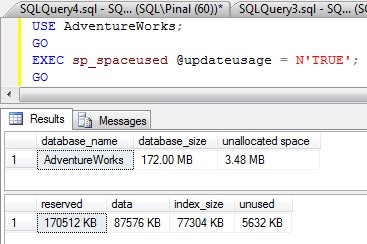
SQL SERVER – Find Number of Rows and Disk Space Reserved – Using sp_spaceused Interesting Observation
sp_spaceused shows the row count of a table and the disk space reserved. Here is why its numbers looked wrong on AdventureWorks and how @updateusage fixed them.
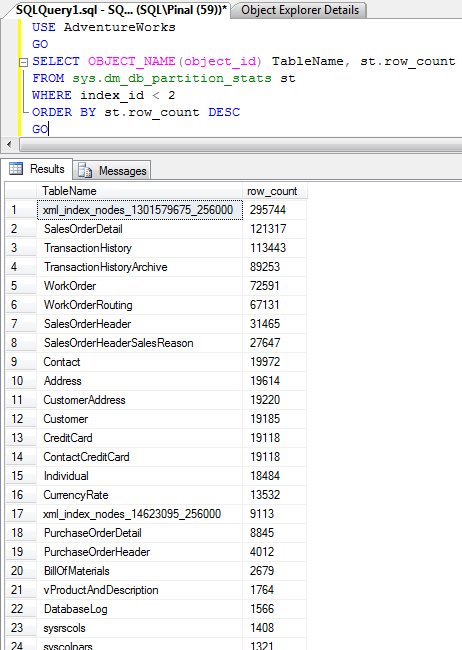
SQL SERVER – Find Row Count in Table – Find Largest Table in Database – T-SQL
A quick script using sys.dm_db_partition_stats that lists the row count of every table and shows the largest table in database right at the top.
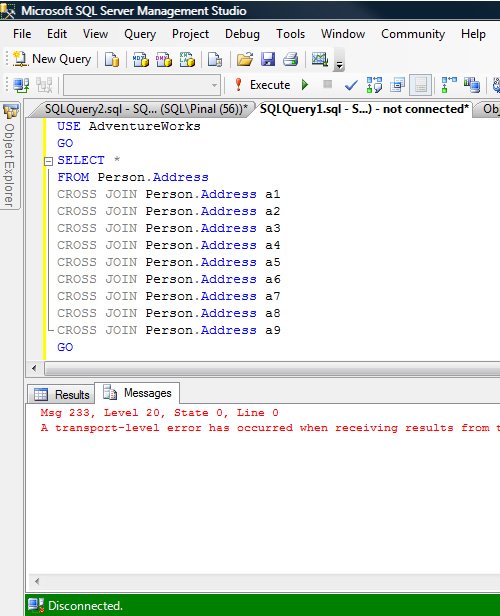
SQL SERVER – sqlcmd – Using a Dedicated Administrator Connection to Kill Currently Running Query
When a long running query makes SQL Server stop responding, sqlcmd with a Dedicated Administrator Connection lets you connect from another computer and kill it.

SQL SERVER – Interesting Observation – Using sqlcmd From SSMS Query Editor
Turn on SQLCMD Mode and the SSMS Query Editor can run sqlcmd scripts that mix OS and SQL commands. The interesting part: the OS commands run first.
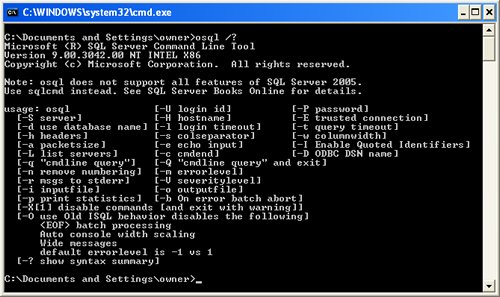
SQL SERVER – sqlcmd vs osql – Basic Comparison
sqlcmd vs osql: which one should you use to run queries from the command prompt? A short comparison of isql, osql and sqlcmd, and why I pick sqlcmd.
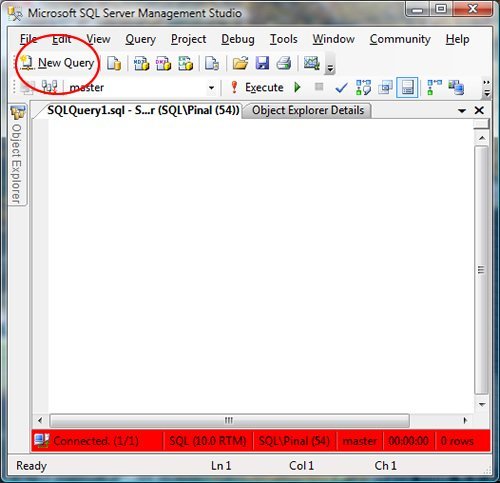
SQL SERVER – 2008 – Change Color of Status Bar of SSMS Query Editor
Change the color of status bar in SSMS 2008 for each server, so a query meant for development never runs on production by mistake. Step by step with images.