

To maximize execution plan space in SSMS, send the results to their own tab and switch to full screen mode. This post lists the two settings, the shortcuts that go with them and the zoom controls for a large plan on a small screen.

How to Execute Query Without Using F5 or Query Toolbar in SSMS? – Interview Question of the Week #224
How do you execute a query in SSMS without F5 or the Query Toolbar? An attendee in a private training asked for a unique way, and here is a less known method.
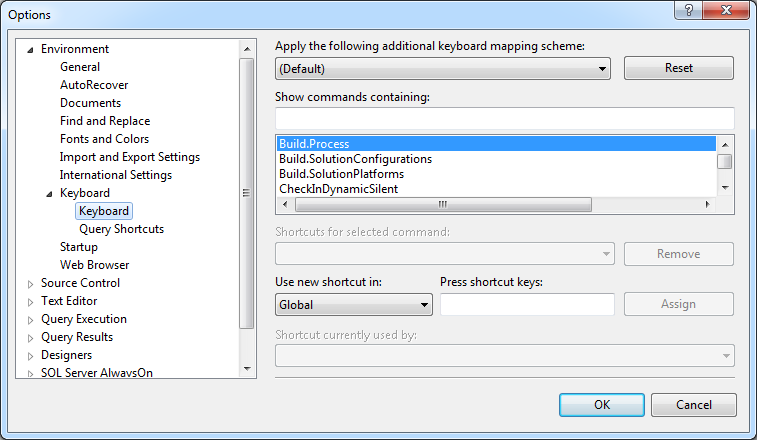
SQL SERVER – CTRL + R Shortcut Does Not Work in SSMS
After a fresh SQL Server 2014 install, CTRL + R no longer hid the results pane in SSMS. These keyboard option steps got my shortcut working again.

SSMS Code Snippets: Writing Your Own Templates
Build SSMS code snippets with editable literals, register your own snippet folder, and use Template Explorer for repeatable SQL scripts.

Object Explorer Details in SSMS: Bulk Scripting and Quick Counts
Press F7, select a group of tables and script them in one go. Then check the grid’s row counts with two short queries.

SSMS Keyboard Shortcuts Worth Learning
SSMS keyboard shortcuts for execution, comments, results, and Object Explorer remove repeated clicks while keeping query context visible.

Commenting Out Code: Testing Safely in SSMS
Commenting Out Code is the quickest way to switch off part of a script while you test the rest. This post covers the SSMS shortcuts, testing one WHERE filter at a time, the trap of GO inside a block comment, and a safety note to leave above a DELETE.