
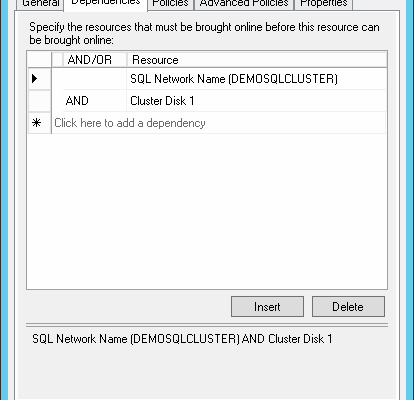
[Notes from Pinal]: In my career, I have seen many database experts who are great with what they do, but when they have to work with clustering or AlwaysOn solutions, they usually avoid it. The reason is that there are not many experts who know this subject well enough. One thing I always personally felt that the documentation is also not widely available when it is about clustering. If one receives some error, they are usually lost. This is when I reached out to Eduardo and asked him what can we do to if we face error while attaching or restoring database in clustering environment in SQL Server.


SQL SERVER – View Dependencies on SQL Server: Hard & Soft Way
As an independent database consultant, I often face a challenge when analyzing the performance of SQL Server instances, which I see for the first time in my life. In many cases, this may seem a difficult task, because in order to fix something you must first understand the database structure. A great many of the companies do not document their database. And even if documentation exists, it is rarely updated. As a result, we have the following situation – documentation is either obsolete, or does not reflect the actual state of things. Let understand SQL SERVER – View Dependencies.
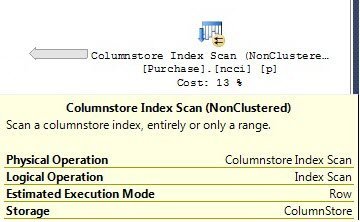
SQL SERVER – ShowPlan XML Additions for ColumnStore Indexes
The last time when I wrote about ColumnsStore FAQ, one of the readers had an interesting question. The question was around how to identify the traits of using a column store inside an execution plan. The very thought got me thinking. I was thinking where to start. I remembered that ShowPlan XML was a great way to see some of these attributes. The very next question that came up, what should one look forward to inside a ShowPlan XML.

Interview Question of the Week #058 – What is the Difference Among DECIMAL, FLOAT and NUMERIC Datatype?
Question: What is the Difference Among DECIMAL, FLOAT and NUMERIC Datatype? Let us learn more.


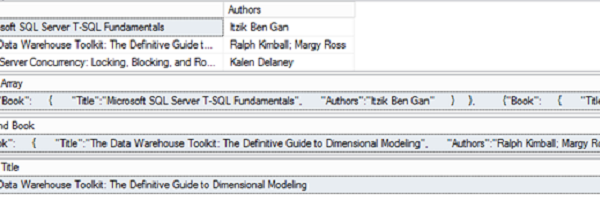
SQL SERVER – JSON Support for Transmitting Data for SQL Server 2016 – Notes from the Field #114
[Note from Pinal]: In this episode of the Notes from the Field series database expert Kathi Kellenberger explains about JSON Support for Transmitting Data for SQL Server 2016. Kathi is an amazing instructor, she was the SQL author I have read in my early career. The reason, I love SQL Server because her writing has instigated love for this technology in me. Today she brings a relatively interesting topic for database experts. Read the experience of SQL SERVER – JSON from Kathi in her own words.
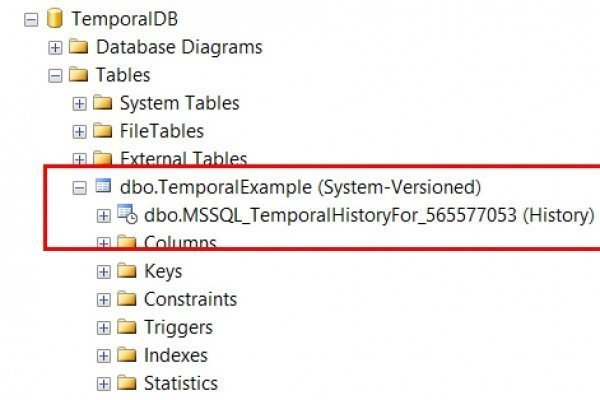
SQL SERVER 2016: Creating Simple Temporal Table
Temporal tables are a new feature that was introduced in SQL Server 2016. A temporal table gives application developers to view the state of data at a point in time. Temporal tables can also be used for logging purposes if required. I wanted to explore how this feature can be used. The documentation has been interesting and I went ahead in trying out how this can be enabled.
One of the most used use case for this feature would be to find the data values in a past date. This can now be easily configured in SQL Server 2016. Let us go ahead and create a database for use and then create a table with the Temporal history database created by default / automatically.
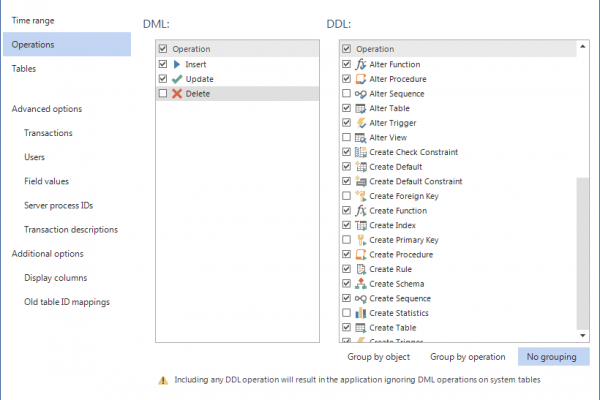
SQL Server Auditing and Recovery With ApexSQL Log 2016
ApexSQL Log is a powerful SQL Server transaction reader for forensic auditing and rollback of malicious and/or unintended changes for Microsoft SQL Server. It is an ideal cost solution for recovery, row changes and/or before-after auditing. ApexSQL Log uses technology which enables it to read online transaction log files or transaction log backup files in order to create auditing results including before and after views of the data as well as the full row history of all changes.
From the recovery standpoint, ApexSQL Log provides sophisticated undo/redo capabilities which enable it to create TSQL scripts which can be used to completely reverse or replay all or only selected transactions read from the online transaction log file and added transaction log backups.