All Articles firelog-600x214

SQL SERVER – Fix : Error Msg 1813, Level 16, State 2, Line 1 Could not open new database databasename. CREATE DATABASE is aborted

It is indeed a pleasure when we write a timeless article for SQL Server and DBAs read it after many years. In the year 2007, I wrote an article about an error related to Could not open a new database. It has been one of the top viewed blog posts all the time. Recently SQL Server Expert Jeremy Roe has sent me an updated script for a recent version of SQL Server for the same error.

Read More
All Articles alwaysonerror

SQL SERVER – Error: Parameter ‘ProbePort’ does not exist on the cluster object. Unable to set Probe Port for Azure Load Balancer

Azure is gaining popularity and I am getting clients who want to create Always On availability group as their high availability solution in Azure Virtual machine. To keep myself up to date, I also try creating the customer’s scenario in my lab. In this blog, we would how to fix error Parameter ‘ProbePort’ does not exist on the cluster object while configuring probe port.

Read More
All Articles spotlight-600x306

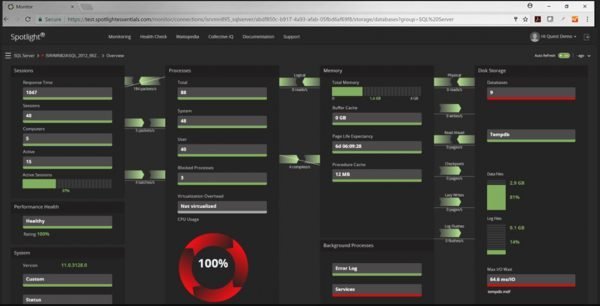
Detect and Diagnose SQL Server Performance Issues with Spotlight Cloud

The number one challenge for any DBA with their SQL Server is the performance. Every user wants their applications to run faster. When DBAs and Developers start building an application, it usually runs faster as there is no real workload running over it. Often DBAs and Developers do stress testing with the third party tools or by simulating the workload. However, honestly, when an application goes live, the entire scenario is very much different. It is near impossible to predict the usage pattern and workload distribution in any application once it starts to grow. Today we will discuss how we can detect and diagnose SQL Server Performance Issues with Spotlight Cloud. 
Read More
All Articles xp_subdir-03-600x359

SQL SERVER – xp_create_subdir() Returned Error 183, ‘Cannot Create a File When that File Already Exists

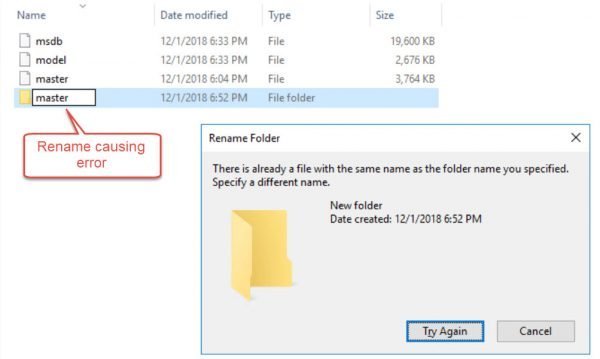
New client, new idea and a new blog! That’s how I have been writing a daily blog for many years now. In this blog, I would share my learning from a client who faced error “xp_create_subdir() returned error 183, ‘Cannot create a file when that file already exists” while running maintenance plan.

Read More
All Articles blockedaccess-600x228

SQL SERVER – FIX: Msg 15281 – SQL Server Blocked Access to STATEMENT ‘OpenRowset/OpenDatasource’ of Component ‘Ad Hoc Distributed Queries’

I wrote a blog earlier about reading data from excel via SQL Server. This was done using ‘OpenRowset. One of my blog readers sent an email to me that they were getting an error. In this blog, we would see how to fix Msg 15281 – SQL Server blocked access to STATEMENT ‘OpenRowset/OpenDatasource’ of component ‘Ad Hoc Distributed Queries’

Read More
All Articles setup-offline-03-600x449

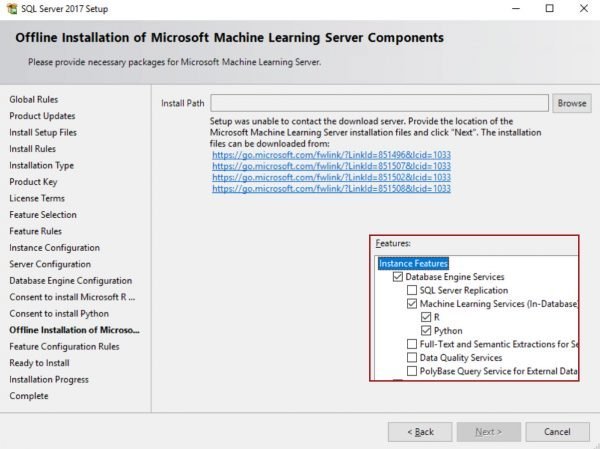
SQL SERVER – Installation Stuck at Offline Installation of Microsoft Machine Learning Server Components

I was trying to install SQL Server 2017 on my latest formatted machine and was stuck at below screen which says – Offline Installation of Microsoft Machine Learning Server Components. In this blog, we would learn about how to move forward in the Installation when it is stuck at Offline Installation of Microsoft Machine Learning Server Components.

Read More
All Articles out-of-bound-02-600x349

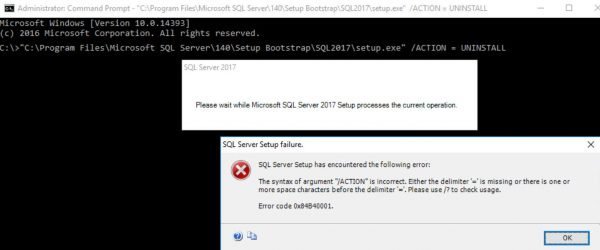
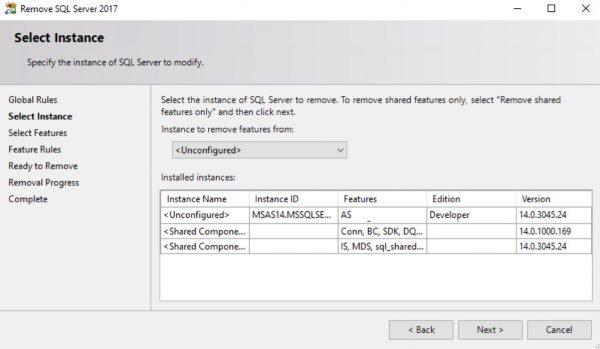
SQL SERVER – Unable to Uninstall – Index was Outside the Bounds of the Array

This was an interesting error which I received while trying to uninstall SQL Server.  In this blog, we would learn how to fix error Index was outside the bounds of the array, which might come during uninstallation of SQL Server.

I must say this was an unfortunate situation where my machine got crashed while SQL Server install was in progress. To get rid of the “incomplete” installation, I decided to remove it and install it again. I went to add/remove program and selected “uninstall” for SQL Server 2017 as I was welcomed by error – Index was outside the bounds of the array. I looked into Summary.txt file and found below.

Read More