
When I ask about DISTINCT and GROUP BY, I am looking for the result the developer intends, not a memorized claim that one keyword is always faster.

Question: What is the difference between DISTINCT and GROUP BY?
Answer: Use DISTINCT when you need unique combinations of selected columns. Use GROUP BY when you need one row per group, especially to calculate an aggregate such as COUNT(*). Without an aggregate, both can return the same combinations. The optimizer may choose the same plan for a simple case, but that is not a performance promise for every expression or subquery.
These are my original examples, with the same employee columns. The runnable database name below is AdventureWorks2025; the saved original result later in this article came from AdventureWorks2014:
USE AdventureWorks2025;
GO
SELECT DISTINCT JobTitle, Gender
FROM HumanResources.Employee;

SELECT JobTitle, Gender
FROM HumanResources.Employee
GROUP BY JobTitle, Gender;

SELECT JobTitle, Gender, COUNT(*) AS EmployeeCount
FROM HumanResources.Employee
GROUP BY JobTitle, Gender;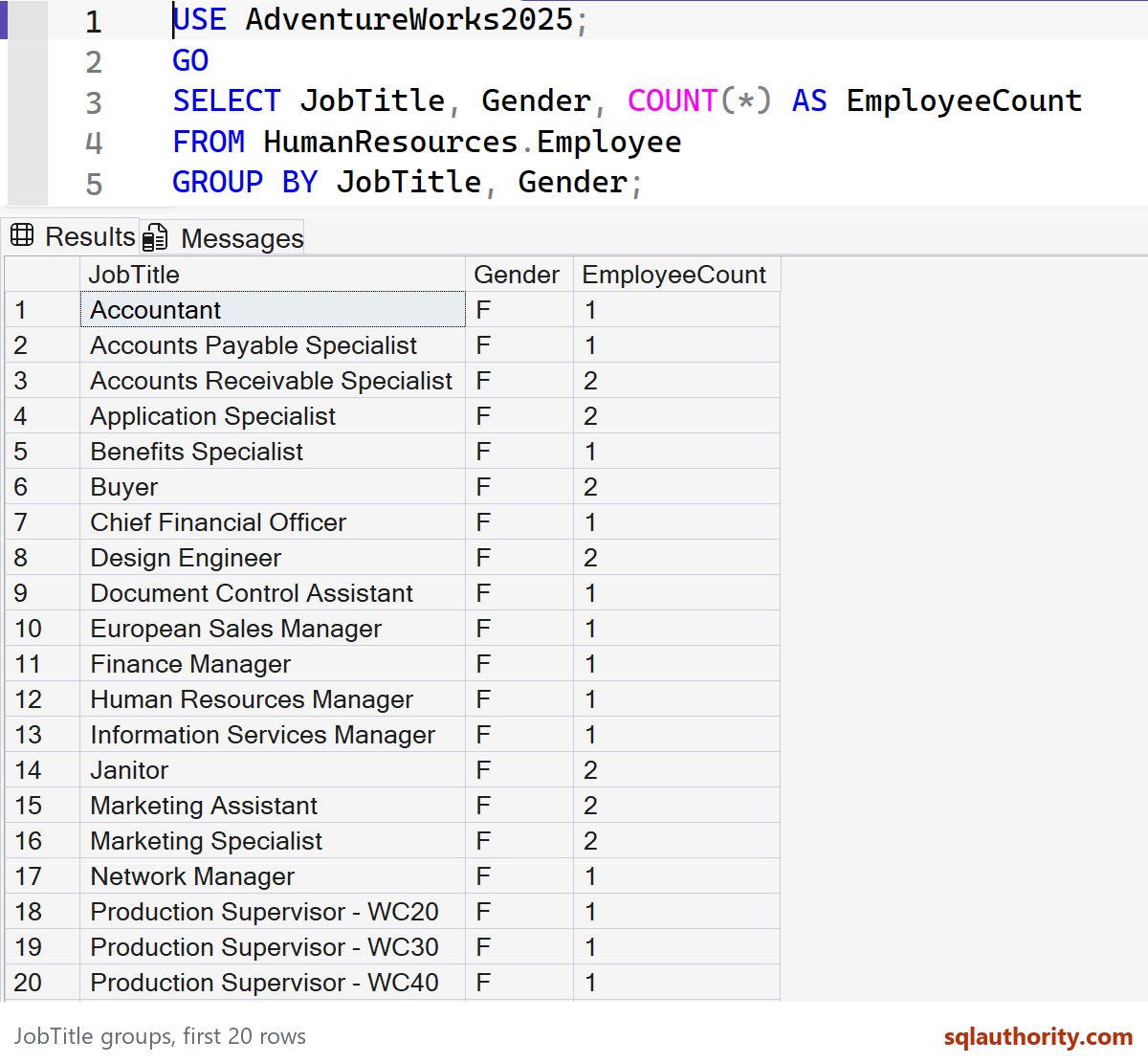
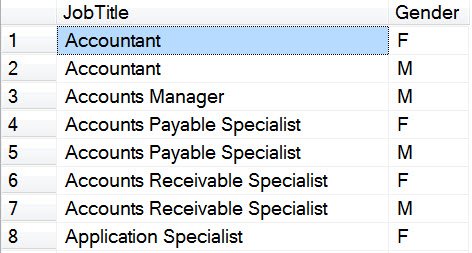
The first two queries list the available job-title and gender combinations. The third answers a different question: how many employees are in each combination. This saved original result shows the first visible rows from the DISTINCT example on AdventureWorks2014:
When you run the final query, EmployeeCount shows the size of each group. Compare that result with the unique-value list to see why GROUP BY matters when an aggregate is involved. For performance, inspect the actual plan for the query you intend to run.
Want to try this yourself? Here is how to install AdventureWorks.
Published by Pinal Dave on SQLAuthority. More of my work at pinaldave.com.
Discover more from SQL Authority with Pinal Dave
Subscribe to get the latest posts sent to your email.



6 Comments. Leave new
Thanks Pinal, really simple to understand!
Great. Thanks for the comment Alexander.
Also we can apply HAVING clause with GROUP BY to filter the aggregate results
Correct Manish.
I always warn other developers not to use DISTINCT as a Band-Aid. If your query is returning seven copies of every record, don’t just slap a DISTINCT on there to make them go away. There’s a mistake in your query – find it and fix it. Most likely there’s a one-to-many relationship you didn’t take into consideration and it’s inflating your result set. It could be throwing off something else as well.
I always warn other developers not to use DISTINCT as a Band-Aid. If your query is returning seven copies of every record, don’t just slap a DISTINCT on there to make them go away. There’s a mistake in your query – find it and fix it. Most likely there’s a one-to-many relationship you didn’t take into consideration and it’s inflating your result set. It could be throwing off something else as well.