Msg 701 means there is insufficient system memory in a resource pool, and the pool is what ran out. This post reproduces the error on SQL Server 2025 with a memory-optimized table. It also shows a second message that you get when rows fill the pool.

What the Error Says
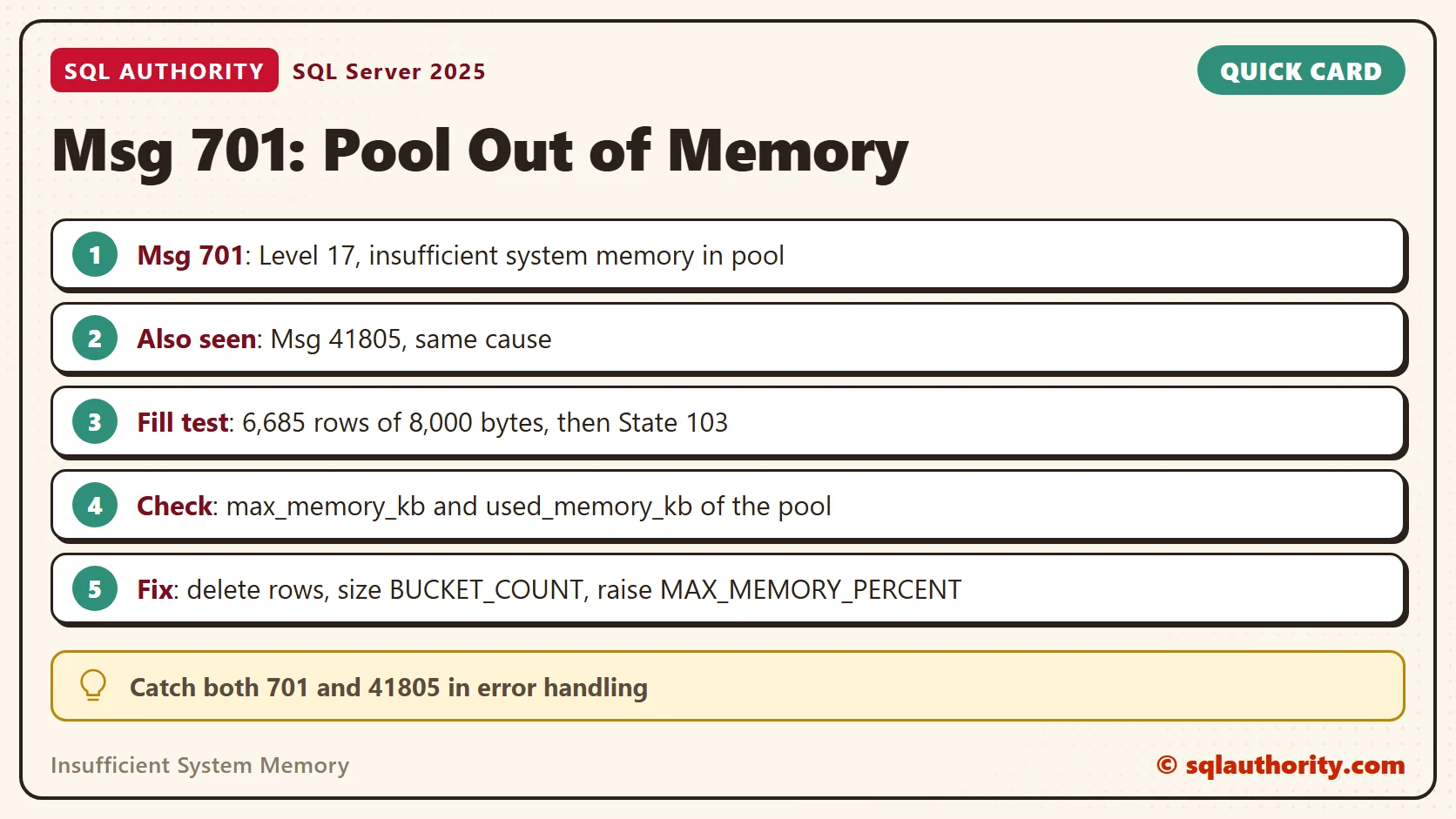
The full text reads: There is insufficient system memory in resource pool ‘X’ to run this query. SQL Server raises it as Msg 701, Level 17. The pool name tells you which pool ran dry.
Memory-optimized tables are a clean way to reproduce it. They never page out, so their rows and their hash index buckets stay in RAM. When the database is bound to a small pool, the pool can refuse an allocation. The server can still have plenty of free memory.
On SQL Server 2025 the same script printed Msg 701 in some runs and Msg 41805 in others. Both mean that the pool refused memory. SQL Server 2014 reported the row case as Msg 701 with State 103, and 2025 still does in some runs.
Build a Small Pool
The first script records the Resource Governor state and creates a pool of 2 percent. The reconfigure switches the feature on if it was off. The cleanup at the end switches it off again, but only when it was off before.
SELECT is_enabled INTO #rg_before FROM sys.resource_governor_configuration;
CREATE RESOURCE POOL SmallPool WITH (MIN_MEMORY_PERCENT = 2, MAX_MEMORY_PERCENT = 2);
ALTER RESOURCE GOVERNOR RECONFIGURE;
The next script creates the database. It reads the default data folder of the instance, so it runs without edits. Keep the same query window open until the cleanup, because the temporary table lives in that session.
IF DB_ID(N'Msg701Demo') IS NULL
BEGIN
    DECLARE @path nvarchar(260) = CONVERT(nvarchar(260), SERVERPROPERTY('InstanceDefaultDataPath'));
    DECLARE @sql nvarchar(max) = N'CREATE DATABASE Msg701Demo
ON PRIMARY (NAME = Msg701Demo_data, FILENAME = N''' + @path + N'Msg701Demo.mdf''),
FILEGROUP Msg701Demo_mod CONTAINS MEMORY_OPTIMIZED_DATA (NAME = Msg701Demo_mod, FILENAME = N''' + @path + N'Msg701Demo_mod'')
LOG ON (NAME = Msg701Demo_log, FILENAME = N''' + @path + N'Msg701Demo.ldf'')';
    EXEC (@sql);
END
Now bind the database to the pool. The binding becomes active when the database goes offline and online. Then create a table with 8,000-byte rows.
EXEC sys.sp_xtp_bind_db_resource_pool @database_name = N'Msg701Demo', @pool_name = N'SmallPool';
USE master;
ALTER DATABASE Msg701Demo SET OFFLINE WITH ROLLBACK IMMEDIATE;
ALTER DATABASE Msg701Demo SET ONLINE;
GO
USE Msg701Demo;
GO
CREATE TABLE dbo.Pages (Id int NOT NULL PRIMARY KEY NONCLUSTERED HASH WITH (BUCKET_COUNT = 1024), Body char(8000) NOT NULL) WITH (MEMORY_OPTIMIZED = ON, DURABILITY = SCHEMA_ONLY);
Read the Ceiling First
SELECT name, target_memory_kb, max_memory_kb, used_memory_kb FROM sys.dm_resource_governor_resource_pools WHERE name = N'SmallPool';
| name | target_memory_kb | max_memory_kb | used_memory_kb |
|---|---|---|---|
| SmallPool | 21,744 | 39,632 | 12,232 |
The pool already holds 12,232 KB, the cost of the database with one empty table. The max_memory_kb column is the ceiling. Read it before you test, because it moved between my runs. For pools of 1 to 10 percent, it was sometimes that percent of server memory and sometimes about 1.1 GB.
A small pool fails early because the database costs memory before the first row. The overhead here was 12,232 KB. At 2 percent of a server, that fixed cost is a large part of the pool. On a production pool of many gigabytes, it disappears into the noise, so test the share, not only the size.
Reproduce Msg 701
The first repro asks for more than the server can give. A hash index allocates 8 bytes per bucket at creation. The script sizes the index at twice the memory target of the server, so the request cannot succeed. It skips itself when that size would pass the maximum bucket count of 1,073,741,824.
DECLARE @target bigint = (SELECT committed_target_kb FROM sys.dm_os_sys_info);
DECLARE @buckets bigint = @target * 256;
IF @buckets <= 1073741824
BEGIN
    BEGIN TRY
        DECLARE @ddl nvarchar(max) = N'CREATE TABLE dbo.BigIndex (Id int NOT NULL PRIMARY KEY NONCLUSTERED HASH WITH (BUCKET_COUNT = ' + CONVERT(nvarchar(20), @buckets) + N')) WITH (MEMORY_OPTIMIZED = ON, DURABILITY = SCHEMA_ONLY)';
        EXEC (@ddl);
    END TRY
    BEGIN CATCH
        SELECT ERROR_NUMBER() AS ErrorNumber, ERROR_SEVERITY() AS Severity, ERROR_STATE() AS State, ERROR_MESSAGE() AS Message, @buckets AS BucketsAsked;
    END CATCH
END| ErrorNumber | Severity | State | Message | BucketsAsked |
|---|---|---|---|---|
| 701 | 17 | 137 | There is insufficient system memory in resource pool ‘SmallPool’ to run this query. | 293,351,424 |
That is Msg 701, Level 17, State 137. The table does not exist afterwards. Other runs printed a different number for the same refusal, as the next sections show.
Fill the Pool With Rows
The second repro is the classic one. It inserts one row at a time until the pool says no. It runs only when the pool ceiling is under 2 GB, so it cannot eat a large server. The inserts are single rows, so every earlier insert stays committed.
SET NOCOUNT ON;
DECLARE @i int = 0;
IF (SELECT max_memory_kb FROM sys.dm_resource_governor_resource_pools WHERE name = N'SmallPool') < 2097152
BEGIN
    WHILE @i < 500000
    BEGIN
        BEGIN TRY
            INSERT INTO dbo.Pages (Id, Body) VALUES (@i + 1, 'x');
            SET @i += 1;
        END TRY
        BEGIN CATCH
            SELECT ERROR_NUMBER() AS ErrorNumber, ERROR_SEVERITY() AS Severity, ERROR_STATE() AS State, ERROR_MESSAGE() AS Message, @i AS RowsInserted;
            BREAK;
        END CATCH
    END
END| ErrorNumber | Severity | State | Message | RowsInserted |
|---|---|---|---|---|
| 701 | 17 | 103 | There is insufficient system memory in resource pool ‘SmallPool’ to run this query. | 6,685 |
This is Msg 701, Level 17, State 103, the same numbers as in the old error. The pool accepted 6,685 rows of 8,000 bytes and refused the next one. The count depends on the ceiling at the time.
Two Messages, One Cause
I ran this draft five times on the same instance, with no change to the script. Some runs printed Msg 701 and others printed Msg 41805. The two messages never mixed inside one run. The 41805 text reads: There is insufficient memory in the resource pool ‘SmallPool’ to run this operation on memory-optimized tables.
| Run | Index repro | Fill repro | Rows inserted |
|---|---|---|---|
| 1 | Msg 701 | Msg 701 | 6,685 |
| 2 | Msg 701 | Msg 701 | 7,007 |
| 3 | Msg 41805 | Msg 41805 | 7,329 |
| 4 | Msg 41805 | Msg 41805 | 11,200 |
| 5 | Msg 701 | Msg 701 | 14,630 |
I did not find out what decides the number. Treat 701 and 41805 as one problem. If you write error handling for memory-optimized loads, catch both.
Fix It
Four fixes exist, and I tested two. Delete rows you no longer need. Size the hash index for the real row count. Move cold data to a disk-based table. Or give the pool more room by raising MAX_MEMORY_PERCENT and running the reconfigure again. I did not test the last two. The ceiling moved by itself between my runs, so a before and after would prove nothing.
Delete first when the rows are old. It is the fix that needs no design change and no restart. It also shows you how the pool behaves, which is useful before you touch the settings.
Deleting does not free the memory at once. A background garbage collector removes the old row versions. The script below deletes every row, reads the pool, waits ten seconds and reads again. Then it proves the pool accepts an insert, and creates an index with a sane bucket count.
DELETE FROM dbo.Pages;
SELECT used_memory_kb AS UsedRightAfterDelete FROM sys.dm_resource_governor_resource_pools WHERE name = N'SmallPool';
WAITFOR DELAY '00:00:10';
SELECT used_memory_kb AS UsedTenSecondsLater FROM sys.dm_resource_governor_resource_pools WHERE name = N'SmallPool';
INSERT INTO dbo.Pages (Id, Body) VALUES (1, 'x');
SELECT COUNT(*) AS RowsNow FROM dbo.Pages;
GO
CREATE TABLE dbo.SmallIndex (Id int NOT NULL PRIMARY KEY NONCLUSTERED HASH WITH (BUCKET_COUNT = 131072)) WITH (MEMORY_OPTIMIZED = ON, DURABILITY = SCHEMA_ONLY);
SELECT name FROM sys.tables WHERE name IN (N'BigIndex', N'SmallIndex');
| Reading | Value |
|---|---|
| UsedRightAfterDelete (KB) | 73,392 |
| UsedTenSecondsLater (KB) | 23,280 |
| RowsNow | 1 |
| Tables found | SmallIndex only |
The memory was still high right after the delete and lower ten seconds later. The next insert worked. The 131,072-bucket index needs a 1 MB array and was created without trouble.
Is More Memory the Answer?
You could say the answer is always more memory. Fair point, when the data is needed and the server has room. But a bucket array of several gigabytes for a few thousand rows is a design error. It is not a shortage.
A message about insufficient system memory is a sizing question before it is a hardware question. Check the bucket count first. It is the cheapest fix. Then look at the rows: old data in a memory-optimized table is the most expensive storage you own.
A Short Checklist
- Read max_memory_kb and used_memory_kb of the pool before you load data.
- Size BUCKET_COUNT near the expected row count, not near the biggest number you can type.
- Watch the used share of the pool as the data grows.
- Remember that deletes free memory later, not at once.
- Record the Resource Governor state before a test and restore it after.
When you finish testing, remove what you built. The script puts Resource Governor back to the state it had at the start.
USE master;
GO
DROP DATABASE Msg701Demo;
DROP RESOURCE POOL SmallPool;
ALTER RESOURCE GOVERNOR RECONFIGURE;
IF (SELECT is_enabled FROM #rg_before) = 0 ALTER RESOURCE GOVERNOR DISABLE;
Msg 701 is not a fault in your query, it is a pool telling you how much room it has.
Published by Pinal Dave on SQLAuthority. More of my work at pinaldave.com.
Discover more from SQL Authority with Pinal Dave
Subscribe to get the latest posts sent to your email.