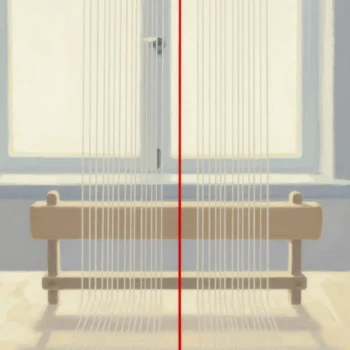
A partition switch moves a whole partition from one table to another without copying a single row. The rows stay where they are on disk. Only the metadata that says which table owns them changes, so a million rows move in milliseconds.

What a Partition Switch Does
A partitioned table splits its rows into slices by the value of one column, such as a date. Each slice is stored on its own. A switch hands one slice to another table by changing the pointer. Nothing is read, written or logged row by row. That is why the cost does not grow with the row count.
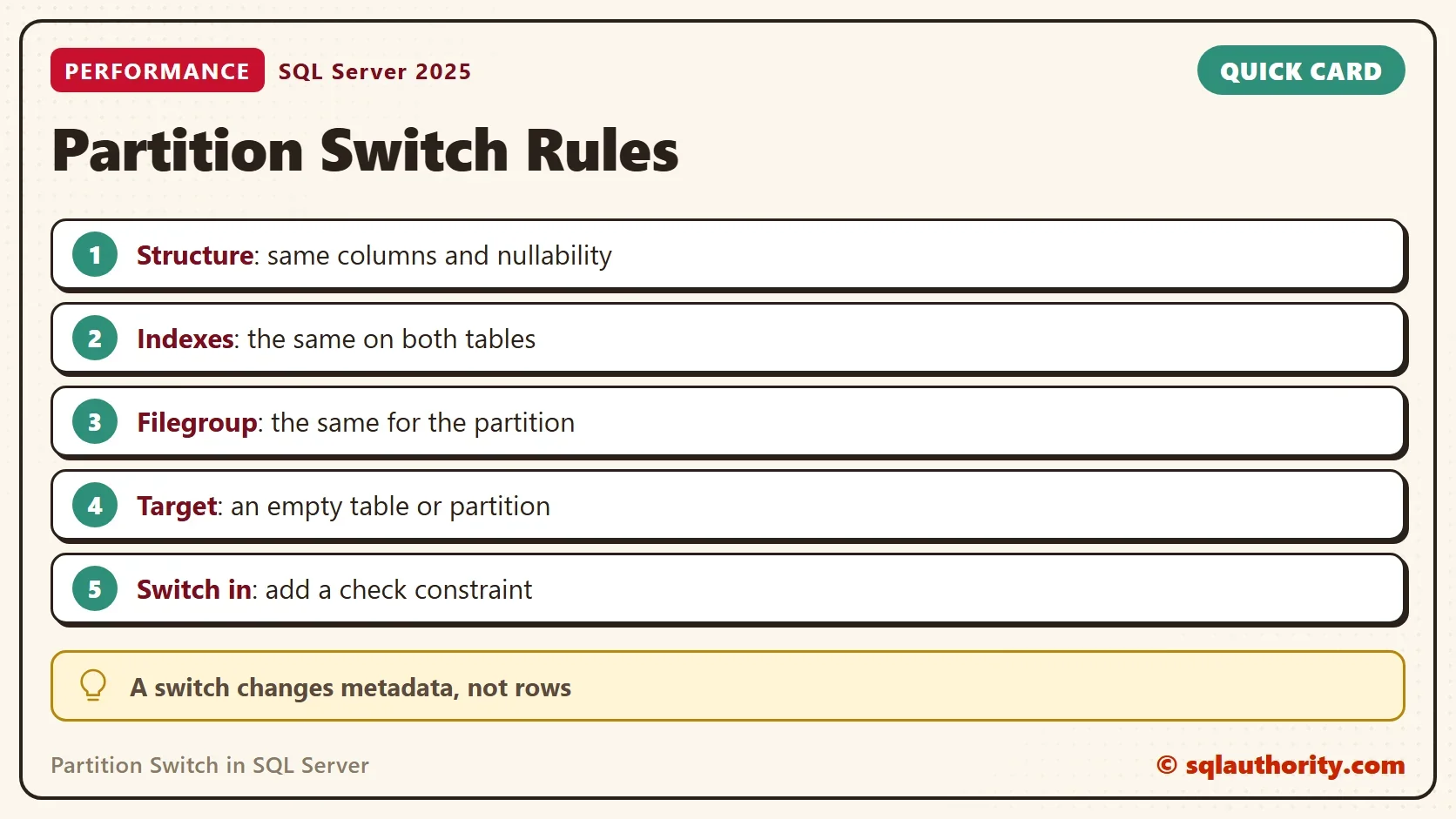
The two tables must match closely. They need the same columns, the same nullability, the same indexes and the same filegroup for the slice. The target must be empty. When a normal table goes into a partition, it must also carry a check constraint. The constraint proves that its rows fit the range. The demo below builds each piece and then breaks each rule on purpose.
Build the Demo
The demo creates a database named PartitionSwitchDemo. The partition function cuts a date column into months with RANGE RIGHT, so each boundary date starts a new partition. The Sales table holds a million rows from January and 50,000 each from February and March. A second table, SalesJanuary, is the empty staging table for the switch. It has the same columns, the same clustered key and the same filegroup.
IF DB_ID(N'PartitionSwitchDemo') IS NULL CREATE DATABASE PartitionSwitchDemo;
GO
USE PartitionSwitchDemo;
GO
ALTER DATABASE PartitionSwitchDemo SET RECOVERY SIMPLE;
DROP TABLE IF EXISTS dbo.Sales, dbo.SalesJanuary;
IF EXISTS (SELECT 1 FROM sys.partition_schemes WHERE name = N'psMonth') DROP PARTITION SCHEME psMonth;
IF EXISTS (SELECT 1 FROM sys.partition_functions WHERE name = N'pfMonth') DROP PARTITION FUNCTION pfMonth;
CREATE PARTITION FUNCTION pfMonth (date) AS RANGE RIGHT FOR VALUES ('20260101', '20260201', '20260301');
CREATE PARTITION SCHEME psMonth AS PARTITION pfMonth ALL TO ([PRIMARY]);
CREATE TABLE dbo.Sales (
    SaleID   int           NOT NULL,
    SaleDate date          NOT NULL,
    Amount   decimal(10,2) NOT NULL,
    CONSTRAINT PK_Sales PRIMARY KEY CLUSTERED (SaleDate, SaleID)
) ON psMonth (SaleDate);
CREATE TABLE dbo.SalesJanuary (
    SaleID   int           NOT NULL,
    SaleDate date          NOT NULL,
    Amount   decimal(10,2) NOT NULL,
    CONSTRAINT PK_SalesJanuary PRIMARY KEY CLUSTERED (SaleDate, SaleID)
) ON [PRIMARY];
GO
WITH n AS (
    SELECT TOP (1100000) ROW_NUMBER() OVER (ORDER BY (SELECT NULL)) AS k
    FROM sys.all_objects AS a CROSS JOIN sys.all_objects AS b CROSS JOIN sys.all_objects AS c
)
INSERT INTO dbo.Sales (SaleID, SaleDate, Amount)
SELECT k,
       CASE WHEN k <= 1000000 THEN DATEADD(DAY, k % 31, CAST('20260101' AS date))
            WHEN k <= 1050000 THEN DATEADD(DAY, k % 28, CAST('20260201' AS date))
            ELSE DATEADD(DAY, k % 31, CAST('20260301' AS date)) END,
       5 + k % 50
FROM n;
This query reads the partitions of the table. The first partition holds dates before January, and each later partition starts at its boundary date.
SELECT p.partition_number, CAST(r.value AS date) AS FromDate, p.rows
FROM sys.partitions AS p
INNER JOIN sys.indexes AS i ON i.object_id = p.object_id AND i.index_id = p.index_id
INNER JOIN sys.partition_schemes AS ps ON ps.data_space_id = i.data_space_id
LEFT JOIN sys.partition_range_values AS r ON r.function_id = ps.function_id AND r.boundary_id = p.partition_number - 1
WHERE p.object_id = OBJECT_ID(N'dbo.Sales') AND p.index_id = 1
ORDER BY p.partition_number;
| partition_number | FromDate | rows |
|---|---|---|
| 1 | NULL | 0 |
| 2 | 2026-01-01 | 1000000 |
| 3 | 2026-02-01 | 50000 |
| 4 | 2026-03-01 | 50000 |
Switch a Partition Out
First, see what copying costs. This script copies the January rows into a scratch table and prints the elapsed time.
DROP TABLE IF EXISTS dbo.JanuaryCopy;
SET STATISTICS TIME ON;
SELECT * INTO dbo.JanuaryCopy FROM dbo.Sales WHERE SaleDate >= '20260101' AND SaleDate < '20260201';
SET STATISTICS TIME OFF;
DROP TABLE dbo.JanuaryCopy;
The copy took several hundred milliseconds, and it only copied the rows. The January rows are still in Sales, and a delete would add more time. Now switch partition 2 out to the staging table.
SET STATISTICS TIME ON;
ALTER TABLE dbo.Sales SWITCH PARTITION 2 TO dbo.SalesJanuary;
SET STATISTICS TIME OFF;
SELECT (SELECT COUNT(*) FROM dbo.Sales) AS SalesRows, (SELECT COUNT(*) FROM dbo.SalesJanuary) AS JanuaryRows;
| SalesRows | JanuaryRows |
|---|---|
| 100000 | 1000000 |
The Messages tab reported 2 ms of elapsed time in this run. A million rows left Sales and arrived in SalesJanuary. No row was read or written, so the time does not depend on the row count.
Switch It Back In
The way back has one more rule. The staging table must prove that every row belongs in the partition. Without that proof, SQL Server refuses.
ALTER TABLE dbo.SalesJanuary SWITCH TO dbo.Sales PARTITION 2;
Msg 4982, Level 16, State 1, Line 1
ALTER TABLE SWITCH statement failed. Check constraints of source table 'PartitionSwitchDemo.dbo.SalesJanuary' allow values that are not allowed by range defined by partition 2 on target table 'PartitionSwitchDemo.dbo.Sales'.
A check constraint that matches the partition range fixes it. The switch then succeeds, and the count is back to 1,100,000.
ALTER TABLE dbo.SalesJanuary ADD CONSTRAINT CK_SalesJanuary_Date CHECK (SaleDate >= '20260101' AND SaleDate < '20260201');
GO
ALTER TABLE dbo.SalesJanuary SWITCH TO dbo.Sales PARTITION 2;
SELECT (SELECT COUNT(*) FROM dbo.Sales) AS SalesRows, (SELECT COUNT(*) FROM dbo.SalesJanuary) AS JanuaryRows;
| SalesRows | JanuaryRows |
|---|---|
| 1100000 | 0 |
Why a Partition Switch Fails
Every other rule has its own message number. The next four scripts break one rule each. The first puts a row into the target, which must be empty.
INSERT INTO dbo.SalesJanuary (SaleID, SaleDate, Amount) VALUES (1, '20260105', 9.99);
GO
ALTER TABLE dbo.Sales SWITCH PARTITION 2 TO dbo.SalesJanuary;
GO
DELETE FROM dbo.SalesJanuary;
Msg 4905, Level 16, State 1, Line 1
ALTER TABLE SWITCH statement failed. The target table 'PartitionSwitchDemo.dbo.SalesJanuary' must be empty.
The second adds an index to the target that the source does not have.
CREATE INDEX IX_SalesJanuary_Amount ON dbo.SalesJanuary (Amount);
GO
ALTER TABLE dbo.Sales SWITCH PARTITION 2 TO dbo.SalesJanuary;
GO
DROP INDEX IX_SalesJanuary_Amount ON dbo.SalesJanuary;
Msg 4947, Level 16, State 1, Line 1
ALTER TABLE SWITCH statement failed. There is no identical index in source table 'PartitionSwitchDemo.dbo.Sales' for the index 'IX_SalesJanuary_Amount' in target table 'PartitionSwitchDemo.dbo.SalesJanuary' .
The third builds a target whose Amount column allows NULL, while the source column does not.
DROP TABLE IF EXISTS dbo.SalesOddColumn;
CREATE TABLE dbo.SalesOddColumn (
    SaleID   int           NOT NULL,
    SaleDate date          NOT NULL,
    Amount   decimal(10,2) NULL,
    CONSTRAINT PK_SalesOddColumn PRIMARY KEY CLUSTERED (SaleDate, SaleID)
) ON [PRIMARY];
GO
ALTER TABLE dbo.Sales SWITCH PARTITION 2 TO dbo.SalesOddColumn;
GO
DROP TABLE dbo.SalesOddColumn;
Msg 4985, Level 16, State 1, Line 1 ALTER TABLE SWITCH statement failed because column 'Amount' does not have the same nullability attribute in tables 'PartitionSwitchDemo.dbo.Sales' and 'PartitionSwitchDemo.dbo.SalesOddColumn'.
The fourth puts the target on a different filegroup. The script adds a filegroup with one small file in the instance’s default data folder. Dropping the demo database removes it.
IF NOT EXISTS (SELECT 1 FROM sys.filegroups WHERE name = N'ArchiveFG')
BEGIN
    ALTER DATABASE PartitionSwitchDemo ADD FILEGROUP ArchiveFG;
    DECLARE @path nvarchar(260) = CONVERT(nvarchar(260), SERVERPROPERTY('InstanceDefaultDataPath'));
    DECLARE @sql nvarchar(max) = N'ALTER DATABASE PartitionSwitchDemo ADD FILE (NAME = N''PartitionSwitchDemo_Archive'', FILENAME = N'''
        + @path + N'PartitionSwitchDemo_Archive.ndf'') TO FILEGROUP ArchiveFG;';
    EXEC (@sql);
END;
GO
DROP TABLE IF EXISTS dbo.SalesOtherFG;
CREATE TABLE dbo.SalesOtherFG (
    SaleID   int           NOT NULL,
    SaleDate date          NOT NULL,
    Amount   decimal(10,2) NOT NULL,
    CONSTRAINT PK_SalesOtherFG PRIMARY KEY CLUSTERED (SaleDate, SaleID)
) ON ArchiveFG;
GO
ALTER TABLE dbo.Sales SWITCH PARTITION 2 TO dbo.SalesOtherFG;
GO
DROP TABLE dbo.SalesOtherFG;
Msg 4939, Level 16, State 1, Line 1 ALTER TABLE SWITCH statement failed. index 'PartitionSwitchDemo.dbo.SalesOtherFG.PK_SalesOtherFG' is in filegroup 'ArchiveFG' and partition 2 of index 'PartitionSwitchDemo.dbo.Sales.PK_Sales' is in filegroup 'PRIMARY'.
Slide the Window
A common use is a sliding window. The table keeps the newest months, the oldest month moves out, and a slot opens for the next one. The script switches January out, removes its empty boundary with MERGE RANGE, and adds April with SPLIT RANGE. Then it reads the partitions again.
ALTER TABLE dbo.Sales SWITCH PARTITION 2 TO dbo.SalesJanuary;
GO
ALTER PARTITION FUNCTION pfMonth() MERGE RANGE ('20260101');
ALTER PARTITION SCHEME psMonth NEXT USED [PRIMARY];
ALTER PARTITION FUNCTION pfMonth() SPLIT RANGE ('20260401');
GO
SELECT p.partition_number, CAST(r.value AS date) AS FromDate, p.rows
FROM sys.partitions AS p
INNER JOIN sys.indexes AS i ON i.object_id = p.object_id AND i.index_id = p.index_id
INNER JOIN sys.partition_schemes AS ps ON ps.data_space_id = i.data_space_id
LEFT JOIN sys.partition_range_values AS r ON r.function_id = ps.function_id AND r.boundary_id = p.partition_number - 1
WHERE p.object_id = OBJECT_ID(N'dbo.Sales') AND p.index_id = 1
ORDER BY p.partition_number;| partition_number | FromDate | rows |
|---|---|---|
| 1 | NULL | 0 |
| 2 | 2026-02-01 | 50000 |
| 3 | 2026-03-01 | 50000 |
| 4 | 2026-04-01 | 0 |
January now lives in SalesJanuary, and Sales has an empty April partition ready for new rows. Merging a partition that still holds rows moves them, and that is not a metadata change. Always switch the oldest partition out first, so the merge touches an empty one.
What to Remember
A partition switch is a metadata change, so its cost does not depend on the rows. Match the structure, the indexes and the filegroup, and make the target empty. For a switch into a partition, add the check constraint. A switch also needs a schema modification lock on both tables, so run it when the tables are quiet.
You could argue that a date-filtered DELETE is simpler to write and good enough. For a small table it is. For a table with hundreds of millions of rows, the DELETE logs every row and holds locks while it works. The switch finishes in milliseconds. When you finish the demo, drop the database. It removes the extra filegroup file too.
USE master;
GO
ALTER DATABASE PartitionSwitchDemo SET SINGLE_USER WITH ROLLBACK IMMEDIATE;
DROP DATABASE PartitionSwitchDemo;
A partition switch is not a faster copy, it is a change of ownership.
Published by Pinal Dave on SQLAuthority. More of my work at pinaldave.com.
Discover more from SQL Authority with Pinal Dave
Subscribe to get the latest posts sent to your email.